
Vercast Studio
The console for live worship
Dirancang untuk iPad
Gratis · Pembelian dalam aplikasi
- Batasan usia4+
- KategoriProduktivitas
- PengembangJefin George Jose
- BahasaInggris
- Ukuran19,4 MB
Tertaut ke halaman resmi App Store
Download.org tidak menyimpan file Vercast Studio apa pun. Tombol ini membuka halaman aplikasi di App Store, tempat Jefin George Jose menerbitkannya. Halaman terakhir diperiksa pada 26/11/2026.
Tangkapan layar

Tentang
Pengembang belum menyediakan teks ini dalam bahasa Anda.
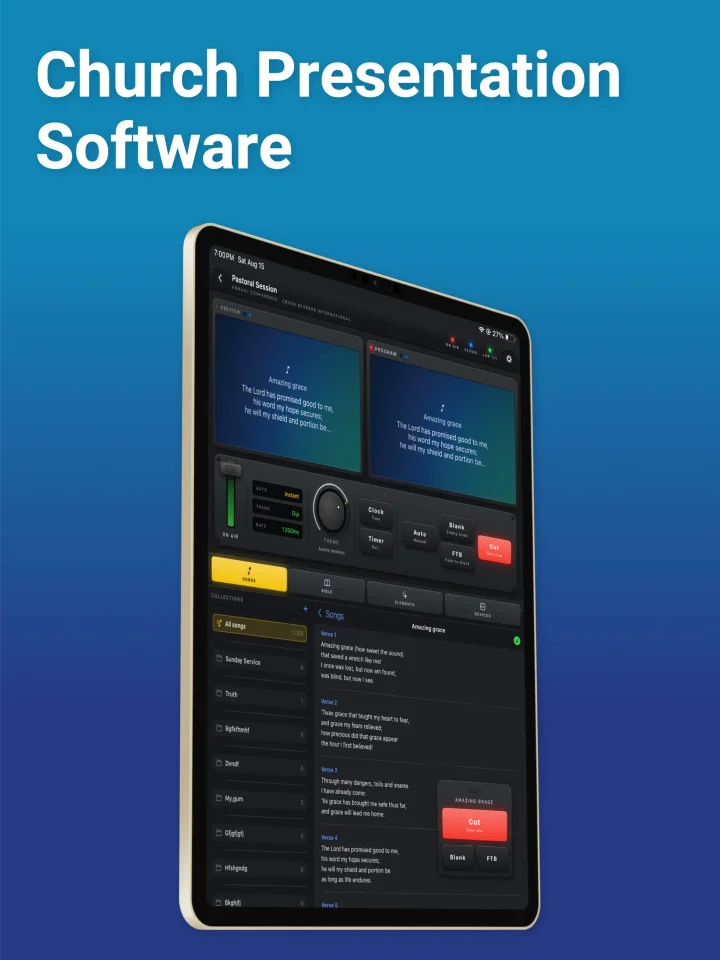
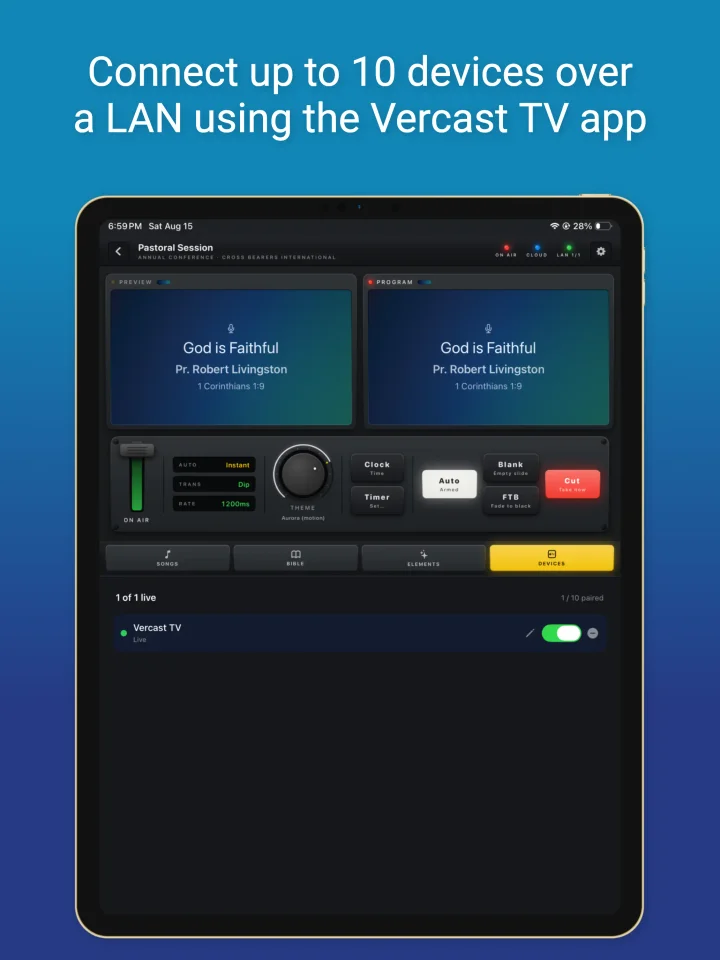
Vercast Studio is the operator's console for a live service. It runs on iPad, at the desk, and it decides what everyone else sees.
PREVIEW, THEN TAKE IT TO AIR
The run of show sits down one side. Tap an item to load it into Preview and check it there. When it is right, press Take and it becomes Program — what the congregation is actually looking at. Nothing reaches anyone until you take it, so a mistyped name or the wrong verse never leaves your desk.
Songs advance verse by verse. Timers count down. The clock stays right. Cut, blank and fade to black are one tap away, on a control deck that sits where your hand already is.
EVERYTHING A SERVICE PUTS ON SCREEN
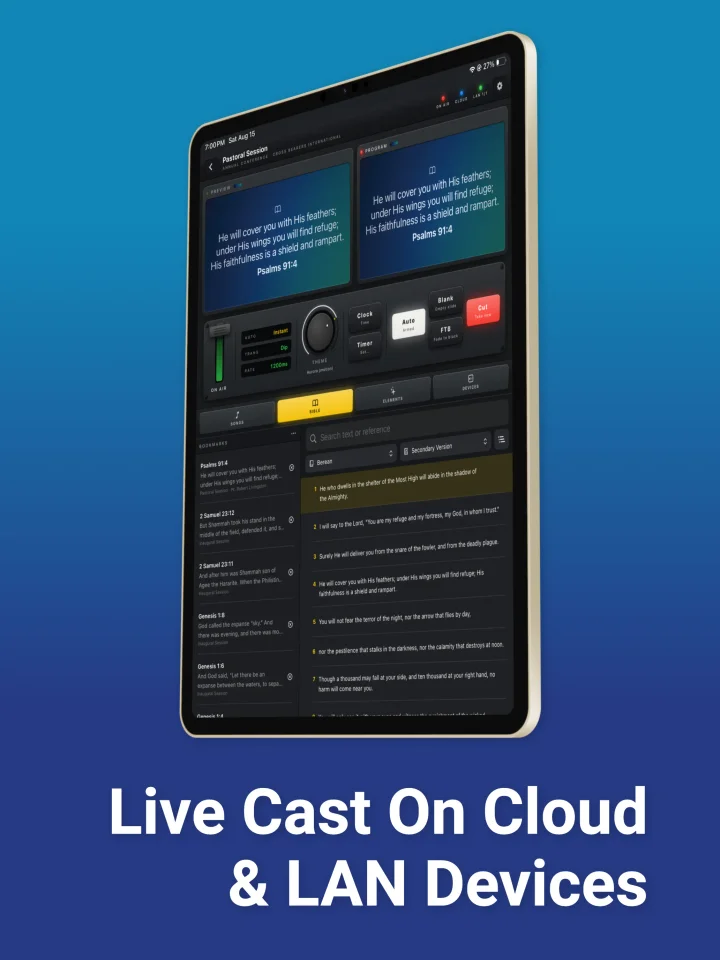
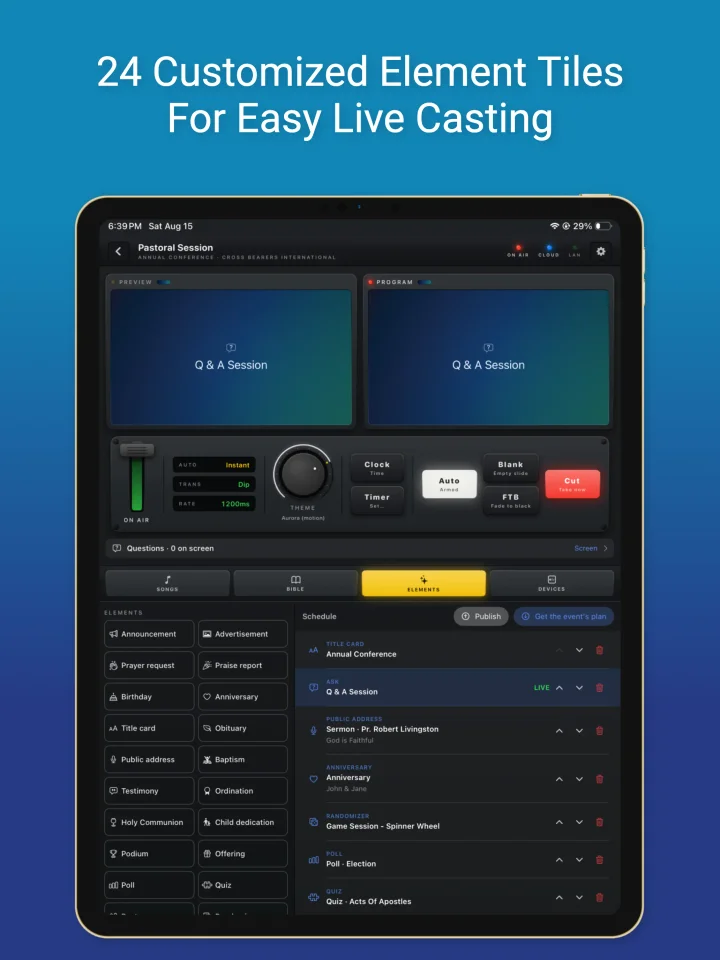
Songs with chords and lyrics. Bible verses from 48 public-domain translations, in two versions side by side when you need them. Announcements, event ads and offering details with a scannable code. Prayer requests, praise reports and testimonies. Birthdays and anniversaries. Baptisms, holy communion, child dedications and ordinations. Title cards and obituaries. A podium slide for whoever is speaking.
And the things that make a room answer back: live polls, quizzes, a question queue the congregation can write into, and a randomizer for drawing a name or a number in front of everyone.
THE CONGREGATION SEES IT ON THEIR OWN PHONES
Anyone with the free Vercast app follows along on their own screen. They get the words to the song, the verse being read, the announcement — at the moment you send it, not a slide behind. People at the back read as well as people at the front, and anyone joining late catches up instantly.
For the screen at the front of the room, Vercast opens a full-screen view in any browser — a laptop on the projector, or the television's own browser. It follows Program the same way, with no app to install.
IT WORKS WHEN THE INTERNET DOES NOT
Church halls have bad signal. Studio keeps your songs and Bibles on the device, so browsing and searching never wait on a network. If there is no connection at all, open the console straight from the sign-in screen and run the room over your local network without an account.
BUILT FOR ONE PAIR OF HANDS
The console is laid out for whoever is running it. Put the controls under your dominant hand. Choose a look for the room and keep the desk dark so it does not glow at the person beside you. Reorder the run of show mid-service. Everything is one deliberate action, because there is no undo in front of a congregation.
PLANS
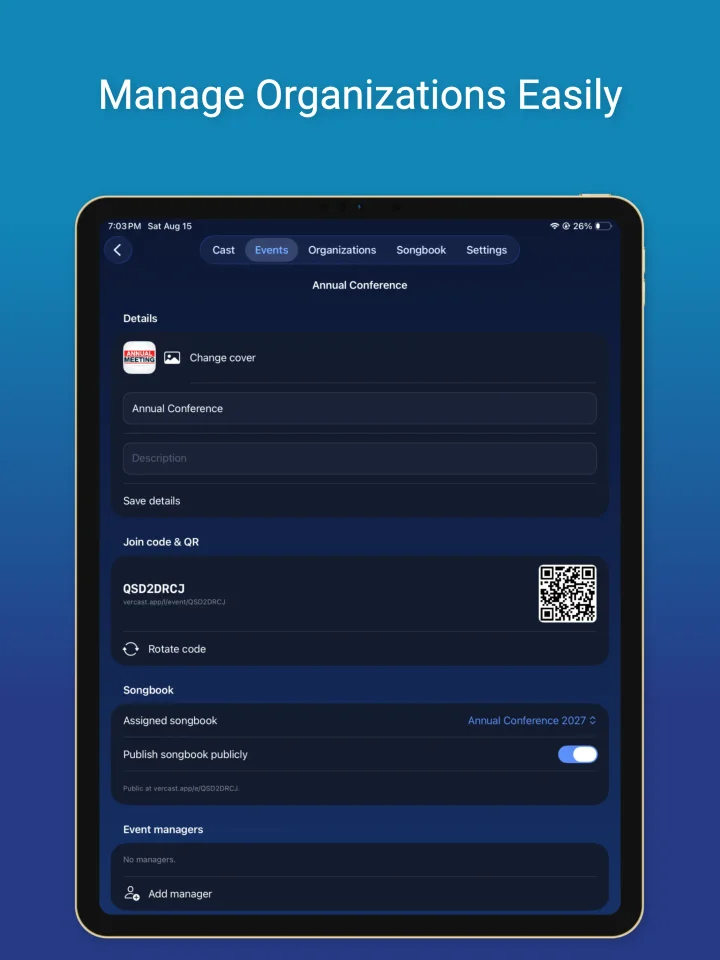
The free tier runs a complete service. Paid plans are for organizations rather than individuals, and raise the limits a growing church runs into — more members, more events, more songbooks. They are managed by whoever administers the organization, and every member gets the benefit.
Vercast Studio is designed for iPad. It is the companion to the free Vercast app, which is what your congregation installs.
SUBSCRIPTIONS
Vercast Studio offers optional auto-renewing subscriptions that raise an organization's limits. Plans are Pro and Enterprise, each in Basic, Platinum, Gold and Ultimate, on a monthly or an annual period. Prices are shown in your local currency on the plan screen before you buy.
Payment is charged to your Apple ID at confirmation of purchase. A subscription renews automatically unless auto-renew is turned off at least 24 hours before the end of the current period, and your account is charged for renewal within 24 hours before the period ends. Manage or cancel your subscription in your Apple ID account settings after purchase.
Terms of Use (EULA): https://www.apple.com/legal/internet-services/itunes/dev/stdeula/
Privacy Policy: https://vercast.app/privacy
Yang baru
Versi 1.5 · 25/11/2026
• Song titles: show the song list in its own language, in your preferred transliteration, or both (Settings).
• Faster song search: the list keeps up while you type.
• Organizations: Dashboard, Insights and Leadership are for members; the Members only / Public choice now covers contact details and social links.
• Creating or changing a password shows the rules as you type.
• Fixes and small improvements.
Privasi aplikasi
Yang dinyatakan Jefin George Jose di App Store tentang cara aplikasi ini menangani data.
-
Data yang ditautkan dengan Anda
Dapat dikumpulkan dan ditautkan dengan identitas Anda.
- Pembelian
- Info kontak
- Konten pengguna
- Pengenal
Praktik privasi dapat bervariasi, misalnya berdasarkan fitur yang Anda gunakan atau usia Anda.
Informasi
- Penjual
- Jefin George Jose
- Kategori
- Produktivitas
- Versi
- 1.5
- Diperbarui
- 25/11/2026
- Dirilis
- 21/8/2026
- Ukuran
- 19,4 MB
- Memerlukan
- iOS 17.0 atau yang lebih baru
- Batasan usia
- 4+
- Harga
- Gratis
- Pembelian dalam aplikasi
- Ya
- Bahasa
- Inggris
- Hak cipta
- © 2026 O2 Global Services
Mungkin Anda juga suka
-
 Ibadah Saku: Lirik RohaniIbadah & Alkitab di Proyektor
-
 Church PresenterProduktivitas
-
 ProRemote - Presenter ControlProduktivitas
-
 FreeShow RemoteProduktivitas
-
 Easlo ExperimentsProduktivitas
-
 Room ArrangerProduktivitas
-
 Rekam Layar - Screen RecorderPerekam TV record screen video
-
 NEEWER TeleprompterProduktivitas
-
 xTiles: notes, tasks, projectsProduktivitas
-
 UTM Remote Virtual MachinesProduktivitas