
- 対象年齢4+
- カテゴリ仕事効率化
- 開発元Jefin George Jose
- 言語英語
- サイズ19.4 MB
App Storeの公式ページにリンクしています
Download.orgはVercast Studioのファイルを一切ホストしていません。ボタンを押すと、Jefin George Joseが公開しているApp Storeのアプリページが開きます。ページの最終確認:2026/11/26。
スクリーンショット

概要
開発元はこのテキストをお使いの言語で提供していません。
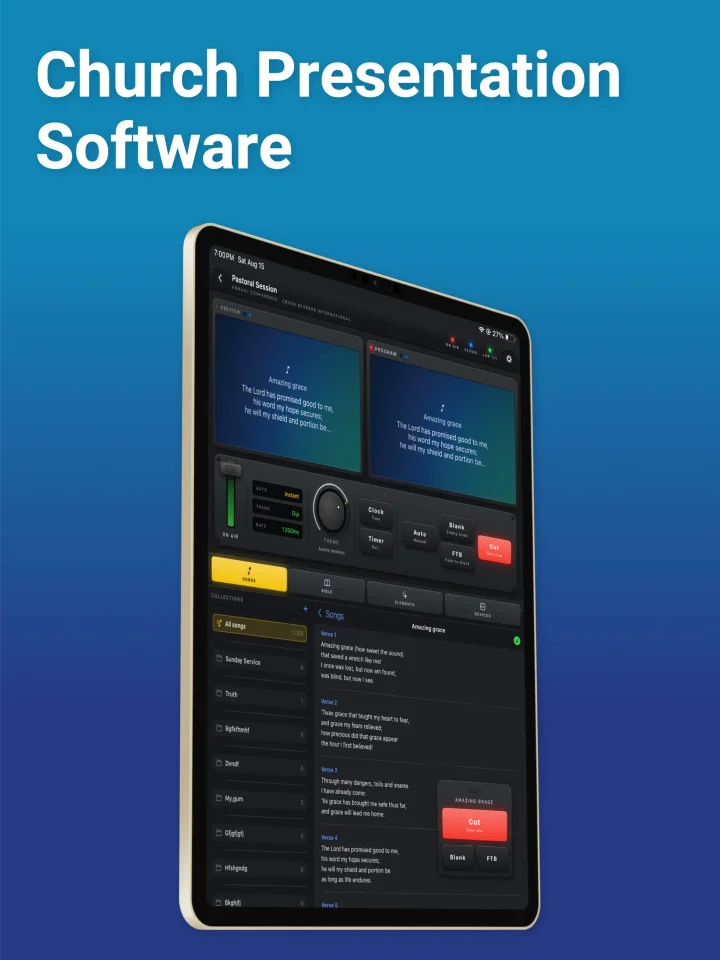
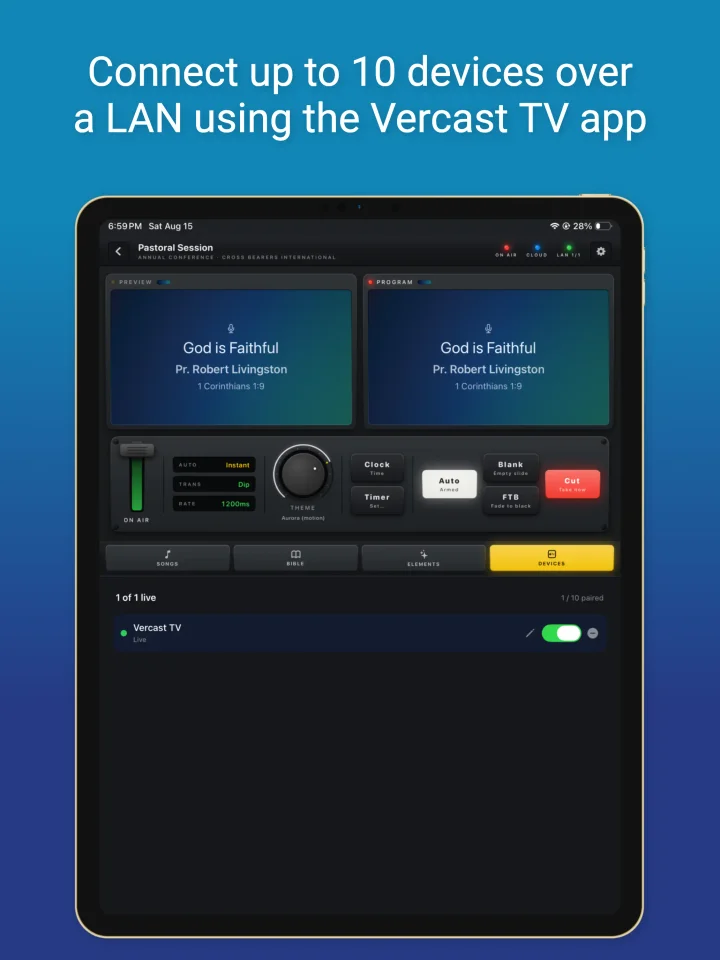
Vercast Studio is the operator's console for a live service. It runs on iPad, at the desk, and it decides what everyone else sees.
PREVIEW, THEN TAKE IT TO AIR
The run of show sits down one side. Tap an item to load it into Preview and check it there. When it is right, press Take and it becomes Program — what the congregation is actually looking at. Nothing reaches anyone until you take it, so a mistyped name or the wrong verse never leaves your desk.
Songs advance verse by verse. Timers count down. The clock stays right. Cut, blank and fade to black are one tap away, on a control deck that sits where your hand already is.
EVERYTHING A SERVICE PUTS ON SCREEN
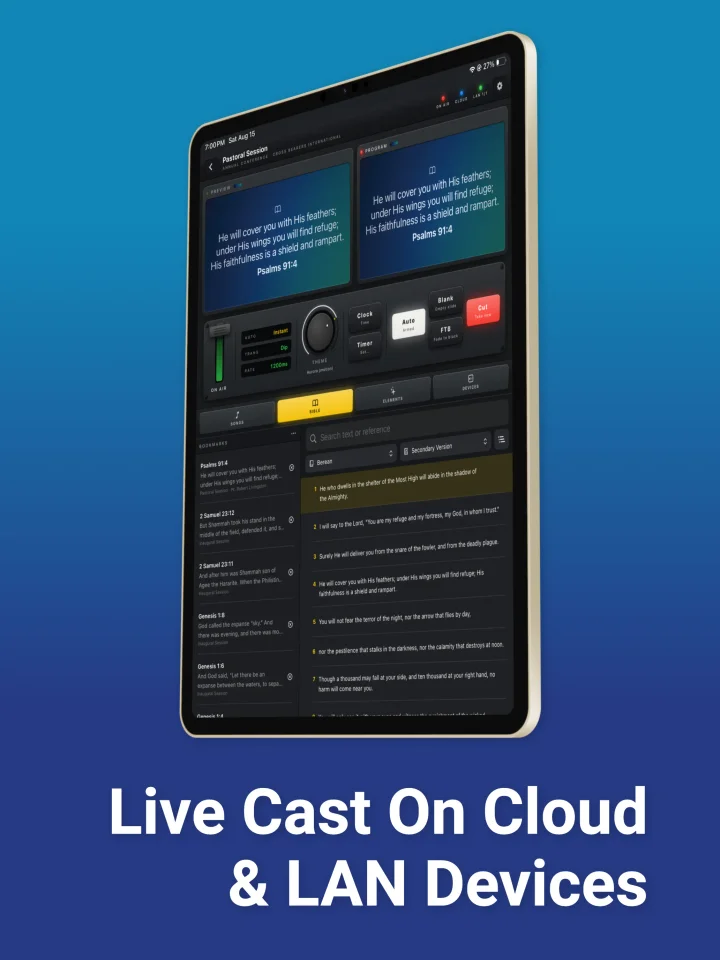
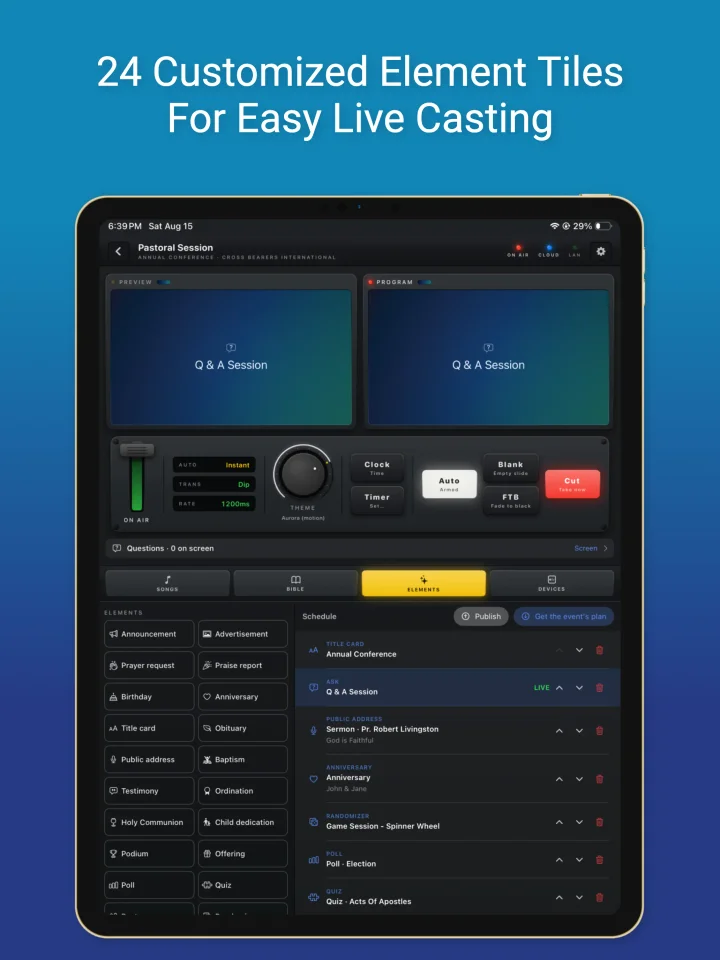
Songs with chords and lyrics. Bible verses from 48 public-domain translations, in two versions side by side when you need them. Announcements, event ads and offering details with a scannable code. Prayer requests, praise reports and testimonies. Birthdays and anniversaries. Baptisms, holy communion, child dedications and ordinations. Title cards and obituaries. A podium slide for whoever is speaking.
And the things that make a room answer back: live polls, quizzes, a question queue the congregation can write into, and a randomizer for drawing a name or a number in front of everyone.
THE CONGREGATION SEES IT ON THEIR OWN PHONES
Anyone with the free Vercast app follows along on their own screen. They get the words to the song, the verse being read, the announcement — at the moment you send it, not a slide behind. People at the back read as well as people at the front, and anyone joining late catches up instantly.
For the screen at the front of the room, Vercast opens a full-screen view in any browser — a laptop on the projector, or the television's own browser. It follows Program the same way, with no app to install.
IT WORKS WHEN THE INTERNET DOES NOT
Church halls have bad signal. Studio keeps your songs and Bibles on the device, so browsing and searching never wait on a network. If there is no connection at all, open the console straight from the sign-in screen and run the room over your local network without an account.
BUILT FOR ONE PAIR OF HANDS
The console is laid out for whoever is running it. Put the controls under your dominant hand. Choose a look for the room and keep the desk dark so it does not glow at the person beside you. Reorder the run of show mid-service. Everything is one deliberate action, because there is no undo in front of a congregation.
PLANS
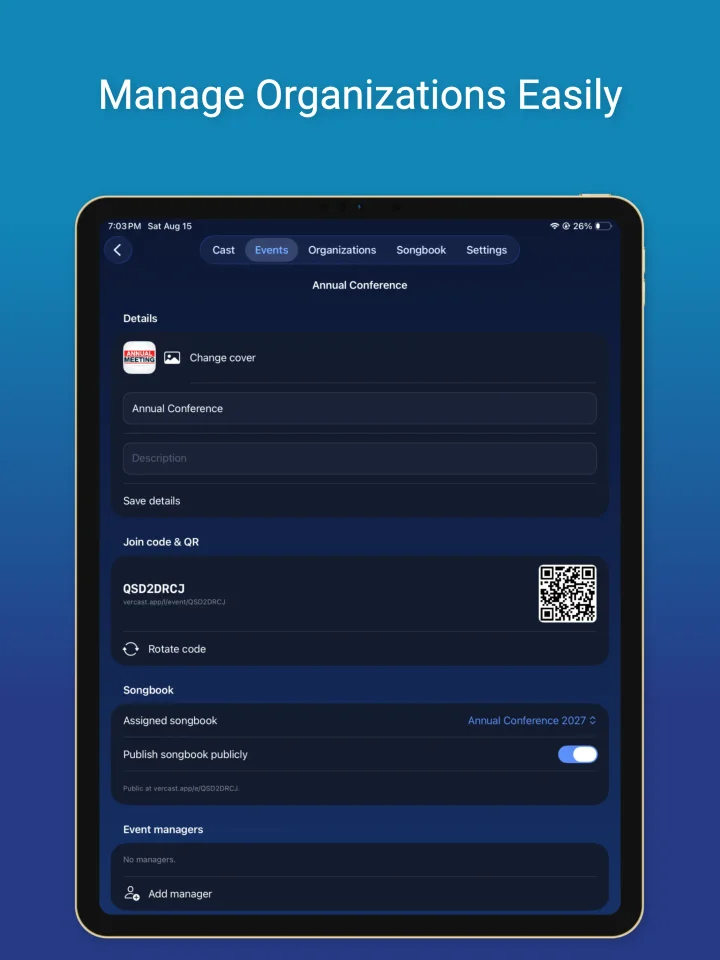
The free tier runs a complete service. Paid plans are for organizations rather than individuals, and raise the limits a growing church runs into — more members, more events, more songbooks. They are managed by whoever administers the organization, and every member gets the benefit.
Vercast Studio is designed for iPad. It is the companion to the free Vercast app, which is what your congregation installs.
SUBSCRIPTIONS
Vercast Studio offers optional auto-renewing subscriptions that raise an organization's limits. Plans are Pro and Enterprise, each in Basic, Platinum, Gold and Ultimate, on a monthly or an annual period. Prices are shown in your local currency on the plan screen before you buy.
Payment is charged to your Apple ID at confirmation of purchase. A subscription renews automatically unless auto-renew is turned off at least 24 hours before the end of the current period, and your account is charged for renewal within 24 hours before the period ends. Manage or cancel your subscription in your Apple ID account settings after purchase.
Terms of Use (EULA): https://www.apple.com/legal/internet-services/itunes/dev/stdeula/
Privacy Policy: https://vercast.app/privacy
新機能
バージョン 1.5 · 2026/11/25
• Song titles: show the song list in its own language, in your preferred transliteration, or both (Settings).
• Faster song search: the list keeps up while you type.
• Organizations: Dashboard, Insights and Leadership are for members; the Members only / Public choice now covers contact details and social links.
• Creating or changing a password shows the rules as you type.
• Fixes and small improvements.
アプリのプライバシー
このアプリのデータの取り扱いについて、Jefin George JoseがApp Storeで申告している内容です。
-
ユーザーに関連付けられたデータ
収集され、ユーザーの識別情報に関連付けられる場合があります。
- 購入
- 連絡先情報
- ユーザーコンテンツ
- ID
プライバシーの取り扱いは、ご利用の機能やお客様の年齢などに応じて異なる場合があります。
情報
- 販売元
- Jefin George Jose
- カテゴリ
- 仕事効率化
- バージョン
- 1.5
- 更新日
- 2026/11/25
- リリース
- 2026/8/21
- サイズ
- 19.4 MB
- 必要条件
- iOS 17.0以降
- 対象年齢
- 4+
- 価格
- 無料
- アプリ内課金
- あり
- 言語
- 英語
- 著作権
- © 2026 O2 Global Services
こちらもおすすめ
-
 ポケットワーシップ:賛美・歌詞投影iPhoneで礼拝スライドと聖書表示
-
 Church Presenter仕事効率化
-
 ProRemote - Presenter Control仕事効率化
-
 FreeShow Remote仕事効率化
-
 Easlo Experiments仕事効率化
-
 Room Arranger自宅やオフィスをデザインしよう
-
 画面 録画 アプリ - 動画保存 収録 レコーダー動画 保存 加工 撮影, screen recorder
-
 NEEWER Teleprompter仕事効率化
-
 xTiles: notes, tasks, projects仕事効率化
-
 UTM Remote Virtual Machines仕事効率化