Visual EQ Console AUv3 Plugin
Multi-Band EQ and Analyser
Dirancang untuk iPhone, iPad, iPod touch
Rp 179ribu
- Batasan usia4+
- KategoriMusik
- Pengembang4Pockets.com
- BahasaInggris
- Ukuran6,5 MB
Tertaut ke halaman resmi App Store
Download.org tidak menyimpan file Visual EQ Console AUv3 Plugin apa pun. Tombol ini membuka halaman aplikasi di App Store, tempat 4Pockets.com menerbitkannya. Halaman terakhir diperiksa pada 17/11/2026.
Tangkapan layar
Tentang
Pengembang belum menyediakan teks ini dalam bahasa Anda.
This is an AUv3 compatible effect plugin which is intended for use inside your favourite DAW such as Cubasis, Auria, Meteor, AUM or GarageBand etc.
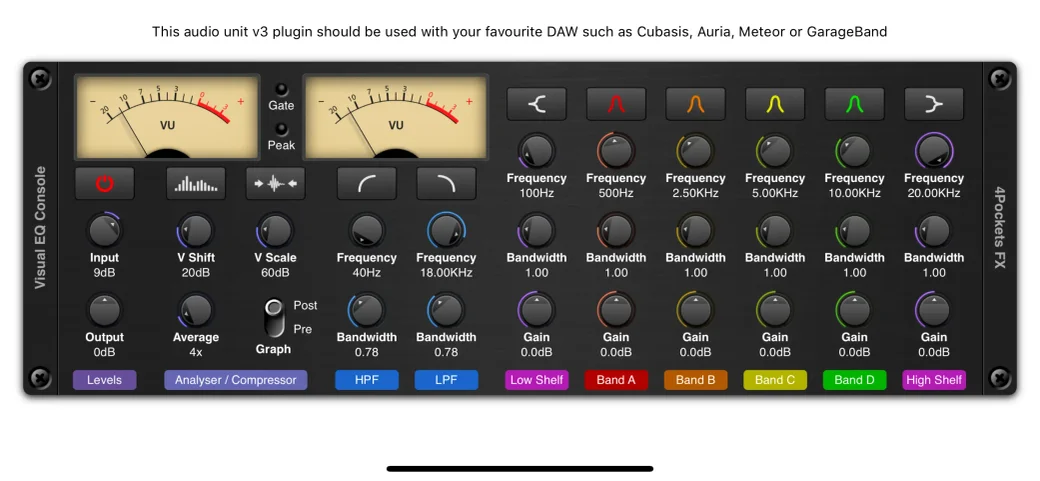
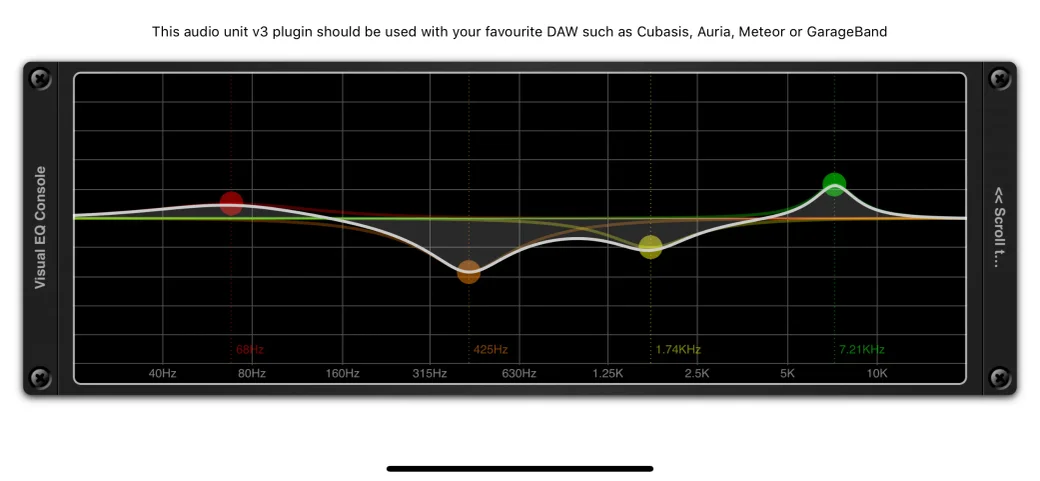
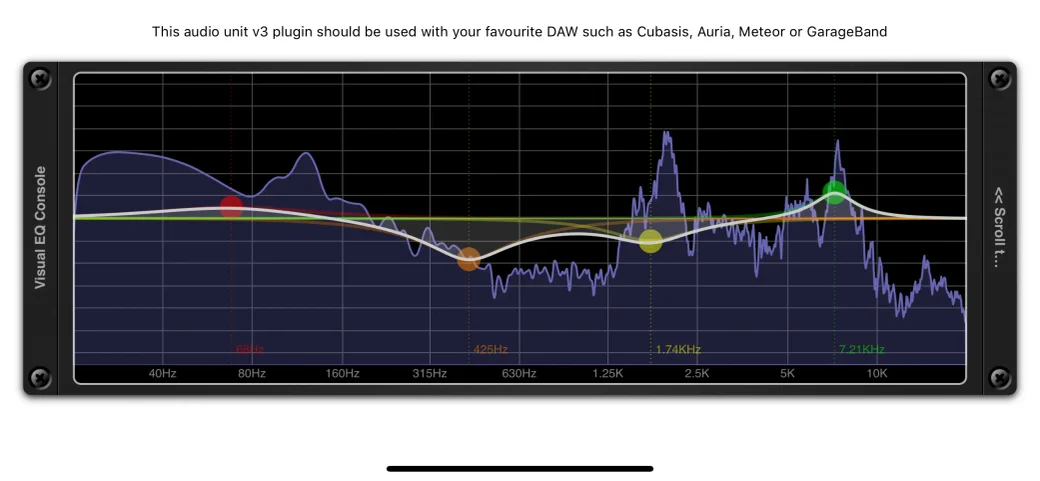
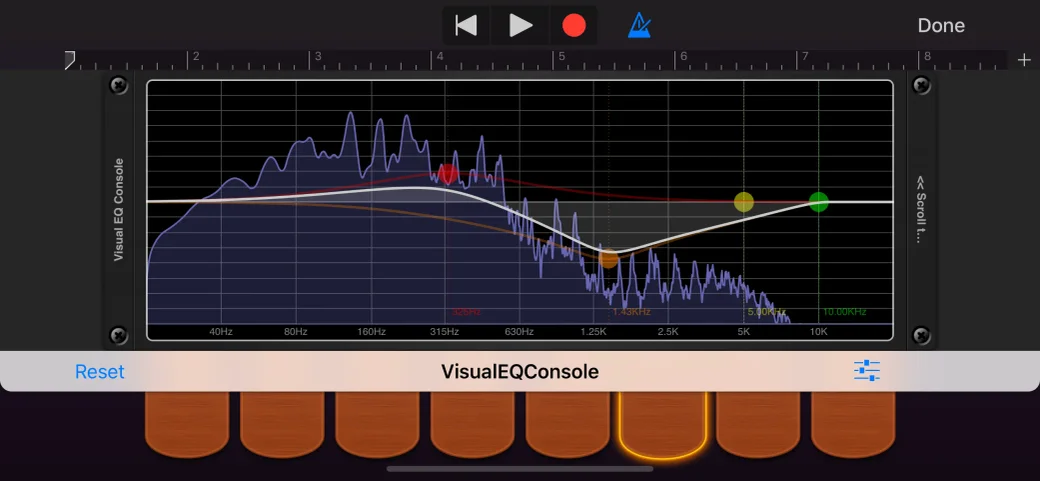
Visual EQ Console is a studio quality multi-band EQ console with the ability to analyse audio in real time giving an accurate and reliable spectrum representation of the frequency response.
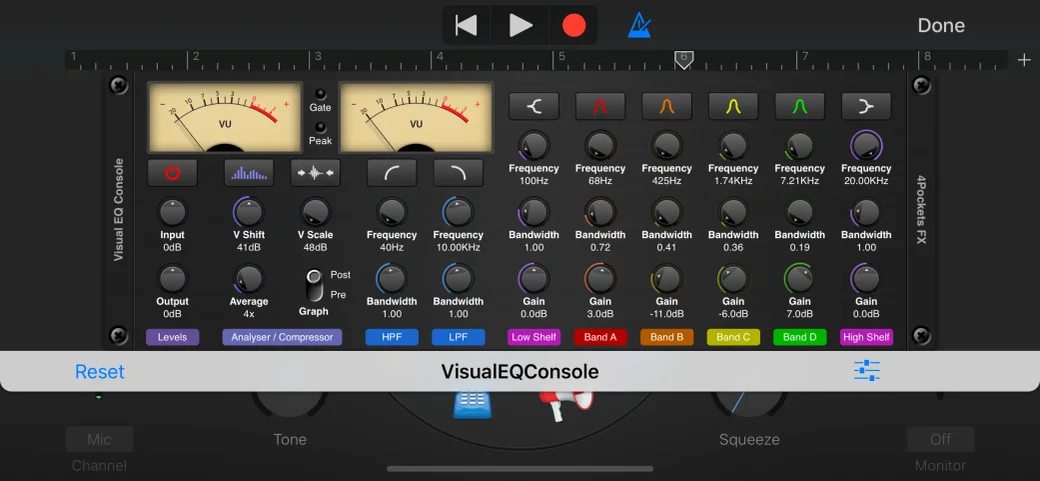
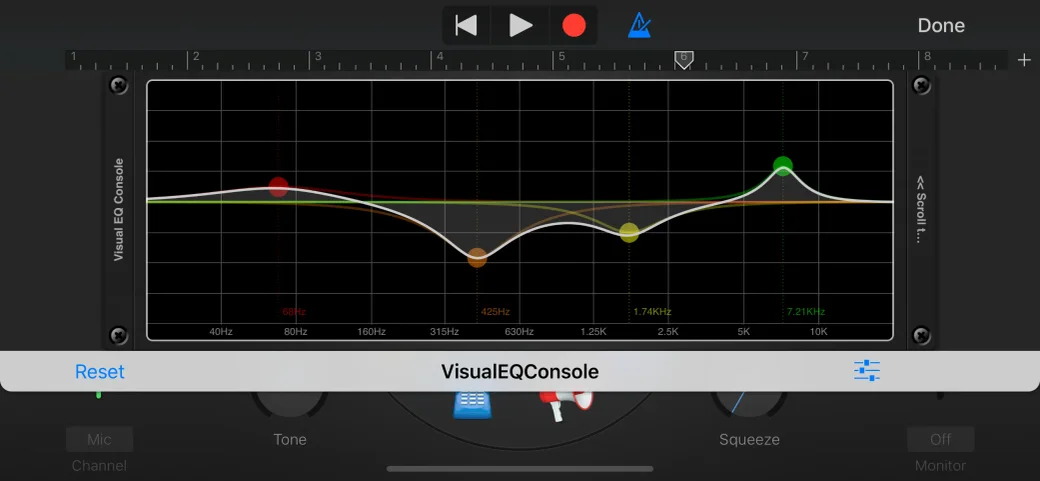
It includes your typical set of 4 parametric filters which are stable even when parameters are being changed. We also include low and high shelf as well as low and high pass filters, that's 10 filters in all.
We use a high quality highly hardware optimised FFT to plot the frequency response through the filters so you can see exactly what effect your changes are having on the sound. The scrolling interface automatically adjusts to the hosts window size to allow a double height display in an appropriate DAW.
One of the main problems with most Studio type EQ's is they don't give a true representation of the frequency response, often hiding the inpact of low and high pass / shelf filters on the frequency response. This plugin accurately tracks the response all the way through the audio chain and is backed up by the spectrum analyser so you can be confident that it is having the desired effect.
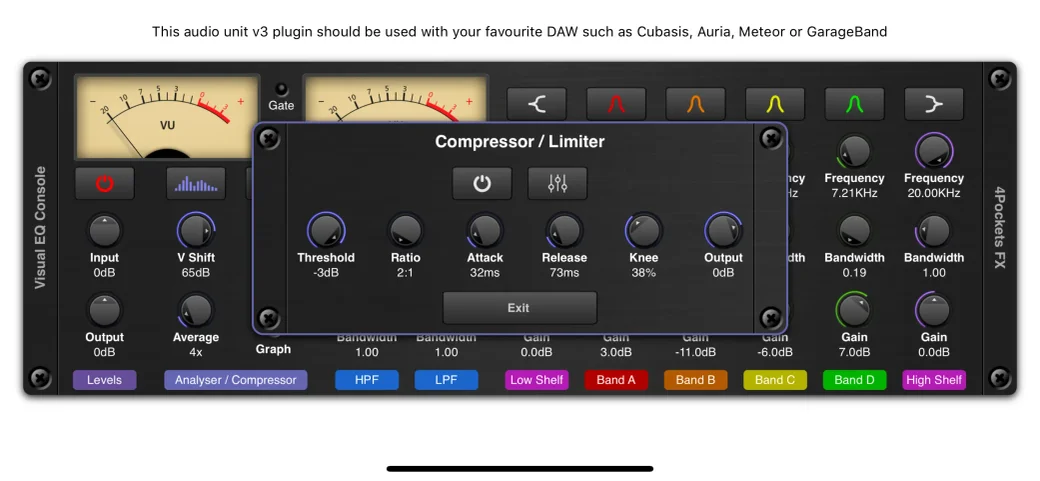
We also include a Compressor / Limiter section to ensure those settings never get too aggressive.
You can load and save custom console presets as well as copy and paste settngs between instances. This is great if you need to setup multiple instances with the same settings.
Plenty of options are tucked away under the hood so as not to clutter the display.
Main Features:
○ 4 resonant paramettic filters (A-D) .
○ All filters adjustable +/-24dB.
○ High and Low Pass filters.
○ Low and High Shelf Filters.
○ Touch interface with multi-touch for controlling filter Q.
○ Spectrum Analyser with Pre and Post monitoring.
○ Vertical shift and scale options for the spectrum.
○ Create and save custom presets.
○ Copy / Paste presets between instances.
○ Compressor / Limiter with Auto Makup Gain.
○ Twin VU meters
○ Quick Reset options for each section of the console.
Yang baru
Versi 1.14 · 3/9/2025
v1.14 B18
Updated for compatability with future iOS Versions.
Privasi aplikasi
Yang dinyatakan 4Pockets.com di App Store tentang cara aplikasi ini menangani data.
-
Data tidak dikumpulkan
Pengembang tidak mengumpulkan data apa pun dari aplikasi ini.
Praktik privasi dapat bervariasi, misalnya berdasarkan fitur yang Anda gunakan atau usia Anda.
Informasi
- Penjual
- Limelight Software
- Kategori
- Musik
- Versi
- 1.14
- Diperbarui
- 3/9/2025
- Dirilis
- 23/6/2019
- Ukuran
- 6,5 MB
- Memerlukan
- iOS 13 atau yang lebih baru
- Batasan usia
- 4+
- Harga
- Rp 179ribu
- Bahasa
- Inggris
- Hak cipta
- Copyright © 2019 - 4Pockets.com