
VOID: Storage Cleaner
Duplicate photos, large videos
Dirancang untuk iPhone, iPad
Gratis · Pembelian dalam aplikasi
- Batasan usia4+
- KategoriKegunaan
- PengembangPrzemyslaw Skowronek
- BahasaInggris+ 6 lainnya
- Ukuran13,7 MB
Tertaut ke halaman resmi App Store
Download.org tidak menyimpan file VOID: Storage Cleaner apa pun. Tombol ini membuka halaman aplikasi di App Store, tempat Przemyslaw Skowronek menerbitkannya. Halaman terakhir diperiksa pada 20/11/2026.
Tangkapan layar

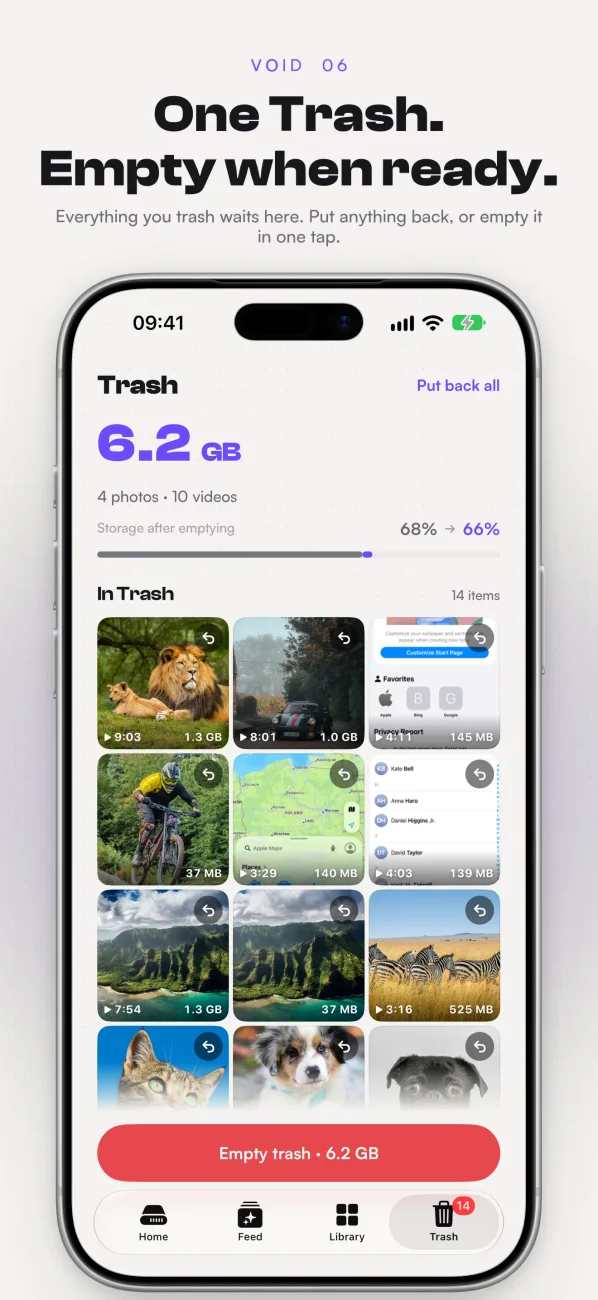
Tentang
Pengembang belum menyediakan teks ini dalam bahasa Anda.
Have your storage under control. VOID shows what is using space on this iPhone and lets you free it up on your terms, in a way that feels like scrolling a feed instead of doing chores.
VOID reads the Photos library on your iPhone and shows what is taking up room: large and long videos, 4K clips, screen recordings, screenshots, similar and duplicate photos, Live Photos and oversized images. Everything runs on your device. Nothing is uploaded. Nothing is deleted without your confirmation.
YOUR LIBRARY, AS A FEED
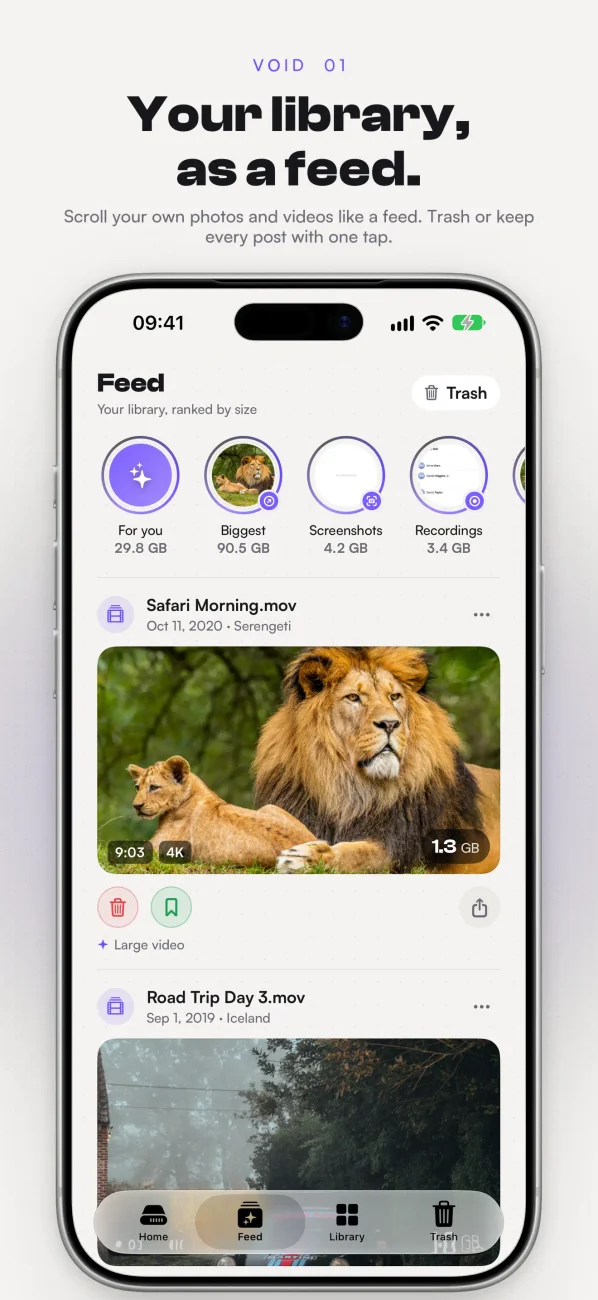
Open the Feed and your own photos and videos appear as posts, ranked by how much space they take and how little you are likely to miss them. Each post shows the size, the duration and why VOID picked it. Tap Trash or Keep, double-tap to keep, and move on. There is nobody else here: no accounts, no ads, no followers, just your library.
STORIES YOU TAP THROUGH
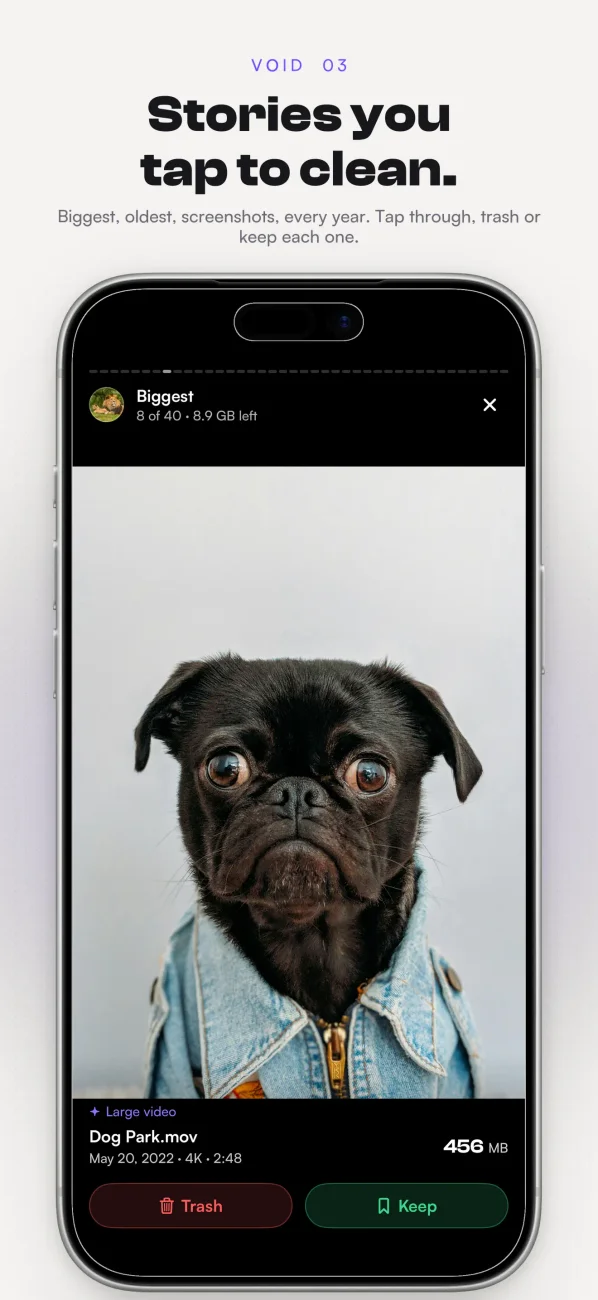
At the top of the Feed, stories group your library the way you would want to review it: Biggest, Screenshots, Recordings, Longest, Similar, Duplicates, Blurry, what is stored on this device, and one story for every year. Tap through a story like you do everywhere else, swipe to the next one, and decide as you go.
ONE TRASH, EMPTIED WHEN YOU SAY
Everything you trash lands in the Trash tab and waits there, like on a Mac. Put anything back with one tap or empty the whole bin when you are ready. Deletions go through the standard iOS confirmation and stay in Recently Deleted for 30 days.
LIBRARY GRID
Photos and videos in one grid, with size and duration on every tile. Pinch or tap to change the grid size, filter by videos, photos, screenshots or what is stored on this device, and sort by date, size or length.
A LIVE DRIVE GAUGE AND SECTOR MAP
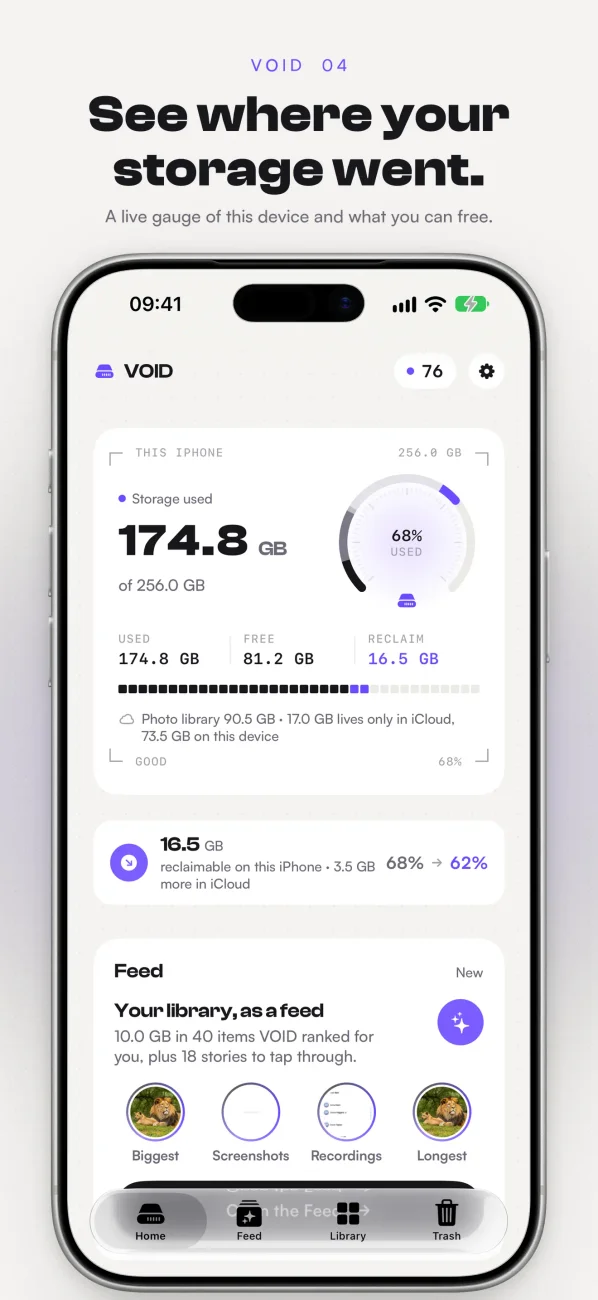
Home shows how much of this device is used, how much is free, and how much you could get back right now. Every cell in the storage map stands for a slice of your device: videos, photos, screenshots, apps and system, free space.
ICLOUD VS THIS DEVICE
Many libraries live mostly in iCloud. VOID shows what is stored on this iPhone and what only lives in the cloud, so you know which deletions actually free space here.
PLACES AND A MAP
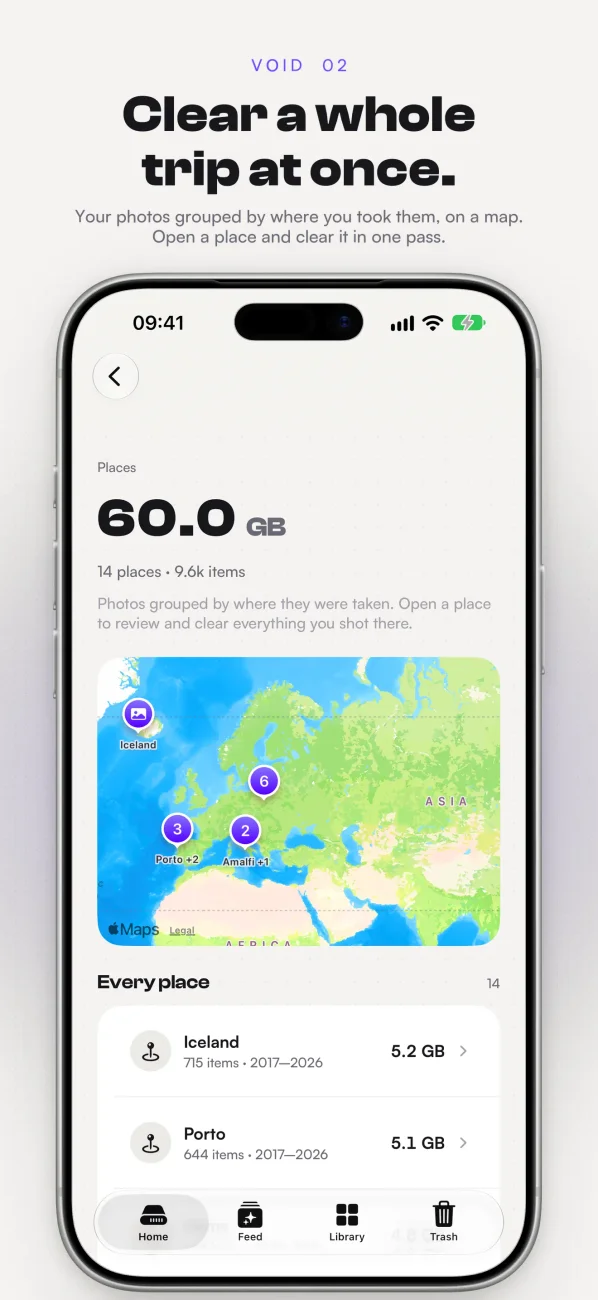
Photos carry the place they were taken. VOID groups them into the trips and spots you remember and puts them on a map, so you can clear a whole weekend away in one pass instead of hunting for it in a grid.
SIMILAR AND DUPLICATE PHOTOS
VOID groups shots that look alike and suggests the sharpest one to keep. Prefer to choose yourself? One switch clears the suggestions so you pick the ones to trash. You make the final call either way.
WHAT TO EXPECT
• Photos and videos never leave your iPhone
• No ads, no tracking, no accounts
• Nothing is deleted until you empty the Trash, and iOS asks once more
• Deleted items stay in Recently Deleted for 30 days
• The free tier includes the full scan and 500 MB of cleanup
VOID PRO
VOID Pro removes the cleanup limit. Pay yearly, or once for lifetime access.
Privacy policy: https://www.skylarks.io/apps/void/privacy-policy
Terms of service: https://www.skylarks.io/apps/void/terms-of-service
Yang baru
Versi 1.3.2 · 11/11/2026
FRESH LIBRARY WHEN YOU COME BACK
Took new photos or added some while VOID was in the background? They now show up as soon as you return, without restarting the app. Granting Photos access in Settings also starts the scan right away, and previews that were still loading when you left now finish loading.
ALSO
Clearer wording on the Photos access screen, and smaller fixes under the hood.
Privasi aplikasi
Yang dinyatakan Przemyslaw Skowronek di App Store tentang cara aplikasi ini menangani data.
-
Data yang tidak ditautkan dengan Anda
Dapat dikumpulkan, tetapi tidak ditautkan dengan identitas Anda.
- Data penggunaan
Praktik privasi dapat bervariasi, misalnya berdasarkan fitur yang Anda gunakan atau usia Anda.
Informasi
- Penjual
- Przemyslaw Skowronek
- Kategori
- Kegunaan
- Versi
- 1.3.2
- Diperbarui
- 11/11/2026
- Dirilis
- 15/9/2026
- Ukuran
- 13,7 MB
- Memerlukan
- iOS 18.0 atau yang lebih baru
- Batasan usia
- 4+
- Harga
- Gratis
- Pembelian dalam aplikasi
- Ya
- Bahasa
- Inggris, Prancis, Jerman, Italia, Polski (Polandia), Portugis, Spanyol
- Hak cipta
- © 2026 Skylarks
Mungkin Anda juga suka
-
 Spawn - Power Listing AppKegunaan
-
 NetScanPro: Network ScannerKegunaan
-
 FraudSentry: AI Scam DetectorKegunaan
-
 Funes Photo & Video StorageKegunaan
-
 LineByLine - actor's flashcardKegunaan
-
 HomeMapperKegunaan
-
 Spam Text Blocker: SpamOffKegunaan
-
 BlackBox: 24/7 Voice RecorderKegunaan
-
 HomeBridgerKegunaan
-
 Thread Doctor - MatterKegunaan