
WeeNote Notes and Widget
A Playful Way to Jot It Down
Dirancang untuk iPhone, iPad
Gratis · Pembelian dalam aplikasi
- Batasan usia4+
- KategoriProduktivitas
- PengembangAlina Vetrov
- BahasaInggris
- Ukuran23,8 MB
Tertaut ke halaman resmi App Store
Download.org tidak menyimpan file WeeNote Notes and Widget apa pun. Tombol ini membuka halaman aplikasi di App Store, tempat Alina Vetrov menerbitkannya. Halaman terakhir diperiksa pada 17/11/2026.
Tangkapan layar
Tentang
Pengembang belum menyediakan teks ini dalam bahasa Anda.
WeeNote is a color sticky notes memo app with a widget for the home screen that can sync with your other devices.
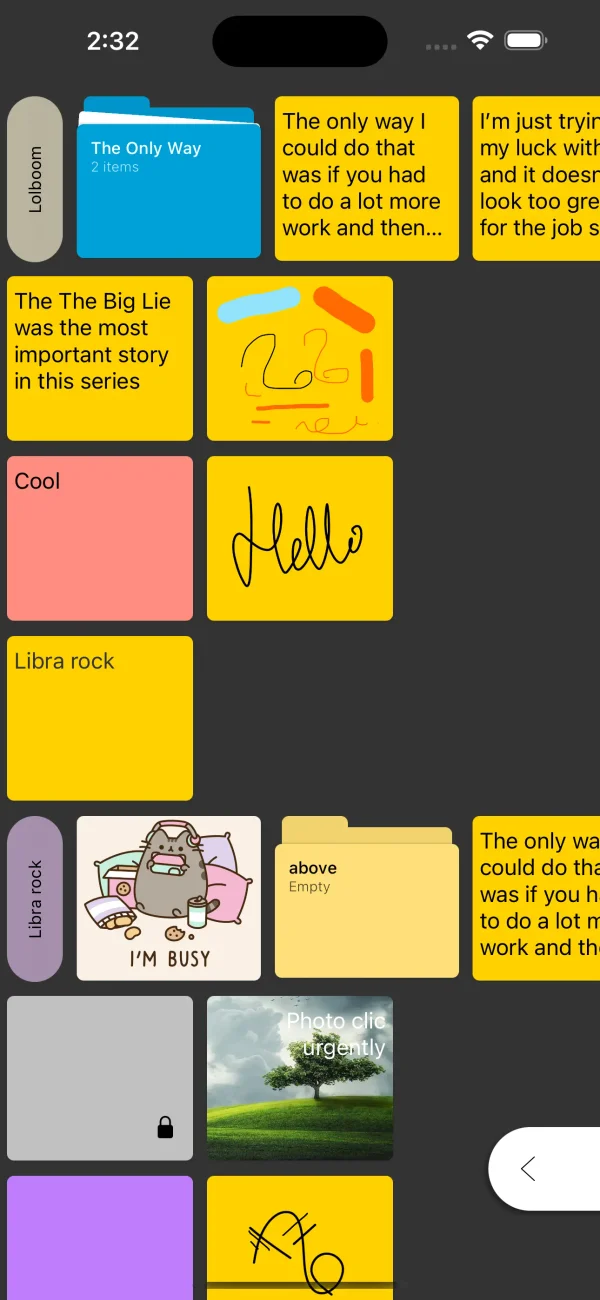
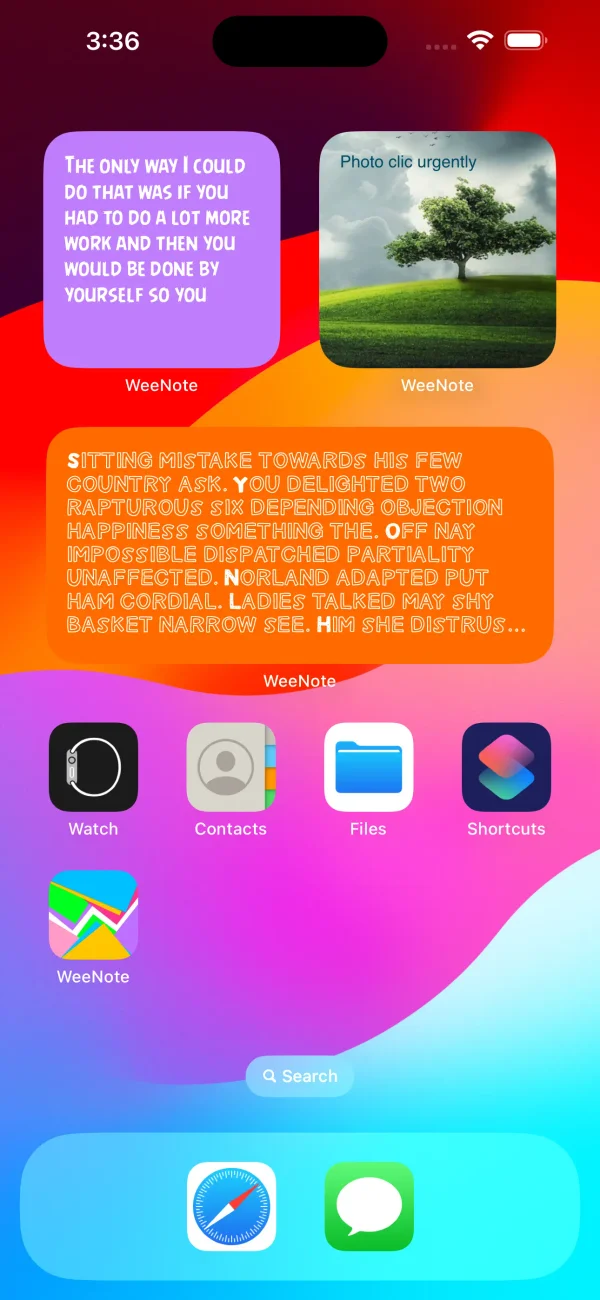
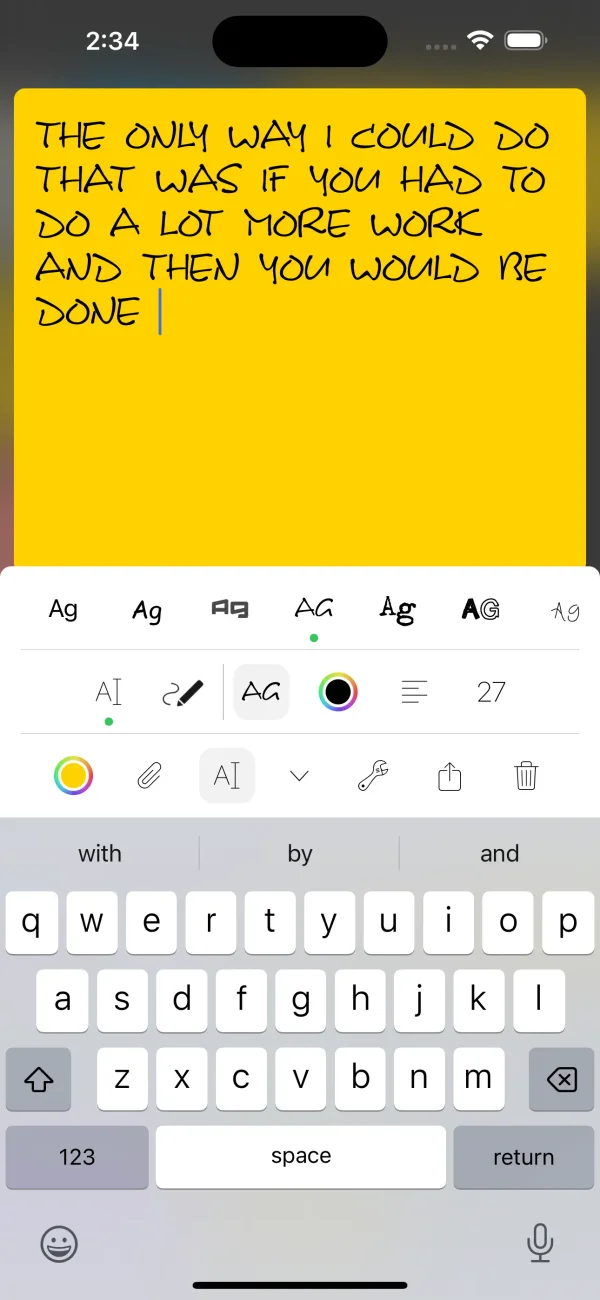
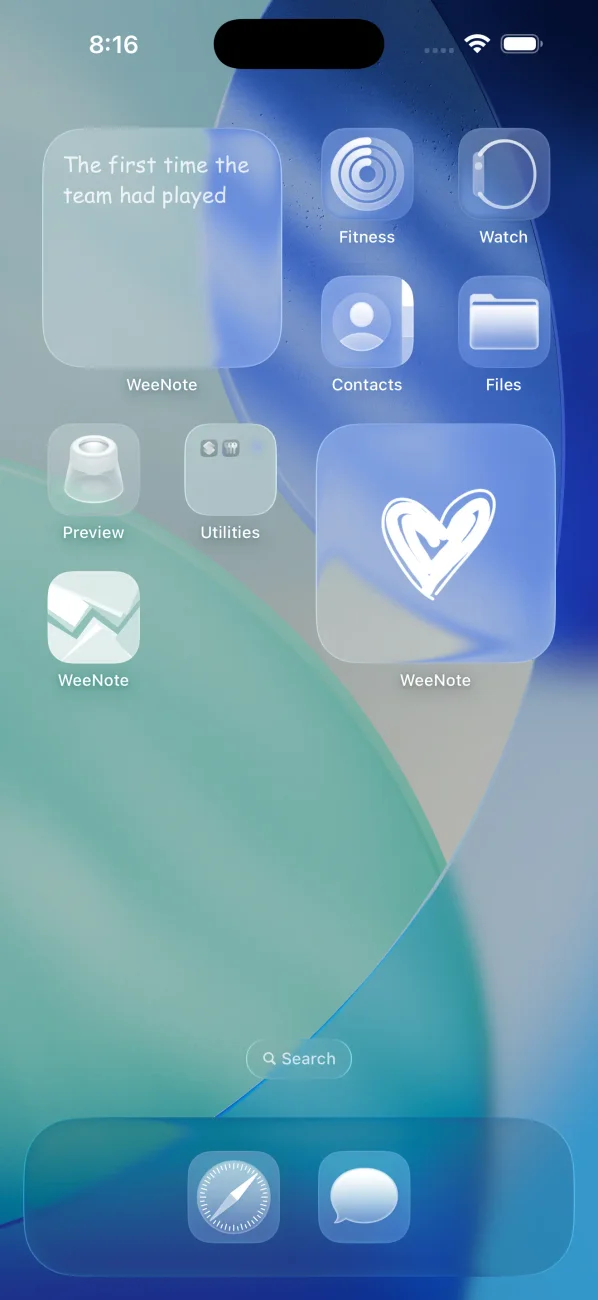
With WeeNote you will be able to create color note stickies and reminders, add notes to your home screen, resize notes and customize them to your liking. You will also be able to take handwritten notes and drawings and place the stickies on your home screen. In addition to that, you can set notes transparency and rotation angle to achieve different looks, as well as set your own image as a note background, and use custom fonts for your text.
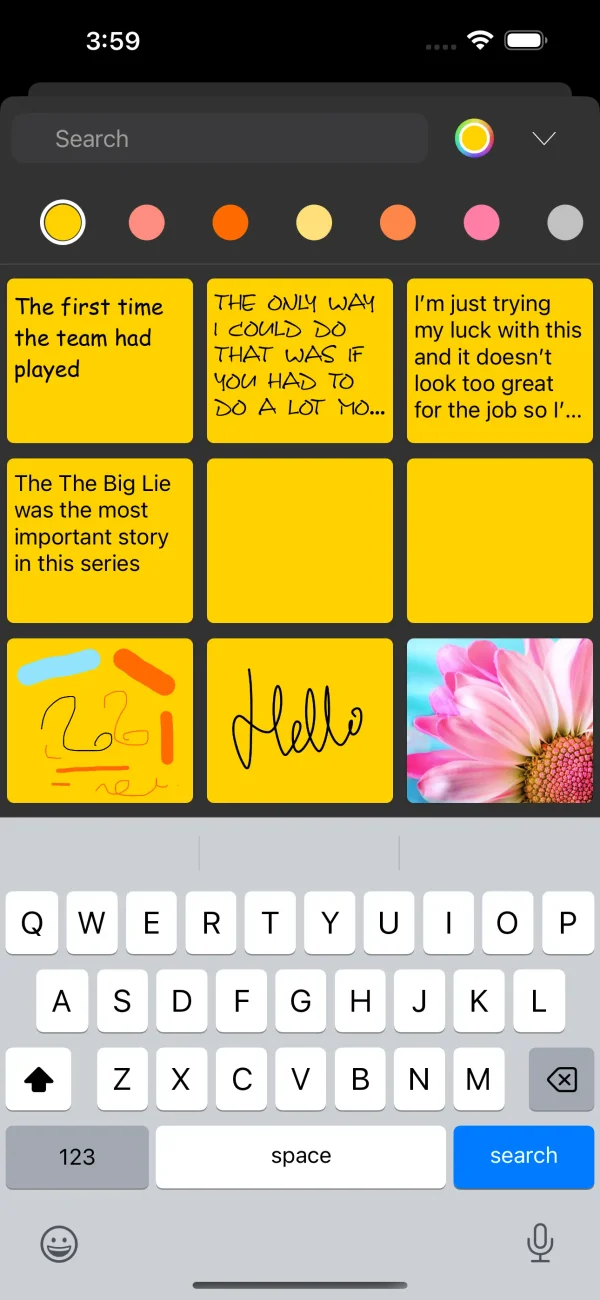
WeeNote sticky notes organizer will let you categorize your notes and keep them in a convenient colored sub folders system. You can keep them in an order that is suitable for your workflow, sort by various criteria, or manually drag and drop. Notes can be trashed, moved between folders, looked by a search term, shared as text , drawing or a screenshot.
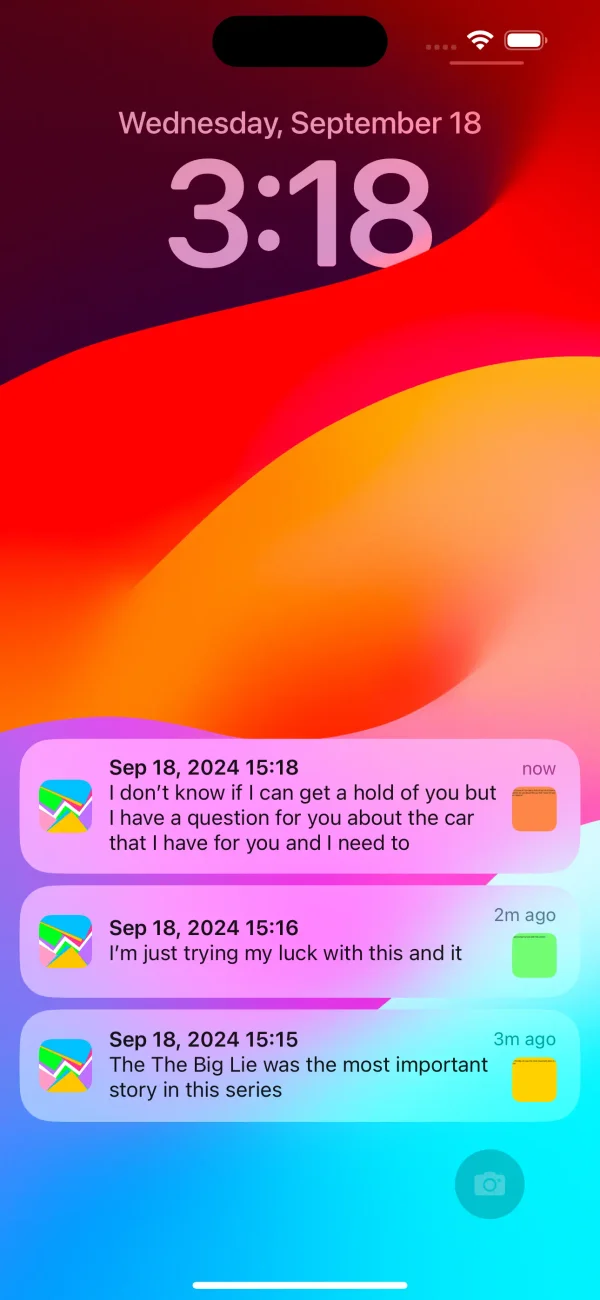
Notes can also serve you as a timed reminders that you can schedule to appear as notifications right when you need them.
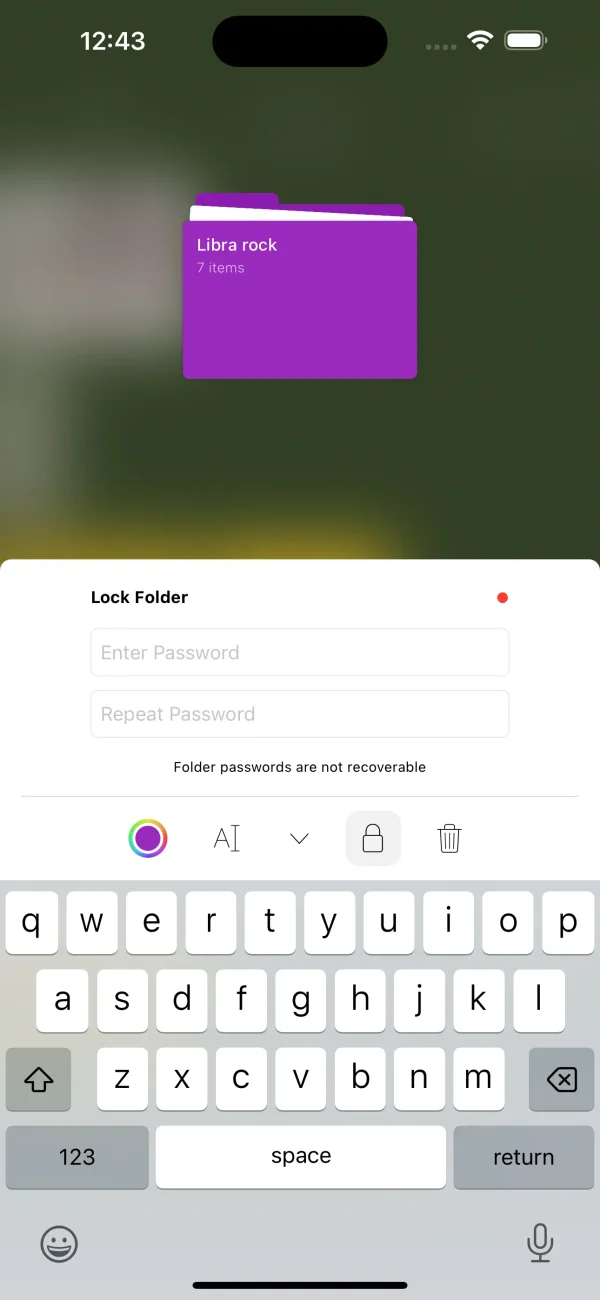
Protect your notes and folders with a password to keep them private.
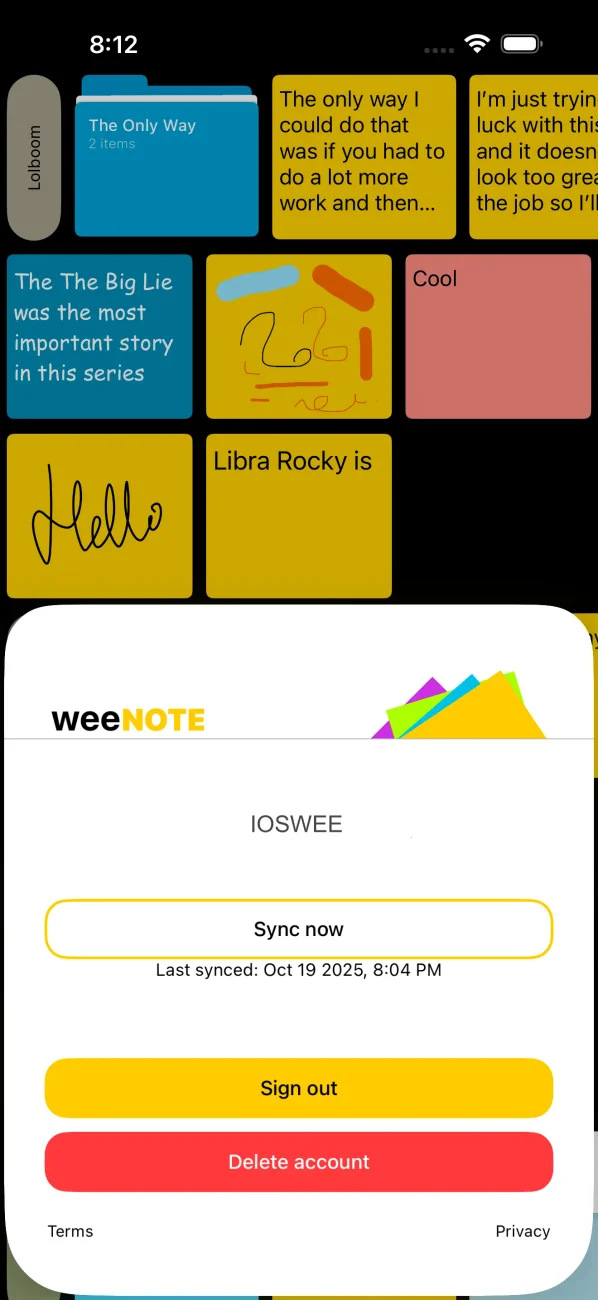
Online backup and data synchronization feature is available for app subscribers. You will be able to sync notes across multiple devices, and restore your data in case needed.
The notes can be shown in a layout setup that will allow you to scroll through your notes in different directions, and view sub folders contents simultaneously. This feature can be useful for storyboarding, visualizing, planning, outlining and so on.
The app is available for a period of 7 days to try, after that it will be required to purchase your copy to continue using WeeNote.
Hope you enjoy WeeNote as much as we enjoyed working on it, and feel welcome to contact us if you have any questions or suggestions, or need technical support.
Here is how to put sticky notes on your home screen:
Go to your home screen, tap and hold a free space, tap + button, select WeeNote, add the widget.
Terms of Use: https://www.apple.com/legal/internet-services/itunes/dev/stdeula/
Privacy Policy: https://weenoteapp.blogspot.com/p/weenote-privacy-policy.html
Yang baru
Versi 2.0.2 · 1/11/2025
Tapping a widget won't open a note in edit mode fixed.
Editing a widget won't show note color on iOS26 fixed.
Dark mode UI improvement.
Privasi aplikasi
Yang dinyatakan Alina Vetrov di App Store tentang cara aplikasi ini menangani data.
-
Data yang tidak ditautkan dengan Anda
Dapat dikumpulkan, tetapi tidak ditautkan dengan identitas Anda.
- Info kontak
Praktik privasi dapat bervariasi, misalnya berdasarkan fitur yang Anda gunakan atau usia Anda.
Informasi
- Penjual
- Alina Vetrov
- Kategori
- Produktivitas
- Versi
- 2.0.2
- Diperbarui
- 1/11/2025
- Dirilis
- 25/7/2024
- Ukuran
- 23,8 MB
- Memerlukan
- iOS 17.0 atau yang lebih baru
- Batasan usia
- 4+
- Harga
- Gratis
- Pembelian dalam aplikasi
- Ya
- Bahasa
- Inggris
- Hak cipta
- © SYM Coding 2025
Mungkin Anda juga suka
-
 Duse - Habit TrackerProduktivitas
-
 Resolusi Tahun Baru: YearvanaTarget & Kebiasaan 2027
-
 Star Tasks – Streaks and focusProduktivitas
-
 Kutu: Pengelola BookmarkSimpan link & baca nanti
-
 SonicScript: Text to SpeechProduktivitas
-
 CandyMind: Pomodoro TimerProduktivitas
-
 PDFForge - PDF Scanner & EditProduktivitas
-
 NeatNotes : Notes and listsProduktivitas
-
 Notedrafts: Note TakingProduktivitas
-
 Screen Time Control: InscreenProduktivitas