
WeeNote Notes and Widget
A Playful Way to Jot It Down
Được thiết kế cho iPhone, iPad
Miễn phí · Mua hàng trong ứng dụng
- Độ tuổi4+
- Danh mụcHiệu Suất
- Nhà phát triểnAlina Vetrov
- Ngôn ngữTiếng Anh
- Kích thước23,8 MB
Liên kết đến trang App Store chính thức
Download.org không lưu trữ tệp nào của WeeNote Notes and Widget. Nút này mở trang ứng dụng trên App Store, nơi Alina Vetrov phát hành ứng dụng. Trang được kiểm tra lần cuối: 17/11/2026.
Ảnh chụp màn hình
Giới thiệu
Nhà phát triển chưa cung cấp nội dung này bằng ngôn ngữ của bạn.
WeeNote is a color sticky notes memo app with a widget for the home screen that can sync with your other devices.
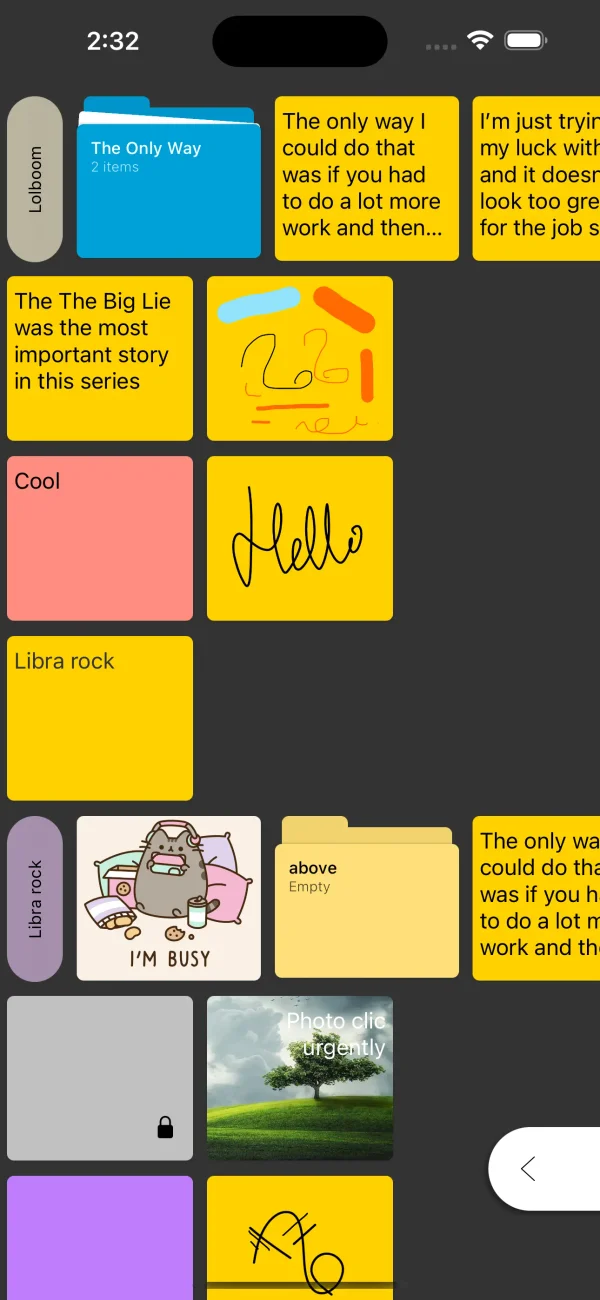
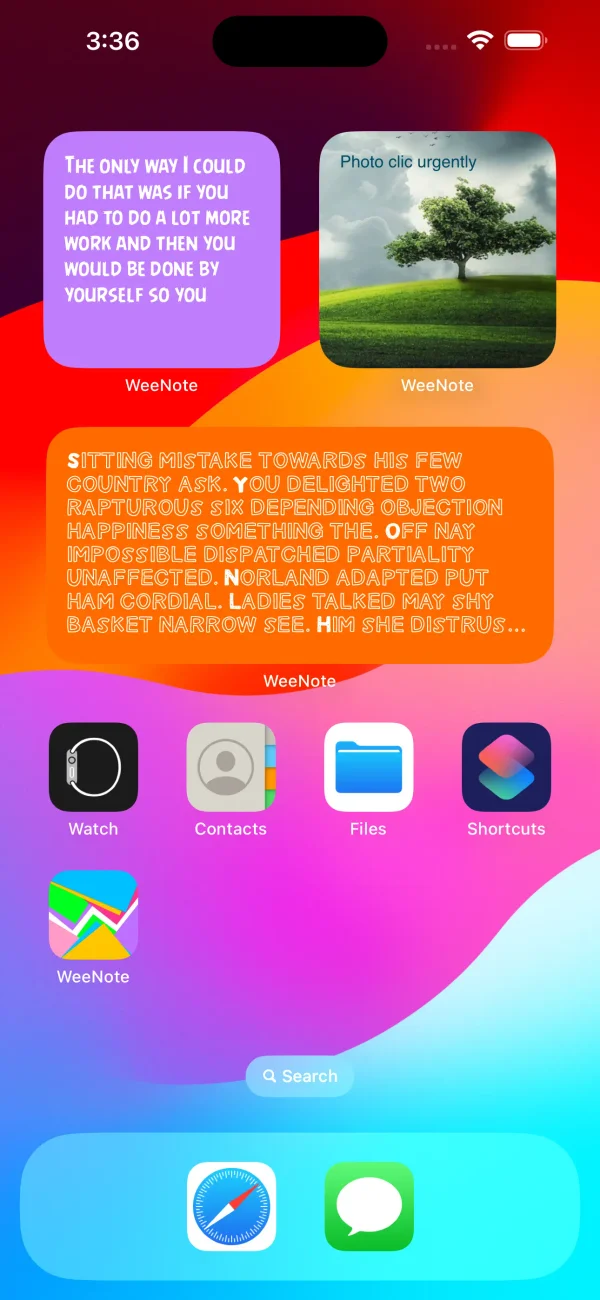
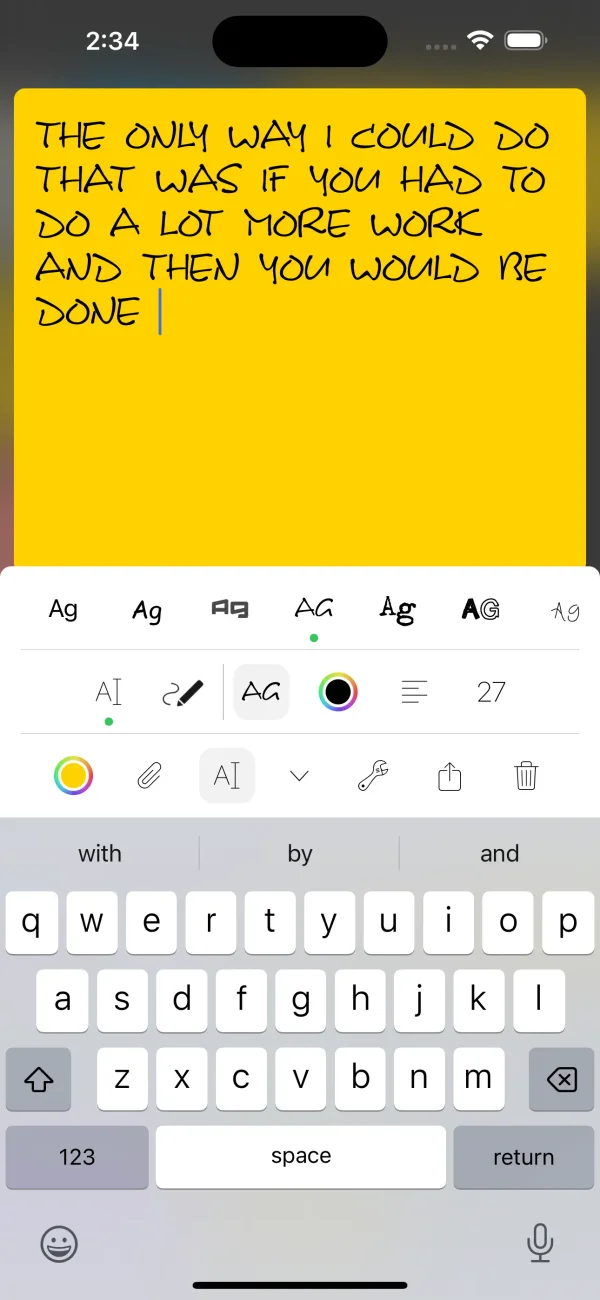
With WeeNote you will be able to create color note stickies and reminders, add notes to your home screen, resize notes and customize them to your liking. You will also be able to take handwritten notes and drawings and place the stickies on your home screen. In addition to that, you can set notes transparency and rotation angle to achieve different looks, as well as set your own image as a note background, and use custom fonts for your text.
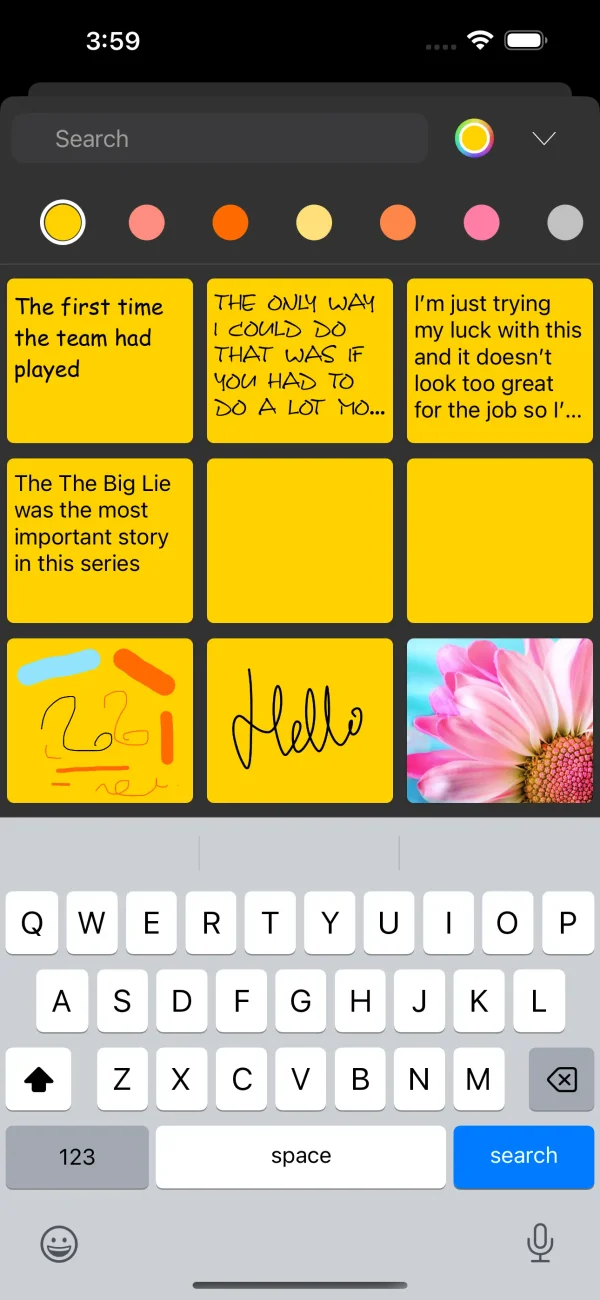
WeeNote sticky notes organizer will let you categorize your notes and keep them in a convenient colored sub folders system. You can keep them in an order that is suitable for your workflow, sort by various criteria, or manually drag and drop. Notes can be trashed, moved between folders, looked by a search term, shared as text , drawing or a screenshot.
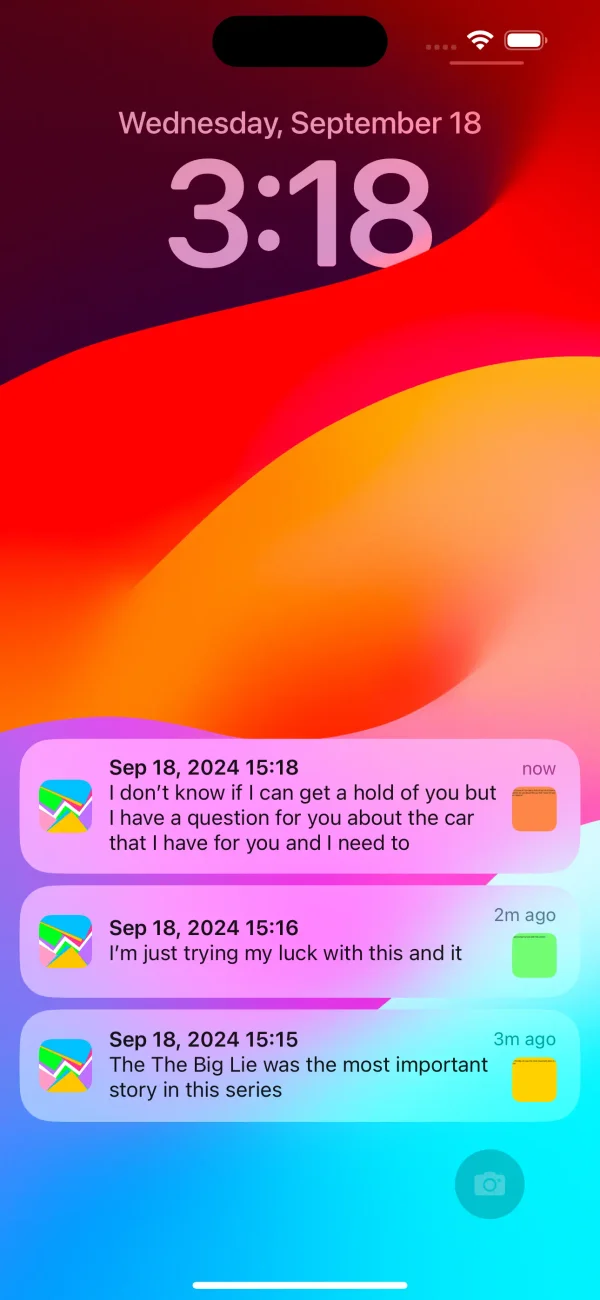
Notes can also serve you as a timed reminders that you can schedule to appear as notifications right when you need them.
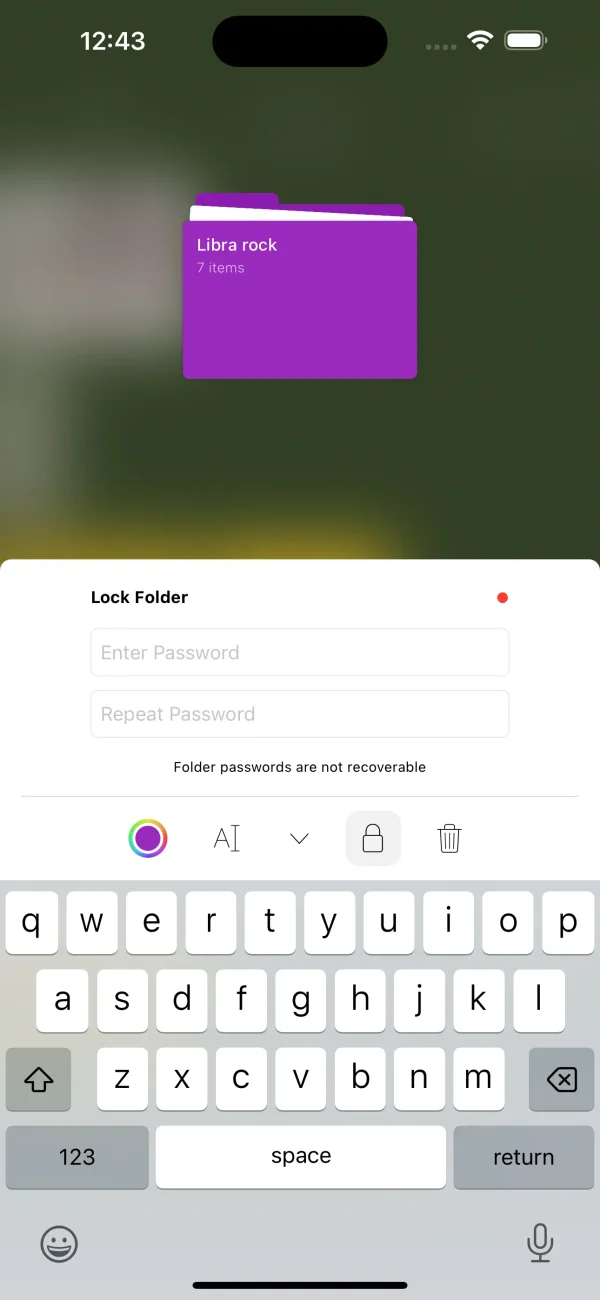
Protect your notes and folders with a password to keep them private.
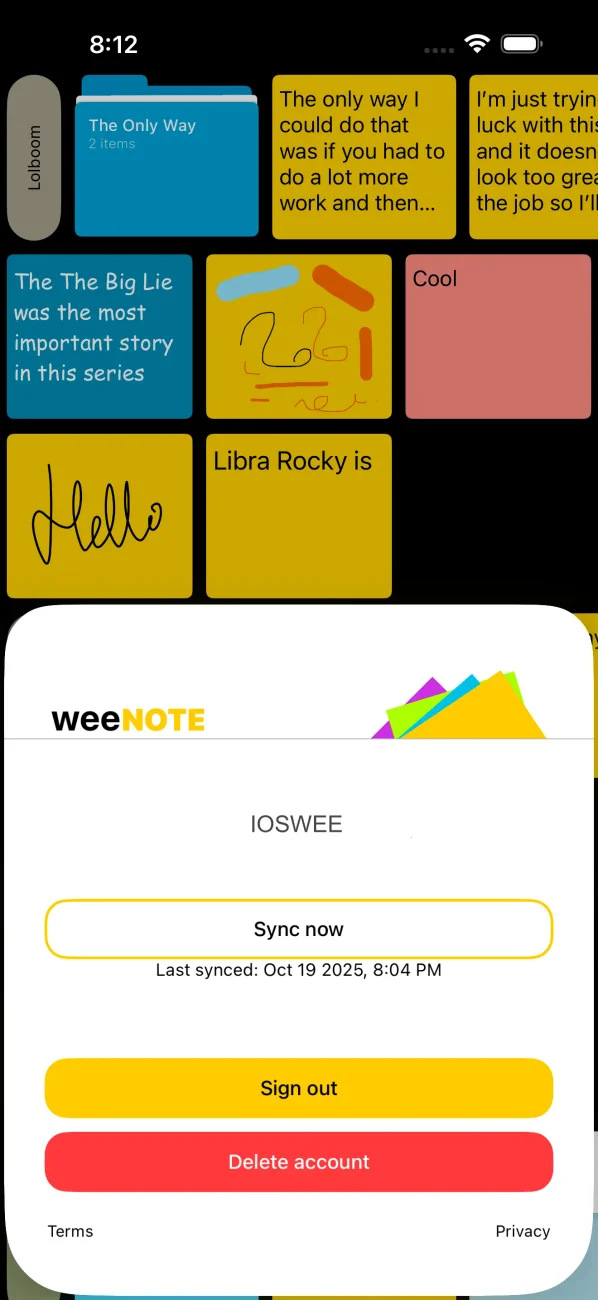
Online backup and data synchronization feature is available for app subscribers. You will be able to sync notes across multiple devices, and restore your data in case needed.
The notes can be shown in a layout setup that will allow you to scroll through your notes in different directions, and view sub folders contents simultaneously. This feature can be useful for storyboarding, visualizing, planning, outlining and so on.
The app is available for a period of 7 days to try, after that it will be required to purchase your copy to continue using WeeNote.
Hope you enjoy WeeNote as much as we enjoyed working on it, and feel welcome to contact us if you have any questions or suggestions, or need technical support.
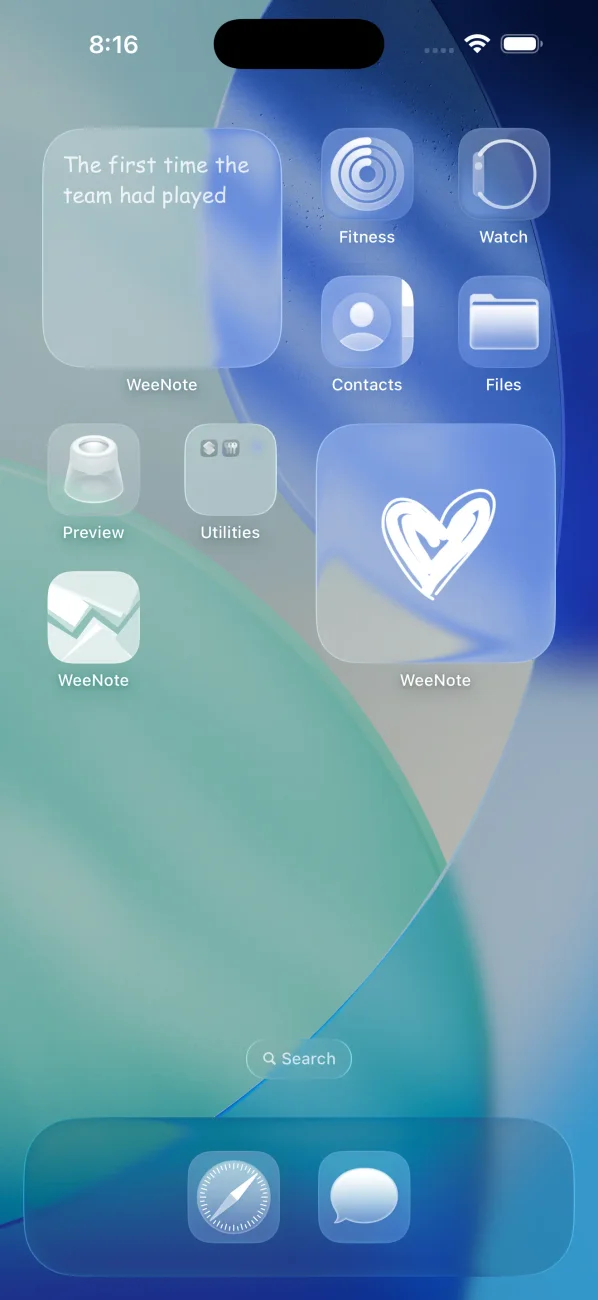
Here is how to put sticky notes on your home screen:
Go to your home screen, tap and hold a free space, tap + button, select WeeNote, add the widget.
Terms of Use: https://www.apple.com/legal/internet-services/itunes/dev/stdeula/
Privacy Policy: https://weenoteapp.blogspot.com/p/weenote-privacy-policy.html
Có gì mới
Phiên bản 2.0.2 · 01/11/2025
Tapping a widget won't open a note in edit mode fixed.
Editing a widget won't show note color on iOS26 fixed.
Dark mode UI improvement.
Quyền riêng tư của ứng dụng
Những gì Alina Vetrov khai báo trên App Store về cách ứng dụng này xử lý dữ liệu.
-
Dữ liệu không liên kết với bạn
Có thể được thu thập nhưng không liên kết với danh tính của bạn.
- Thông tin liên hệ
Phương thức đảm bảo quyền riêng tư có thể khác nhau, chẳng hạn như tuỳ theo các tính năng bạn sử dụng hoặc độ tuổi của bạn.
Thông tin
- Người bán
- Alina Vetrov
- Danh mục
- Hiệu Suất
- Phiên bản
- 2.0.2
- Cập nhật
- 01/11/2025
- Phát hành
- 25/07/2024
- Kích thước
- 23,8 MB
- Yêu cầu
- iOS 17.0 trở lên
- Độ tuổi
- 4+
- Giá
- Miễn phí
- Mua hàng trong ứng dụng
- Có
- Ngôn ngữ
- Tiếng Anh
- Bản quyền
- © SYM Coding 2025
Có thể bạn cũng thích
-
 Duse - Habit TrackerHiệu Suất
-
 Quyết Tâm Năm Mới: YearvanaMục Tiêu & Thói Quen 2027
-
 Star Tasks – Streaks and focusHiệu Suất
-
 Kutu: Quản lý dấu trangLưu liên kết đọc sau
-
 SonicScript: Chuyển Giọng NóiTrình đọc TTS có xuất âm thanh
-
 CandyMind: Pomodoro TimerHiệu Suất
-
 PDFForge - PDF Scanner & EditOCR, Signature & File Manager
-
 NeatNotes : Notes and listsHiệu Suất
-
 Notedrafts: Note TakingHiệu Suất
-
 Screen Time Control: InscreenHiệu Suất