What Road?
My location, street & address
Dirancang untuk iPhone, iPad
Gratis · Pembelian dalam aplikasi
- Batasan usia4+
- KategoriNavigasi
- PengembangSamuel Blackburn
- BahasaInggris
- Ukuran15,7 MB
Tertaut ke halaman resmi App Store
Download.org tidak menyimpan file What Road? apa pun. Tombol ini membuka halaman aplikasi di App Store, tempat Samuel Blackburn menerbitkannya. Halaman terakhir diperiksa pada 12/11/2026.
Tangkapan layar


Tentang
Pengembang belum menyediakan teks ini dalam bahasa Anda.
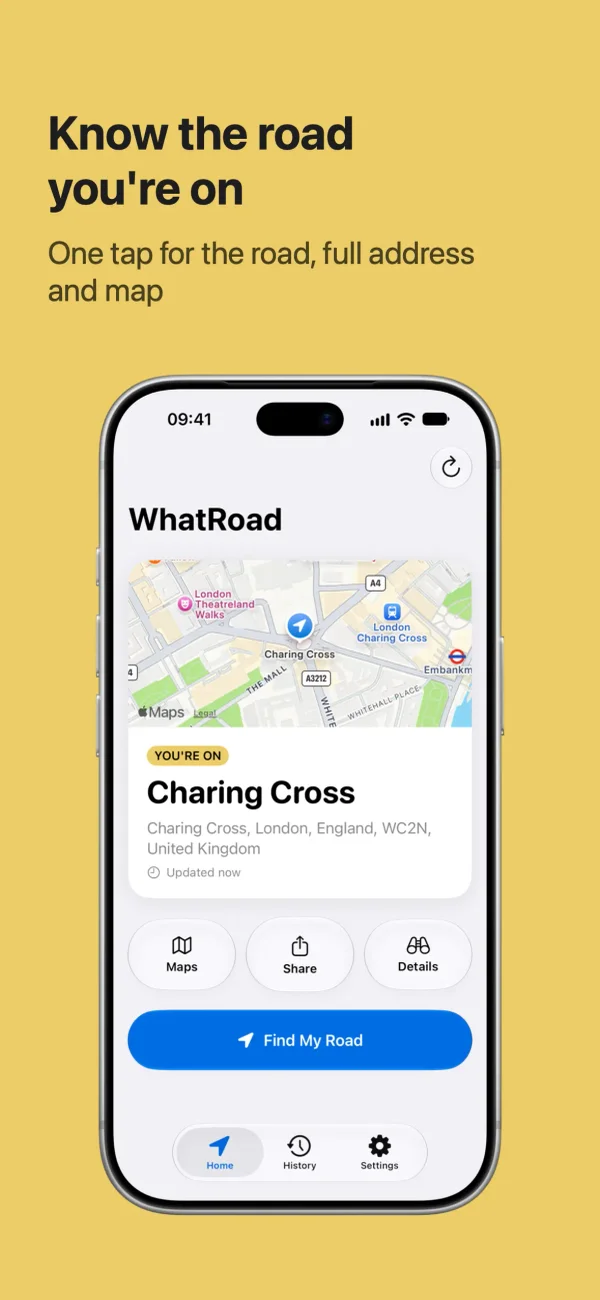
Know exactly what road you're on, in one tap.
WhatRoad finds the road you're on and shows its name, the full address and a map. It's ideal when you need to tell someone where you are: a recovery driver, a taxi, a delivery or a friend you're meeting.
ONE TAP, OR JUST ASK
• Tap Find My Road for the road name, full address and a map
• Ask Siri "What road am I on in WhatRoad" for a spoken answer without opening the app
• Add the Find My Road control to Control Center, the Lock Screen or the Action button
ALWAYS TO HAND
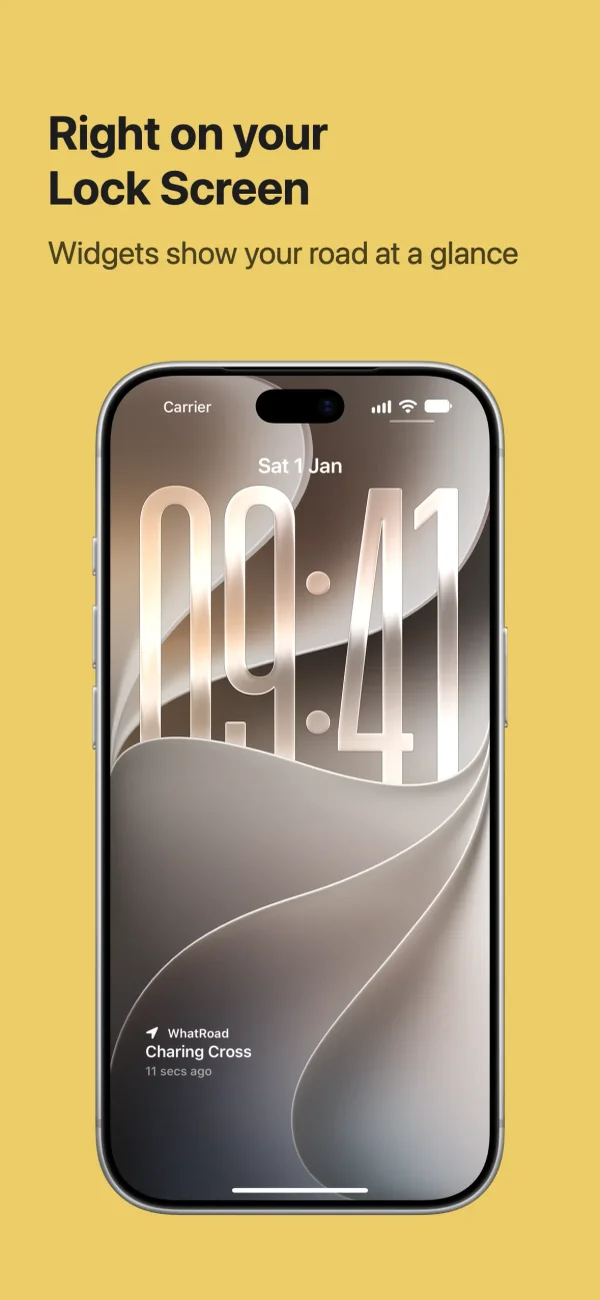
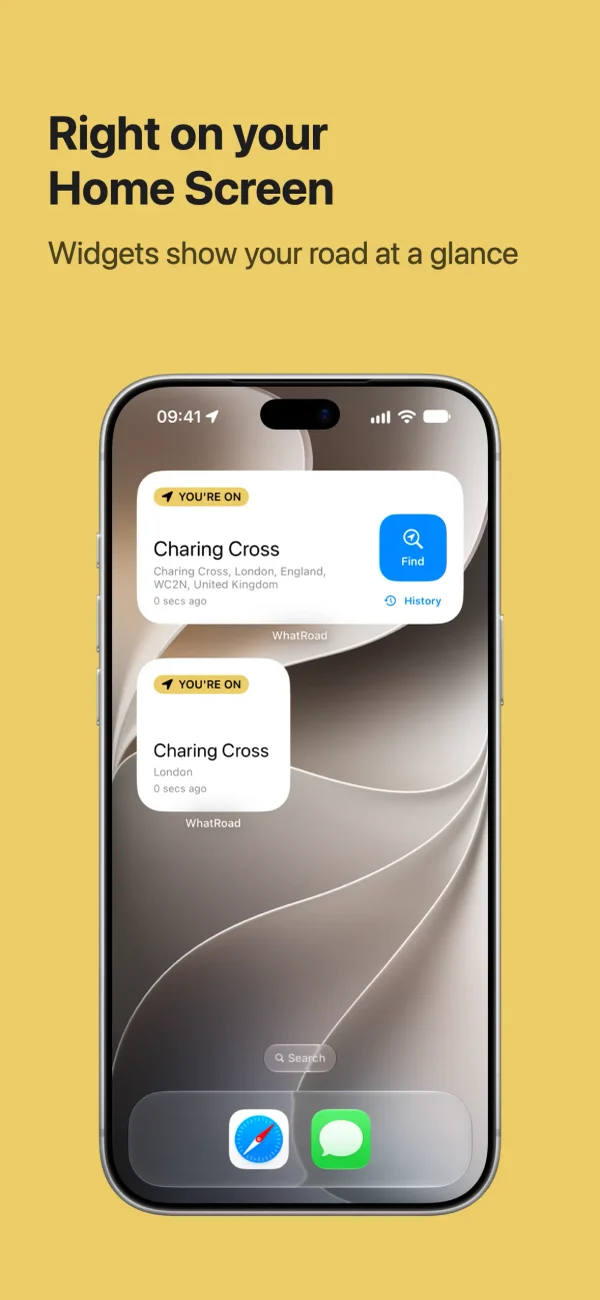
• Home Screen and Lock Screen widgets show your current road at a glance, in StandBy too
• An Apple Watch app with its own lookups and complications for every watch face
SHARE EXACTLY WHERE YOU ARE
• Share the address with an Apple Maps link in seconds
• Copy the address or GPS coordinates
• Open in Apple Maps, or check the spot with Look Around
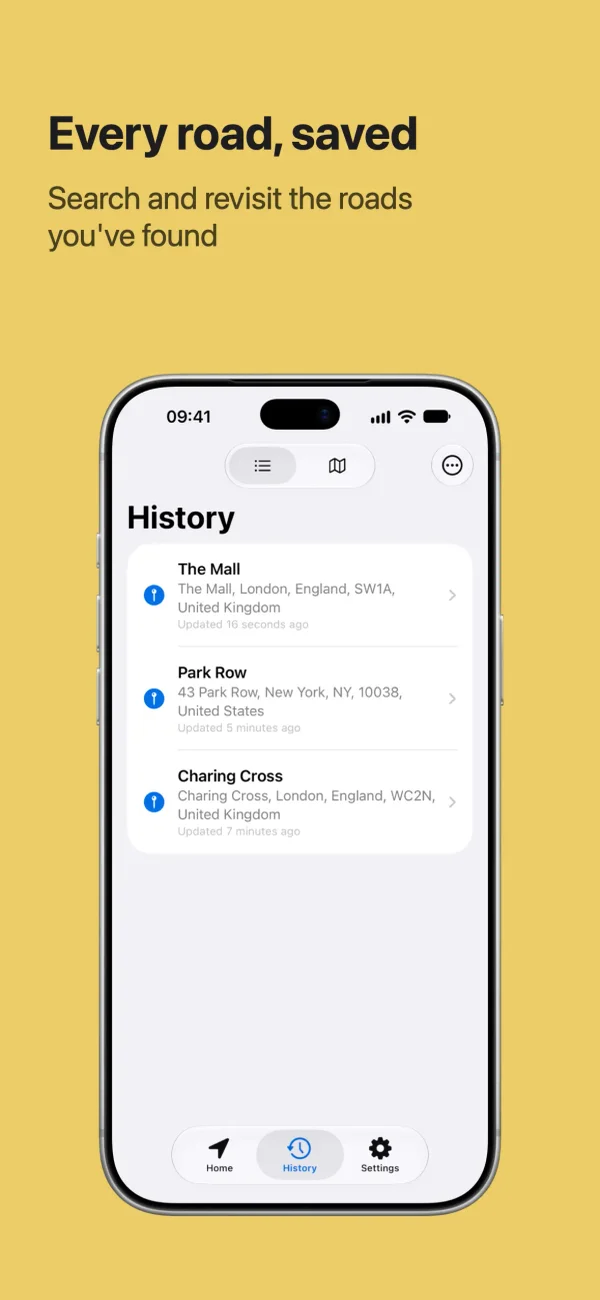
EVERY ROAD, SAVED
• Your lookups are saved to a searchable history on your device
• Long-press any road to copy, share or open it in Maps
• Your history syncs to your Apple Watch
WHATROAD PRO
A single one-time purchase, shared with your family:
• No ads
• See every saved road on one map
• Export your history as a spreadsheet (CSV)
PRIVATE BY DESIGN
• Location is only used while you use WhatRoad, or its widgets if you allow it
• Your history stays on your device and your Apple Watch, with no account
• Works with VoiceOver, Dynamic Type and Dark Mode
Questions or ideas? Email contact@samuelblackburn.com
Yang baru
Versi 2.0 · 2/11/2026
WhatRoad 2.0 is a complete rebuild, and your saved roads and Siri shortcuts come with you.
• A fresh design with a new icon, plus dark and tinted versions
• Home Screen, Lock Screen and StandBy widgets
• A Find My Road control for Control Center and the Action button
• Ask Siri "What road am I on in WhatRoad" for an answer without opening the app
• A new Apple Watch app with complications
• Details for every road: Look Around, coordinates, sharing and copy
• Searchable history, with long-press shortcuts
• WhatRoad Pro: remove ads, see every road on a map and export your history
Thank you for using WhatRoad. If you enjoy it, a rating really helps.
Privasi aplikasi
Yang dinyatakan Samuel Blackburn di App Store tentang cara aplikasi ini menangani data.
-
Data yang digunakan untuk melacak Anda
Dapat digunakan untuk melacak Anda di aplikasi dan situs web milik perusahaan lain.
- Pengenal
- Data penggunaan
-
Data yang ditautkan dengan Anda
Dapat dikumpulkan dan ditautkan dengan identitas Anda.
- Pengenal
- Data penggunaan
-
Data yang tidak ditautkan dengan Anda
Dapat dikumpulkan, tetapi tidak ditautkan dengan identitas Anda.
- Diagnostik
Praktik privasi dapat bervariasi, misalnya berdasarkan fitur yang Anda gunakan atau usia Anda.
Informasi
- Penjual
- Samuel Blackburn
- Kategori
- Navigasi
- Versi
- 2.0
- Diperbarui
- 2/11/2026
- Dirilis
- 17/5/2021
- Ukuran
- 15,7 MB
- Memerlukan
- iOS 17.0 atau yang lebih baru
- Batasan usia
- 4+
- Harga
- Gratis
- Pembelian dalam aplikasi
- Ya
- Bahasa
- Inggris
- Hak cipta
- © Samuel Blackburn
Mungkin Anda juga suka
-
 What Street?Navigasi
-
 Localizer - Where am IPerjalanan
-
 Pencari Alamat: Di Mana Saya?Lokasi Terkini & Koordinat GPS
-
 Geographic LocationNavigasi
-
 PatrolNav GPSNavigasi
-
 Where Am I - Find My AddressNavigasi
-
 Koordinat GPS SayaTemukan lokasi Anda saat ini.
-
 what3wordsNever get lost again
-
 HERE WeGo Peta & NavigasiNikmati perjalanan
-
 GPS TracksNavigasi