Worry Stone
Set thoughts down for later
Dirancang untuk iPhone, iPad
Rp 19ribu
- Batasan usia4+
- KategoriGaya Hidup
- PengembangRobert Corbin
- BahasaInggris
- Ukuran2,4 MB
Tertaut ke halaman resmi App Store
Download.org tidak menyimpan file Worry Stone apa pun. Tombol ini membuka halaman aplikasi di App Store, tempat Robert Corbin menerbitkannya. Halaman terakhir diperiksa pada 18/11/2026.
Tangkapan layar

Tentang
Pengembang belum menyediakan teks ini dalam bahasa Anda.
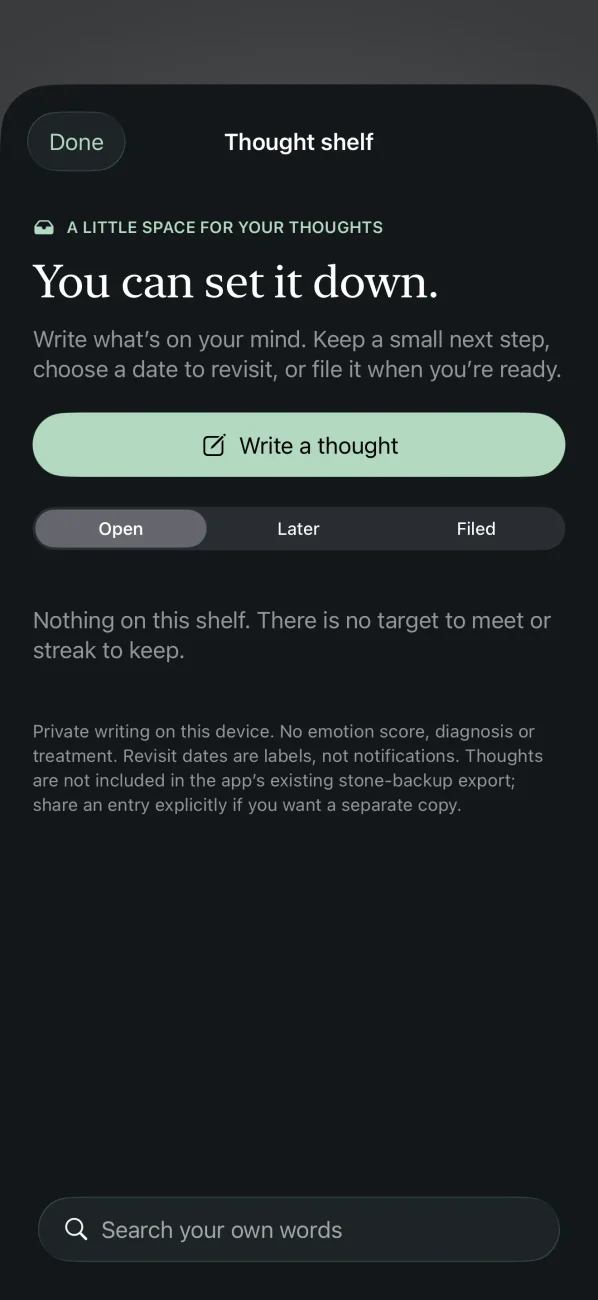
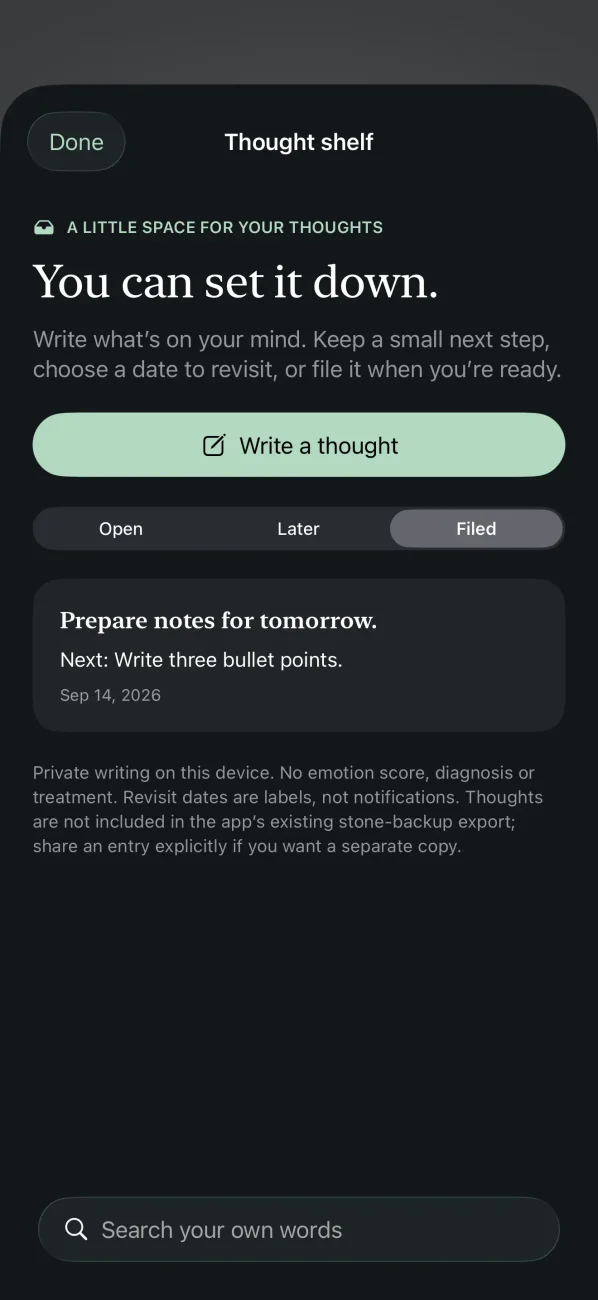
Write a thought in your own words, keep an optional next step, and return when you choose. A private shelf beside the familiar tactile stones.
HOW IT WORKS
1. Tap Thought shelf from the stone screen, then Write a thought. Add an optional next step in your own words.
2. Keep the entry Open, set it aside for Later with an optional revisit date, or File it. Return to add a follow-up; edits preserve the original entry and creation date.
3. Search your writing, reopen filed entries, share a saved entry explicitly, or permanently delete it after confirmation.
Tactile stones, breathing, rituals, settling curves, reflections, stone gifts, widgets and settings remain available. A readable Stones/Tools header replaces the crowded icon row, and the interface now supports native iPad layouts.
WHAT TO KNOW
This is personal writing, not mental-health assessment or treatment. No emotion score or outcome is inferred. Revisit dates do not schedule notifications. Thought Shelf entries are separate from the existing stone-backup export; shared copies and operating-system backups are independent.
iPhone and iPad.
Yang baru
Versi 2.0 · 15/9/2026
Thought Shelf
Write a thought in your own words, keep an optional next step, and return when you choose. A private shelf beside the familiar tactile stones.
1. Tap Thought shelf from the stone screen, then Write a thought. Add an optional next step in your own words.
2. Keep the entry Open, set it aside for Later with an optional revisit date, or File it. Return to add a follow-up; edits preserve the original entry and creation date.
3. Search your writing, reopen filed entries, share a saved entry explicitly, or permanently delete it after confirmation.
This is personal writing, not mental-health assessment or treatment. No emotion score or outcome is inferred. Revisit dates do not schedule notifications. Thought Shelf entries are separate from the existing stone-backup export; shared copies and operating-system backups are independent.
Privasi aplikasi
Yang dinyatakan Robert Corbin di App Store tentang cara aplikasi ini menangani data.
-
Data tidak dikumpulkan
Pengembang tidak mengumpulkan data apa pun dari aplikasi ini.
Praktik privasi dapat bervariasi, misalnya berdasarkan fitur yang Anda gunakan atau usia Anda.
Informasi
- Penjual
- Robert Corbin
- Kategori
- Gaya Hidup
- Versi
- 2.0
- Diperbarui
- 15/9/2026
- Dirilis
- 13/5/2026
- Ukuran
- 2,4 MB
- Memerlukan
- iOS 17.0 atau yang lebih baru
- Batasan usia
- 4+
- Harga
- Rp 19ribu
- Bahasa
- Inggris
- Hak cipta
- © 2026 Shadowfetch
Mungkin Anda juga suka
-
 Happy Daily JournalGaya Hidup
-
 11:11 — Master NumbersGaya Hidup
-
 MoodgridGaya Hidup
-
 Summer: Couple WidgetGaya Hidup
-
 Couplu: Couple App & CalendarGaya Hidup
-
 VibeSnap · Mood GardenGaya Hidup
-
 Unhook: Let it passGaya Hidup
-
 Master Anniv Hitung Mundur LogPengingat Kalender Kenang Off
-
 IconShop 27Gaya Hidup
-
 Oasia: Widget TanamanPelacak kebiasaan interaktif