- Độ tuổi4+
- Danh mụcLối Sống
- Nhà phát triểnRobert Corbin
- Ngôn ngữTiếng Anh
- Kích thước2,4 MB
Liên kết đến trang App Store chính thức
Download.org không lưu trữ tệp nào của Worry Stone. Nút này mở trang ứng dụng trên App Store, nơi Robert Corbin phát hành ứng dụng. Trang được kiểm tra lần cuối: 18/11/2026.
Ảnh chụp màn hình

Giới thiệu
Nhà phát triển chưa cung cấp nội dung này bằng ngôn ngữ của bạn.
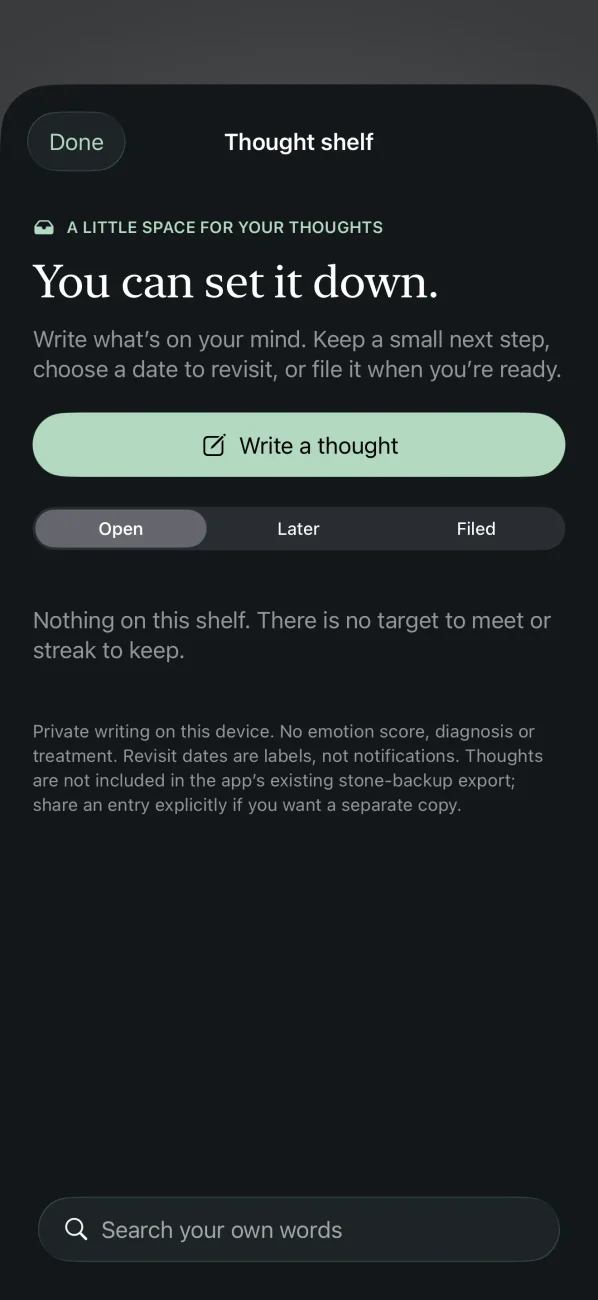
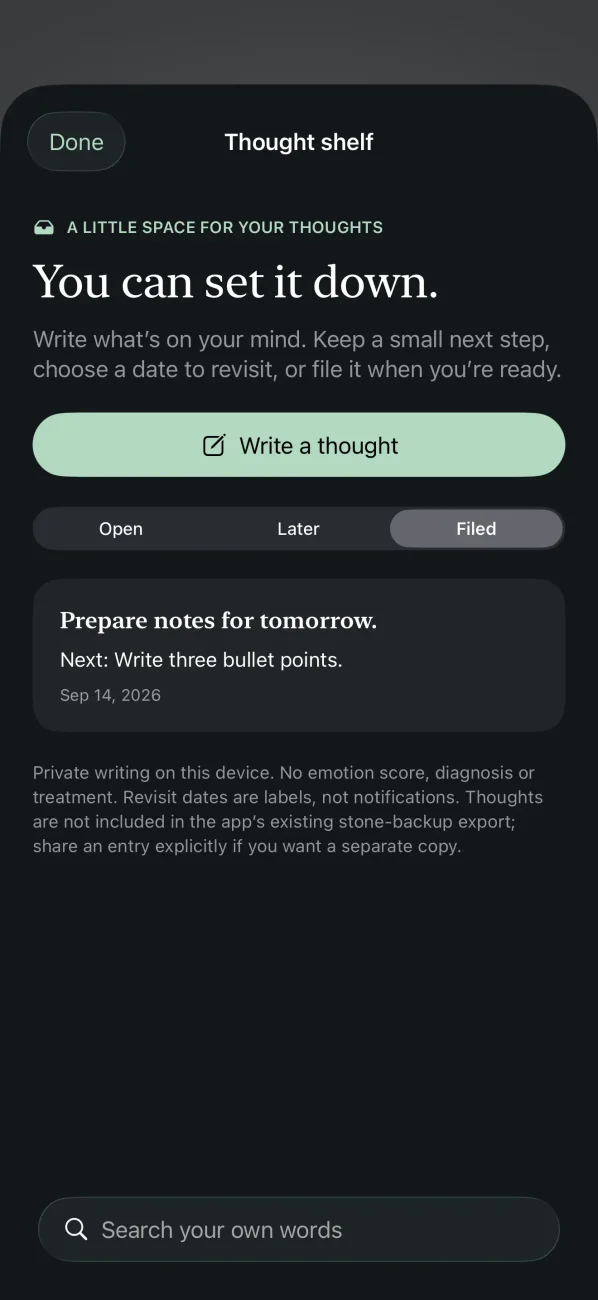
Write a thought in your own words, keep an optional next step, and return when you choose. A private shelf beside the familiar tactile stones.
HOW IT WORKS
1. Tap Thought shelf from the stone screen, then Write a thought. Add an optional next step in your own words.
2. Keep the entry Open, set it aside for Later with an optional revisit date, or File it. Return to add a follow-up; edits preserve the original entry and creation date.
3. Search your writing, reopen filed entries, share a saved entry explicitly, or permanently delete it after confirmation.
Tactile stones, breathing, rituals, settling curves, reflections, stone gifts, widgets and settings remain available. A readable Stones/Tools header replaces the crowded icon row, and the interface now supports native iPad layouts.
WHAT TO KNOW
This is personal writing, not mental-health assessment or treatment. No emotion score or outcome is inferred. Revisit dates do not schedule notifications. Thought Shelf entries are separate from the existing stone-backup export; shared copies and operating-system backups are independent.
iPhone and iPad.
Có gì mới
Phiên bản 2.0 · 15/09/2026
Thought Shelf
Write a thought in your own words, keep an optional next step, and return when you choose. A private shelf beside the familiar tactile stones.
1. Tap Thought shelf from the stone screen, then Write a thought. Add an optional next step in your own words.
2. Keep the entry Open, set it aside for Later with an optional revisit date, or File it. Return to add a follow-up; edits preserve the original entry and creation date.
3. Search your writing, reopen filed entries, share a saved entry explicitly, or permanently delete it after confirmation.
This is personal writing, not mental-health assessment or treatment. No emotion score or outcome is inferred. Revisit dates do not schedule notifications. Thought Shelf entries are separate from the existing stone-backup export; shared copies and operating-system backups are independent.
Quyền riêng tư của ứng dụng
Những gì Robert Corbin khai báo trên App Store về cách ứng dụng này xử lý dữ liệu.
-
Dữ liệu không được thu thập
Nhà phát triển không thu thập bất kỳ dữ liệu nào từ ứng dụng này.
Phương thức đảm bảo quyền riêng tư có thể khác nhau, chẳng hạn như tuỳ theo các tính năng bạn sử dụng hoặc độ tuổi của bạn.
Thông tin
- Người bán
- Robert Corbin
- Danh mục
- Lối Sống
- Phiên bản
- 2.0
- Cập nhật
- 15/09/2026
- Phát hành
- 13/05/2026
- Kích thước
- 2,4 MB
- Yêu cầu
- iOS 17.0 trở lên
- Độ tuổi
- 4+
- Giá
- 29.000đ
- Ngôn ngữ
- Tiếng Anh
- Bản quyền
- © 2026 Shadowfetch
Có thể bạn cũng thích
-
 Happy Daily JournalLối Sống
-
 11:11 — Master NumbersLối Sống
-
 MoodgridLối Sống
-
 Summer: Couple WidgetLối Sống
-
 Couplu: Couple App & CalendarLối Sống
-
 VibeSnap · Mood GardenLối Sống
-
 Unhook: Let it passLối Sống
-
 Bậc Thầy Kỷ Niệm Đếm NgượcNhắc Lịch Kỷ Niệm Ảnh Offline
-
 IconShop 27Lối Sống
-
 Oasia: Widget Cây CảnhTheo dõi thói quen tương tác