
- Age rating4+
- CategoryDeveloper Tools
- DeveloperKhoa Nguyen
- LanguagesEnglish
- Size25.4 MB
Links to the official App Store page
Download.org hosts no file of 1DevTool. The button opens its official App Store page, published by Khoa Nguyen. Listing last checked on Nov 23, 2026.
Screenshots

About
1DevTool is the phone companion for 1DevTool Desktop, and a fast native terminal for any server.
YOUR AGENTS, WHEREVER YOU ARE
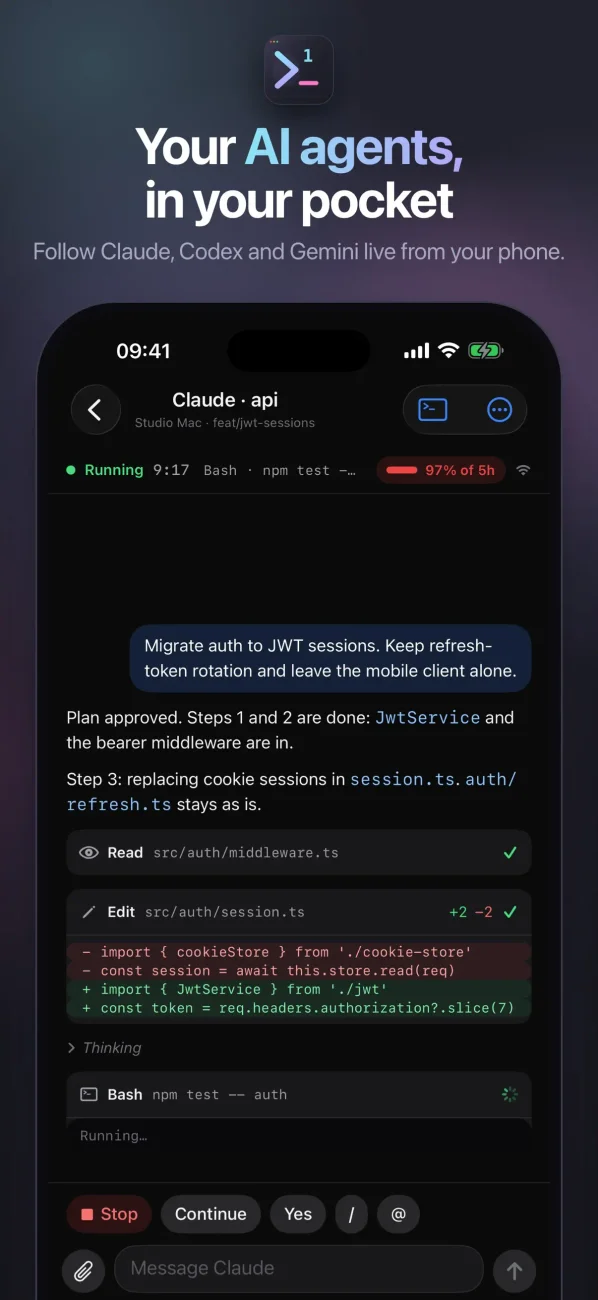
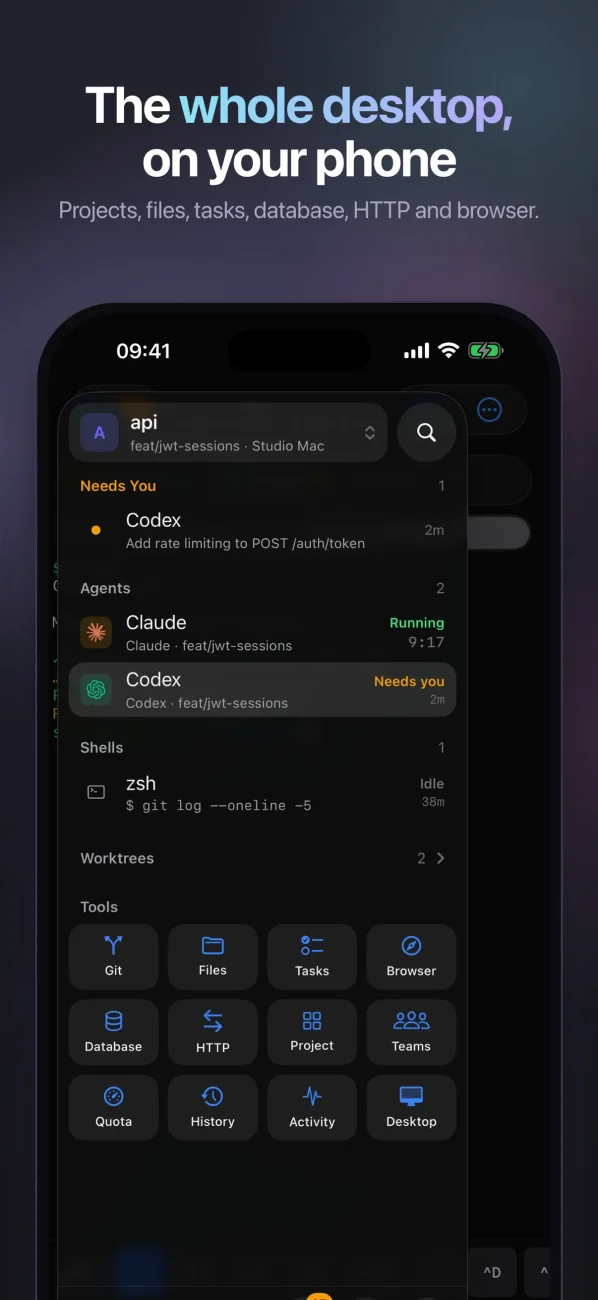
• See every Claude, Codex, Gemini and other coding agent running on your computer, grouped by project.
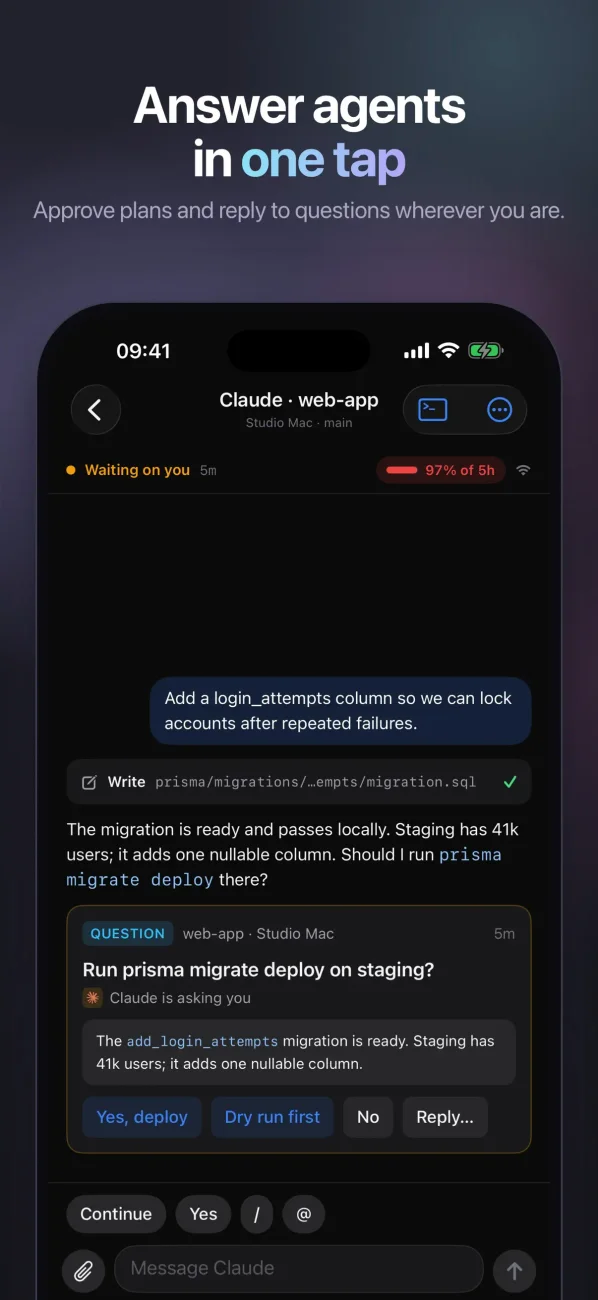
• Inbox: the agents waiting on you, approvals and failures, in one list.
• Read the conversation or switch to the live terminal, type, paste, send keys and attach photos.
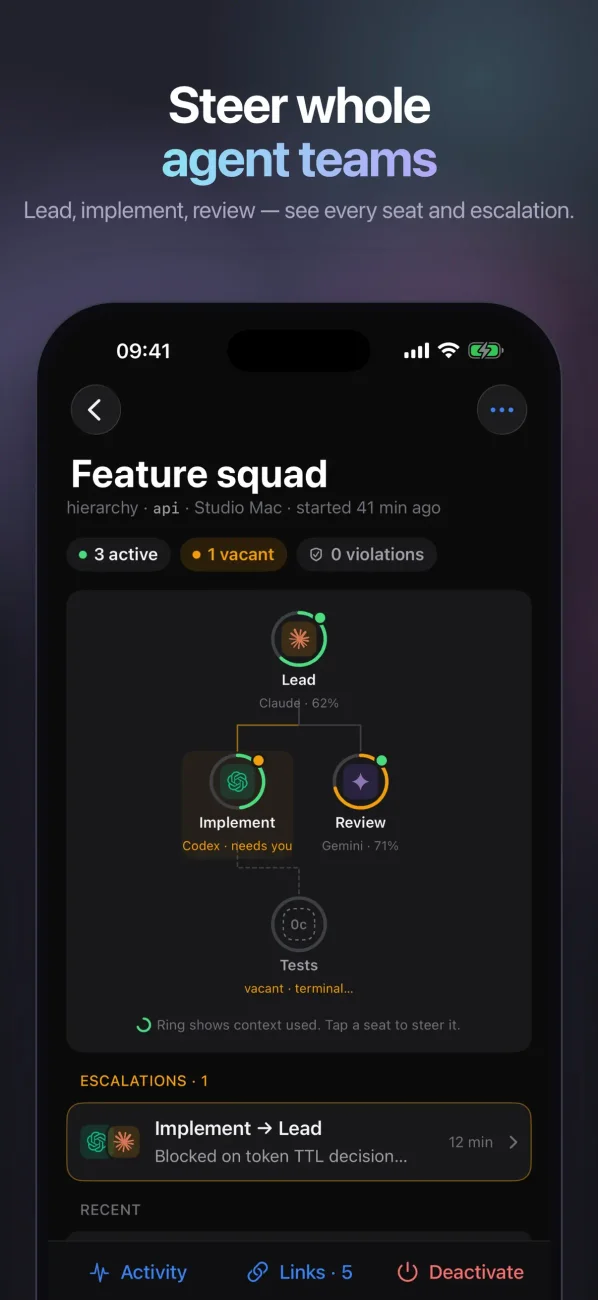
• Start new agents, resume past sessions, search and reuse your past prompts, and steer orchestrated teams: hierarchy, pipeline, escalations and runs.
THE DESKTOP, ON THE PHONE
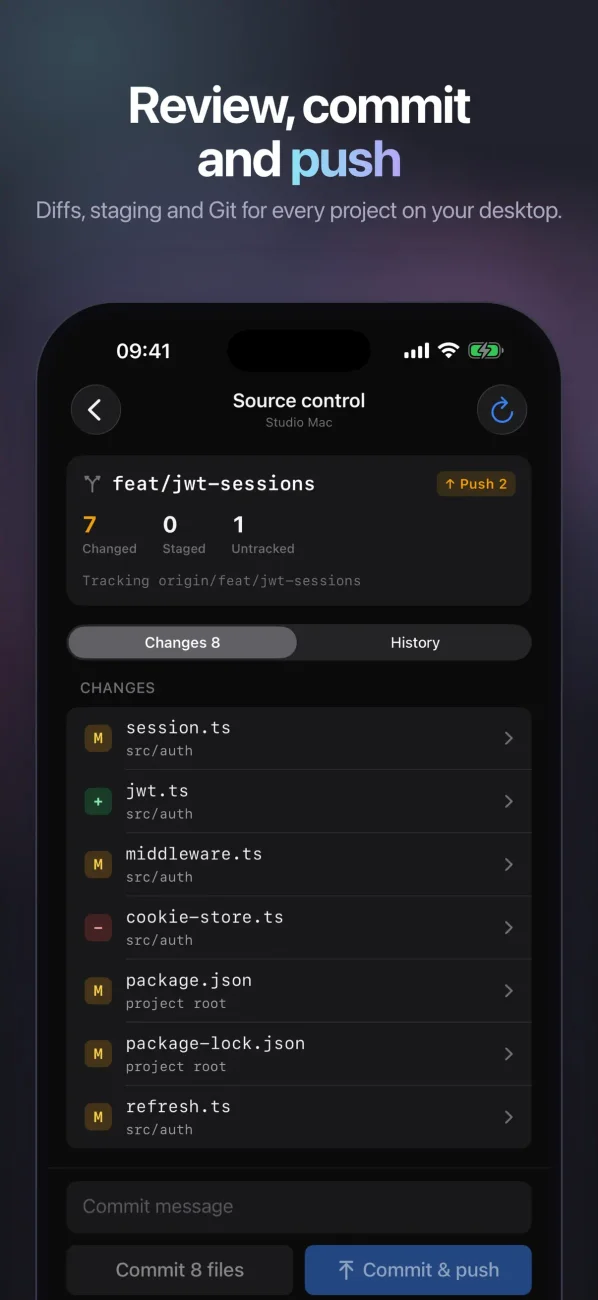
• Projects and worktrees, source control with diffs, commit and push.
• Files, tasks, database queries, HTTP requests and browser screenshots you can mark up and send to an agent.
• Live Activity and Home Screen widgets for the runs that need you.
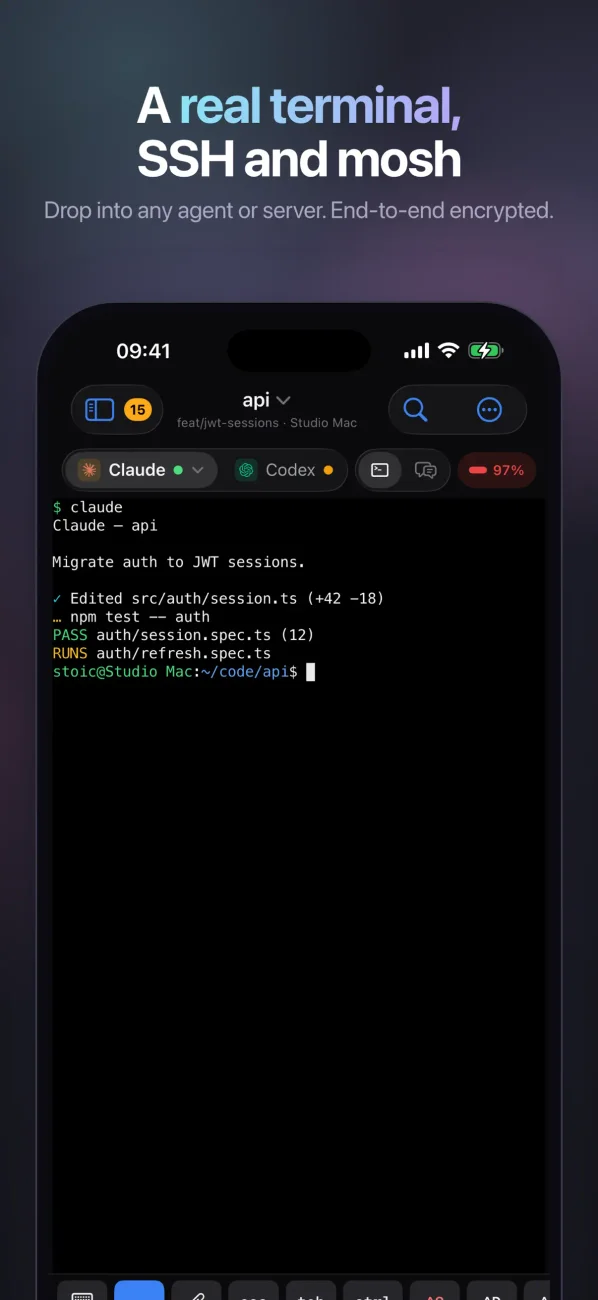
A REAL TERMINAL
• SSH with password or key (Ed25519, ECDSA), known-host checks and keys stored in the Keychain.
• mosh that survives Wi-Fi changes, sleep and roaming.
• Keyboard accessory row with esc, tab, ctrl and arrows, plus themes and fonts.
PRIVATE BY DESIGN
• Pair by scanning a QR code. The phone and the desktop talk end-to-end encrypted, over your Wi-Fi, Tailscale or a relay that only sees encrypted bytes.
• No account, no analytics, no tracking. Your code stays on your computer.
• Face ID can confirm approvals, pushes and deletions.
Try the built-in demo without a computer. Requires 1DevTool Desktop for the companion features. The terminal works with any SSH or mosh server.
What’s new
Version 1.0.5 · Nov 20, 2026
RSA keys
• Sign in with RSA keys. PEM keys protected by a passphrase work too.
tmux
• Turn off tmux sessions for a server: Edit server › tmux › Offer tmux sessions. It stays on by default.
Key bar
• The paste key now sits next to the microphone, one tap away.
Connections
• When the connection drops under a running session, the terminal now says "Connection lost" instead of a raw network error.
• With Hide server addresses on, the "Reconnecting to…" line in the terminal keeps the address hidden too.
App privacy
What Khoa Nguyen declares on the App Store about how this app handles data.
-
Data not linked to you
May be collected but is not linked to your identity.
- Identifiers
Privacy practices may vary, for example with the features you use or your age.
Information
- Seller
- Khoa Nguyen
- Category
- Developer Tools
- Version
- 1.0.5
- Updated
- Nov 20, 2026
- Released
- Oct 31, 2026
- Size
- 25.4 MB
- Requires
- iOS 17.0 or later
- Age rating
- 4+
- Price
- Free
- Languages
- English
- Copyright
- © 2026 StoicSoft
You might also like
-
 HTTP Debugger+Debug PC's HTTP Traffic
-
 Labide - Remote Dev StudioRemote Codex/Claude
-
 9RemoteTerminal, desktop & files
-
 Aight - Manage your AI AgentsHermes Agent mobile client
-
 OmnigentDeveloper Tools
-
 Deeplink tester : open urlManage test, share deeplinks
-
 ERMIS - Client for HermesYour AI agent, hosted for you
-
 Termix Pro: SSH & SFTP ClientA powerful terminal emulator
-
 mobiNODEStart your blockchain journey
-
 STL & STEP File Viewer - Mes3DOpen 3D CAD, OBJ, GLB & STP