30minTimer: Hourly Chime
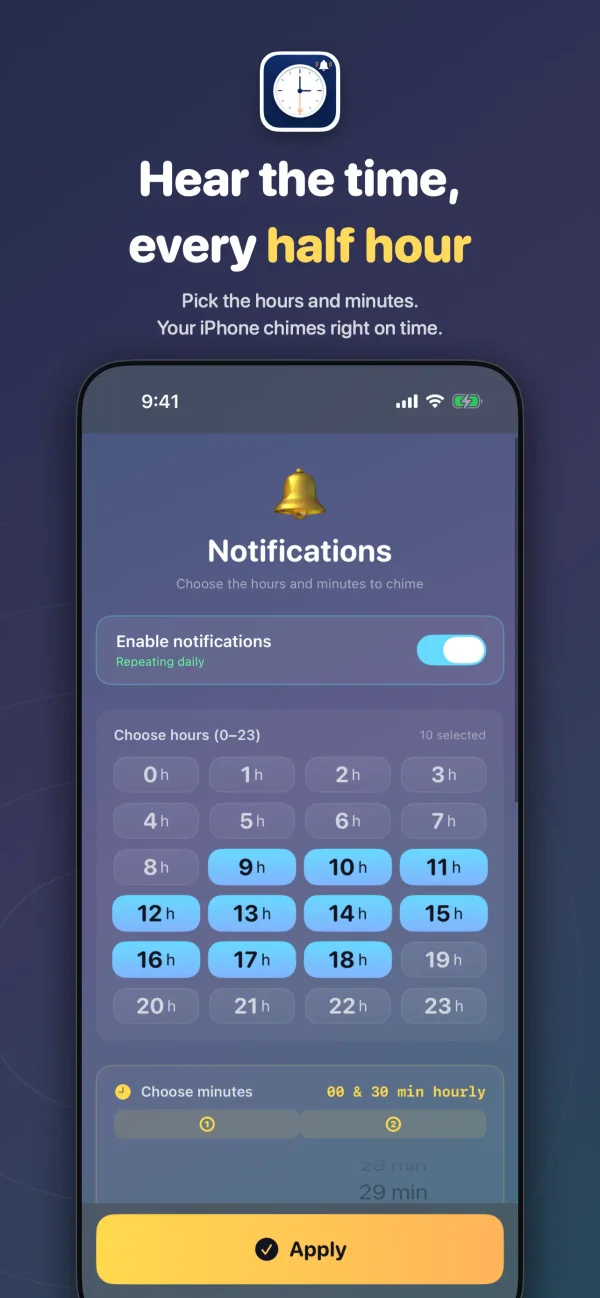
Hear the time, every half hour
Designed for iPhone, iPad
Free
- Age rating4+
- CategoryUtilities
- Developerhidenobu akiyoshi
- LanguagesEnglish+ 2 more
- Size8.3 MB
Links to the official App Store page
Download.org hosts no file of 30minTimer: Hourly Chime. The button opens its official App Store page, published by hidenobu akiyoshi. Listing last checked on Nov 29, 2026.
Screenshots
About
Ever look up and realize three hours vanished into one task? This app fixes that with a simple chime.
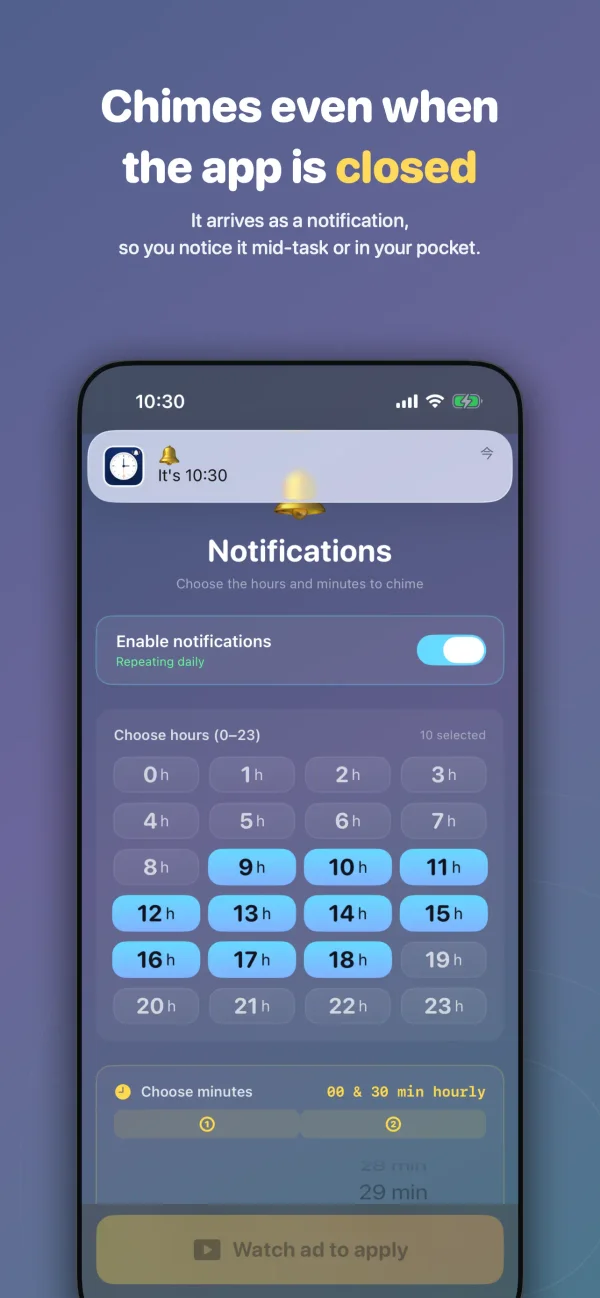
Your iPhone chimes at the minutes you choose, like :00 and :30 every hour, so you can feel time passing without checking the clock. Chimes arrive as notifications, even when the app is closed.
■ Great for
• Remote work: break the day into half-hour blocks
• Study: focus for 50 minutes, rest when it chimes
• Healthy habits: a sip of water and a stretch at every chime
• Kids' routines: when the "Oh!" plays, it's time for the next thing
■ Pick your hours
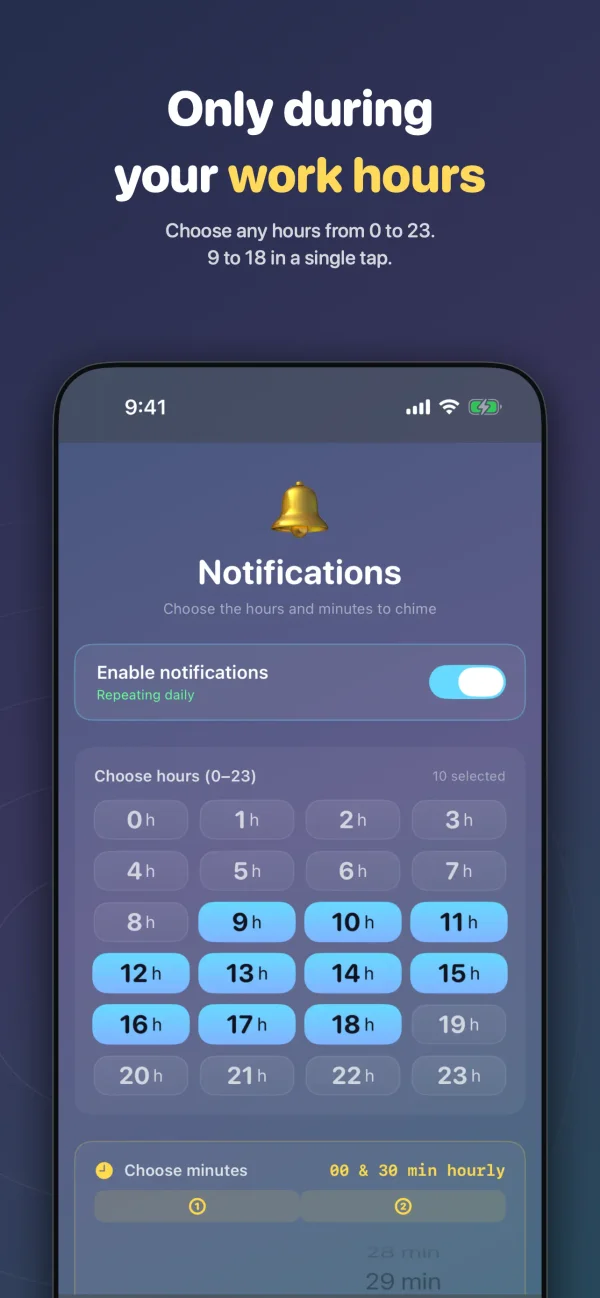
• Tap the hours you want, from 0 to 23
• "9–18" and "All hours" in one tap. Quiet at night
■ Up to two chimes an hour
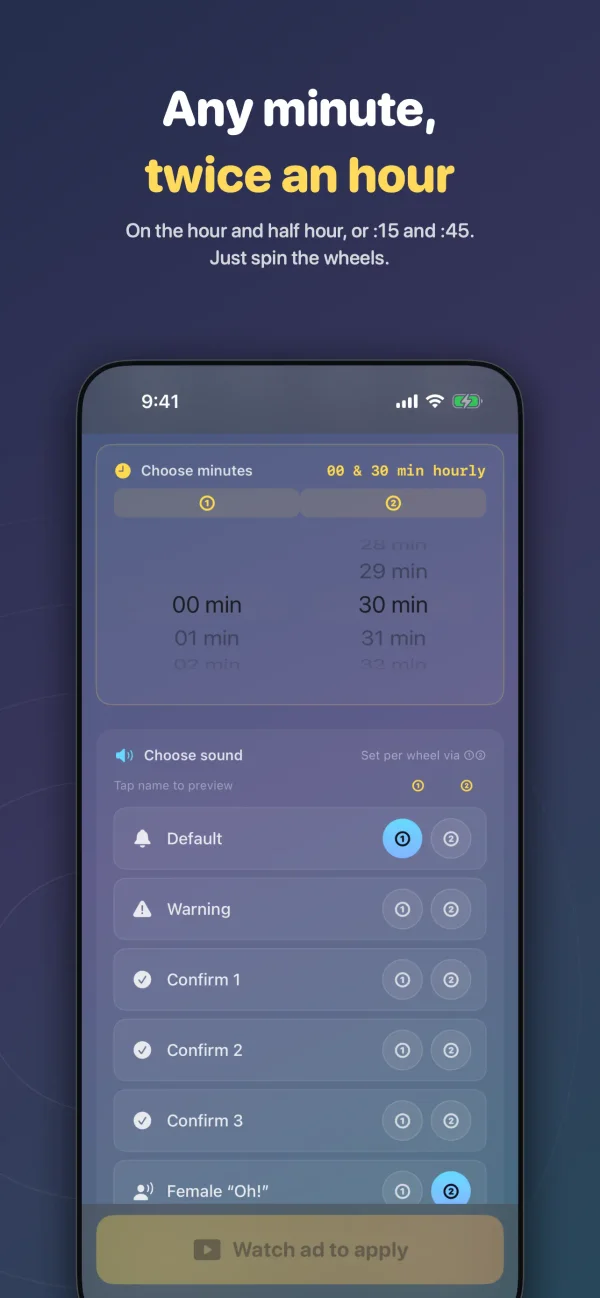
• Spin two wheels to pick the minutes
• :00 and :30, :15 and :45, or just :50. Your call
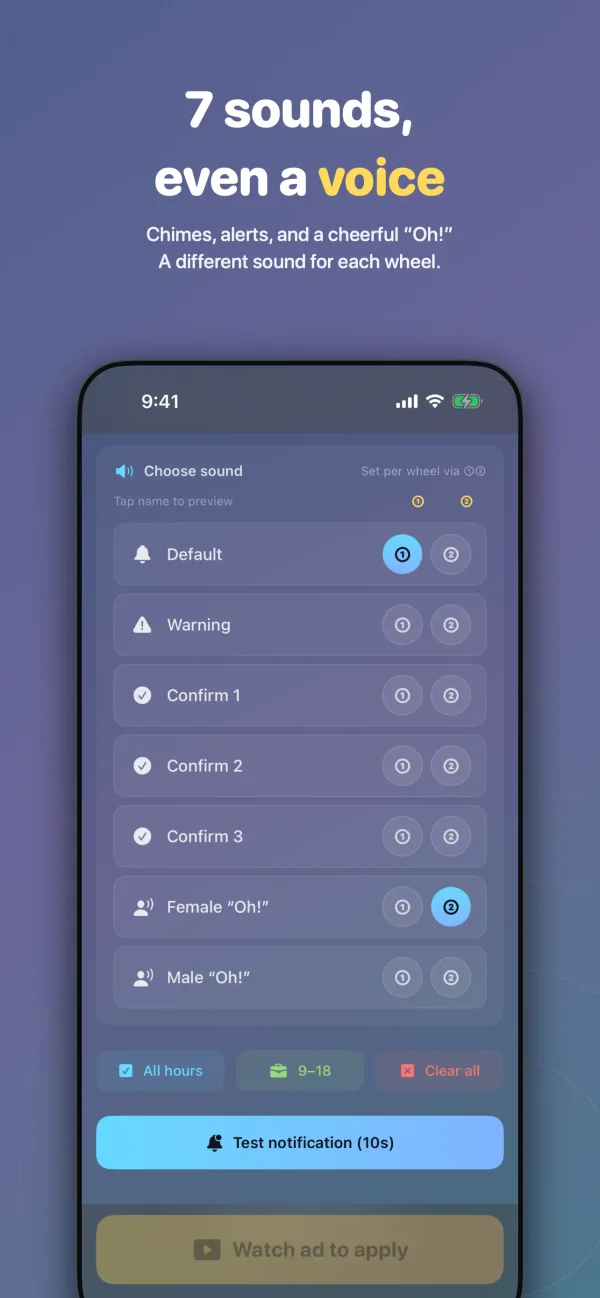
■ 7 sounds, even a voice
• Chime, Warning, and three Confirm tones
• Male and female "Oh!" voices
• Give each wheel its own sound: a chime on the hour and an "Oh!" at half past
• Tap a name to preview
■ Three simple steps
1. Pick your hours and minutes
2. Tap the big "Apply" button at the bottom
3. It chimes automatically, every day
Send a test notification to hear it in 10 seconds.
■ Free, with minimal ads
• Ads never interrupt your chimes
• Your first "Apply" is ad-free
• Later changes are saved after a short video ad
• Turning notifications on/off and "Clear all" are always instant and ad-free
■ Privacy
• Your settings stay on your iPhone
• Chimes are local notifications scheduled on your iPhone. No developer server is involved
Available in English, Japanese, and Traditional Chinese.
Note: in Silent mode or a Focus, sounds may not play, following your iPhone settings.
What’s new
Version 2.1 · Nov 28, 2026
- Refreshed layout. The All hours, 9-18 and Clear all buttons now sit right below the hour picker, so you can use them as soon as you choose your hours.
- The Apply button now scrolls along with the rest of your settings.
- Added a section introducing other apps from the developer. Tap it to see more on the App Store.
- Minor bug fixes and improvements.
App privacy
What hidenobu akiyoshi declares on the App Store about how this app handles data.
-
Data used to track you
May be used to track you across apps and websites owned by other companies.
- Identifiers
-
Data not linked to you
May be collected but is not linked to your identity.
- Identifiers
Privacy practices may vary, for example with the features you use or your age.
Information
- Seller
- hidenobu akiyoshi
- Category
- Utilities
- Version
- 2.1
- Updated
- Nov 28, 2026
- Released
- Jul 1, 2026
- Size
- 8.3 MB
- Requires
- iOS 18.5 or later
- Age rating
- 4+
- Price
- Free
- Languages
- English, Japanese, Traditional Chinese
- Copyright
- © 2026 HIDENOBU AKIYOSHI
You might also like
-
 時鳥(時報と時間の読み上げアプリ)Utilities
-
 HourChimeVoice time notification
-
 時報時計Utilities
-
 ずんだチャイムUtilities
-
 Hourly BeepMindful chime, bell & clock
-
 TinnyNot: Hourly Chime & BellSpeaking clock, time reminders
-
 Hourly Chime & Speaking ClockTime Announcements & Reminders
-
 CUE! Time Signal SyncAccurate NTP Clock & Voice
-
 カスタムアラームUtilities
-
 VoiceTimeSignalUtilities