3D Kit: STL Viewer
CAD Model & Print Preview AR
Designed for iPhone, iPad
Free · In-app purchases
- Age rating4+
- CategoryGraphics & Design
- DeveloperAdapted Hub LLC
- LanguagesEnglish
- Size42.2 MB
Links to the official App Store page
Download.org hosts no file of 3D Kit: STL Viewer. The button opens its official App Store page, published by Adapted Hub LLC. Listing last checked on Nov 12, 2026.
Screenshots

About
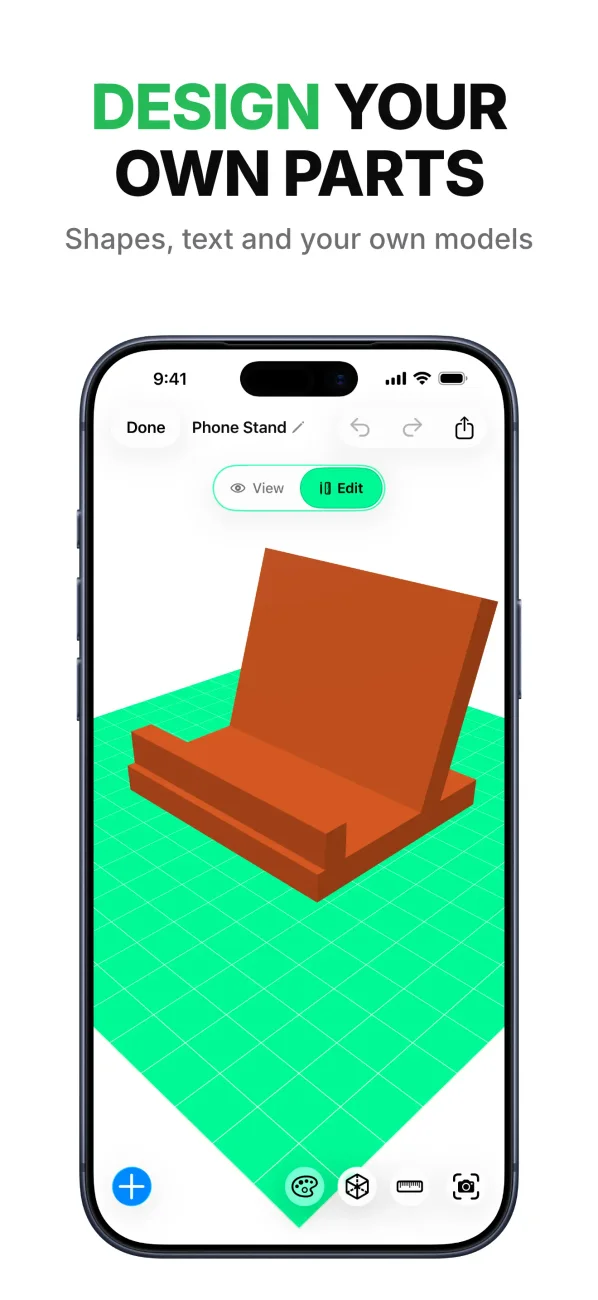
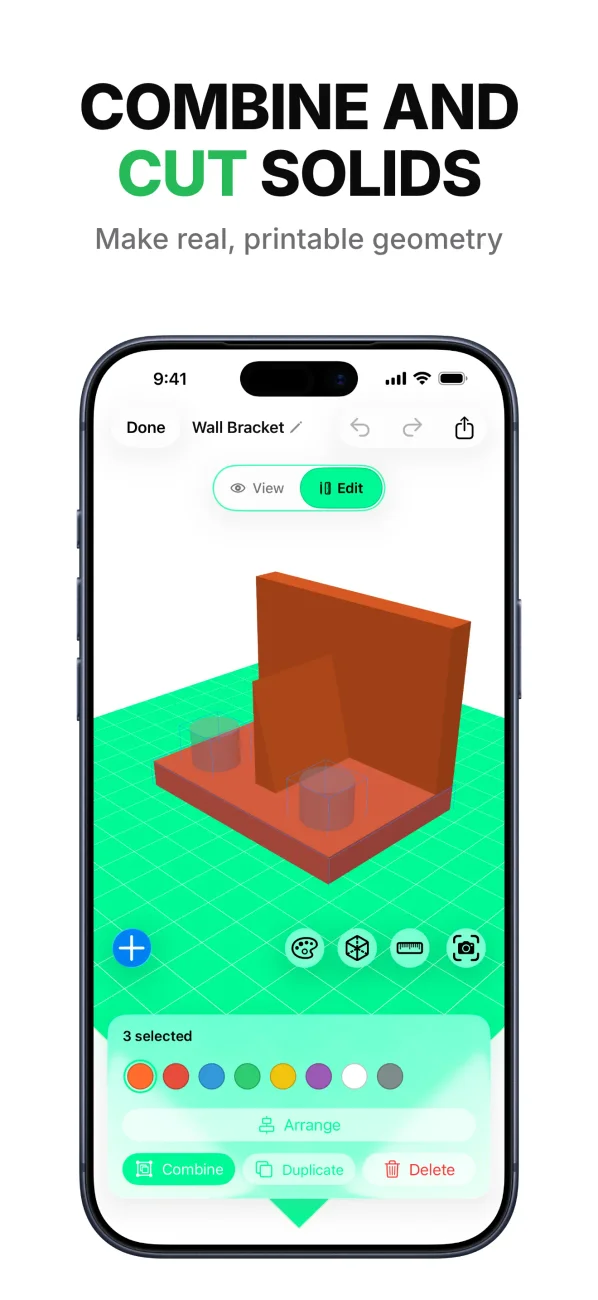
Open, explore, and inspect 3D models on your iPhone or iPad. 3D Kit is a fast, intuitive viewer built for makers, designers, engineers, and anyone who works with 3D files.
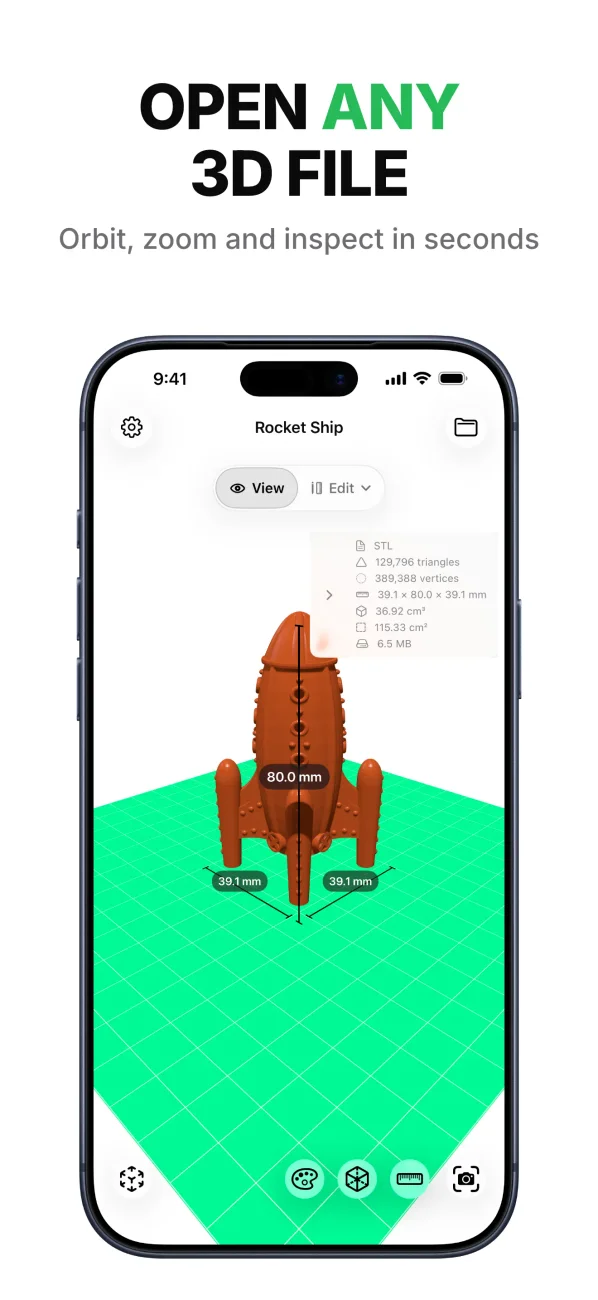
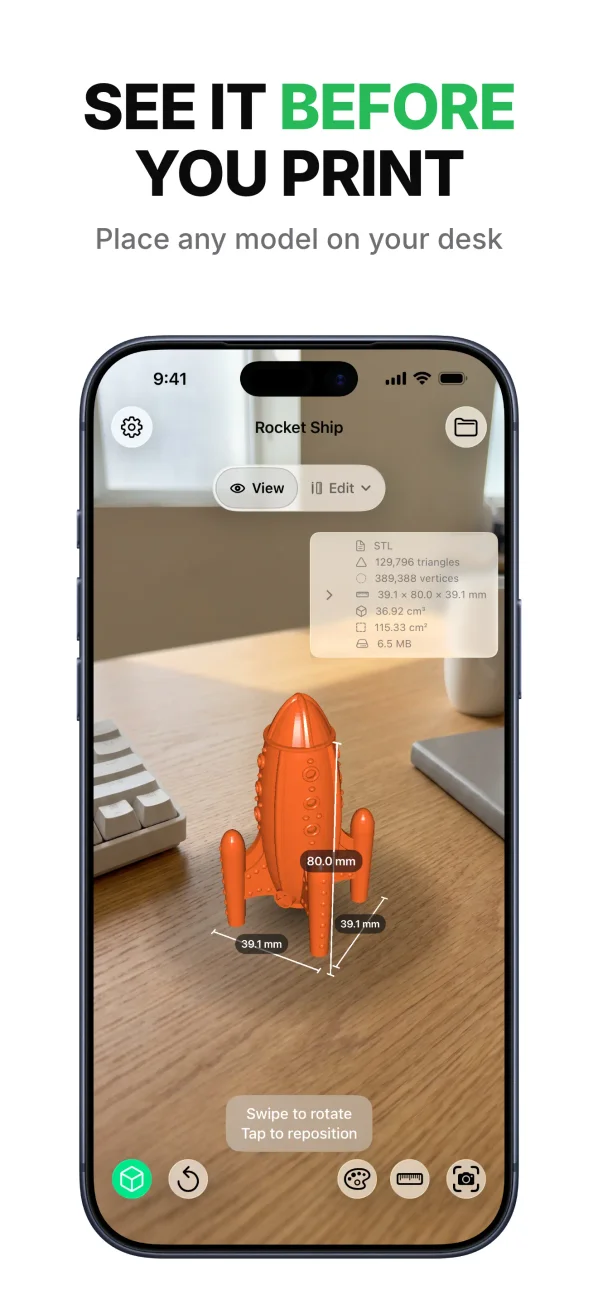
Drop in an STL, OBJ, USDZ, or 3MF file and see it rendered instantly. Orbit around your model with smooth turntable controls, zoom in to inspect fine details, and get a complete breakdown — triangle count, vertex count, dimensions, bounding box, file size, volume, and surface area.
BUILT FOR 3D PRINTING
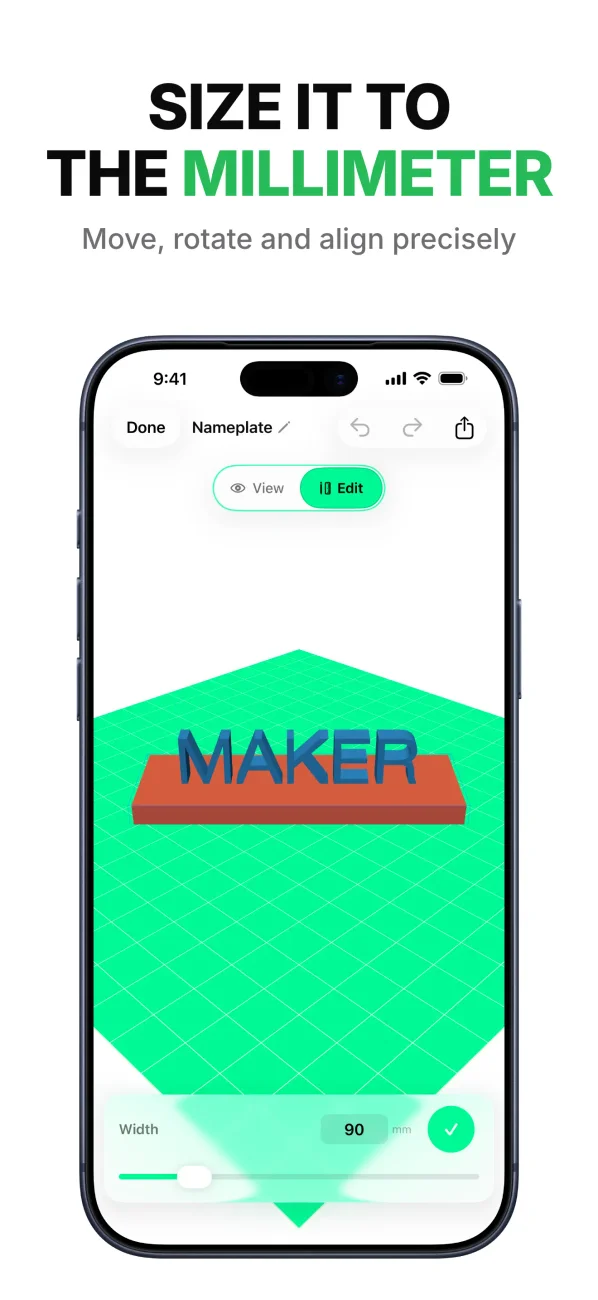
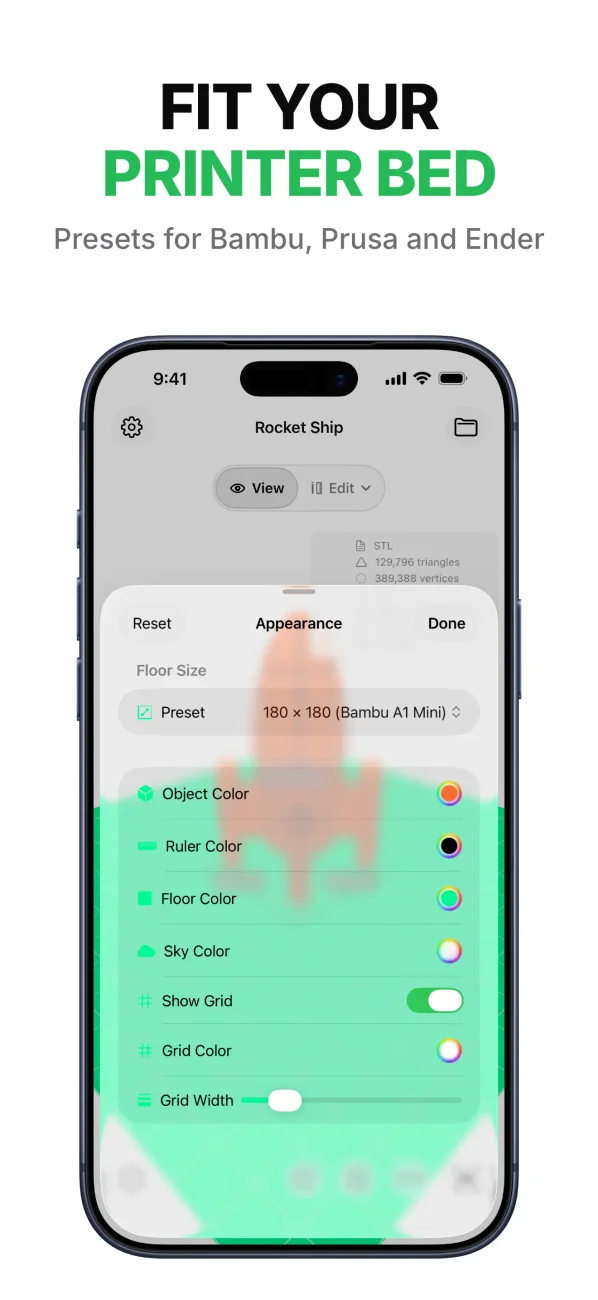
Choose from popular printer bed presets or enter custom dimensions to see exactly how your model fits on the build plate. A floor grid gives you spatial reference, and real-time measurement overlays show width, height, and depth in millimeters — so you can verify scale before you slice.
Whether you are checking a downloaded file or reviewing your own design exports, 3D Kit gives you a quick, reliable way to preview models without launching a full slicer or CAD application.
SEE YOUR MODEL IN THE REAL WORLD
Place any 3D model into your physical environment using augmented reality. Point your camera at a flat surface, tap to place, and walk around your model as if it were sitting right in front of you. AR mode is perfect for checking the real-world size of a print, showing a design to someone who does not use CAD software, or seeing how a model looks on your desk before committing to a print.
Measurements work in AR too, so you can verify dimensions while viewing the model in context.
MAKE IT YOURS
Customize every aspect of the viewing experience. Change the object color, floor color, sky color, grid color, grid line width, and ruler line color. Choose from camera presets — front, back, left, right, top, bottom, and isometric — or orbit freely to find the perfect angle.
All appearance settings persist across sessions.
CAPTURE AND SHARE
Take high-resolution screenshots or record smooth video walkthroughs. Export to your photo library, save to Files, or share directly to any app. Video recording works in both the standard viewport and AR mode.
YOUR MODEL LIBRARY
Import files from the Files app, AirDrop, email attachments, or any app that shares 3D files. 3D Kit organizes your models in a built-in library with quick access to recent files. Rename, delete, and manage your collection without leaving the app.
Browse the included sample models to explore what 3D Kit can do, no files required.
SUPPORTED FORMATS
- STL (binary and ASCII)
- OBJ
- USDZ
- 3MF
KEY FEATURES
- Instant 3D model rendering with smooth orbit controls
- Detailed model info: triangles, vertices, dimensions, volume, surface area, file size
- Printer bed presets or custom dimensions
- Real-time measurement overlays in millimeters
- Augmented reality placement on any flat surface
- Customizable colors for object, floor, sky, grid, and ruler lines
- Camera orientation presets for standard views
- Screenshot and video capture in viewport and AR modes
- Built-in model library with import, rename, and delete
- Sample models included to get started immediately
- Designed for iPhone and iPad
3D Kit is the fastest way to go from file to visual on iOS. No account required, no cloud uploads, no waiting. Just open a file and see your model.
https://www.apple.com/legal/internet-services/itunes/dev/stdeula/
What’s new
Version 2.2.0 · Oct 28, 2026
• Built for iPhone Duo: the viewer, the 3D editor and every sheet now fit both displays and stay clear of the fold, folded or open.
• A calmer editor: the saving indicator is gone. You only see a message if a save fails.
• Performance and stability updates.
App privacy
What Adapted Hub LLC declares on the App Store about how this app handles data.
-
Data not linked to you
May be collected but is not linked to your identity.
- Purchases
- Identifiers
- Usage data
- Diagnostics
Privacy practices may vary, for example with the features you use or your age.
Information
- Seller
- Adapted Hub LLC
- Category
- Graphics & Design
- Version
- 2.2.0
- Updated
- Oct 28, 2026
- Released
- Mar 14, 2026
- Size
- 42.2 MB
- Requires
- iOS 17.0 or later
- Age rating
- 4+
- Price
- Free
- In-app purchases
- Yes
- Languages
- English
- Copyright
- © Adapted Hub LLC (2026)
You might also like
-
 3D Model Print Simple EditSculpt, edit & print 3D models
-
 Open3D: STL & 3D Model ViewerView STL, GLB, STEP, DXF & OBJ
-
 ModelPlay-3D Model ViewerSupport GLB FBX OBJ STL PLY
-
 Forma3D - 3D Modeling & PrintSTL, 3MF & Mesh Repair
-
 Printability: 3D PrintingPrintable 3D model & 3mf maker
-
 Mesh 3D AI Generator ModelText to Image & Modeling
-
 Print To 3DConvert design to G-code
-
 Remeshy: AI 3D Printables3D Modeling, STL for Bambu Lab
-
 Obloid - AI 3D Model GeneratorText, Image To Printable Maker
-
 Meshy AI: 3D Print Model MakerPhoto to 3D Print & 3MF Maker