
- Age rating4+
- CategoryProductivity
- DeveloperGenta Awaya
- LanguagesEnglish+ 1 more
- Size4.9 MB
Links to the official App Store page
Download.org hosts no file of 60d Memo. The button opens its official App Store page, published by Genta Awaya. Listing last checked on Nov 12, 2026.
Screenshots


About
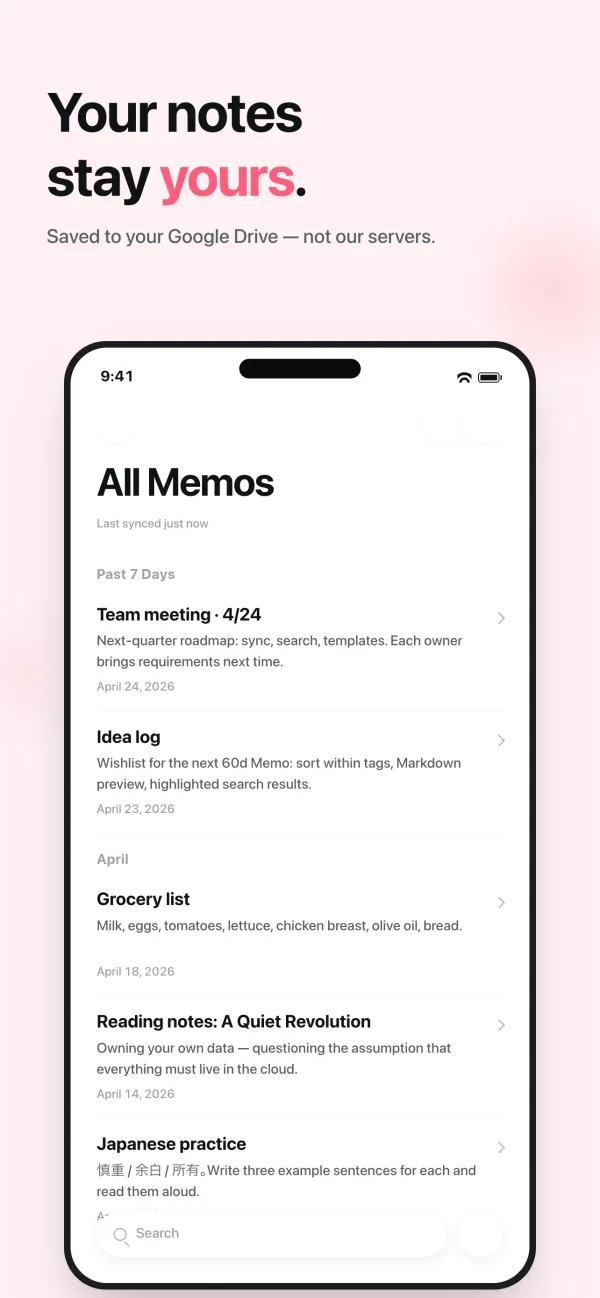
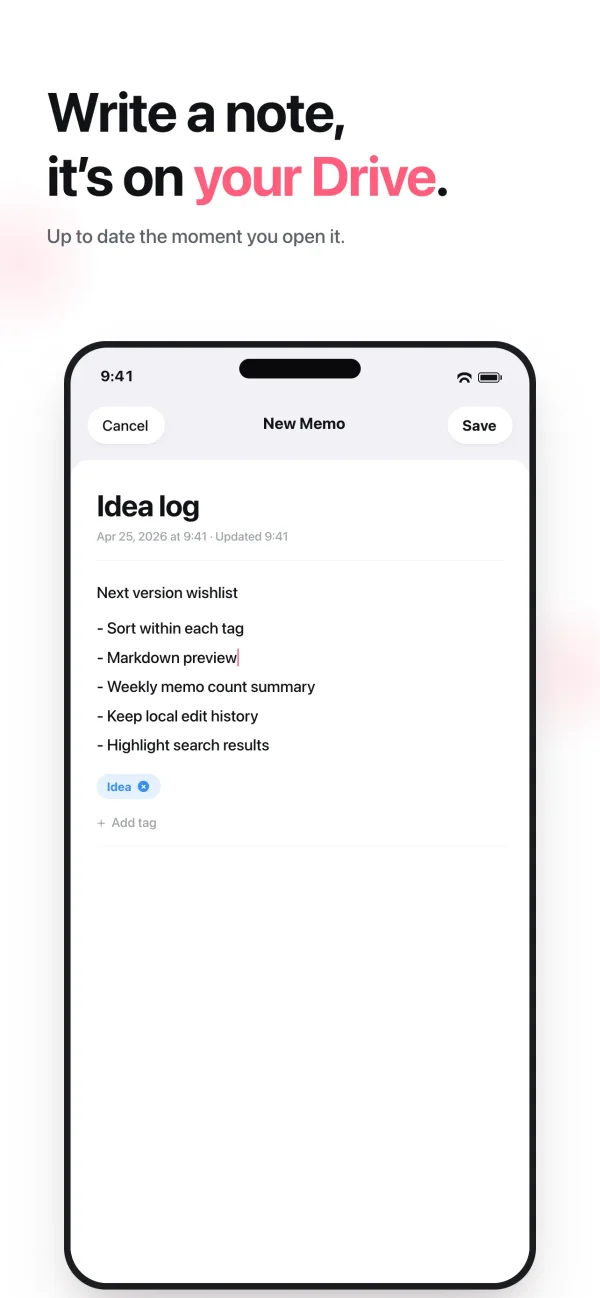
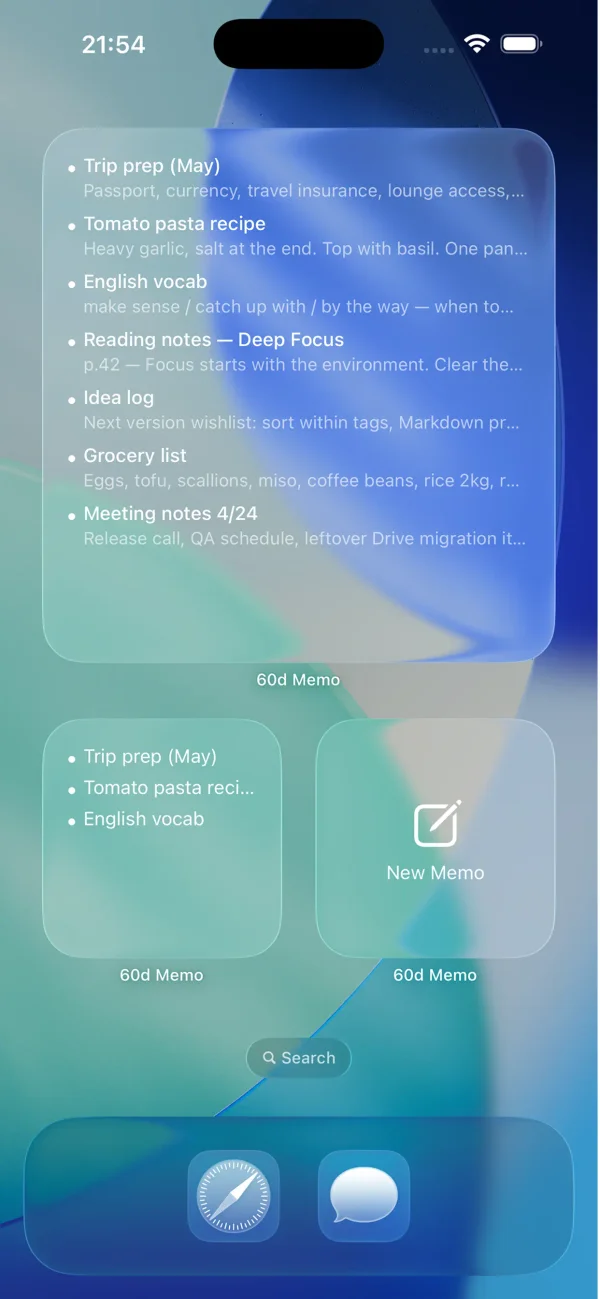
60d Memo is a simple memo app that stores your notes on your device and in your own Google Drive.
Available on iPhone, iPad, and Mac. Google Sign-In is optional, so you can create and edit memos locally without an account.
■ You Own Your Data
Your own Google Drive is the optional sync destination. Memo content is never sent to a proprietary server operated by the developer.
Memos created by the app are stored as JSON files in a visible "60dMemo" folder on Google Drive, where you can inspect and manage your data.
■ Made for iPhone, iPad, and Mac
On iPad and Mac, a three-column layout places the sidebar, memo list, and editor side by side, so you can browse while reading or editing a memo.
On Mac, keyboard-friendly navigation includes Command-N for a new memo, Command-F for search, and Up/Down navigation through the memo list.
■ Essential Organization
- Create, edit, delete, and duplicate memos
- Search titles and memo content
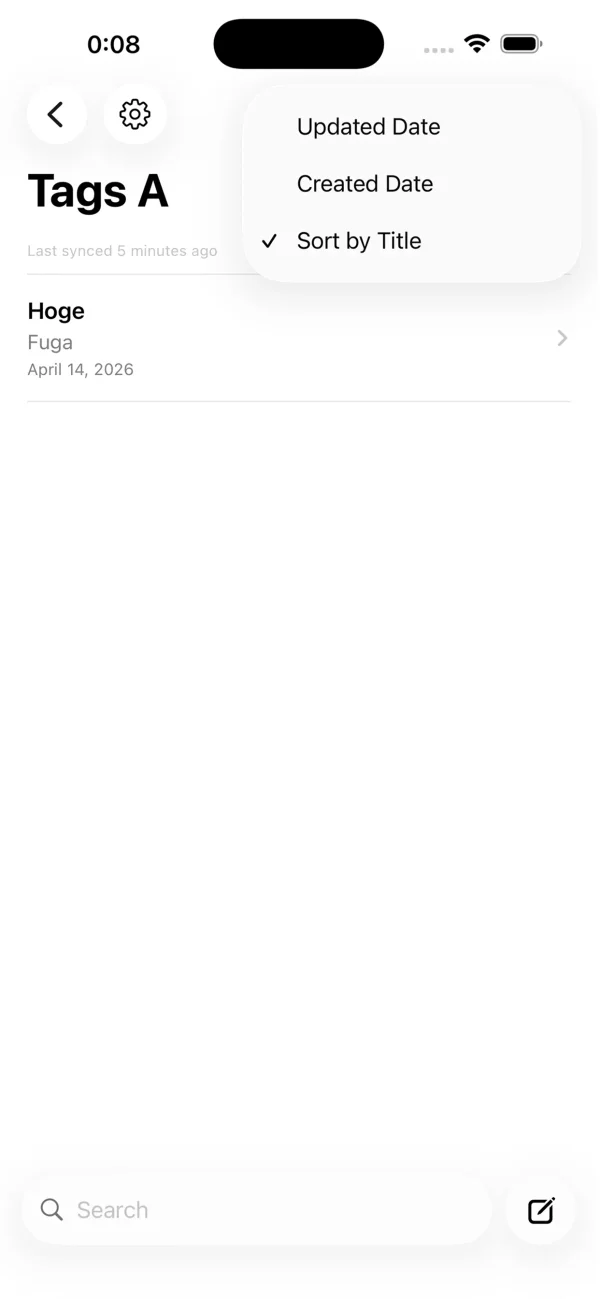
- Organize and filter with tags
- Archive memos
- Sort by updated date, created date, or title
- Export in JSON or Markdown format
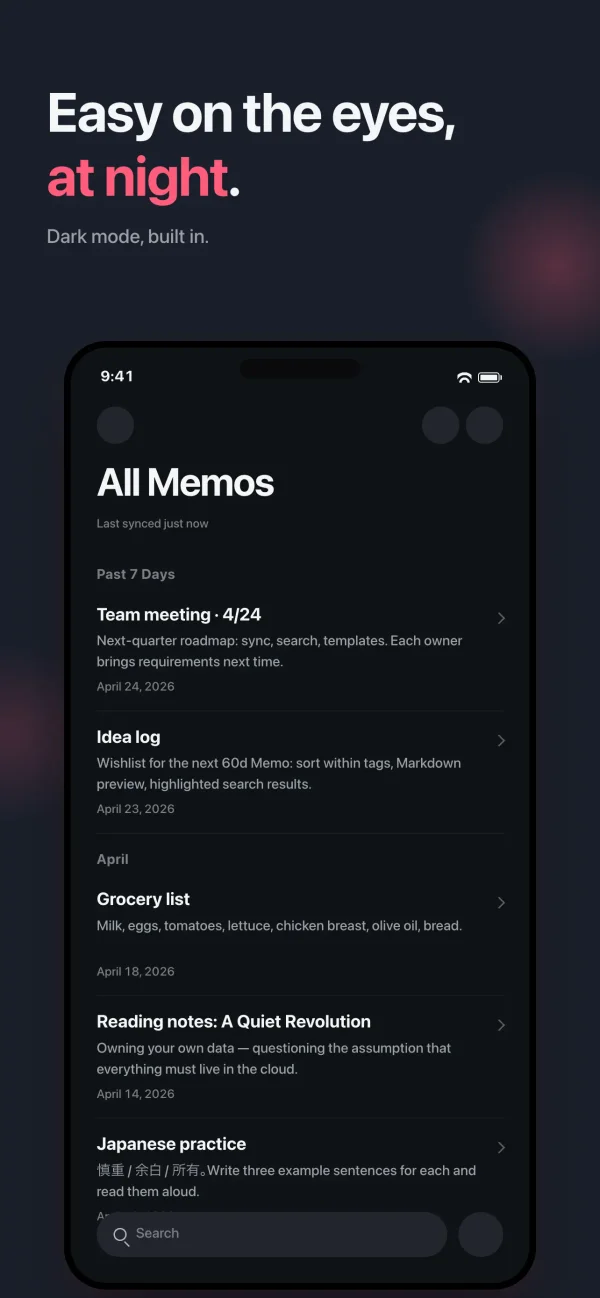
- System, Light, and Dark appearances
- Home Screen widgets on iPhone and iPad
■ Optional Google Drive Sync
- Sign in with Google to start syncing
- Automatic sync when the app opens
- Manual Sync Now action in Settings
- Uses the drive.file scope and only accesses files created by the app
- When changing accounts, choose whether to upload local memos or replace them with the selected account's Drive data
■ Privacy First
- No ads
- No tracking
- No developer-operated behavioral analytics
- No proprietary memo-storage server
The Google Sign-In SDK may process information for authentication, fraud prevention and analytics. See our Privacy Policy for details.
60d Memo is for people who want direct control over their memo data and optional synchronization across devices through Google Drive.
Developed by Rokujudo Design (60d.dev).
What’s new
Version 1.7.0 · Oct 24, 2026
• Control title checkboxes directly from Home Screen widgets, hide completed memos per widget, and choose whether tapping a title opens it for viewing or editing.
• Small and medium widgets can show up to five items at standard text sizes. Improved spacing and centered empty-state messages; fewer items are shown when more space is needed.
• Improved title-to-body editing and preserved edits when navigating through Settings. Checkbox symbols are now consistent in lists and archives.
• Improved iPad Settings and narrow-window layouts, and fixed a crash when sharing JSON or Markdown files.
• Improved retention of pending sync changes across app restarts.
• Checkbox Mode remains a free beta. Plus purchases are not enabled.
App privacy
What Genta Awaya declares on the App Store about how this app handles data.
-
Data linked to you
May be collected and linked to your identity.
- Location
- Contact info
- Identifiers
- Usage data
- Other data
Privacy practices may vary, for example with the features you use or your age.
Information
- Seller
- Genta Awaya
- Category
- Productivity
- Version
- 1.7.0
- Updated
- Oct 24, 2026
- Released
- Apr 15, 2026
- Size
- 4.9 MB
- Requires
- iOS 17.0 or later
- Age rating
- 4+
- Languages
- English, Japanese
- Copyright
- © 2026 60d Design
You might also like
-
 JetMemoOpen, type, saved as files
-
 ToDoリスト - かんたんに使えるシンプルなToDoリストProductivity
-
 Kindling Spark – ADHD FocusStart when your brain won’t
-
 Queue: Copy & PasteCollect, Manage, and Paste
-
 SatheiaProductivity
-
 Now: ADHD Focus & RoutinesPlanner, Timer & To-Do List
-
 Memo: copy & share templatesEasily copy & share templates
-
 xorkeesignSign and verify emails
-
 Stamp MailAI Email Client and Assistant
-
 Unplugged - Limit Screen TimeBlock Apps & Digital Detox