- Age rating4+
- CategoryEducation
- DeveloperVijayvir Singh
- LanguagesEnglish
- Size16.0 MB
Links to the official App Store page
Download.org hosts no file of 8086 Trainer Plus. The button opens its official App Store page, published by Vijayvir Singh. Listing last checked on Nov 15, 2026.
Screenshots
About
8086 Trainer Plus turns your iPhone and iPad into a hands-on microprocessor learning kit — the classic 8086 board every engineering student remembers, now in your pocket.
WHAT'S INSIDE
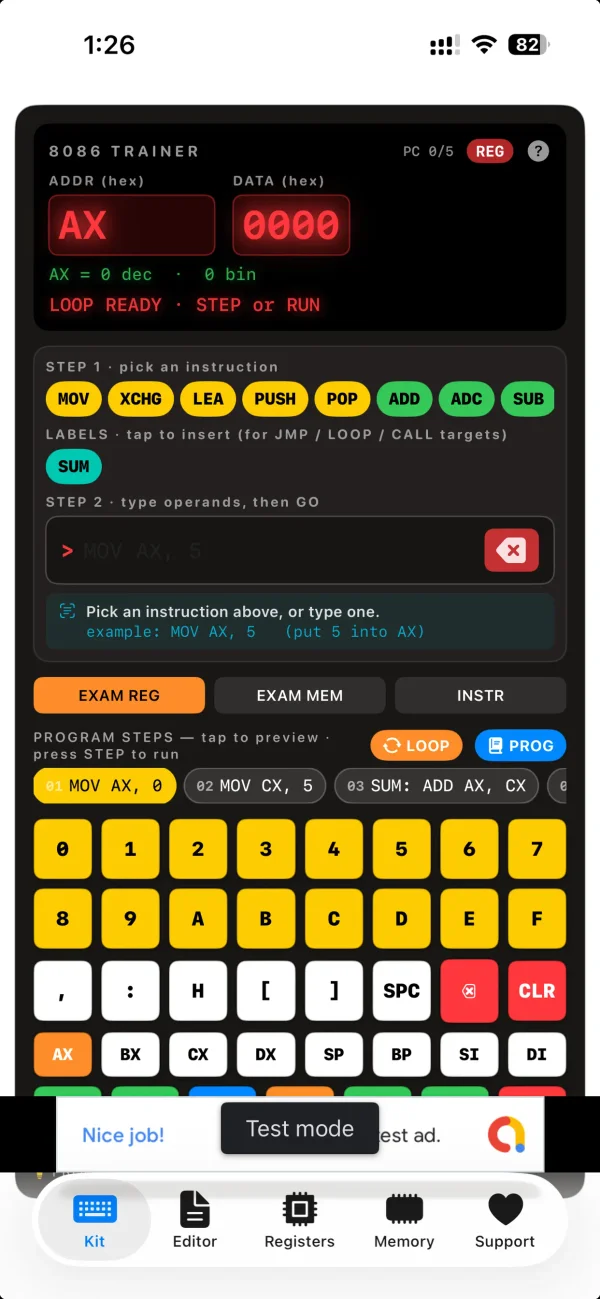
• Hex keypad + LED display, exactly like a physical 8086 trainer.
• Tap-to-insert instructions: MOV, ADD, SUB, INC, DEC, MUL, DIV, CMP, AND, OR, XOR, PUSH, POP, JMP, LOOP, HLT and many more.
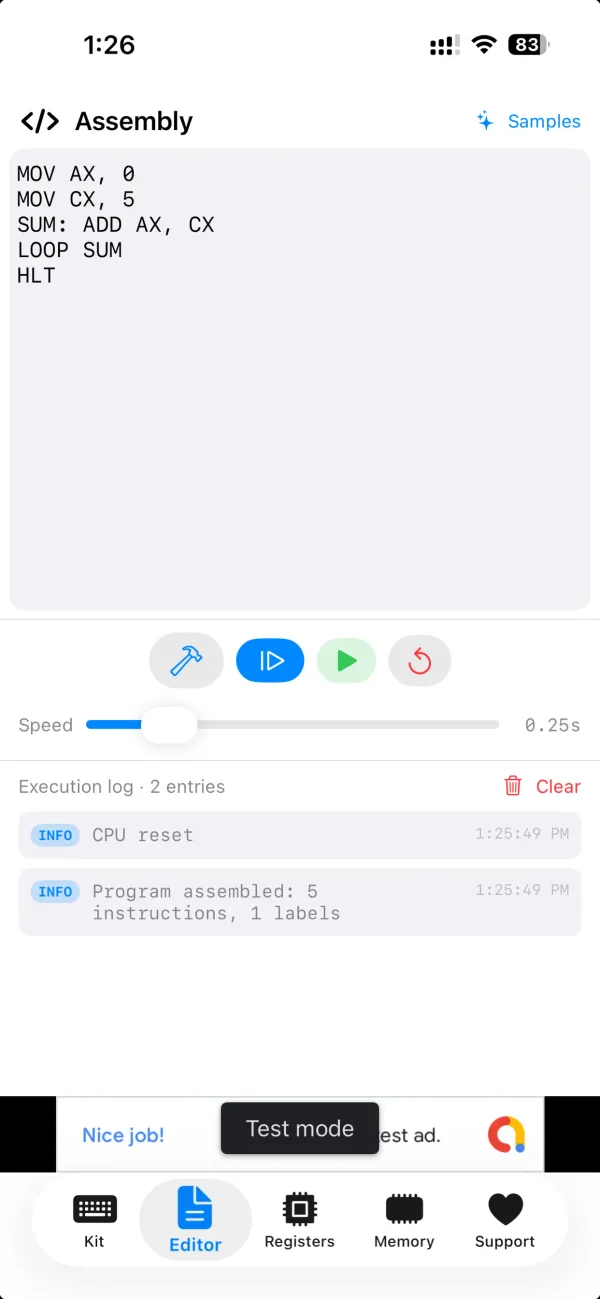
• Real assembler that parses your code and executes it step by step.
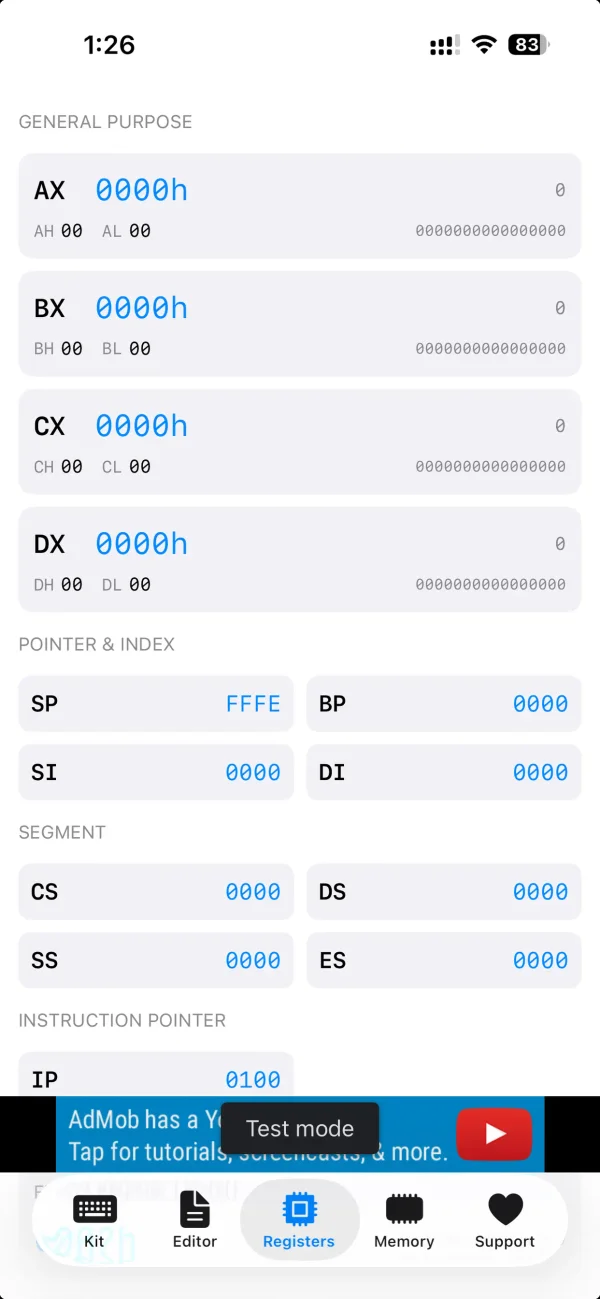
• Live registers (AX, BX, CX, DX, SP, BP, SI, DI, CS, DS, SS, ES, IP) with high/low byte views in hex, decimal and binary.
• All nine flags (CF, PF, AF, ZF, SF, TF, IF, DF, OF) shown with plain-English descriptions.
• 1 MB simulated memory with a scrollable hex viewer.
• Execution log — every instruction with before/after state.
LEARN BY DOING
• "TRY IT" button loads the SUM loop demo (AX = 1+2+3+4+5).
• Guided step-by-step tutorial for writing your first loop.
• Numbers work in decimal, hex (33H, 0x33), binary (1010b) or character ('A').
• Sample programs: factorial, Fibonacci, memory copy, stack demos, compare & branch, bit shifting.
• In-app "how to" cards explain every mnemonic in plain English.
BUILT FOR STUDENTS
• BTech / BCA / Diploma / Polytechnic microprocessor courses.
• GATE, PSU and university semester exam preparation.
• College labs and self-study.
NO INTERNET NEEDED
The full simulator runs on-device. Practice at home, in class, or on the metro.
FEATURES
• Editor with syntax highlighting and current-line marker.
• Multi-line Program Builder — queue instructions with ADD, run with STEP or RUN.
• Auto-detected labels (SUM:, LOOP1: …) shown as tappable chips.
• Portrait mode on both iPhone and iPad.
WHY 8086?
The Intel 8086 is the foundation of every modern PC processor. It's the first 16-bit CPU most engineering programs teach — and understanding it makes x86, x86-64 and every debugger you'll ever open make sense.
What’s new
Version 1.0.2 · Aug 10, 2026
improvements
App privacy
What Vijayvir Singh declares on the App Store about how this app handles data.
-
Data not collected
The developer does not collect any data from this app.
Privacy practices may vary, for example with the features you use or your age.
Information
- Seller
- Vijayvir Singh
- Category
- Education
- Version
- 1.0.2
- Updated
- Aug 10, 2026
- Released
- Aug 3, 2026
- Size
- 16.0 MB
- Requires
- iOS 26.5 or later
- Age rating
- 4+
- Languages
- English
- Copyright
- © 2026 antfirelabs
You might also like
-
 4917emu Micro Processor EmuLearn How To CODE
-
 IveriaLearn to read Georgian
-
 CCNA Exam Prep Flashcards 2026Cisco 200-301 Test Practice
-
 HAM Radio TechnicianOver 400 Questions
-
 Network+ : CompTIA Exam Prep588 questions · exam simulator
-
 Kiddo LearnFun learning for kids
-
 BlumotoA Heathkit ET-3400 Simulator
-
 Mathemagics: Algebra PracticeLearn fast algebra techniques
-
 CompTIA Network+ Exam ProN10-008 & N10-009 Test Prep
-
 Learn Hindi BasicEducation