- 対象年齢4+
- カテゴリ教育
- 開発元Vijayvir Singh
- 言語英語
- サイズ16.0 MB
App Storeの公式ページにリンクしています
Download.orgは8086 Trainer Plusのファイルを一切ホストしていません。ボタンを押すと、Vijayvir Singhが公開しているApp Storeのアプリページが開きます。ページの最終確認:2026/11/15。
スクリーンショット
概要
開発元はこのテキストをお使いの言語で提供していません。
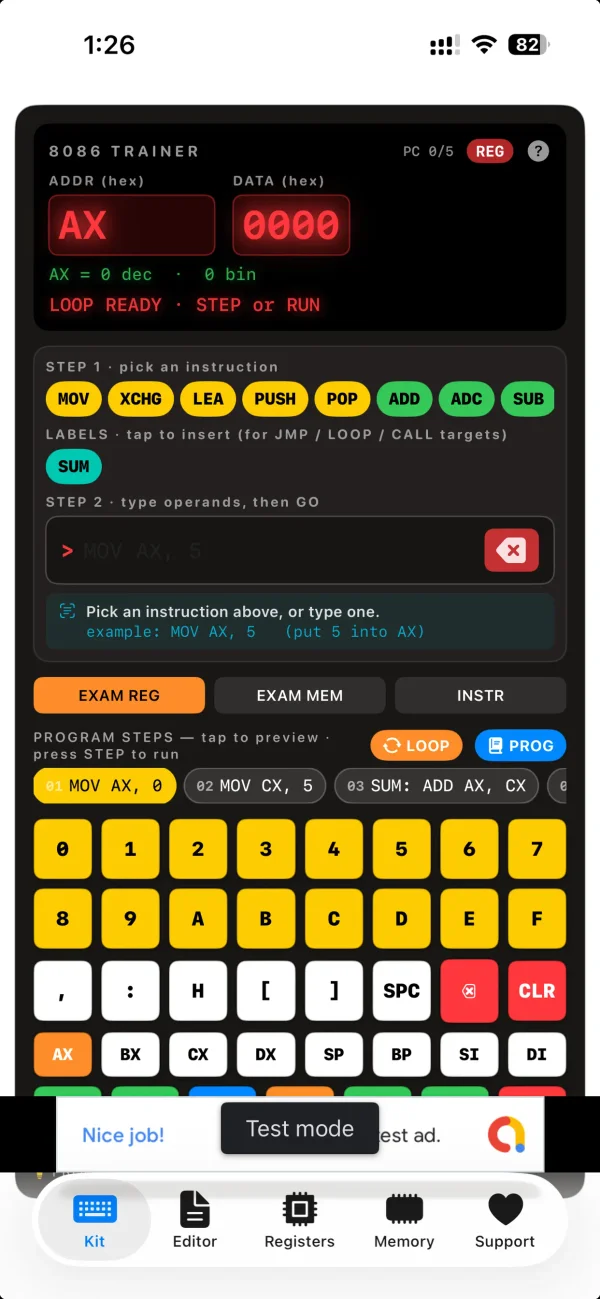
8086 Trainer Plus turns your iPhone and iPad into a hands-on microprocessor learning kit — the classic 8086 board every engineering student remembers, now in your pocket.
WHAT'S INSIDE
• Hex keypad + LED display, exactly like a physical 8086 trainer.
• Tap-to-insert instructions: MOV, ADD, SUB, INC, DEC, MUL, DIV, CMP, AND, OR, XOR, PUSH, POP, JMP, LOOP, HLT and many more.
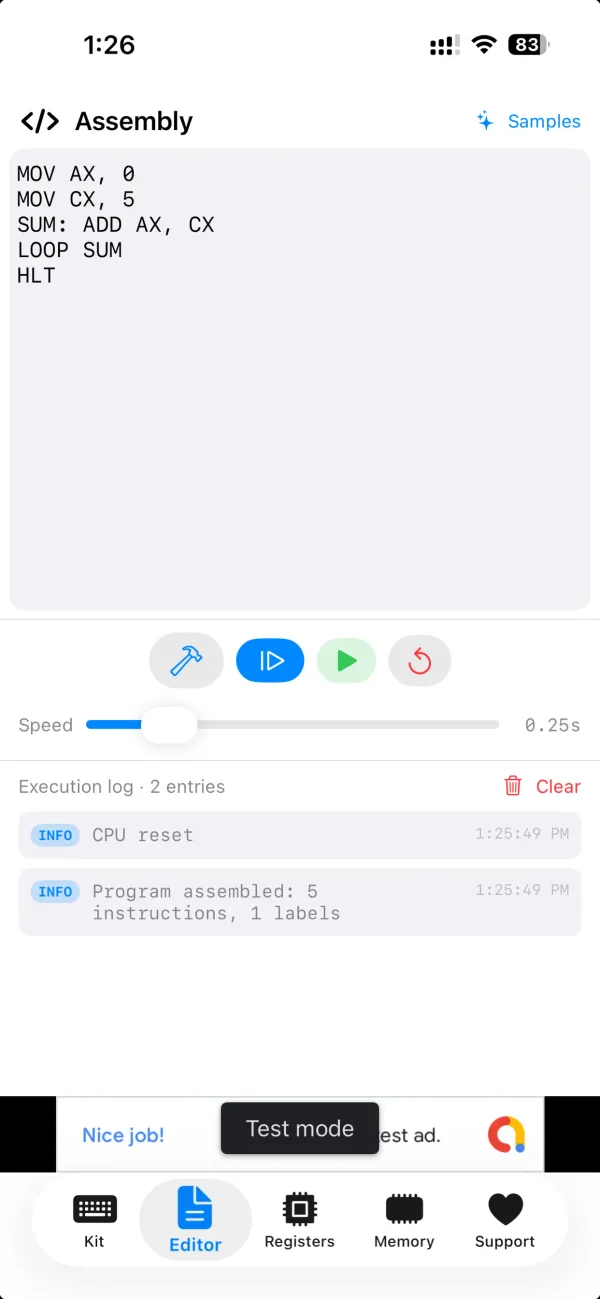
• Real assembler that parses your code and executes it step by step.
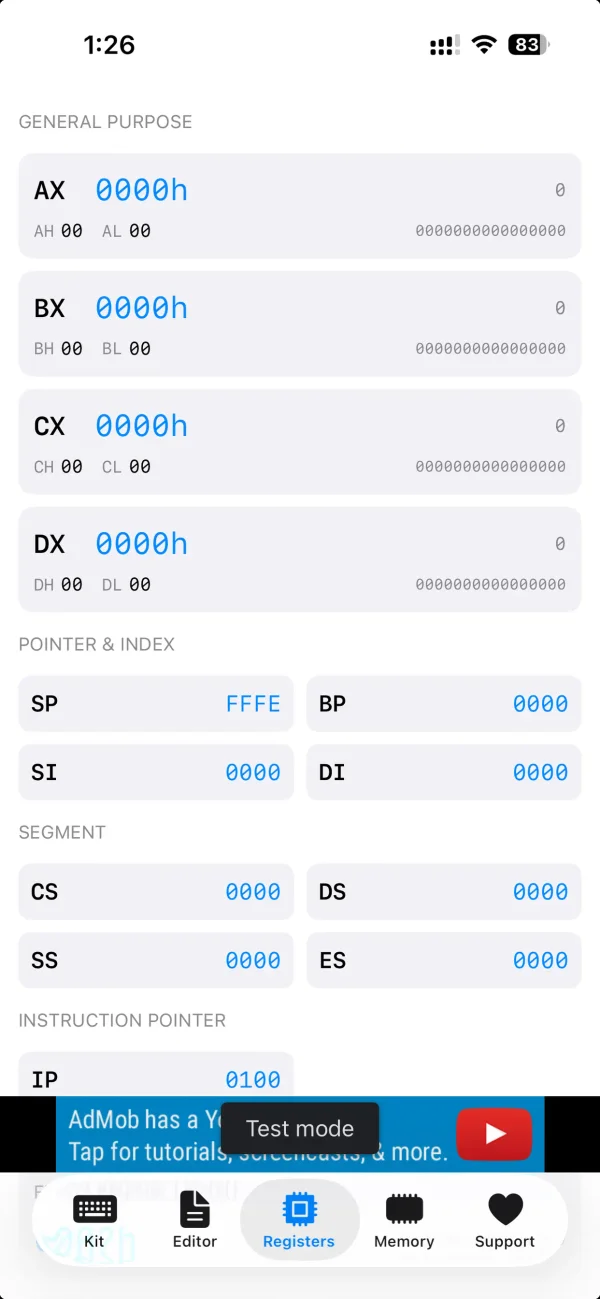
• Live registers (AX, BX, CX, DX, SP, BP, SI, DI, CS, DS, SS, ES, IP) with high/low byte views in hex, decimal and binary.
• All nine flags (CF, PF, AF, ZF, SF, TF, IF, DF, OF) shown with plain-English descriptions.
• 1 MB simulated memory with a scrollable hex viewer.
• Execution log — every instruction with before/after state.
LEARN BY DOING
• "TRY IT" button loads the SUM loop demo (AX = 1+2+3+4+5).
• Guided step-by-step tutorial for writing your first loop.
• Numbers work in decimal, hex (33H, 0x33), binary (1010b) or character ('A').
• Sample programs: factorial, Fibonacci, memory copy, stack demos, compare & branch, bit shifting.
• In-app "how to" cards explain every mnemonic in plain English.
BUILT FOR STUDENTS
• BTech / BCA / Diploma / Polytechnic microprocessor courses.
• GATE, PSU and university semester exam preparation.
• College labs and self-study.
NO INTERNET NEEDED
The full simulator runs on-device. Practice at home, in class, or on the metro.
FEATURES
• Editor with syntax highlighting and current-line marker.
• Multi-line Program Builder — queue instructions with ADD, run with STEP or RUN.
• Auto-detected labels (SUM:, LOOP1: …) shown as tappable chips.
• Portrait mode on both iPhone and iPad.
WHY 8086?
The Intel 8086 is the foundation of every modern PC processor. It's the first 16-bit CPU most engineering programs teach — and understanding it makes x86, x86-64 and every debugger you'll ever open make sense.
新機能
バージョン 1.0.2 · 2026/8/10
improvements
アプリのプライバシー
このアプリのデータの取り扱いについて、Vijayvir SinghがApp Storeで申告している内容です。
-
データの収集なし
開発元はこのアプリからデータを収集しません。
プライバシーの取り扱いは、ご利用の機能やお客様の年齢などに応じて異なる場合があります。
情報
- 販売元
- Vijayvir Singh
- カテゴリ
- 教育
- バージョン
- 1.0.2
- 更新日
- 2026/8/10
- リリース
- 2026/8/3
- サイズ
- 16.0 MB
- 必要条件
- iOS 26.5以降
- 対象年齢
- 4+
- 価格
- ¥500
- 言語
- 英語
- 著作権
- © 2026 antfirelabs