
- Age rating4+
- CategoryProductivity
- DeveloperJutarus Ratanasethakul
- LanguagesEnglish
- Size22.8 MB
Links to the official App Store page
Download.org hosts no file of A-Frame3D Pro. The button opens its official App Store page, published by Jutarus Ratanasethakul. Listing last checked on Nov 23, 2026.
Screenshots


About
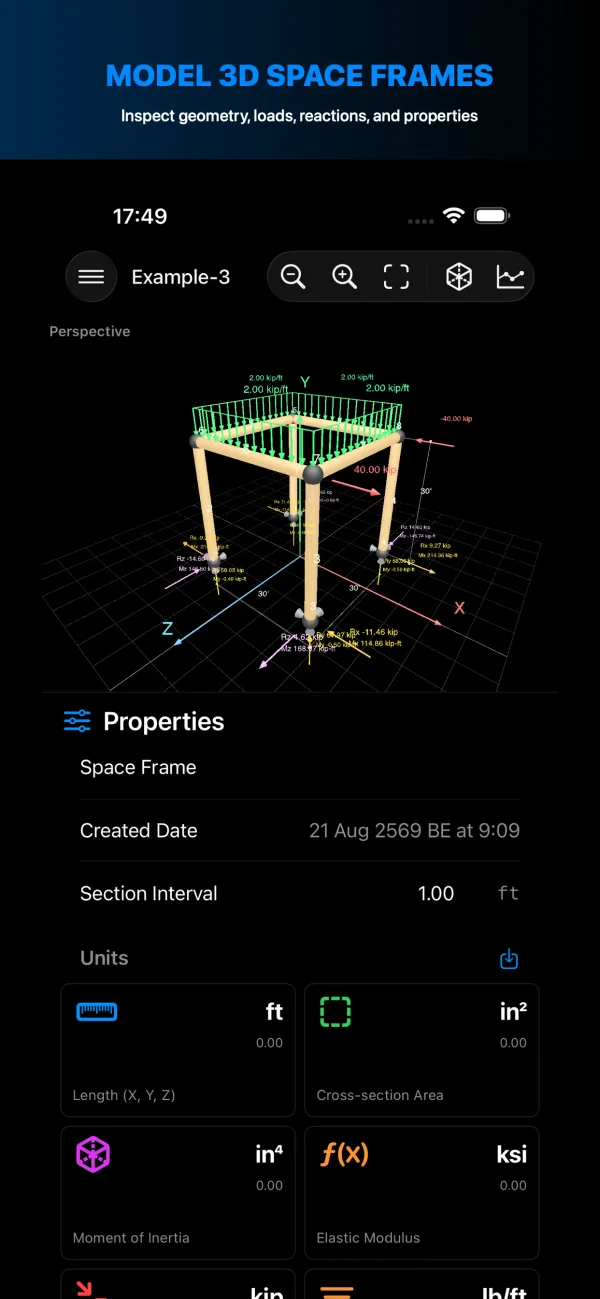
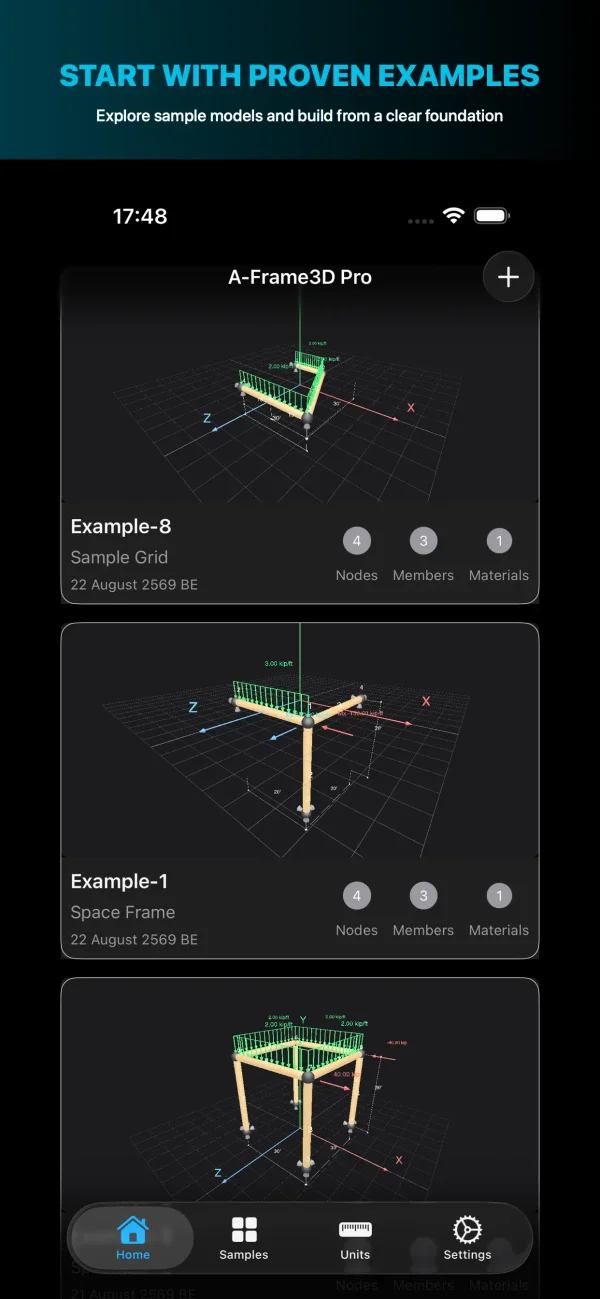
The Space Frame is considered to be the complicated structure due to the members of such frames may be oriented in any directions in three-dimensional space more over the external loads oriented in any arbitrary directions can be applied to joints, as well as members.
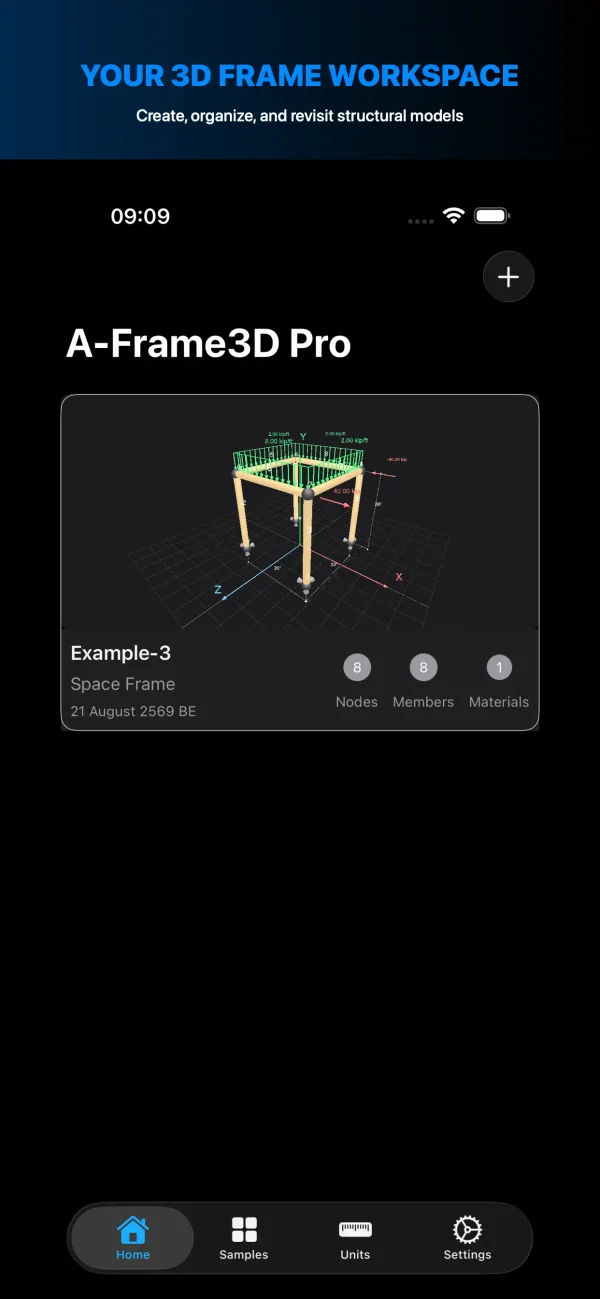
A-Frame 3D is an app that is so easy to use yet so powerful!!!
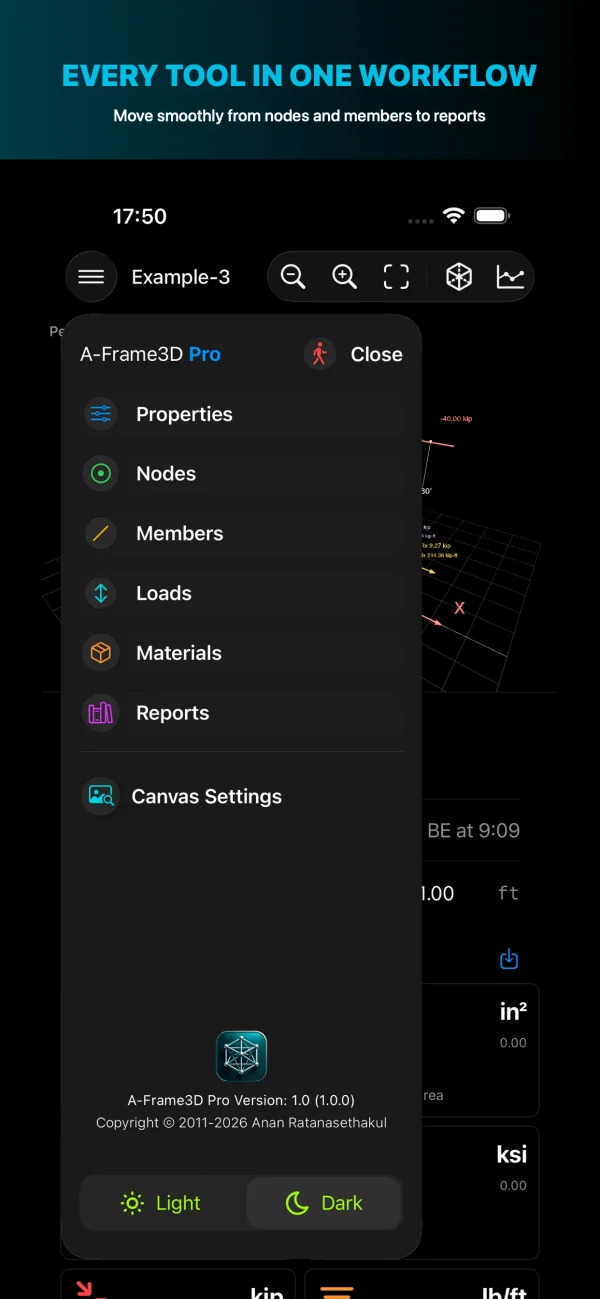
Data input is just as simple as
- Node coordination (x, y, z)
- Member alignment (node-i to node-j)
- Applied loads to each nodes and members
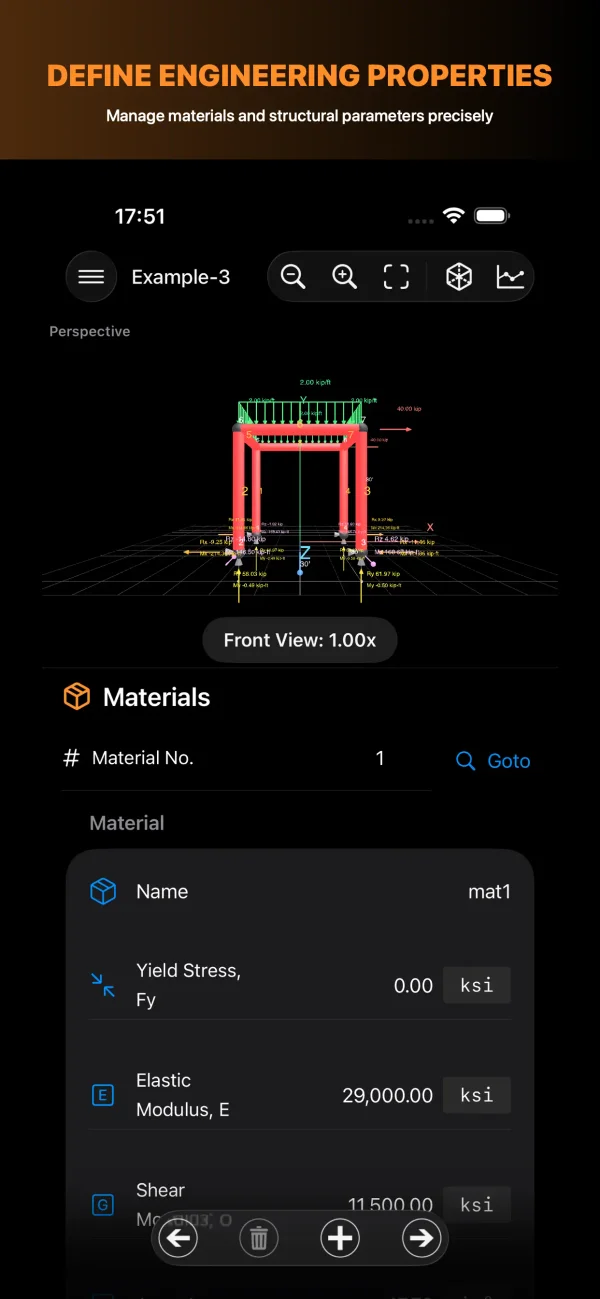
- Material properties E, G, Iy, Ix, J and A values
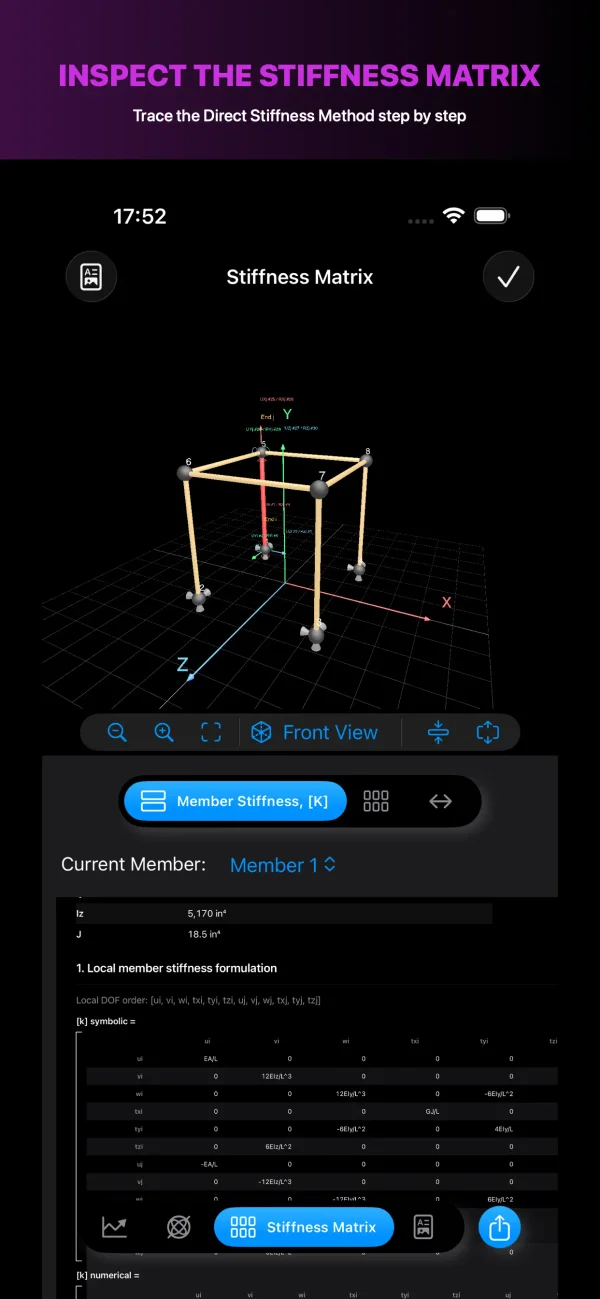
Not only A-Frame can solve the Space Frame but the app also showing the calculation step by step for the result data so that you can counter check the correctness of the calculation.
A-Frame 3D is an application for structural engineers or engineering students who need a tool to analyze the space frames.
A-Frame 3D solves the space frame by using the Stiffness Matrix Method, providing following features:
- The frame members can be aligned in any direction in space.
- Load applied to each members can oriented in any direct around the frame members.
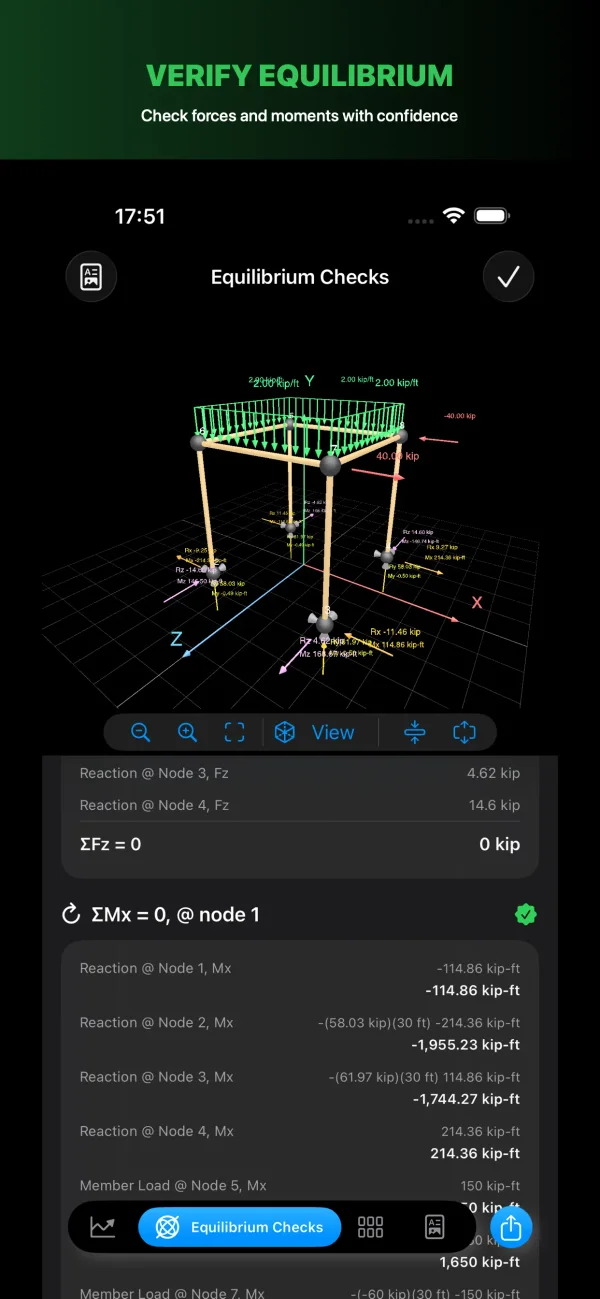
- Equilibrium check for Forces & Bending Moments
- Deformation of each points along the members.
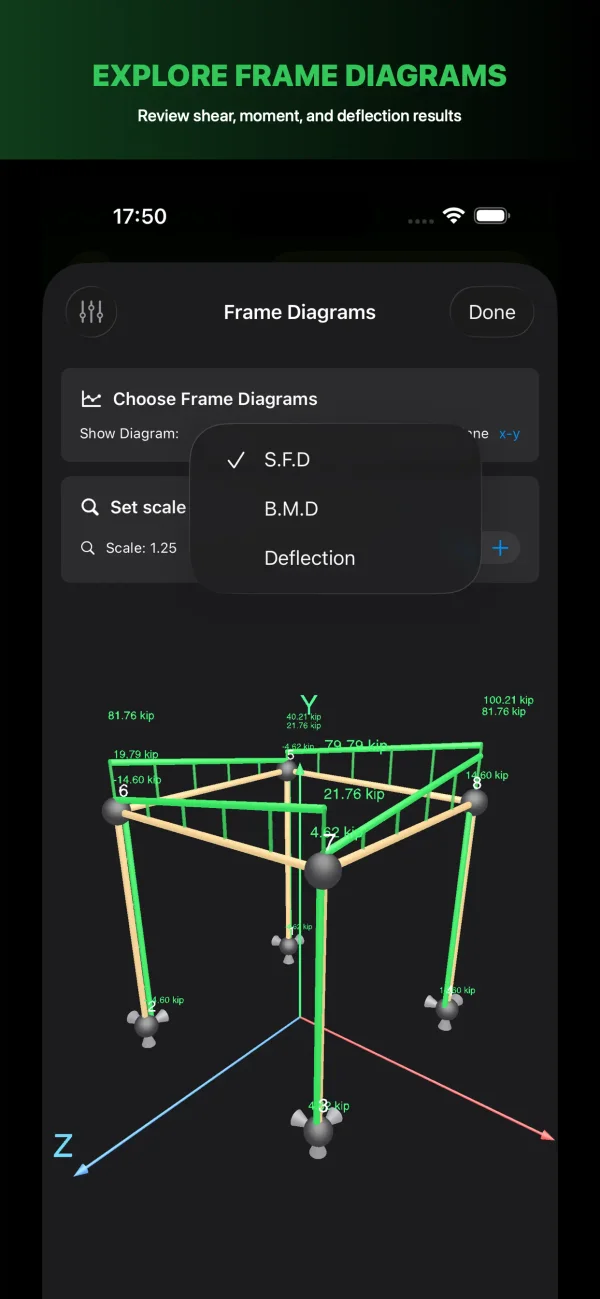
- Shear Force Diagram (S.F.D) and Bending Moment Diagram (B.M.D) of each sections along each members in 3D.
What’s new
Version 4.4 · Nov 19, 2026
• Enhanced Property Inputs: Replaced standard input fields in Frame Properties with our dedicated engineering keypad, streamlining Section Interval editing with unit awareness.
• Improved UI & Layout: Enhanced input labels and custom text fields to support multi-line titles, eliminating text truncation across varying screen sizes and text scaling settings.
• Interactive Onboarding & Tips: Enabled TipKit assistance across the app to guide you through helpful gestures and keypad shortcuts (such as the power-of-10 scientific notation key).
• Framework & Performance Updates: Updated underlying UI components and dependencies for improved stability and smooth interactions on iOS.
App privacy
What Jutarus Ratanasethakul declares on the App Store about how this app handles data.
-
Data not collected
The developer does not collect any data from this app.
Privacy practices may vary, for example with the features you use or your age.
Information
- Seller
- Jutarus Ratanasethakul
- Category
- Productivity
- Version
- 4.4
- Updated
- Nov 19, 2026
- Released
- May 30, 2017
- Size
- 22.8 MB
- Requires
- iOS 18.6 or later
- Age rating
- 4+
- Price
- $9.99
- Languages
- English
- Copyright
- © 2017 Anan Ratanasethakul
You might also like
-
 Frame & Beam Analysis 3DRCC, steel & earthquake checks
-
 UHP.x — UHPC Mix, Curing TrackPDF · Pie Charts · Data Logger
-
 iBeams ProProductivity
-
 SiteReport: Inspection ReportsSimple Photo Report Creator
-
 Structural Engineering Calc.AISC Steel Design Reference
-
 Deflection ProStructural Analysis Calculator
-
 Gantt chart AI planner InganttPlan project schedule&timeline
-
 Beam Calc: Structural AnalysisSFD, BMD, Stress & Deflection
-
 Survey Area Calculator ToolMeasure land distance GPS map
-
 Production AssistPaperwork goes paperless