abc Music Studio
"All in One" Musician Tools
Designed for iPad, Mac
Free · In-app purchases
- Age rating4+
- CategoryMusic
- DeveloperICM Labs LLC
- LanguagesEnglish+ 2 more
- Size46.6 MB
Links to the official App Store page
Download.org hosts no file of abc Music Studio. The button opens its official App Store page, published by ICM Labs LLC. Listing last checked on Nov 26, 2026.
Screenshots
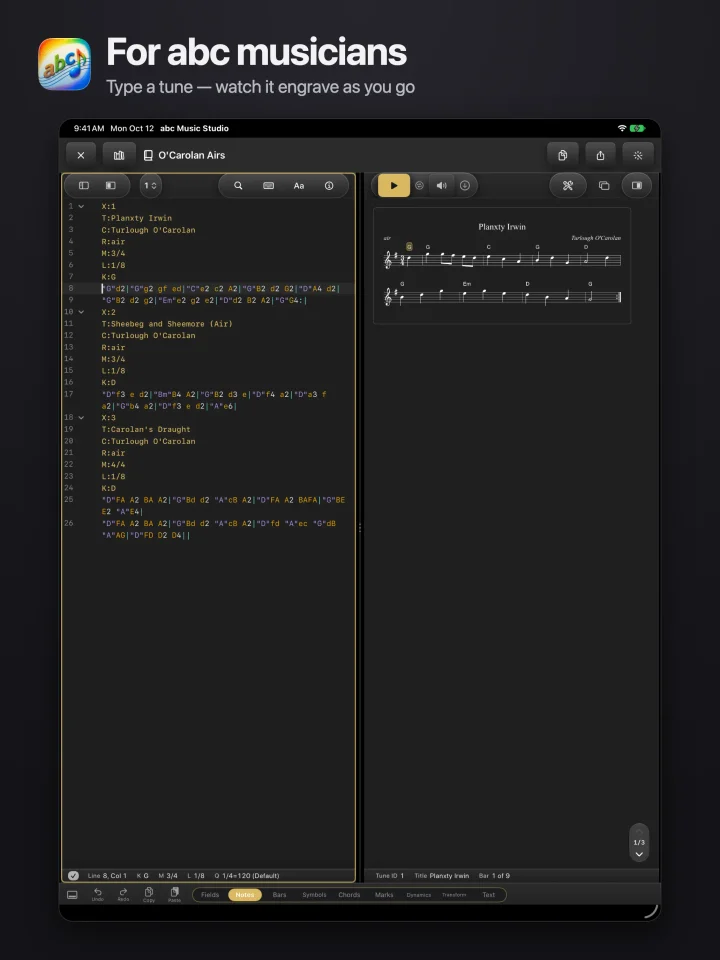
About
abc Music Studio — A musician's All in One digital solution to sheet music, audio, video, rehearsal tools, plus abc notation
abc Music Studio puts your whole working music library in one place: Sheet Music PDFs, Audio backing/recordings, video, markdown notes, metronome, drone, timers - with a notation editor that turns plain text into living, playable scores.
YOUR LIBRARY — EVERY MUSICIAN
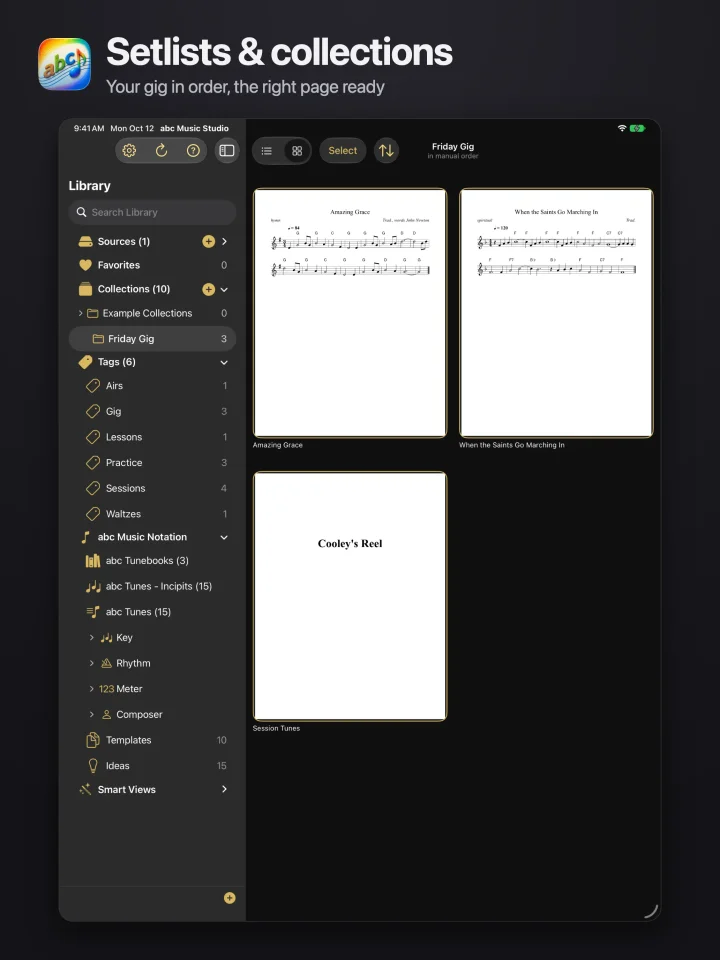
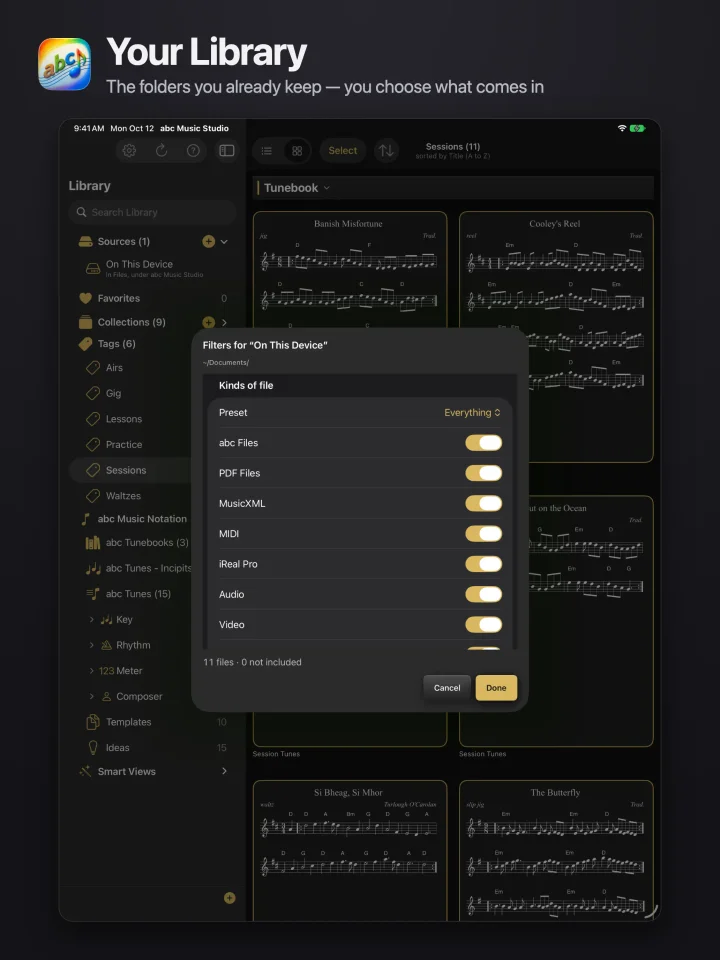
• Your sheet-music PDFs, scans and abc tunebooks in one window — search, Finder tags, collections for setlists and lessons, and Favorites. Files stay in your folders; nothing is moved, copied, or uploaded
• Tunebooks with thousands of tunes open fast and stay responsive
PRACTICE WITH YOUR OWN RECORDINGS (Studio Plus)
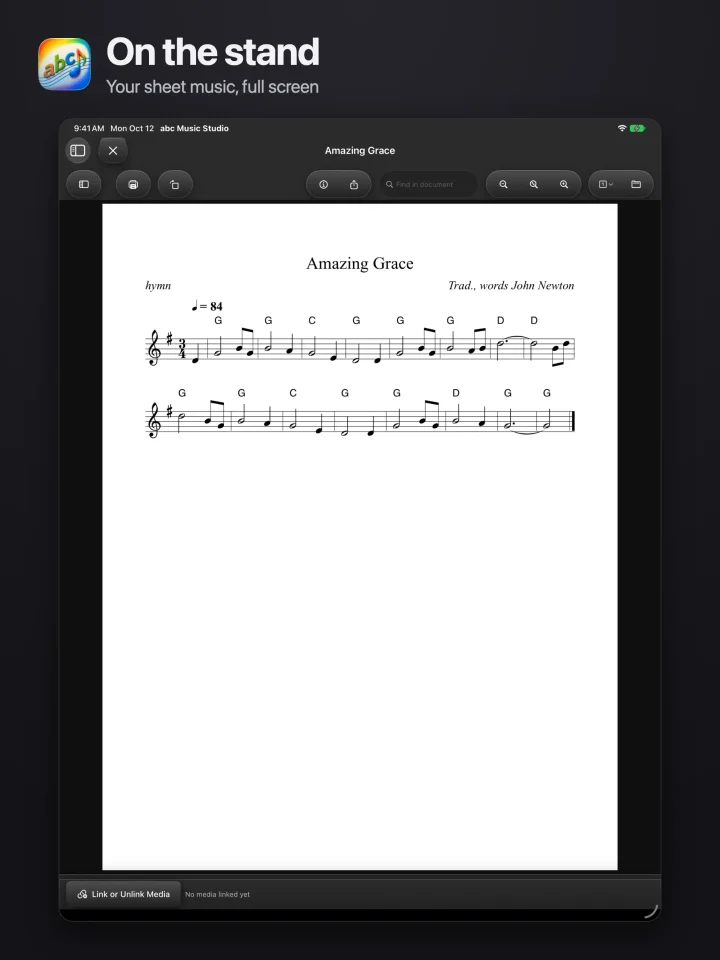
• Read a sheet-music PDF with its recording playing underneath — a method book, its backing tracks, and its video lesson sit together
• Slow any recording or video down without changing its pitch — or change the key to match your instrument without changing the speed
• Loop the hard bars until they're yours; saved loops stay with the recording, each with its own speed
• Link a backing track, a lesson video, or a rehearsal take to the chart it belongs with — they travel together
• Pictures and scans — a handwritten tune, a chord chart — open for viewing with backing track or audio recording
• Practice Tools: Customizable Metronome, drones, timers, loops, slow-downer, pitch adjustment
• MIDI files play like recordings; MusicXML and MIDI convert to abc; iReal Pro chart exports open as playable lead sheets
FOR TRADITIONAL & SESSION MUSICIANS — TUNES AS TEXT
• Write jigs, reels, and airs in ABC — the plain-text notation the traditional world shares — and the engraved score draws itself as you type. Or pick a note length and tap the notes; bar lines write themselves
• Keep a whole session repertoire in one tunebook; the Incipits view shows the opening bars of every tune, so a set list fits on one screen
• Transpose to any key for whistle, fiddle, or box; guitar chord grids above the staff for accompanists
• Add swing for that hornpipe lilt; chord symbols comp the way a pianist would
• Learn by ear the traditional way — link the session recording to the tune, slow it down, loop the turn (Studio Plus)
• Share .abc — the portable, future-proof format every ABC tool and tune archive reads
WRITE AND SEE
• A real code editor for music: syntax highlighting, abc warnings, autocomplete that knows what's valid next, folding, find & replace, and ready-made templates
• Score and text stay linked — click any note to jump to its source; move the caret and the score highlights
• A symbol palette for barlines, repeats, accidentals, ornaments, chords, and dynamics
HEAR
• Built-in instruments — give each voice its own, with drums and percussion on a built-in kit
• Tap a note or a chord symbol to hear it; notes highlight in time as the tune plays
• Play in from a MIDI keyboard — Step Entry writes what you play into the tune (Studio Plus)
PRINT AND SHARE
• Print-ready PDF export, or print directly
• Studio Plus adds Bulk Convert for whole folders, advanced exports (SVG, MIDI, MusicXML, WAV, M4A), score looping while you practice, and PDF password protection
Studio is the app as it comes: the Library, collections, the PDF reader, abc writing and playback, printing and PDF export — no account needed. Studio Plus, an optional monthly or yearly subscription, adds practice with recordings and videos, the MIDI keyboard, conversions and the advanced exports above. Everything is unlocked for your first 7 days (from first download) — subscribe to keep Studio Plus.
ACCESSIBILITY
VoiceOver, Voice Control, Dark Mode, Reduced Motion, and Differentiate Without Color. English and French.
abc Music Studio is a native app — fast and private. No accounts, no analytics, no tracking.
End User License Agreement: https://www.apple.com/legal/internet-services/itunes/dev/stdeula/
What’s new
Version 3.8.0 · Nov 25, 2026
Thanks for your support of abc Music Studio! We're always working to make the app better and faster!
abc Music Studio 3.8.0 Updates
For every musician
• Play along with a drum set: Tools ▸ Drum Set plays a groove to practice with: basics, grooves written by style and grooves played by real drummers, at any tempo, with a count-in and as many repeats as you like. With Studio Plus, edit a groove on its drum tab, with triplets and 32nds, mute or solo a drum, and save it as your own.
• Guitar chord diagrams: turn on Chord Diagrams in Adjust ▸ Page ▸ Score view to see a guitar chord diagram over every chord symbol, with the fingering, any barre and the fret to start on. They print and go into PDFs too.
• Country and Nashville samples: abc Notation ▸ Samples ▸ Country & Nashville has five original tunes with Nashville number charts, and backing patterns to play along with: boom-chick, alternating bass, waltz, train beat and bluegrass banjo.
• Two more drones: Tools ▸ Drone adds Tonic Only, one held note to tune your intervals against, and Uilleann Pipes, with bass, baritone and tenor drones an octave apart.
• Bug fixes and performance improvements.
For abc
• Drum tabs that play: write a drum loop as a drum tab between %%begindrum and %%enddrum, and %%drum starts it under a tune or over bars of rest, with the same drums and timing as abc2svg, plus accents, ghost notes and open, closed and pedal hi-hat. It plays in exported MIDI and audio too. Try Samples ▸ Percussion ▸ Drum Tabs.
• Chord diagrams in abc: %%diagram 6 draws a guitar chord diagram over each chord symbol, as abc2svg does: every chord from C to B as major, m, 7, m7, maj7 and sus4, and barre shapes for sharps and flats. %%setdiag gives a chord your own shape, for any number of strings.
• Jazz chord symbols: %%jazzchord 1 draws chord symbols jazz-style, as abc2svg does: a minor m a little smaller, the rest of the chord smaller and raised, and rules of your own such as m7-5=ø dim=o maj7=Δ.
• Tablature written for abc2svg: %%strtab turns a voice into tablature for any stringed instrument. Force a string with !1s! to !9s!, set each string's lowest fret with %%minfret, and use diafret for a mountain dulcimer.
• Your own chord types, everywhere: %%MIDI chordname now sounds in playback, in exported MIDI and when you click a chord symbol: a new chord type plays, a redefined one replaces the built-in chord, and a chord can have up to 11 notes.
• Drum maps fill in the rest: a drum note your %%percmap doesn't name plays the built-in drum kit instead of a pitched note, and !open! on a mapped closed hi-hat opens it.
• Hide the TAB sign: hidetabsymbol=1 on %%tablature leaves it off each tablature staff.
• Tablature tunings in scientific pitch: strings=E2,A2,D3,G3,B3,E4 now means those pitches, as in abc2svg, and a voice's octave= moves them.
Your feedback helps make abc Music Studio better!
Email support@icmlabs.net for help, bug reports, or feature requests.
We read every message and aim to reply within two business days.
App privacy
What ICM Labs LLC declares on the App Store about how this app handles data.
-
Data not collected
The developer does not collect any data from this app.
Privacy practices may vary, for example with the features you use or your age.
Information
- Seller
- ICM Labs LLC
- Category
- Music
- Version
- 3.8.0
- Updated
- Nov 25, 2026
- Released
- Jul 7, 2026
- Size
- 46.6 MB
- Requires
- iOS 26.4 or later
- Age rating
- 4+
- Price
- Free
- In-app purchases
- Yes
- Languages
- English, French, German
- Copyright
- © Copyright (c) 2026 ICM Labs LLC. All rights reserved.
You might also like
-
 120 Mandolin Chords ProPlay Any Song Easily & Fast!
-
 Bodhrán Drum LoopsHeartbeat of Irish folk music
-
 Little Session: Irish TunesSheet music & fingerings
-
 Musician's Master ToolkitEssential Tools for Musicians
-
 Nota ABC - Session Trad TunesIrish Scores - Music Notation
-
 Strumfy (formerly VChords)Guitar Chords, Lyrics & Tabs
-
 Aria – Music Notation EditorScore Editor with MSCZ Support
-
 Banjo Chords Compass LitePlay Any Song Easily & Fast!
-
 Vocal Gauge: Range TransposerVocal range & Key to Sing In
-
 Audition Pro - Music PlayerNew Songs, Albums & Artists