
ACLSMED Sim
ACLS PALS BLS ECG SIMulator
Designed for iPhone, iPad
Free · In-app purchases
- Age rating12+
- CategoryMedical
- DeveloperMark Daniel Figueroa
- LanguagesEnglish
- Size69.5 MB
Links to the official App Store page
Download.org hosts no file of ACLSMED Sim. The button opens its official App Store page, published by Mark Daniel Figueroa. Listing last checked on Nov 18, 2026.
Screenshots


About
ACLSMED Simulator turns an iPad into a high-fidelity clinical training rig: patient monitor + defibrillator + pacer, driven by an instructor remote on a second iPad or your iPhone, plus a ventilator, an IV pump and a six-station CPR skills trainer. Built for nursing schools, paramedic programs, residency simulation labs, and ACLS courses.
Aligned with AHA 2025 guidelines.
WHAT'S IN THE APP
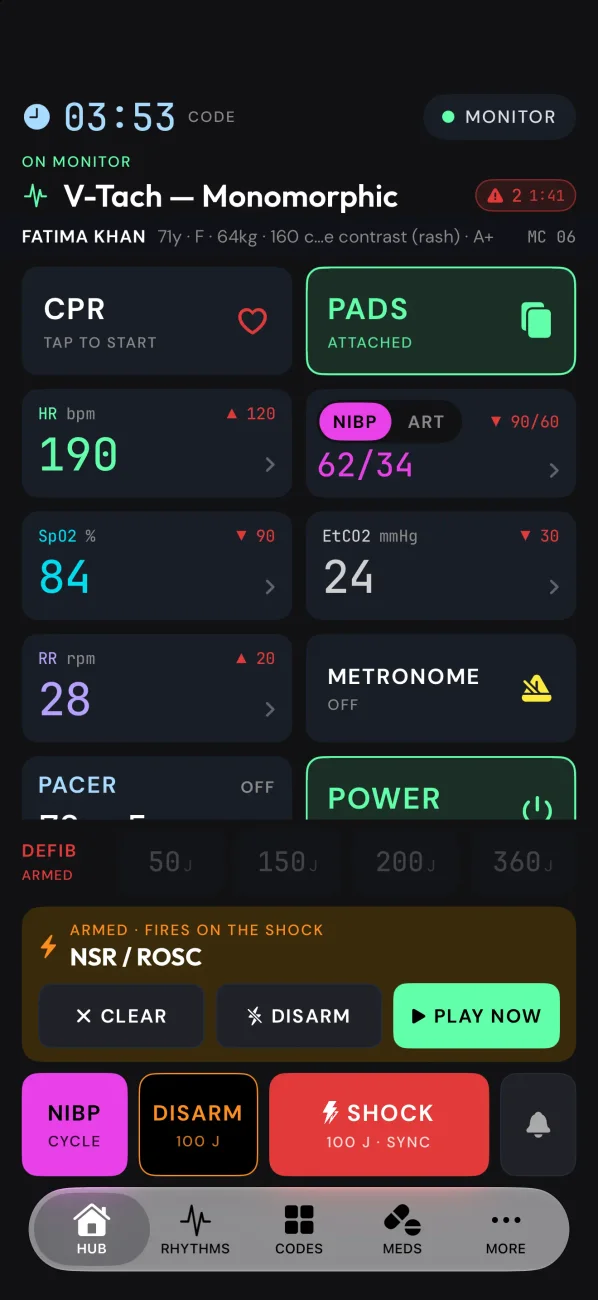
• MONITOR ROLE — Full patient monitor with up to six clinical channels: HR/ECG, ART/NIBP, PA, CVP, SpO₂, and EtCO₂. Real-time waveform engine, alarm flash, integrated defibrillator (charge → shock → reset), and transcutaneous pacer. Tap the ECG for any of 12 leads. Real keys, nine device styles.
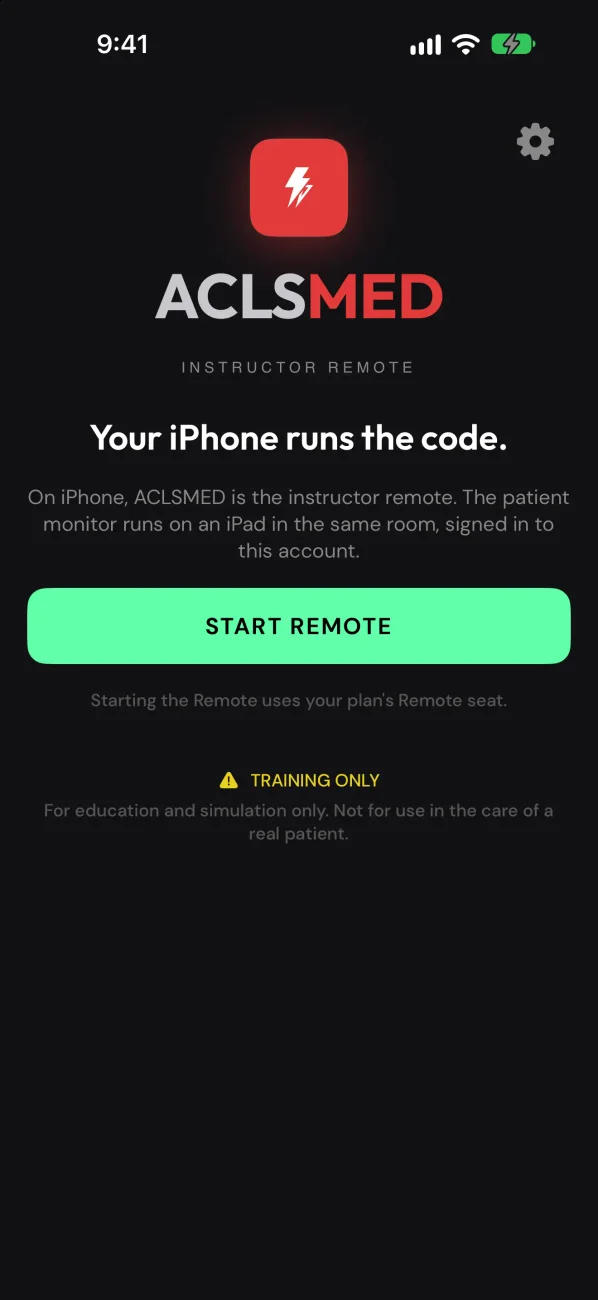
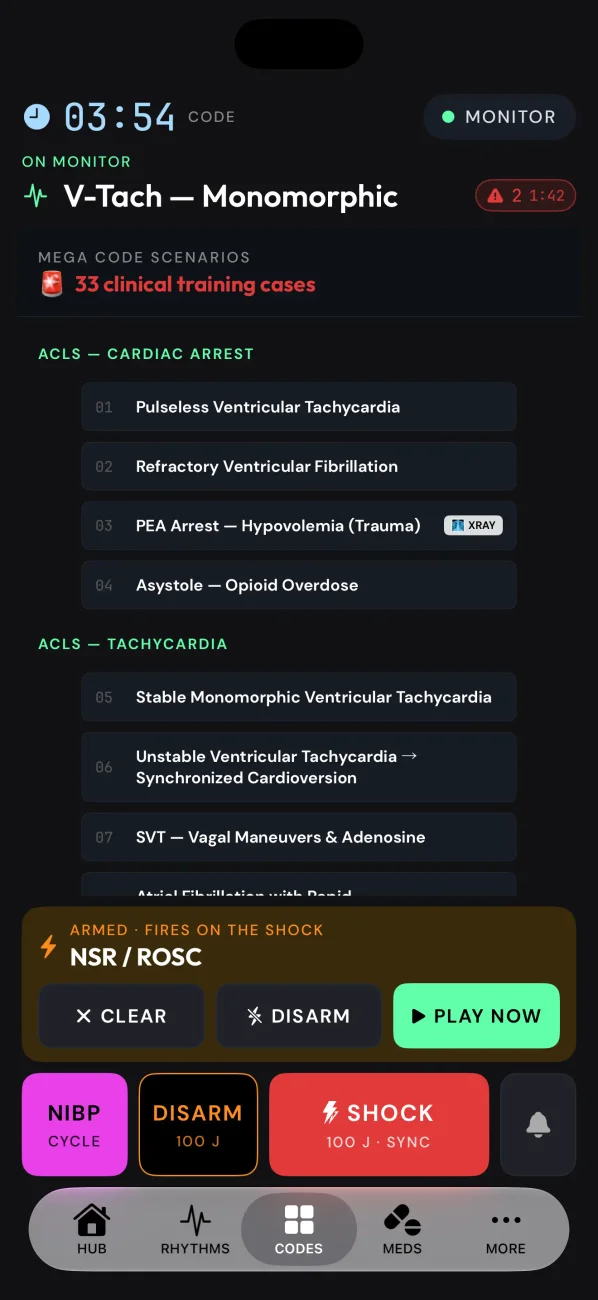
• INSTRUCTOR ROLE — Educator-facing control panel. Drive vitals, switch among 47 rhythm presets (sinus, atrial, SVT, junctional, ventricular, AV blocks, paced, arrest), run 33 megacode scenarios, trigger alarms, toggle CPR artifact, and step through 12-lead ECG presentations. Runs on iPad, or on iPhone and iPhone Duo as a one-handed remote.
• IVMED ROLE — Infusion pump trainer with a 61-drug library, weight-based dosing, and soft/hard limit alerts.
• RESPMED ROLE — Ventilator trainer, rebuilt in 2.6.1: every mode from AC/VC to APRV draws real lung-model waveforms, with trigger dips, auto-PEEP, holds, lung pathologies, and ABG. Change it from the Remote.
• CPR SIMULATOR ROLE — A multi-station CPR skills trainer on one iPad. Up to six students place an iPhone running the free ACLSMED CPR app on a training manikin's sternum, hands on top: a two-minute timed test with a live quality bar per student, ring-gauge results for rate, depth zone, and hands-on time, a class leaderboard — and every student's grade delivered to their own phone. Phones join with a class code (QR or 6 digits).
WORKS WITH ACLSMED CPR (FREE)
ACLSMED CPR is our free iPhone companion for manikin practice: the phone lies under the student's hands and measures rate, depth zones, and hands-on time, with a 110/min metronome. Alone it scores solo practice; paired, it powers the CPR Simulator test and the monitor's compression artefact. Student phones never need a seat.
• PAIRING — Private classrooms: only devices signed in to your account join, over local Wi-Fi with Bluetooth fallback; every message is signed.
• AUDIO — Synthesized HR beep tracking SpO₂, ICU alarms, defib tones, CPR metronome, and voice prompts.
• OFFLINE — Once paired, the simulation runs entirely on-device.
WHO IT'S FOR
Nurses, paramedics, EMTs, medical students, residents, and ACLS instructors who need a portable, repeatable, clinically credible megacode environment.
SUBSCRIPTION REQUIRED
ACLSMED Simulator requires a plan, purchased in the app. Two tiers, each as an auto-renewing monthly or annual subscription or a one-time lifetime license:
• ACLSMED Pro Patient Monitor + Instructor Remote + CPR Simulator (one Monitor and one Remote, iPad or iPhone)
• ACLSMED Suite adds IVmed pump + RESPmed ventilator (up to four devices)
Payment is charged to your Apple ID. Subscriptions auto-renew unless cancelled at least 24 hours before the period ends; manage or cancel in Settings → Apple ID → Subscriptions. One account activates every device in your bundle.
Privacy Policy: https://www.aclsmed.com/privacy.html
Terms of Use (EULA): https://www.aclsmed.com/terms.html
REQUIREMENTS
• iPad (9th generation / A13 or newer), iPadOS 17 or later
• iPhone or iPad for the instructor remote, iOS 17 or later
• Local Wi-Fi or Bluetooth between devices
• An active ACLSMED plan (purchased in-app)
• CPR Simulator: free ACLSMED CPR app on student iPhones (iOS 17+)
IMPORTANT
Educational only not diagnostic. ACLSMED Simulator is a teaching tool for clinical education and exam preparation. CPR features are for practice on training manikins only. It is not a medical device, is not for use on patients, and must never be used to make diagnostic or treatment decisions.
SUPPORT
Email: support@aclsmed.com
Web: https://www.aclsmed.com
What’s new
Version 2.8.0 · Nov 10, 2026
ACLSMED Sim 2.8.0: a live 12-lead view, two kinds of reset, and more realistic waveforms.
• Live 12-lead view. Tap the ECG waveform on the Monitor and choose ALL 12 LEADS to watch all twelve leads sweep live. PAUSE freezes the screen, PRINT opens the 12-lead printout, and BACK returns to monitoring. From a Remote, the same lead menu opens the live view on the Monitor or puts the current rhythm's 12-lead printout on it.
• Zoom the 12-lead printout with your fingers. Pinch where you want to look, drag to move, and double-tap to zoom in or back to fit.
• Two resets in Settings. Reset Vitals puts the rhythm and every vital back to baseline and keeps your setup: lines, ECG lead, alarm limits, the case and the code log. Reset Simulator is a clean start with a lead II ECG, SpO₂ and EtCO₂, and blood pressure on the cuff. A reset on the Monitor or a Remote now resets the whole room, so every device stays in step.
• Shown at scenario start. In the Remote's settings, choose which vitals (BP, SpO₂, EtCO₂, RR and temperature) appear when a Mega Code starts.
• CPR: the patient's rhythm stays visible under the compression artefact, and the arterial line and capnogram move with each compression.
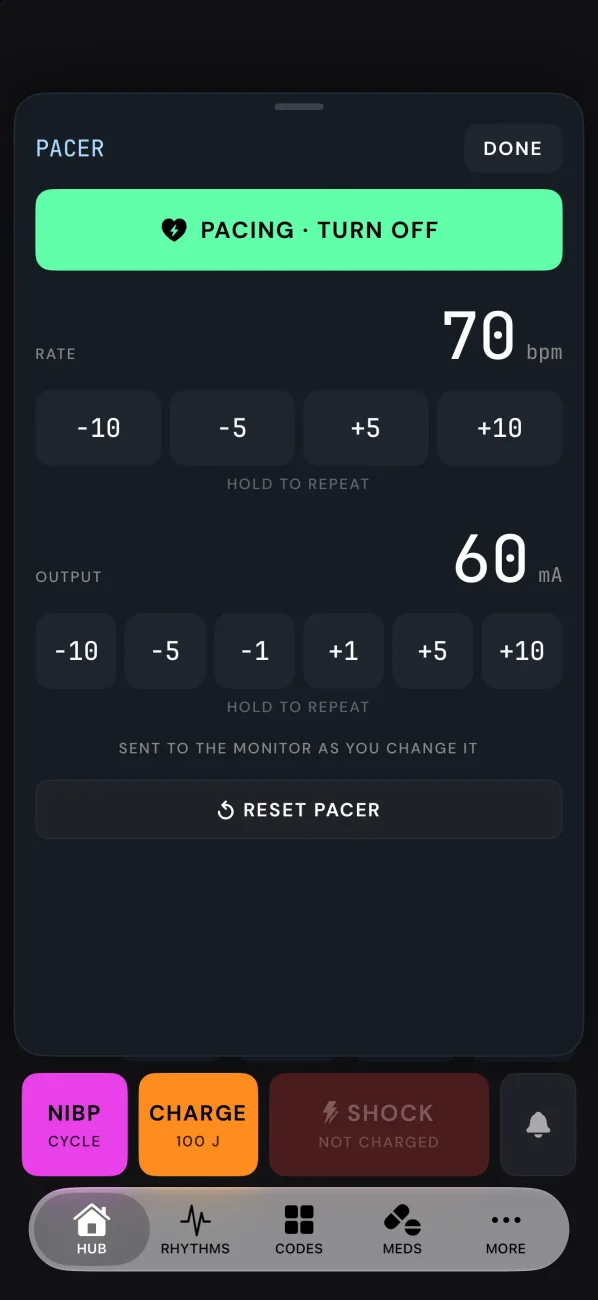
• Pacing: a demand pacer with its own timing. Below capture, the spikes ride over the patient's own rhythm, and the heart rate changes only when the pacer captures.
• The arterial, PA, CVP, pleth and capnogram waveforms follow the patient's numbers.
• Bundle branch blocks now draw a complete block at 150 ms, and every lead of LBBB and RBBB matches its 12-lead recording.
• New 12-lead recordings with clear findings for anterior STEMI, inferior STEMI and ST depression, and a cleaner hyperkalaemia tracing. WPW, hyperkalaemia and PE strain on the Monitor now match their 12-leads. New in the 12-lead library: sinus rhythm with a wide QRS.
• Update the Monitor and every Remote to 2.8.0 together.
For education and simulation on training manikins only. Not for use on real patients.
App privacy
What Mark Daniel Figueroa declares on the App Store about how this app handles data.
-
Data linked to you
May be collected and linked to your identity.
- Contact info
- Identifiers
Privacy practices may vary, for example with the features you use or your age.
Information
- Seller
- MARK DANIEL FIGUEROA PROFESSIONAL CORPORATION
- Category
- Medical
- Version
- 2.8.0
- Updated
- Nov 10, 2026
- Released
- Jun 22, 2026
- Size
- 69.5 MB
- Requires
- iOS 17.0 or later
- Age rating
- 12+
- Price
- Free
- In-app purchases
- Yes
- Languages
- English
- Copyright
- © 2026 MDF Professional Corp.
You might also like
-
 Code Blue MonitorECG & Defibrillator Simulator
-
 SimShockPadHemodynamic Simulator.
-
 Point of Care UltrasoundPOCUS App
-
 ECG Trainer: Monitor & 12-LeadLearn ECG Reading Through Play
-
 arrhythmiaPractice reading EKGs, lead II
-
 AHA ACLSACLS Code Runner & Protocols
-
 Paramedic Protocol ProviderMedical
-
 ECG EKG Interpretation MasteryRead and Practice Cardiology
-
 ECG Pro | Road to MasteryInterpret 12-Lead ECG Cases
-
 MediCode- ACLS, PALS, BLS, CPRAlgorithm, Practice, Megacodes