
Adaptive HeadTrack
6DOF Tracking, Adaptive Gain
Designed for iPhone, iPad
In-app purchases
- Age rating4+
- CategoryUtilities
- Developer超 奚
- LanguagesSimplified Chinese+ 1 more
- Size5.1 MB
Links to the official App Store page
Download.org hosts no file of Adaptive HeadTrack. The button opens its official App Store page, published by 超 奚. Listing last checked on Nov 13, 2026.
Screenshots
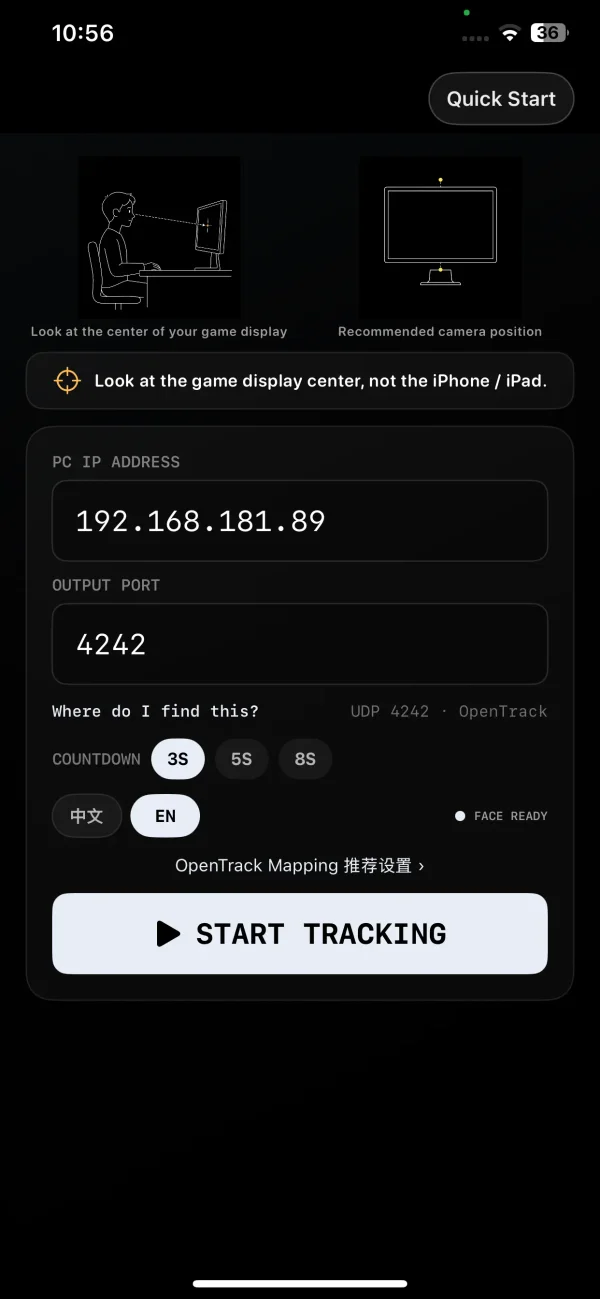


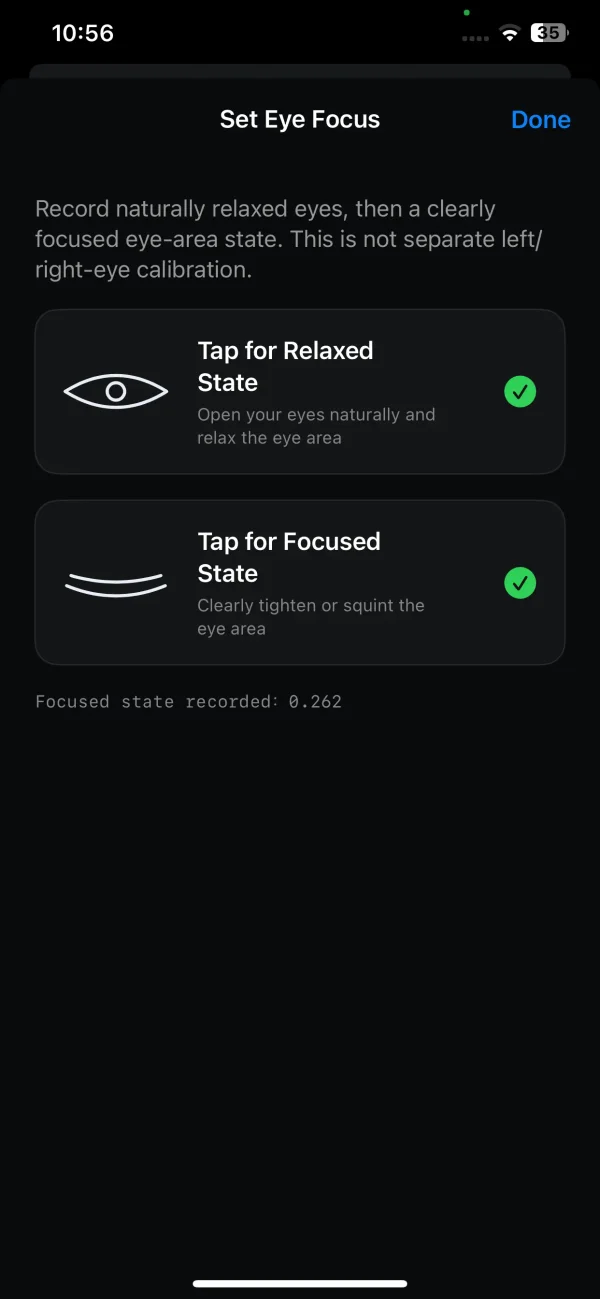
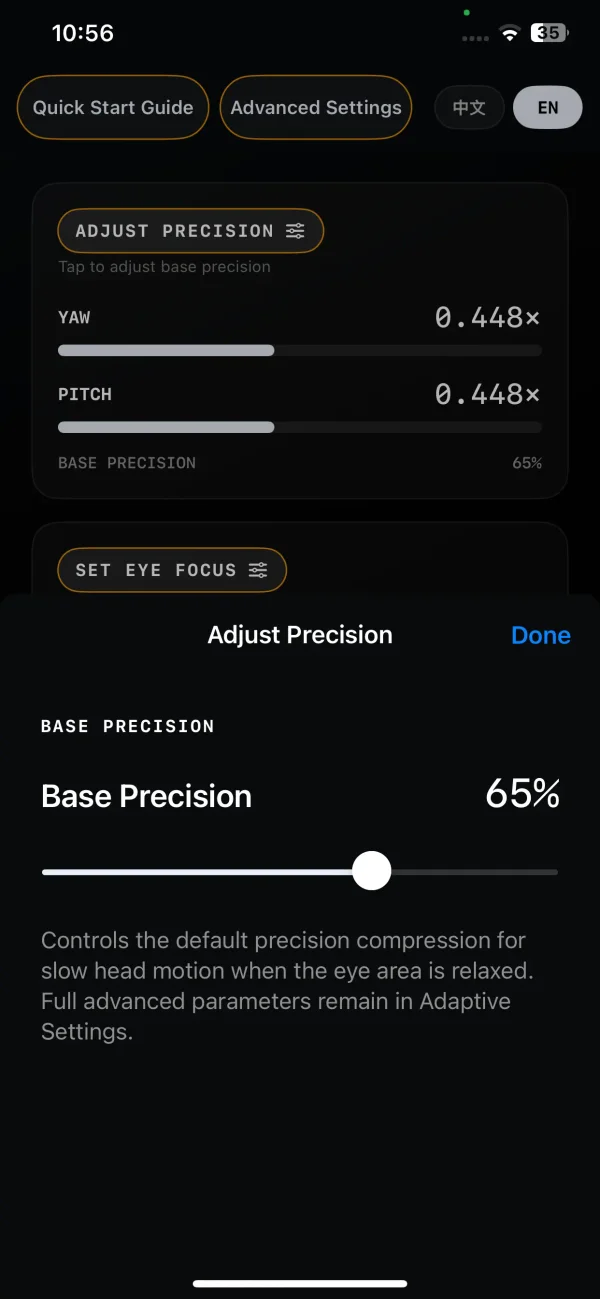
About
Adaptive HeadTrack focuses on making head tracking feel more natural.
Tracking gain changes continuously with head-turn speed. Fine movements use a lower gain for precise control, while faster turns become more responsive. This reduces the need for heavy Smooth and Dead Zone settings, helping cut lag and the start-stop feeling around center.
Adaptive HeadTrack uses the TrueDepth camera on iPhone and iPad for 6DOF tracking and sends motion data over the local network to OpenTrack on a Windows PC.
Game compatibility
Works with OpenTrack and games that support FreeTrack, TrackIR, or compatible head-tracking protocols, including Microsoft Flight Simulator, X-Plane, DCS World, IL-2 Sturmovik, War Thunder, Star Citizen, Elite Dangerous, Euro Truck Simulator 2, American Truck Simulator, Assetto Corsa, Assetto Corsa Competizione, and more.
Eye-focus gain control
Eye-focus state can also influence tracking gain, giving you another way to adjust tracking without using extra buttons.
240 Hz pose timeline reconstruction
TrueDepth input runs at up to 60 Hz. Adaptive HeadTrack reconstructs the pose timeline at up to 240 Hz for smoother motion and better continuity during fast head movement.
Tracking stability
The tracking pipeline is tuned for small jitter, short input disturbances, and rapid movement while keeping smoothing and dead zones low.
Advanced tuning
You can adjust adaptive gain, tracking response, smoothing, stability, recenter assistance, eye-focus control, and other tracking parameters directly in the app.
Main features
- 6DOF TrueDepth head tracking
- Adaptive gain based on head-turn speed
- Lower reliance on Smooth and Dead Zone
- Eye-focus gain control
- 240 Hz pose timeline reconstruction
- Recenter assistance
- Stable tracking under brief disturbances
- Advanced parameter tuning
- Up to 60 Hz TrueDepth input
- Local-network connection to OpenTrack
OpenTrack must be installed and configured on the Windows PC before first use.
Recommended presets, setup instructions, device recommendations, and the full user guide are available on the Support page.
App privacy
What 超 奚 declares on the App Store about how this app handles data.
-
Data not collected
The developer does not collect any data from this app.
Privacy practices may vary, for example with the features you use or your age.
Information
- Seller
- 超 奚
- Category
- Utilities
- Version
- 1.0
- Updated
- Sep 29, 2026
- Released
- Sep 29, 2026
- Size
- 5.1 MB
- Requires
- iOS 17.0 or later
- Age rating
- 4+
- In-app purchases
- Yes
- Languages
- Simplified Chinese, English
- Copyright
- © 2026 Chao Xi
You might also like
-
 Head TrackerHead Tracking with your iPhone
-
 A320交互驾驶舱Utilities
-
 LabelSensorDataExport phone & witmotion data
-
 SyncSeekerUtilities
-
 BesaviorManagerUtilities
-
 TrackBridge: Head TrackingMotion Controller for PC Sims
-
 DynamicPOVUtilities
-
 PreConnectUtilities
-
 动作比对-AI骨骼分析评分教练Utilities
-
 ChatEt-深度思考模型R1智能对话Utilities