AI Markdown Formatter: OneText
Convert to Image,PDF,Word,XLSX
Designed for iPhone, iPad
$3.99
- Age rating4+
- CategoryProductivity
- Developer逸文 周
- LanguagesEnglish+ 10 more
- Size6.8 MB
Links to the official App Store page
Download.org hosts no file of AI Markdown Formatter: OneText. The button opens its official App Store page, published by 逸文 周. Listing last checked on Nov 18, 2026.
Screenshots

About
Introduction
OneText is a powerful and easy-to-use content conversion tool designed for Markdown text users. It quickly converts text into beautiful long images, PDFs, or Word documents, making content sharing more convenient. Whether it’s the insightful answers generated by AI models, or your notes, blog posts, and tutorials, OneText presents them in the best format to help you efficiently share information on social platforms or professional settings.
Main Functions
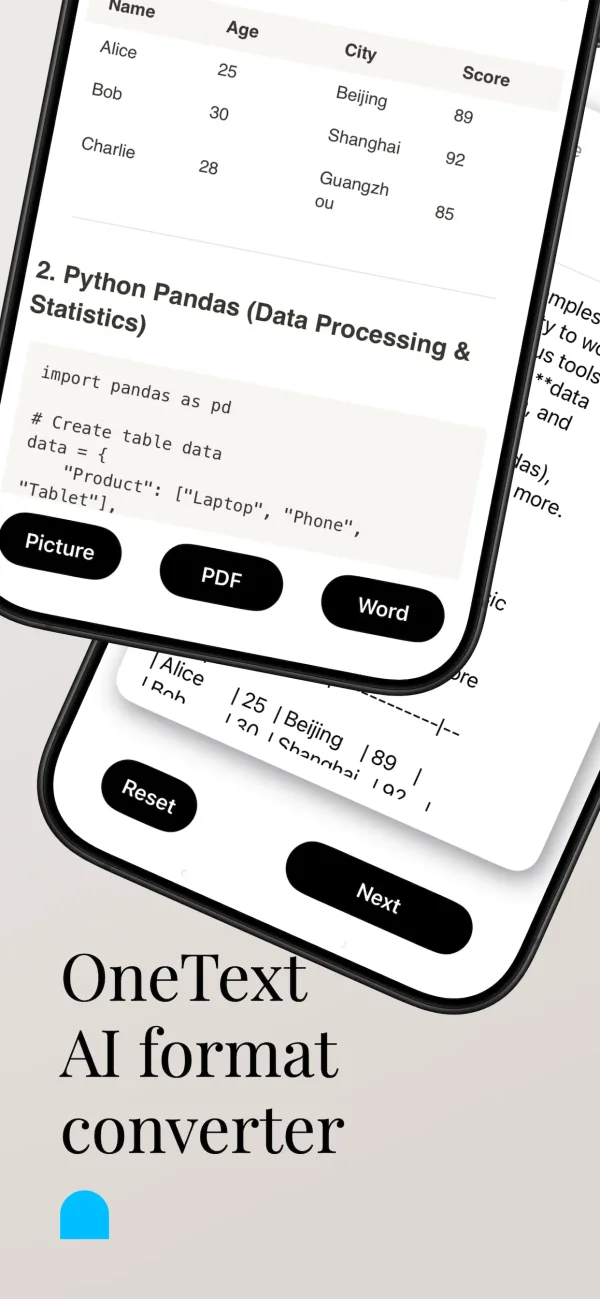
Markdown to Long Images
Convert Markdown text into high-definition long images with a single click, perfect for sharing on social platforms. Multiple theme styles are available to enhance the visual appeal of your content.
Markdown to PDF
Easily export your Markdown content to a standard PDF format, ideal for archiving, printing, or professional sharing, ensuring a clear and elegant layout.
Markdown to Word Documents
Need more flexible document editing? OneText can convert Markdown to Word format for subsequent modifications and layout adjustments.
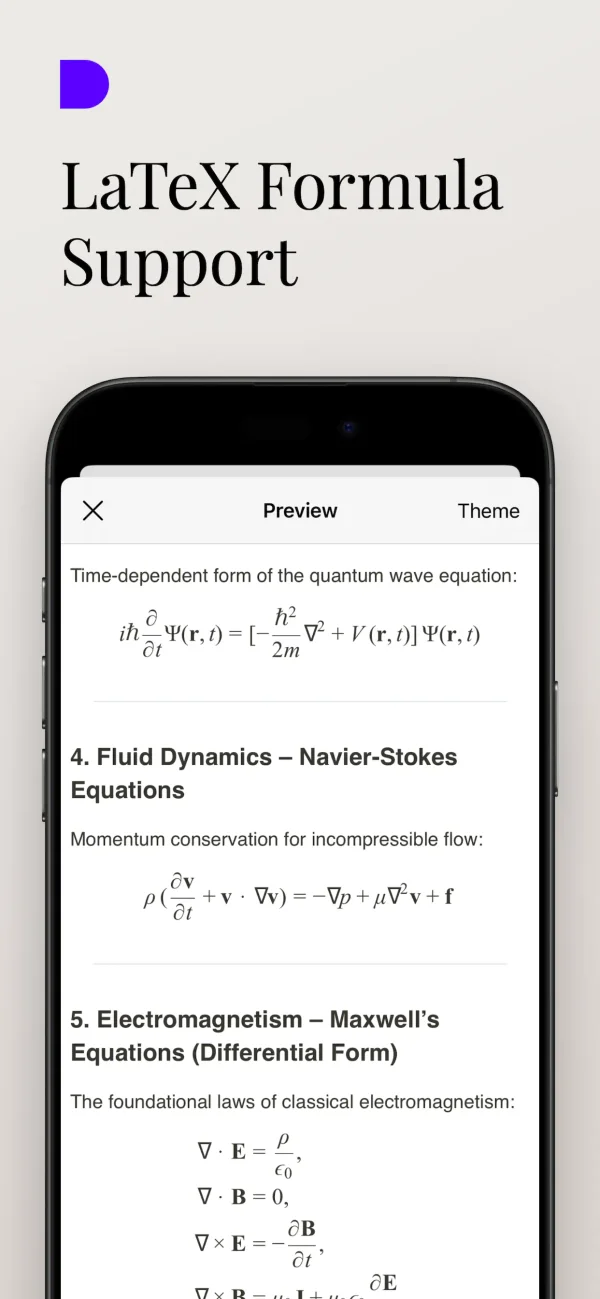
Scientific Formula Display
OneText supports the display of scientific and mathematical formulas, enabling seamless rendering of LaTeX-style expressions.
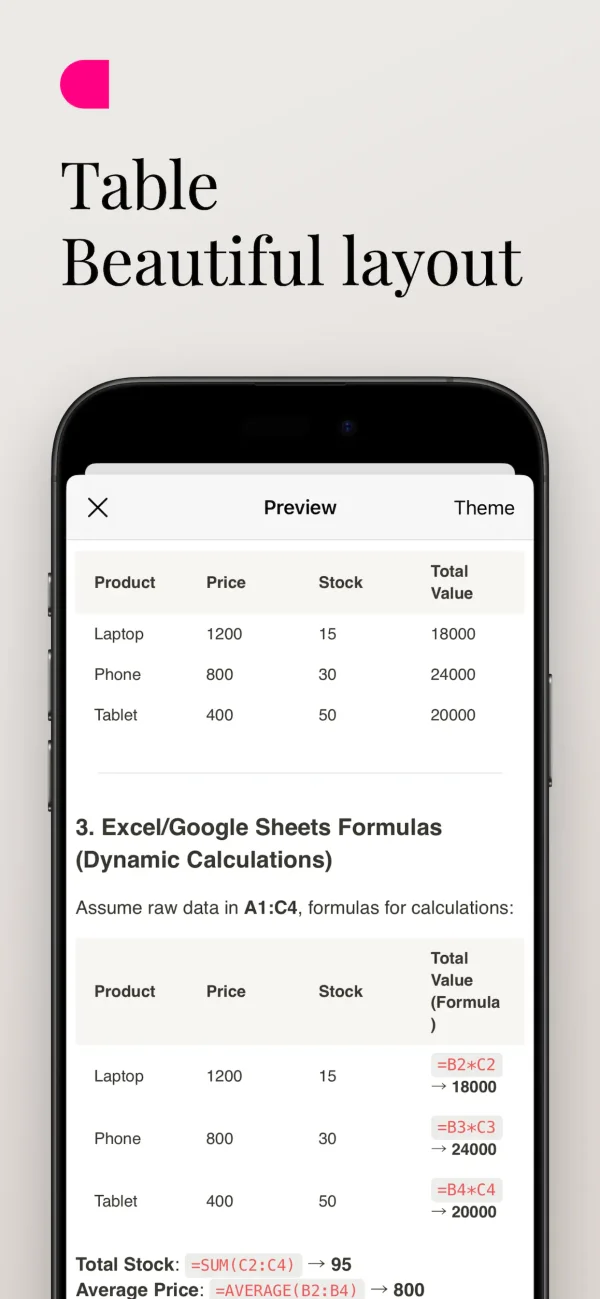
Markdown Table to Excel
Extract tables from Markdown files and convert them to Excel format for easy data manipulation and further editing.
Multiple Export Formats
Supports exporting in three formats: PNG (image), PDF, and DOCX (Word). Convert and share your content effortlessly anytime, anywhere.
Offline Functionality
OneText works fully offline, ensuring that all conversions and edits happen locally to maintain your privacy and data security.
Efficient and Fast, One-Click Sharing
Quickly save your generated content or directly share it on social media platforms like WeChat Moments, Twitter, and Facebook, improving communication efficiency.
Who Can Use OneText?
Individuals who frequently use AI models to generate content and wish to convert it into a more visually appealing format.
We-media authors, knowledge bloggers, and social media experts looking to improve content dissemination through a combination of text and images.
Users who need to organize notes, write tutorials, and create documents.
Workplace professionals or students who require conversion of Markdown content into PDF or Word formats.
Why Choose OneText?
Optimized for Markdown: Supports all key Markdown syntax, such as titles, code blocks, and lists, ensuring that the converted content is neat and beautiful.
Simple and Efficient: With a user-friendly interface, you can convert and share content with just one click, eliminating unnecessary steps.
Privacy and Security: All conversions happen locally on your device, meaning your data is never uploaded to the cloud, ensuring your privacy is protected.
Personalized and Flexible: Tailored for those who need a fast and reliable tool for Markdown content conversion without compromising on privacy or functionality.
Download OneText now and make your content more impactful!
What’s new
Version 1.1.0 · Feb 19, 2026
Word export upgraded to DOCX format
App privacy
What 逸文 周 declares on the App Store about how this app handles data.
-
Data not collected
The developer does not collect any data from this app.
Privacy practices may vary, for example with the features you use or your age.
Information
- Seller
- 逸文 周
- Category
- Productivity
- Version
- 1.1.0
- Updated
- Feb 19, 2026
- Released
- Mar 11, 2025
- Size
- 6.8 MB
- Requires
- iOS 17.0 or later
- Age rating
- 4+
- Price
- $3.99
- Languages
- English, French, German, Italian, Japanese, Korean, Portuguese, Russian, Simplified Chinese, Spanish, Traditional Chinese
- Copyright
- © 2025 yiwen zhou
You might also like
-
 Markdown Converter - .docx/PDFTable / Formula / Flowcharts
-
 DeepShareMarkdown to shareable format.
-
 PrivateSea - Explore & "game"Explore more Possibilities
-
 Cherry ReaderAI Chat Reading & Insights
-
 Password & ID WalletLocal IDs, Passports & Logins
-
 EraCal-Holiday CalendarA simple and brisk calendar
-
 Extreme Tasks:Time AssistantTime Mgmt|AI Review|Life Plan
-
 DOC2PDFDocument Editor & PDF Export
-
 MarkText - Markdown EditorNotes, Writing, Diary, Export
-
 AUV Notes - AI Voice to TextVoice to text meeting recorder