
AiCadGen
Ai CAD Generator
Designed for iPhone, iPad, iPod touch
Free · In-app purchases
- Age rating4+
- CategoryProductivity
- DeveloperAli El Ali
- LanguagesEnglish
- Size23.0 MB
Links to the official App Store page
Download.org hosts no file of AiCadGen. The button opens its official App Store page, published by Ali El Ali. Listing last checked on Nov 12, 2026.
Screenshots


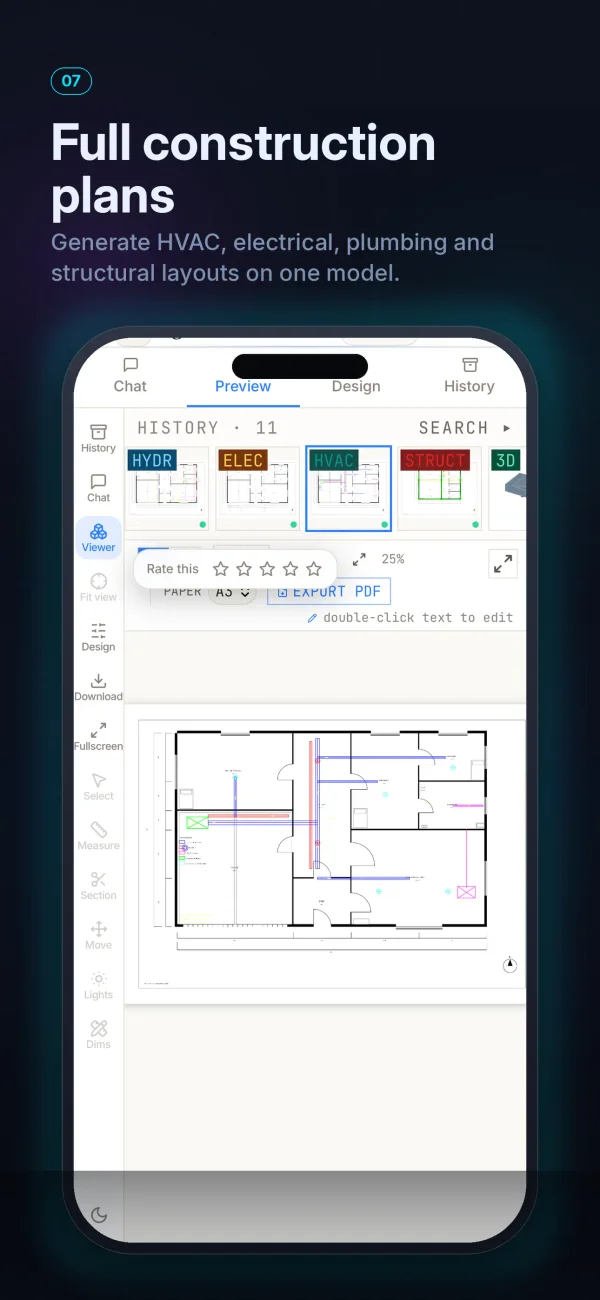

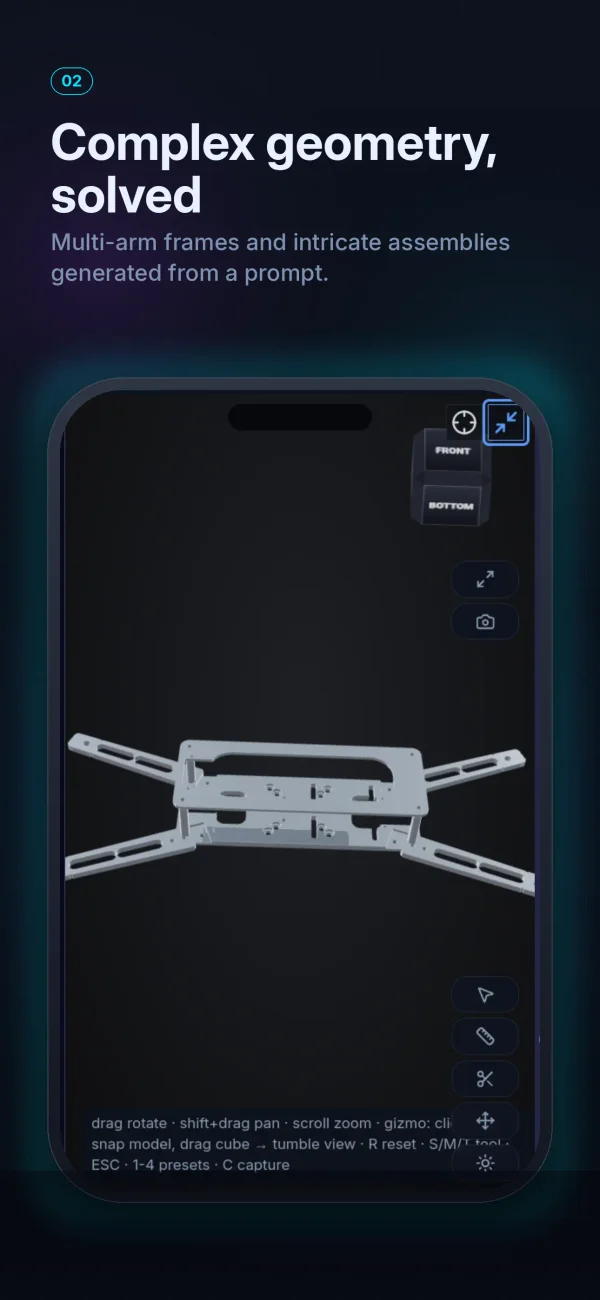

About
Transform ideas into manufacturing-ready CAD models using plain English.
AiCADGen uses AI to generate 3D models, engineering drawings, and manufacturing files from simple text descriptions, sketches, technical drawings, or reference images. Whether you're prototyping a product, designing a mechanical part, or creating a custom component for 3D printing or fabrication, AiCADGen helps you move from concept to CAD in minutes instead of hours.
Perfect for engineers, designers, makers, students, inventors, manufacturers, and anyone who needs professional CAD files without spending hours modelling.
FEATURES
• Generate 3D CAD models from text prompts
• Convert sketches, photos, and technical drawings into editable CAD
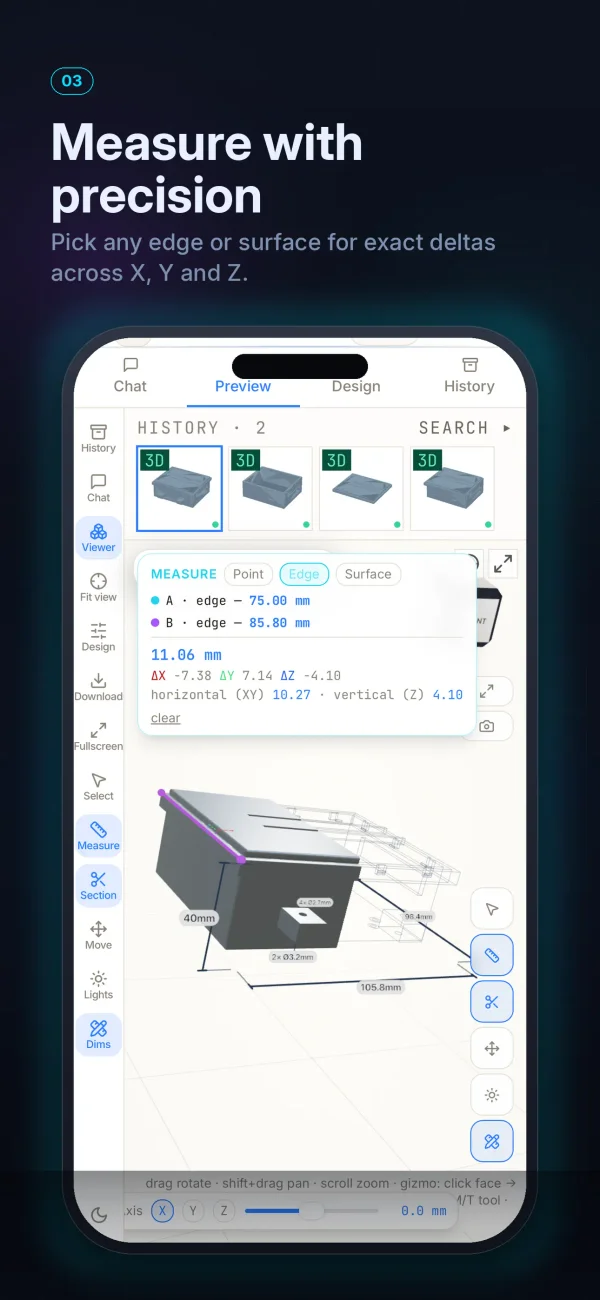
• Create dimensioned engineering drawings automatically
• Export STL, STEP, DXF, PDF, SVG, OBJ and more
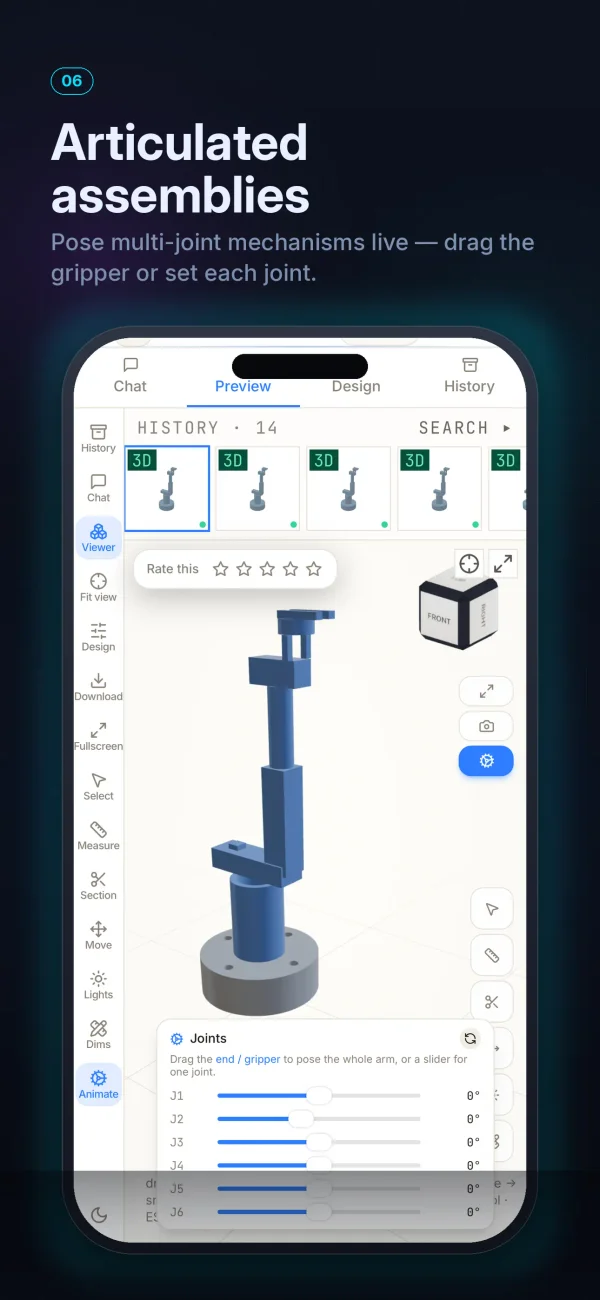
• Interactive 3D model viewer with zoom, rotate and inspect controls
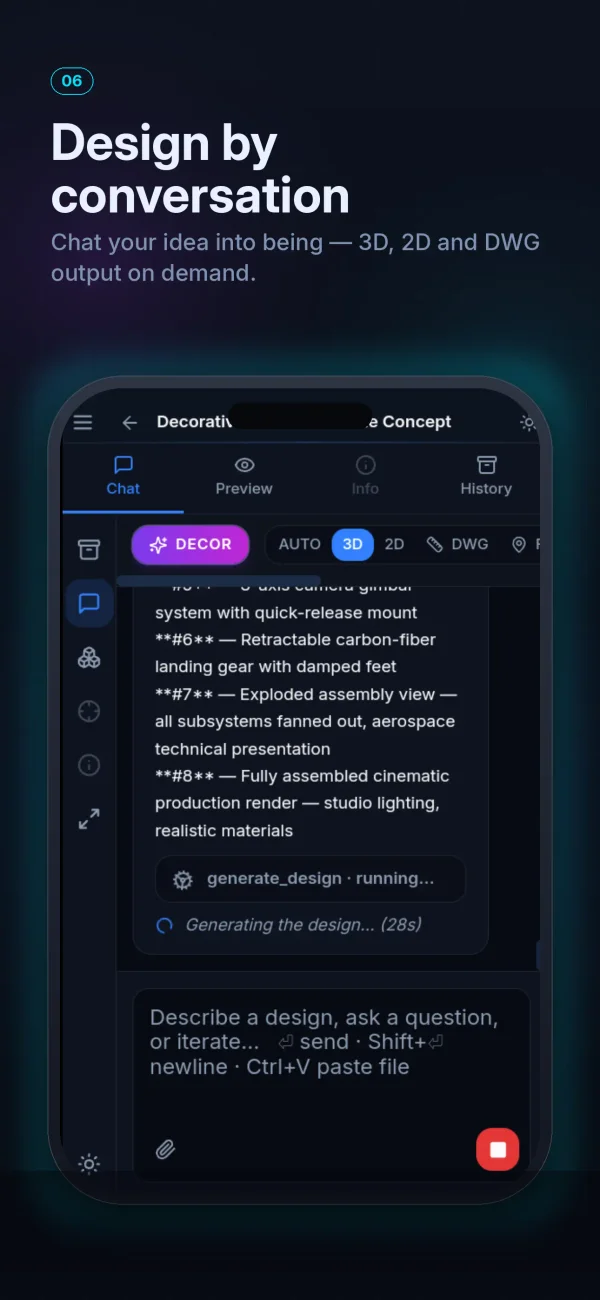
• AI-assisted design refinement through natural conversation
• Parametric geometry generation
• Fast concept iteration and design exploration
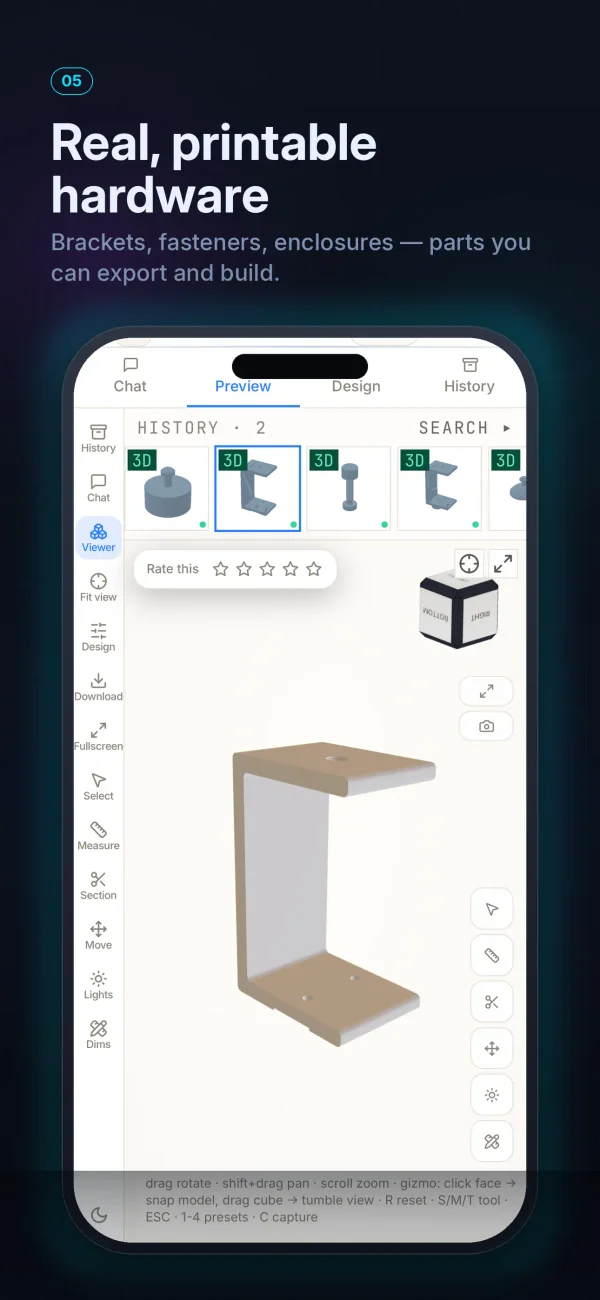
• Generate printable models for 3D printing
• Produce files suitable for CNC machining, laser cutting and manufacturing workflows
• Cloud-based projects available across your devices
CREATE FROM NATURAL LANGUAGE
Describe your design as you would explain it to another engineer. Specify dimensions, materials, wall thickness, tolerances, hole sizes, mounting points, threads, clearances, manufacturing processes, or design intent. The more detail you provide, the better the generated result.
IMPORT REFERENCE IMAGES
Upload hand sketches, whiteboard drawings, screenshots, existing technical drawings, product photos, or concept artwork. AiCADGen analyses your references and uses them together with your instructions to generate accurate CAD models and engineering drawings.
EXPORT FOR YOUR WORKFLOW
Generate the formats your workflow requires.
• STL for 3D printing
• STEP for professional CAD software
• DXF for CNC machining and laser cutting
• PDF engineering drawings
• SVG vector files
• OBJ and additional 3D formats
BUILT FOR
• Mechanical engineering
• Product design
• Industrial design
• Manufacturing
• 3D printing
• CNC machining
• Laser cutting
• Sheet metal concepts
• Prototype development
• Education
• DIY and maker projects
WHY AICADGEN
Traditional CAD modelling can take hours for even simple concepts. AiCADGen accelerates early-stage design by generating models and drawings from natural language, allowing you to explore ideas, iterate quickly, and prepare files for manufacturing workflows faster.
Whether you're creating brackets, enclosures, adapters, fixtures, storage systems, machine components, workshop tools, furniture parts, or custom mechanical assemblies, AiCADGen helps turn concepts into CAD-ready designs.
GET STARTED
Every new account includes credits to explore the AiCADGen workflow. Generate your first designs, inspect the interactive 3D model, and review engineering drawings before choosing the option that best suits your projects. When you're ready, unlock exports through a subscription or a one-time design unlock.
GOOD TO KNOW
AiCADGen is a design and drafting accelerator, not a replacement for professional engineering review. Generated models and drawings should always be verified before manufacturing, fabrication, installation, or safety-critical use.
SUBSCRIPTIONS
Choose the plan that fits your workflow. Paid plans include commercial use and CAD file exports, while higher tiers provide faster generation, higher-quality results, priority processing, team features, and API access. Individual design export unlocks are also available, and purchased credits stay on your account until you use them.
Subscriptions renew automatically each month unless canceled at least 24 hours before the period ends. Manage or cancel in your App Store settings.
Terms of Use (EULA): https://www.apple.com/legal/internet-services/itunes/dev/stdeula/
Privacy Policy: https://aicadgen.com/privacy
What’s new
Version 1.0.17 · Aug 30, 2026
General Improvement and fixes
7-day free trial Maker subscription
App privacy
What Ali El Ali declares on the App Store about how this app handles data.
-
Data linked to you
May be collected and linked to your identity.
- Financial info
- Contact info
- Identifiers
-
Data not linked to you
May be collected but is not linked to your identity.
- Identifiers
Privacy practices may vary, for example with the features you use or your age.
Information
- Seller
- Ali El Ali
- Category
- Productivity
- Version
- 1.0.17
- Updated
- Aug 30, 2026
- Released
- Aug 13, 2026
- Size
- 23.0 MB
- Requires
- iOS 15.0 or later
- Age rating
- 4+
- Price
- Free
- In-app purchases
- Yes
- Languages
- English
- Copyright
- © AiCADGen 2026
You might also like
-
 AI CADDraw, view, and share CAD
-
 Stereogram GoProductivity
-
 CAD Viewer – DWG, DXF & 3DDWG, DXF, STEP & STL Reader
-
 Sevn: Simple weekly plannerMinimalistic planning
-
 Whatify: Mail & Bill DecoderSnap a letter, know what to do
-
 Rownd PrecisionProductivity
-
 Orb - Proactive AIThe assistant that talks first
-
 Emly: EML ViewerOpen EML Email
-
 Central Dance AcademyProductivity
-
 DoorWin Pro: Window & DoorWindow & Door Estimator