
- Age rating4+
- CategoryUtilities
- DeveloperNoriaki Misawa
- LanguagesEnglish+ 1 more
- Size38.4 MB
Links to the official App Store page
Download.org hosts no file of AirPhoto. The button opens its official App Store page, published by Noriaki Misawa. Listing last checked on Nov 24, 2026.
Screenshots


About
AirPhoto lets you send photos and videos from your iPhone to any device — no app needed on the receiving end.
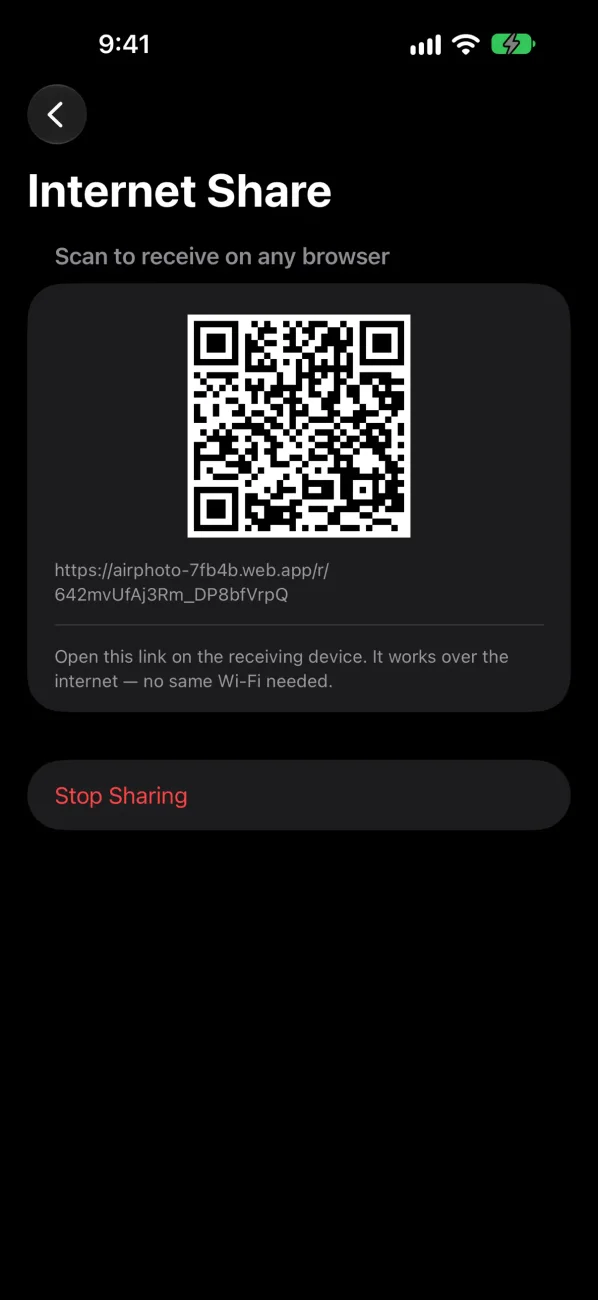
All the receiver needs is a web browser. Scan a QR code, and your photos arrive in original quality on any PC, Android phone, or tablet.
■ Two ways to share
- Share on the same Wi-Fi
Blazing-fast transfer to devices on the same network. Your iPhone becomes a tiny server; the receiver simply opens a page in their browser and downloads.
- Share over the Internet
Send to someone far away. Photos travel directly from device to device with encryption — they are never stored on a server in between.
■ Three steps either way
1. Pick your photos and videos
2. Tap a share method
3. The receiver scans the QR code — transfer starts
■ Highlights
- No app install for the receiver (any browser works)
- Original quality — no recompression
- Internet sharing is peer-to-peer: your photos are never stored on our servers
- Add photos straight from the Photos app share menu
- Sharing History (NEW): see which photos and videos you shared, and when (stored only on your device)
- Works great on iPhone Duo, open or closed
- No sign-up, no account
Perfect for moving photos to your computer, sharing with family and friends on the spot, or migrating to Android.
Note: Depending on network conditions (e.g., both devices on cellular), a direct internet connection may not be possible. In that case, please use local sharing on the same Wi-Fi.
What’s new
Version 2.2.2 · Nov 23, 2026
- Sharing History (NEW): See which photos and videos you shared, and when, from the clock icon at the top right. Your history stays on your device.
- Now supports iPhone Duo. The app looks great whether your iPhone Duo is open or closed.
- Improved the layout on iPad.
- Improved how the banner ad at the bottom of the screen is displayed.
App privacy
What Noriaki Misawa declares on the App Store about how this app handles data.
-
Data used to track you
May be used to track you across apps and websites owned by other companies.
- Usage data
-
Data not linked to you
May be collected but is not linked to your identity.
- Usage data
Privacy practices may vary, for example with the features you use or your age.
Information
- Seller
- Noriaki Misawa
- Category
- Utilities
- Version
- 2.2.2
- Updated
- Nov 23, 2026
- Released
- Sep 12, 2025
- Size
- 38.4 MB
- Requires
- iOS 18.6 or later
- Age rating
- 4+
- Price
- Free
- Languages
- English, Japanese
- Copyright
- © 2026 MISAWA.NET
You might also like
-
 Password CubePassword Manager
-
 All in One Calculator - MathMultiply calculators, No Ads!
-
 PDF Studio: PDF ConverterEditor, Compressor, Converter
-
 Inventarium: Home InventoryOffline inventory companion
-
 QR Code Reader-Barcode ScannerQR Code Generator and Scanner
-
 Haplo AI: Offline & Private AILLM chatbot & image generation
-
 Air Share: Backup or Copy DataWifi Transfer, Backup, Cleanup
-
 Megaphone & MicrophoneLive Mic to Bluetooth Speaker
-
 Overlap: World ClockTime Converter
-
 KelivoUtilities