- Age rating4+
- CategoryUtilities
- DeveloperWELCOM DESIGN K.K.
- LanguagesEnglish
- Size806.0 KB
Links to the official App Store page
Download.org hosts no file of AirWedge™. The button opens its official App Store page, published by WELCOM DESIGN K.K. Listing last checked on Nov 14, 2026.
Screenshots

About
The developer has not provided this text in your language.
【主な機能】
AirシリーズをBLEで接続することで、読み取ったバーコードの情報を入力データとして表示します。
※AirWedge™は、Airシリーズ専用のアプリになりますので、Airシリーズ以外の端末はご使用いただけません。
また、日本語読み取りにも対応しているため、日本語QRコードからの入力も可能です。
※日本語の文字コードは「Shift-JIS」 または 「UTF-8」のみ対象になります。
【使用方法】
・事前準備
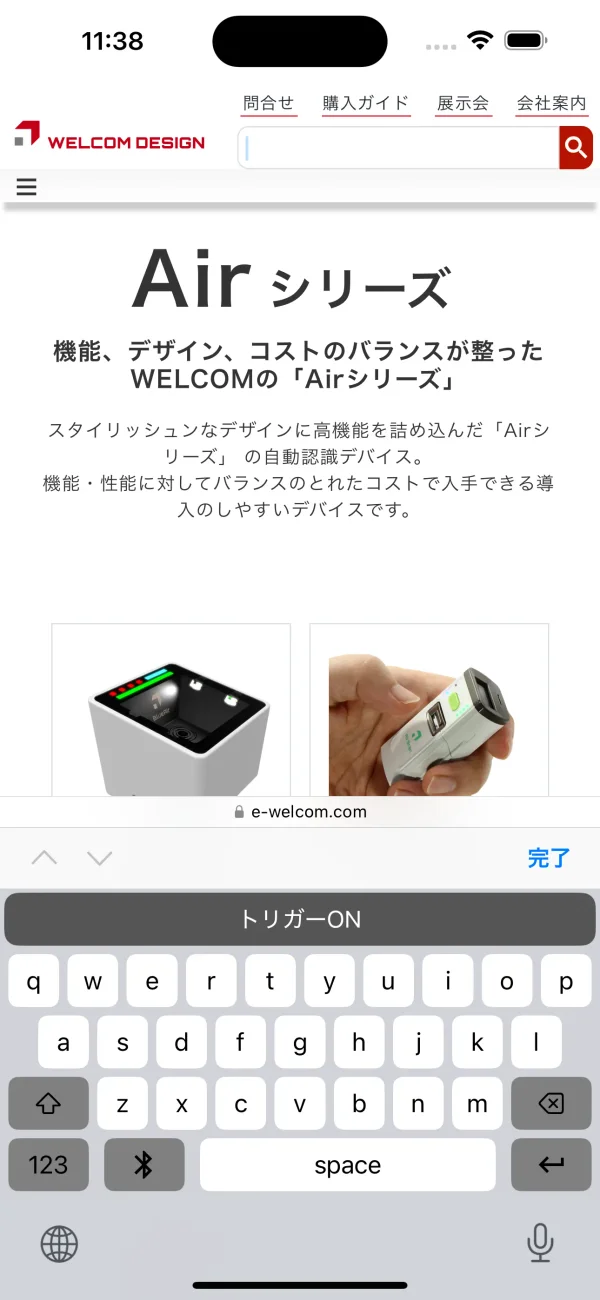
AirWedge™をキーボードとして使用するために、キーボード設定を行います。
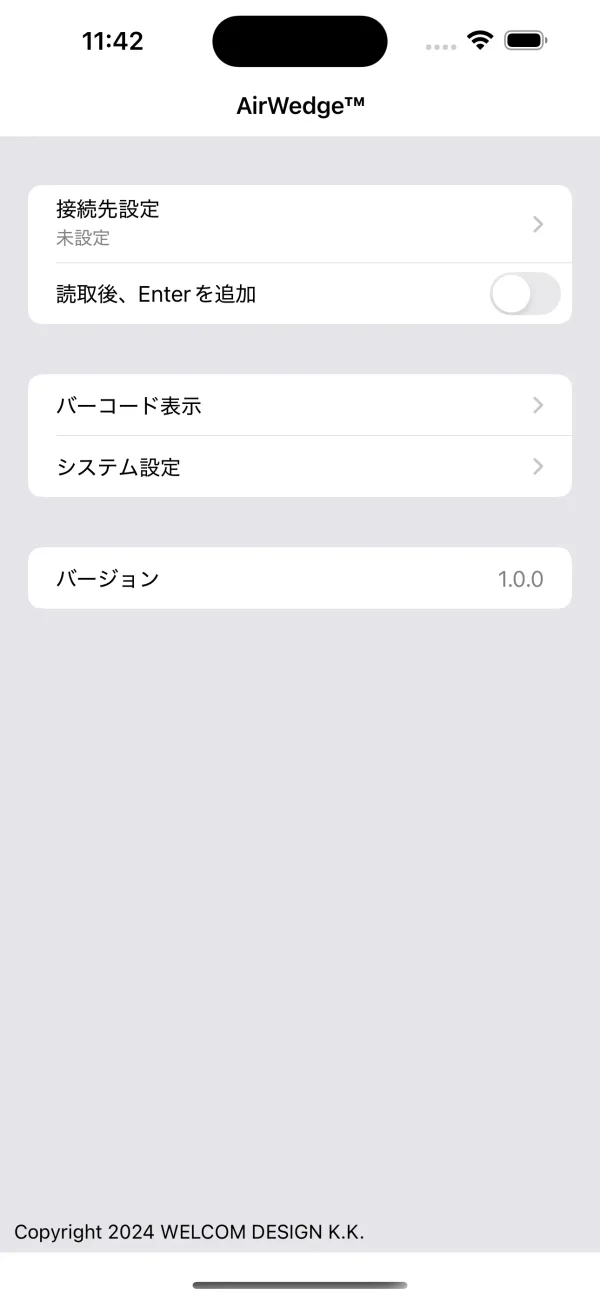
AirWedge™アプリの「システム設定」→「システム設定へ」→「キーボード」を順に選択し、「AirWedge™」のチェックを入れます。
Airシリーズスキャナと接続する場合は、「フルアクセスを許可」のチェックを入れます。
Airシリーズスキャナと接続する場合は、 端末のBluetoothをONにします。
・ Air Wedge™の設定
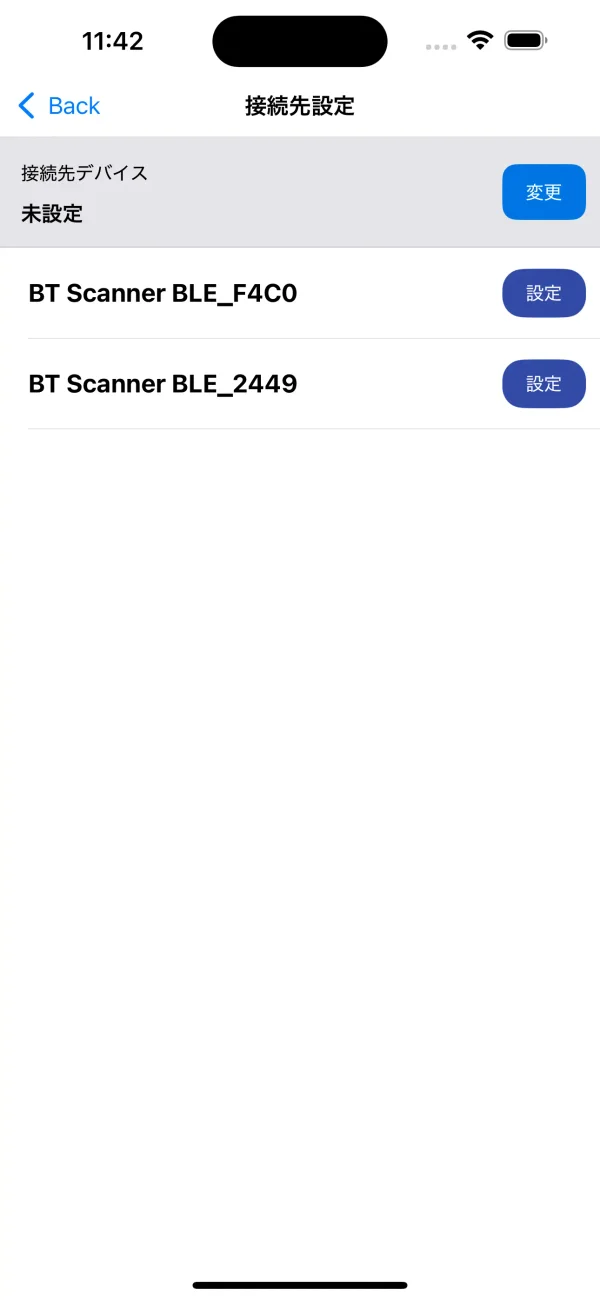
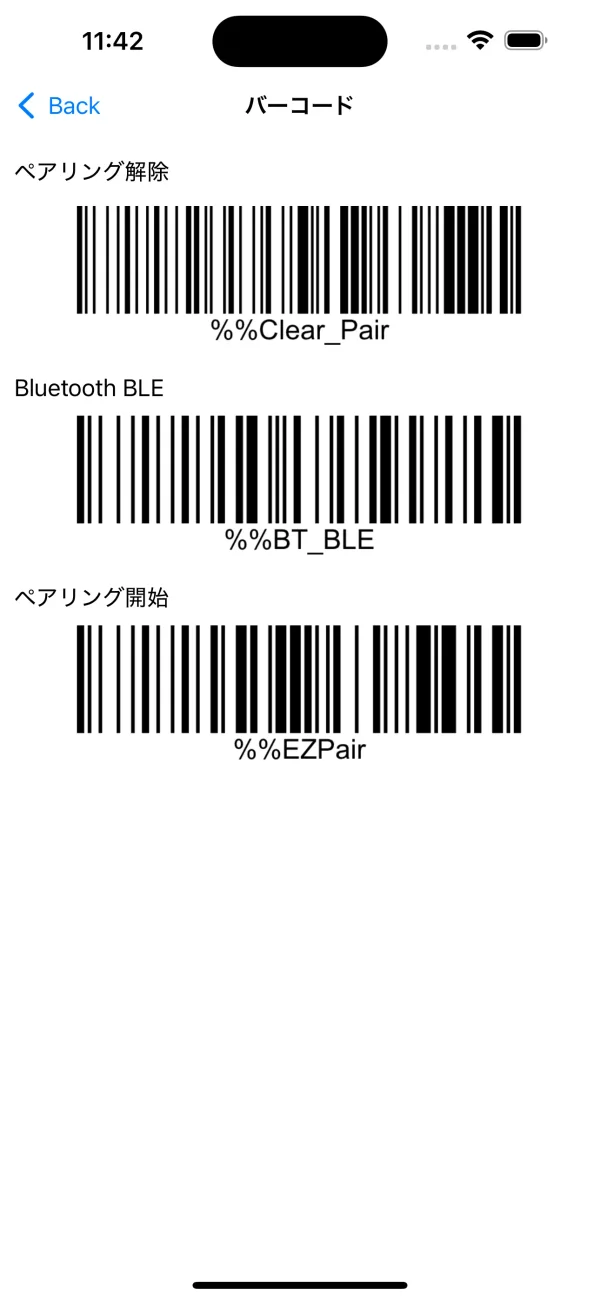
AirシリーズスキャナをBLEモードでペアリング開始し、AirWedge™アプリの「接続先設定」→「変更」を選択します。
Bluetooth使用の許可を求められた場合、「許可」を選択します。
リストに表示された、該当デバイスで「設定」を選択します。
・ Airシリーズスキャナと接続
任意の入力エリアにフォーカスをあて、AirWedge™キーボードを表示します。
キーボード下部のBluetoothボタンを押下し、接続を開始します。
App privacy
What WELCOM DESIGN K.K. declares on the App Store about how this app handles data.
-
Data not collected
The developer does not collect any data from this app.
Privacy practices may vary, for example with the features you use or your age.
Information
- Seller
- WELCOM DESIGN
- Category
- Utilities
- Version
- 1.0
- Updated
- Dec 4, 2024
- Released
- Dec 4, 2024
- Size
- 806.0 KB
- Requires
- iOS 16.0 or later
- Age rating
- 4+
- Languages
- English
- Copyright
- ©︎ 2024 WELCOM DESING K.K.