
Algorithms: Animation Display
Visual Debug Problems!
Designed for iPhone, iPad, iPod touch
Free · In-app purchases
- Age rating4+
- CategoryDeveloper Tools
- Developer森 林
- LanguagesEnglish+ 1 more
- Size25.4 MB
Links to the official App Store page
Download.org hosts no file of Algorithms: Animation Display. The button opens its official App Store page, published by 森 林. Listing last checked on Nov 12, 2026.
Screenshots


About
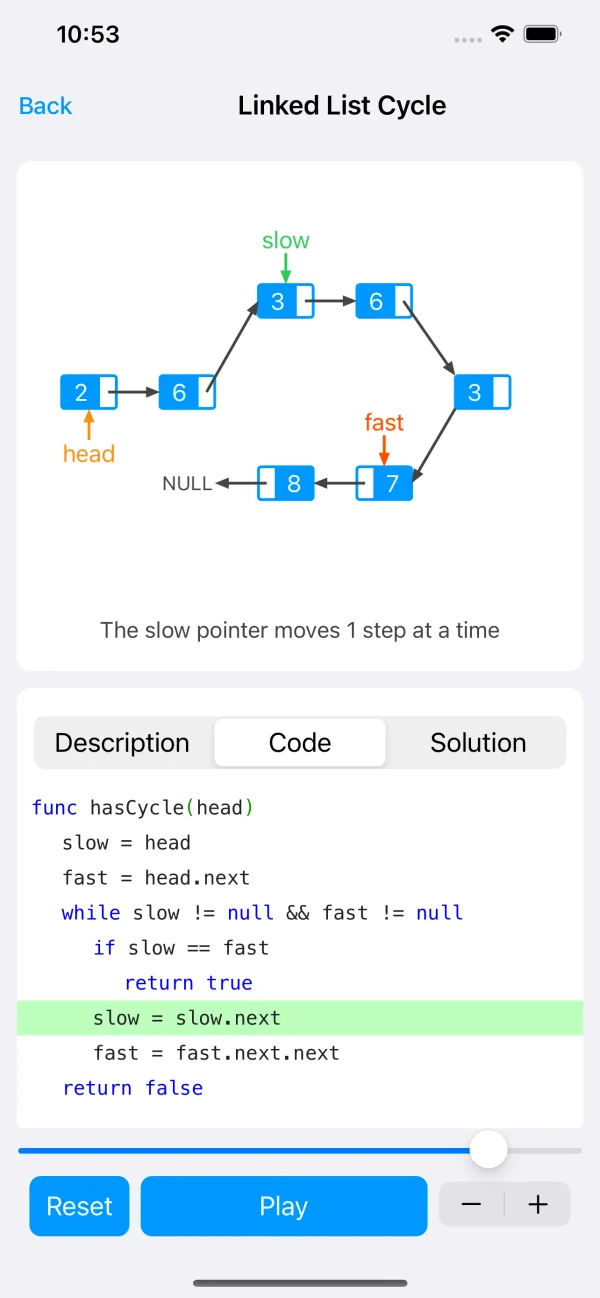
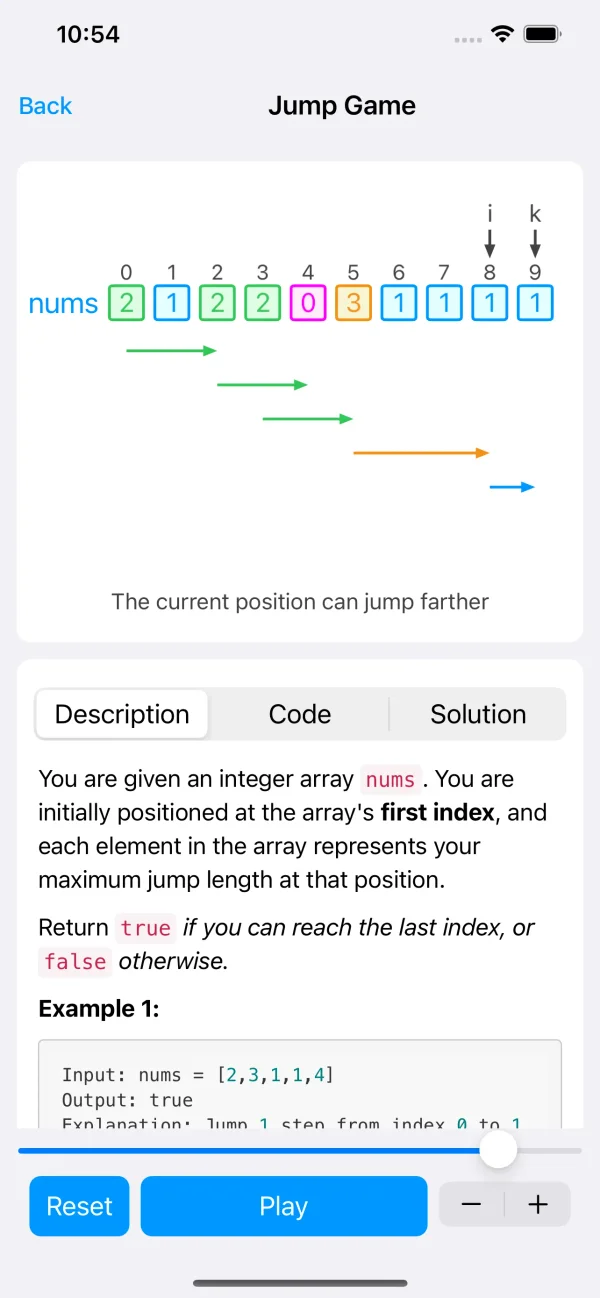
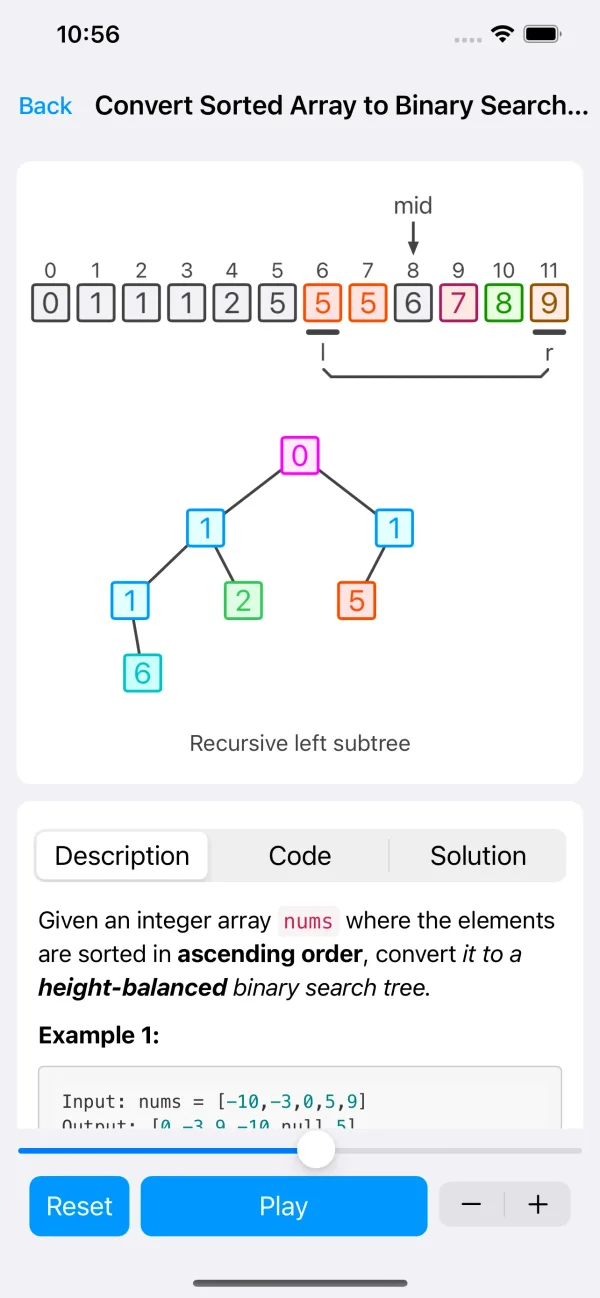
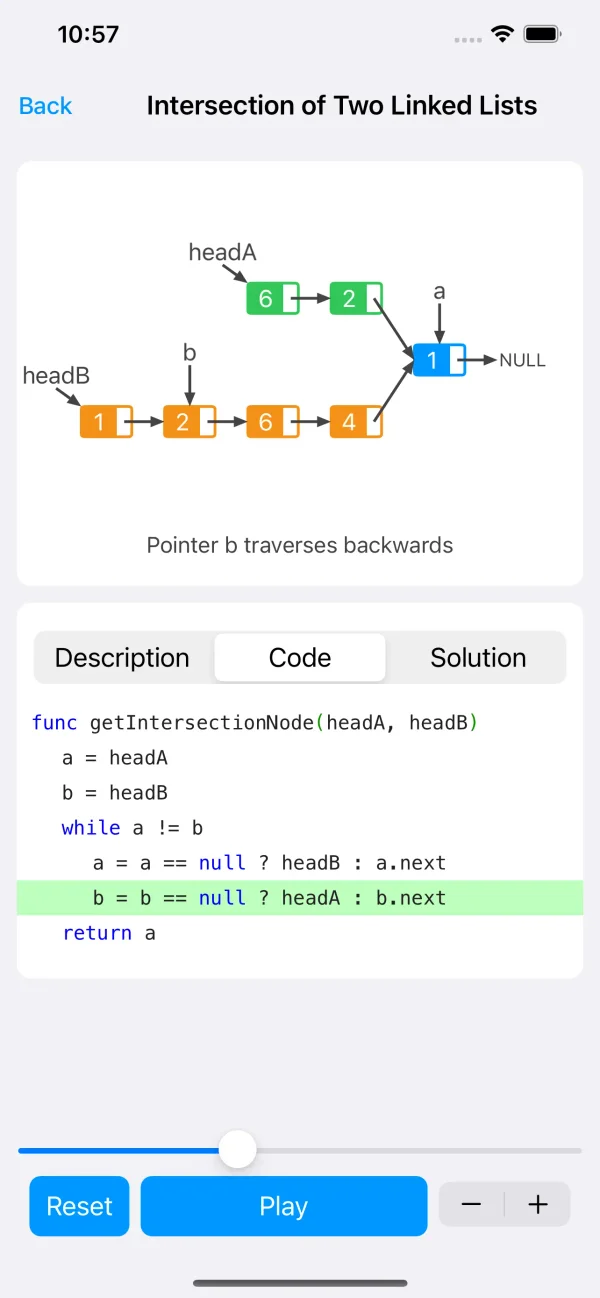
Did you pass the interview algorithm question? Learning algorithm questions takes too much time? Not your problem! Before this, no algorithmic learning method could be so simple and efficient.
It only takes three steps to become an algorithm master:
The first step is to read the question;
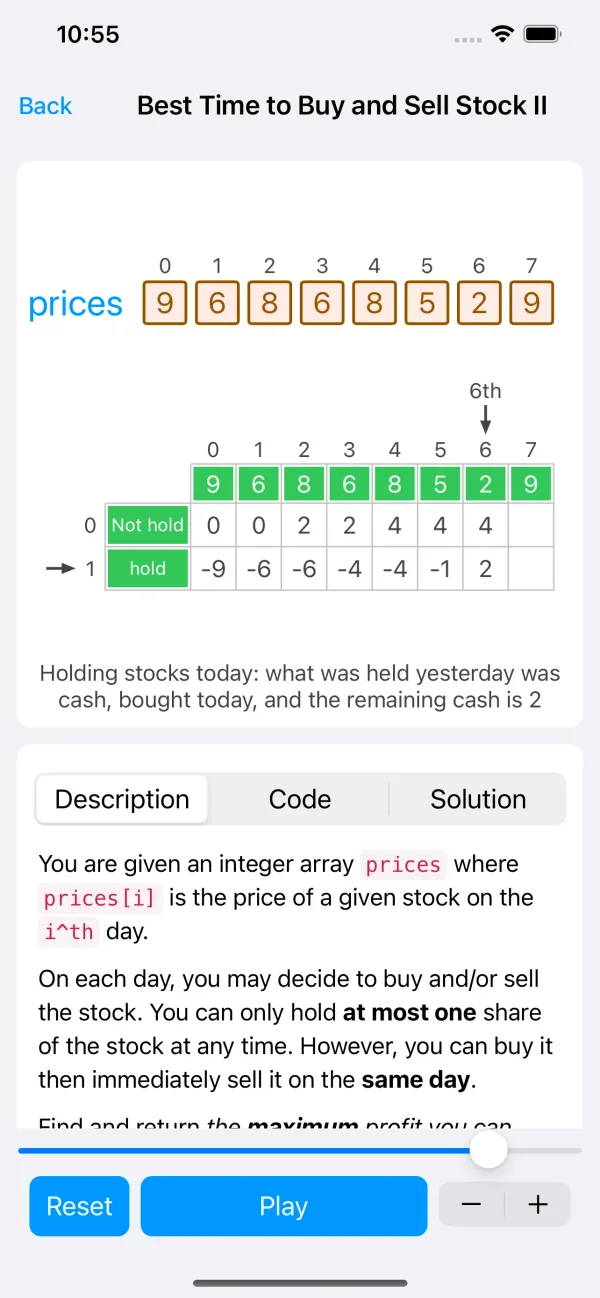
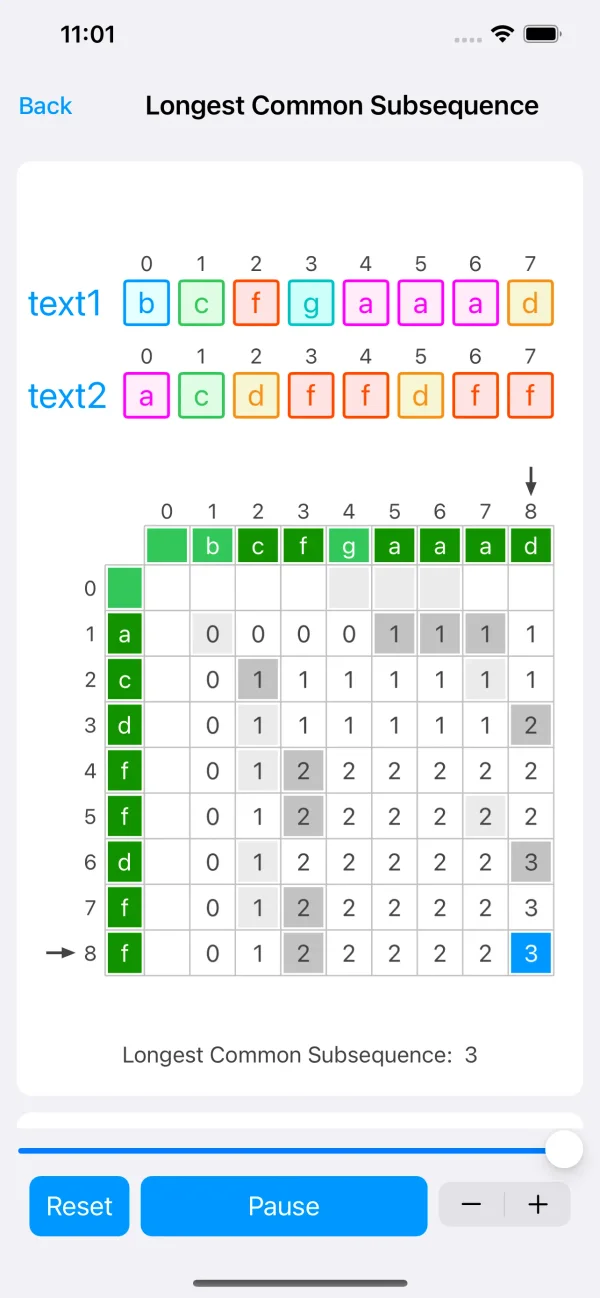
The second step is to play the animation, refer to the subtitles, and understand the ideas and codes;
The third step is to read, analyze and summarize;
Why do you make an algorithm animation diagram app?
Like many programmers, I have to prepare a lot of time to brush up the algorithm every time I change jobs. Very good, in the process of brushing the questions, you must first read the solution. I also read a lot of problem solutions from big guys on the Internet, and I especially like to read algorithm analysis with moving pictures or schematic diagrams, which is faster than reading text. In the process, several problems were also found, such as: the animation is not interactive and cannot be paused; the data is dead and cannot be changed; it is not convenient to study on the mobile phone, etc.
I saw some good animations at the beginning, and I had a strong urge to implement them in the app with native code several times. This time I finally made up my mind and made 70 animations in one go.
I understand that the positioning of this app is a tool that can help us quickly understand algorithm ideas and codes, help memory, and improve learning efficiency. But here you can't submit, you can't execute the code, and the code still needs to be typed on the computer to make it feel better.
Why is it not arranged in the order of the leetcode number?
At present, the algorithm questions are classified into three major blocks:
- linked list, string, array, binary tree;
- Backtracking, greedy, dynamic programming, divide and conquer;
- Sort and classify separately.
Under each category, the difficulty is divided into easy, medium and hard.
First classify data structures and algorithms separately, and learn according to knowledge points. For example, you can concentrate on learning binary tree structures or dynamic programming algorithms, so that concentrated saturation training can help improve learning efficiency. The data structure comes first, and the algorithm follows, which is also arranged in the order in which we learn theoretical knowledge.
In terms of algorithms, four types are currently arranged: backtracking, greedy, dynamic programming, and divide-and-conquer.
When I learned data structures and algorithms many years ago, I first came into contact with various sorting algorithms. At that time, I felt that sorting was too difficult, and I was very impressed, so I made a separate sorting classification for beginners.
Thinking on how to combine animation and code and other interactive issues
- In the process of learning algorithms by myself, I often understand the ideas, but I can't understand the codes, and many codes in the text explanations have no comments. Seeing this is a big headache. Therefore, when thinking about App interaction, the code highlighting function is specially designed, which means that each line of code will be highlighted as the animation progresses. In this way, the animation is executing, the code is highlighted, and it looks cool.
- Although the animation is easy to understand, it still needs some short explanations, so the "subtitle" function is designed below the animation. Every time the corresponding step is executed, the corresponding explanation will be displayed.
- Animation playback and reset, each algorithm page has a playback function, so how to prepare test cases? To simplify the concept of test cases, a "reset" button is designed, which means that the test cases are random. When you want to change a set of data, just click reset.
What’s new
Version 4.0.1 · Aug 17, 2025
Fixed stability issues that could cause unexpected app crashes.
Improved system compatibility.
App privacy
What 森 林 declares on the App Store about how this app handles data.
-
Data not linked to you
May be collected but is not linked to your identity.
- Identifiers
- Usage data
- Diagnostics
Privacy practices may vary, for example with the features you use or your age.
Information
- Seller
- 森 林
- Category
- Developer Tools
- Version
- 4.0.1
- Updated
- Aug 17, 2025
- Released
- Jan 23, 2023
- Size
- 25.4 MB
- Requires
- iOS 15.6 or later
- Age rating
- 4+
- Price
- Free
- In-app purchases
- Yes
- Languages
- English, Simplified Chinese
- Copyright
- © 2024 linsen
You might also like
-
 Expo & React Native componentsExplorer components before use
-
 Cursornow - Cursor DashboardCheck Cursor usage on mobile.
-
 React Native ReusablesA showcase application
-
 BlueterminalBluetooth Terminal
-
 JavaScript Console ScriptsRun JavaScript code
-
 OnSpace AI: Mobile App BuilderInstant AI Mobile App Builder
-
 MusicLAB by Music.AIDeveloper Tools
-
 Pocket AssemblerLearn assembly the fun way!
-
 Serial BLE ConsoleDeveloper Tools
-
 ServerSSH - Tmux & Mosh ClientClaude & Codex Terminal Shell