Androvia
Connect, Sync & Manage Devices
Designed for iPhone, iPad, Mac
Free · In-app purchases
- Age rating4+
- CategoryProductivity
- Developer厚然 曾
- LanguagesEnglish+ 43 more
- Size21.8 MB
Links to the official App Store page
Download.org hosts no file of Androvia. The button opens its official App Store page, published by 厚然 曾. Listing last checked on Nov 22, 2026.
Screenshots


About
How do you connect your Android device to your favorite iPhone, iPad, and Mac?
Androvia is here to help.
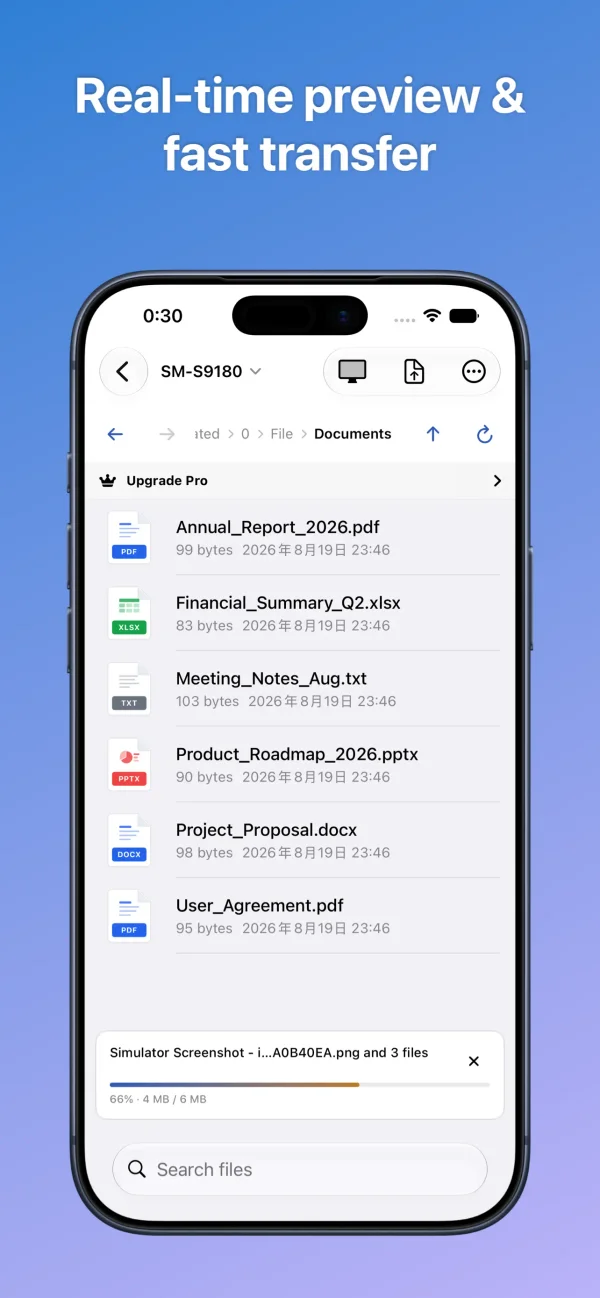
Androvia supports high-speed Wi-Fi and USB connections—no sign-up required, works right out of the box.
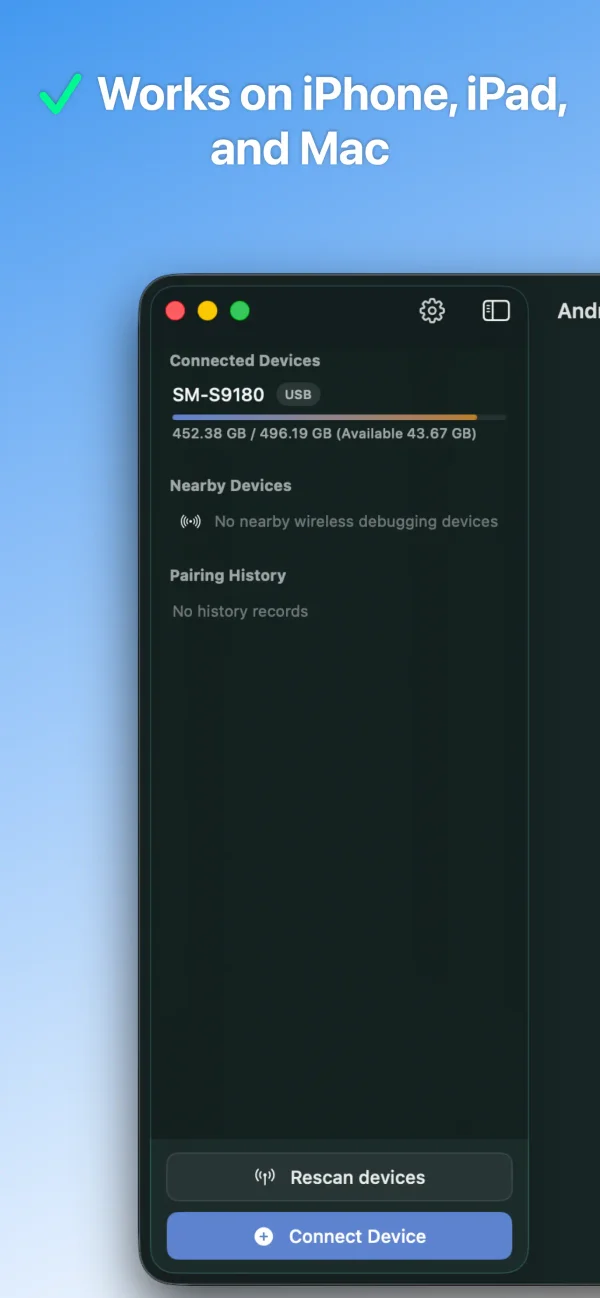
Launch Androvia to instantly connect your Android and Mac. Compatible across brands with no extra Android app needed.
Native-Grade File Management
- High-speed Wi-Fi and USB connection on Mac.
- High-speed Wi-Fi connection on iPhone and iPad.
- Drag & drop, copy, and move to manage Android files freely.
- Use familiar Mac shortcuts: press Space for instant Quick Look previews.
- High-performance engine for lightning-fast photo and video thumbnail generation.
- List and grid view modes with flexible sorting by name, size, and date modified.
- Manage Android files natively in Finder.
Elegant Browsing Experience
- Purpose-built UI crafted for utilitarian elegance.
- Preview images, videos, PDFs, and APK app icons.
- Displays audio album art, archive previews, font files, and vector thumbnails.
- Optimized for file-heavy scenarios: browse massive photo libraries in a snap.
- Retina-optimized rendering for razor-sharp icons and buttery-smooth scrolling.
Android Screen Mirroring
- Low-latency, high-definition screen and audio mirroring.
- Spotlight integration on Mac: search and launch Android apps with one click.
- Run multiple Android apps simultaneously in separate windows.
- Screen-off mirroring mode to reduce phone power consumption and heat.
- Capture high-quality screenshots, record MP4 videos, and export animated GIFs.
Mac Universal Control
- Use your Mac trackpad for scrolling, zooming, and rotating.
- Type in Android apps directly using your Mac input method.
- Real-time bidirectional clipboard sync between Android and Mac.
App Management & Installation
- Browse and search installed Android applications quickly.
- Back up and extract APK packages directly to your Apple device.
- Install APKs directly onto connected Android devices.
More Features
- Real-time monitoring of CPU usage, RAM, and available storage.
- View battery level, charging status, battery temp, and SoC temp.
- Real-time network latency and screen mirroring frame rate metrics.
- Menu bar widget for instant device status checks and quick file uploads.
- Customizable screen mirroring resolution and bitrate for higher quality.
Terms of Use (EULA): https://www.apple.com/legal/internet-services/itunes/dev/stdeula/
What’s new
Version 0.9.31 · Nov 16, 2026
Fixed some issues.
App privacy
What 厚然 曾 declares on the App Store about how this app handles data.
-
Data not collected
The developer does not collect any data from this app.
Privacy practices may vary, for example with the features you use or your age.
Information
- Seller
- 厚然 曾
- Category
- Productivity
- Version
- 0.9.31
- Updated
- Nov 16, 2026
- Released
- Oct 9, 2026
- Size
- 21.8 MB
- Requires
- iOS 16.0 or later
- Age rating
- 4+
- Price
- Free
- In-app purchases
- Yes
- Languages
- English, Arabic, Bengali, Catalan, Croatian, Czech, Danish, Dutch, Finnish, French, German, Greek + 32 more
- Copyright
- © Houran Zeng
You might also like
-
 RepoMind: Dictate GitHub TasksYour coding agent picks it up
-
 GoDesk AIProductivity
-
 Text to Speech Reader ThinkSayAI Voice Read Aloud PDFs
-
 Sync with S3Backup photos to S3 storage
-
 OpenCody - An OpenCode ClientCode with OpenCode on the go
-
 momo全能管家Productivity
-
 Message Summary for SlackAI summaries for Slack
-
 Lawn Mowing OnlineLawn care, fast and easy!
-
 Elegant PDF-Secure EditingElegant using PDF with us
-
 广告拦截-100%去广告Productivity