
- Age rating4+
- CategoryBusiness
- DeveloperMasato Takahashi
- LanguagesEnglish
- Size8.9 MB
Links to the official App Store page
Download.org hosts no file of タスクチェック. The button opens its official App Store page, published by Masato Takahashi. Listing last checked on Nov 14, 2026.
Screenshots


About
The developer has not provided this text in your language.
【概要】
タスクを登録してチェックを付けるだけの機能です。
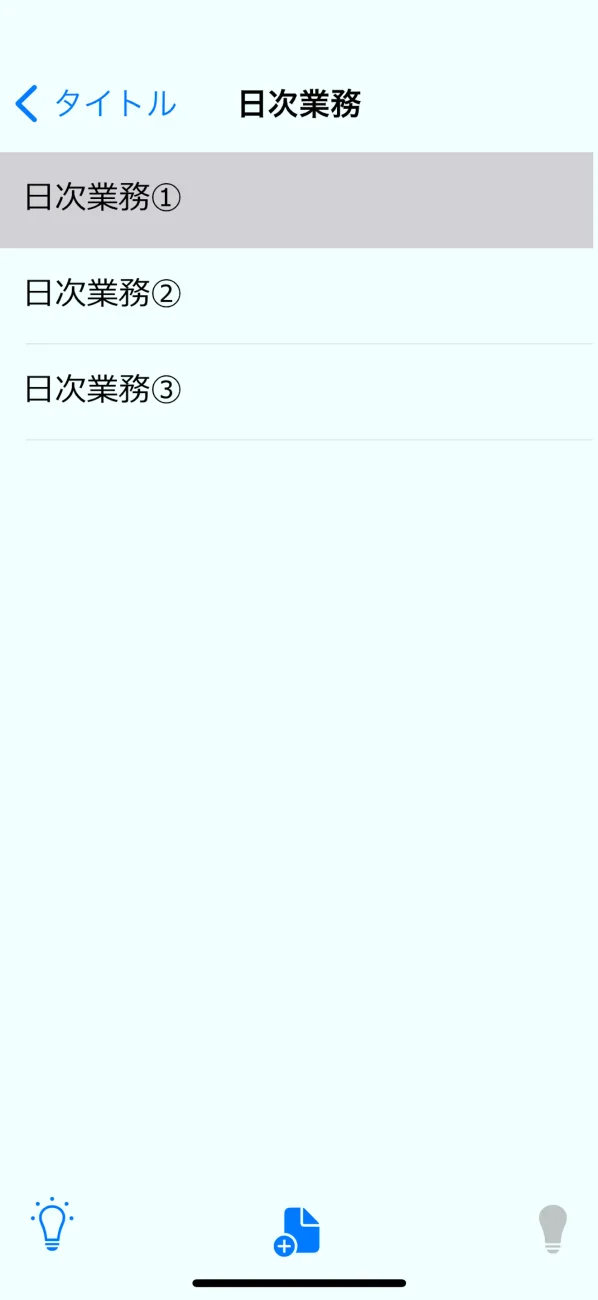
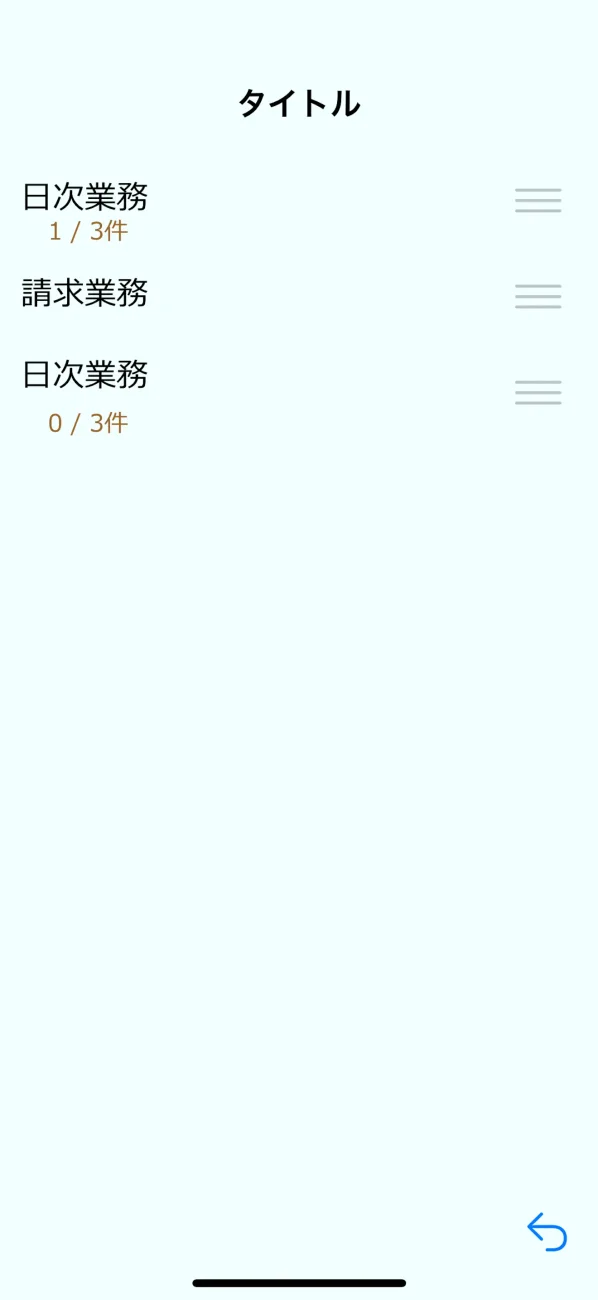
画面構成はタイトル画面とタスク画面の2画面になります。
タイトルごとに登録されたタスクにチェックをつける操作になります。
【操作方法】
■タスクの登録
タイトルを作成しタイトルごとにタスクを登録します。
①追加ボタン(下段中央)を押してタイトルを登録します。
タイトルが登録されると変更ボタンが押せるようになります。
②変更ボタン(下段左)を押してタイトル名を登録します。
タイトルの登録が完了しましたのでタスクを登録します。
①登録したタイトルを選択し一覧ボタン(上段右)を押します。
タスク画面が表示されます。
②追加ボタン(下段中央)を押してタスクを登録します。
タスクが登録されると変更ボタンが押せるようになります。
③変更ボタン(下段左)を押してタスク内容を登録します。
■タスクの消込み
①タイトルを選択し一覧ボタン(上段右)を押します。
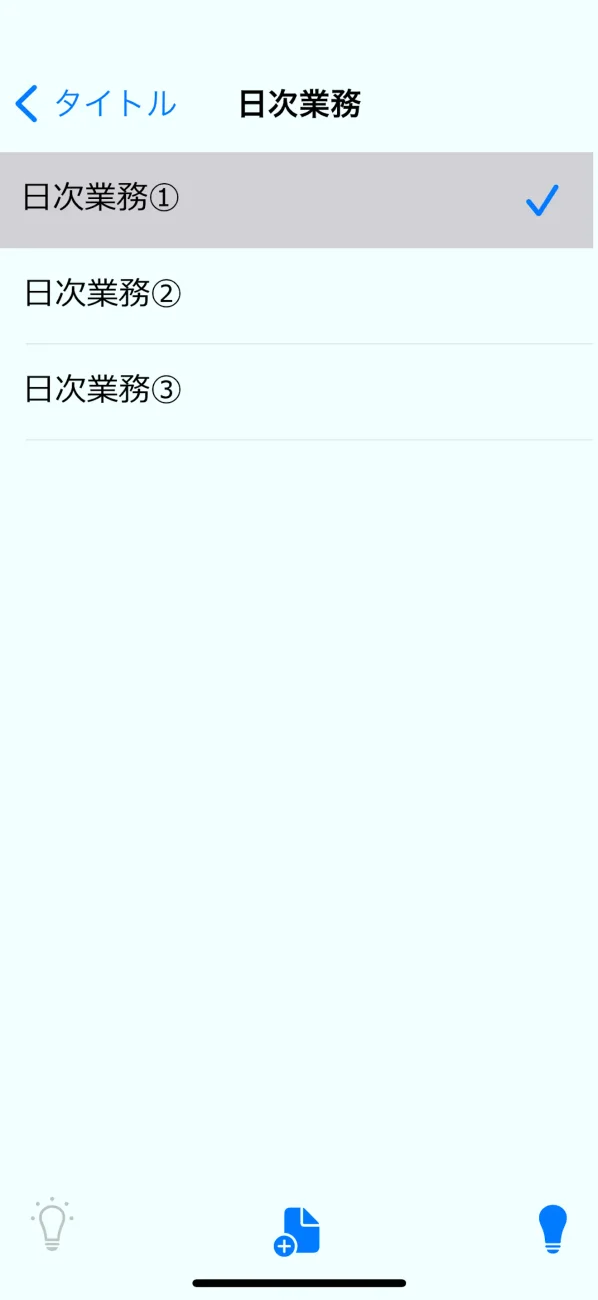
②タスクを選択します。
③実施ボタン(下段左)を押すとタスクにチェックマークがつきます。
全てのタスクにチェックがつくとタイトルの下に日付が表示されます。
■タイトル、タスクの複写
タイトルまたはタスクを選択し複写ボタン(下段中央)を押すと最終行に複写されます。
実施済みは未実施として複写されます。
■タイトル、タスクの削除
タイトルまたはタスクを左にスライドさせると削除ボタンが表示されます。
削除ボタンを押すとメッセージが表示され削除を行います。
■タイトル、タスクの並び替え
並替ボタン(下段右)を押すとリストの右に三本線が表示されます。
三本線を押しながら上下に移動して並び替えを行います。
App privacy
What Masato Takahashi declares on the App Store about how this app handles data.
-
Data not collected
The developer does not collect any data from this app.
Privacy practices may vary, for example with the features you use or your age.
Information
- Seller
- Masato Takahashi
- Category
- Business
- Version
- 1.0
- Updated
- Oct 30, 2024
- Released
- Oct 30, 2024
- Size
- 8.9 MB
- Requires
- iOS 17.5 or later
- Age rating
- 4+
- Languages
- English
- Copyright
- © 2024.M.TAKA
You might also like
-
 Minimal PomoProductivity
-
 Keyword Memo: NotesUnused fades, essentials stay
-
 Sales EaseBusiness
-
 DojoウェブマニュアルProductivity
-
 Concentration TimerThe Increase Productivity App
-
 しずキャリBusiness
-
 MagicConnect ViewerProductivity
-
 共有・カレンダー・予定表 ウィジェット シンプルスケジュールProductivity
-
 SubsHub - Manage SubscriptionsNext Payment,Fixed Costs,Graph
-
 RiverTodo - Simple To-Do ListDaily Planner & Task Manager