
- Age rating4+
- CategoryPhoto & Video
- Developer俊博 霍
- LanguagesEnglish+ 1 more
- Size979.0 KB
Links to the official App Store page
Download.org hosts no file of 色调同步大师. The button opens its official App Store page, published by 俊博 霍. Listing last checked on Nov 18, 2026.
Screenshots


About
One style. Every photo.
Shot a batch of photos with inconsistent lighting and color? ToneSync Studio unifies the look of your entire set with one tap.
Key Features
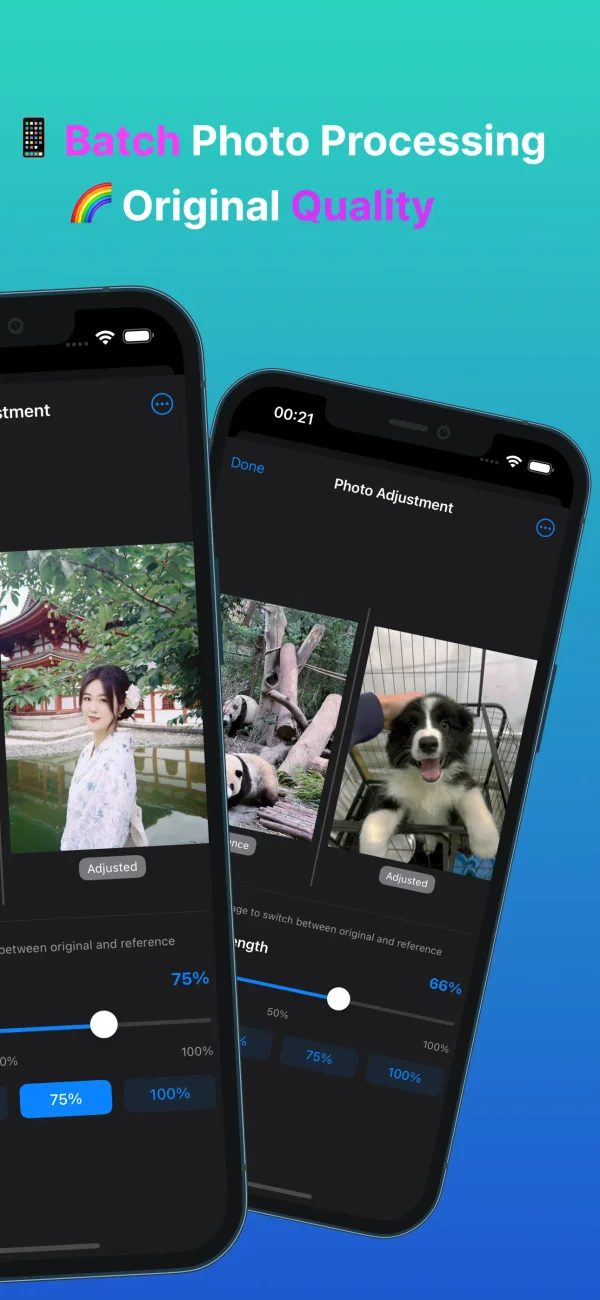
Style Sync: Import a batch of photos, pick any one as the reference, and every other photo automatically matches its color, brightness, and mood
Match Strength: One slider controls how strongly the style transfers — from a subtle nudge to a perfect match
Pro Adjustments: Exposure, Contrast, Highlights, Shadows, Warmth, Tint, Saturation, Vibrance, Fade, Sharpness, Vignette, and more fine-grained controls
Built-in Styles: Presets including Fresh, Film, Warm, Cool, Japanese, Vivid, Vintage, Mono, and Soft — apply with one tap
Before / After: Drag the divider to compare with the original in real time; tall photos can fill the width and scroll vertically
Edit History: Every session is archived automatically (parameters only — no extra storage), and you can pick up right where you left off, even after force-quitting
Batch Export: Save every photo back to your library at full resolution with one tap
Privacy
All photo analysis and processing happens entirely on your device. No network access, no uploads, no data collection.
What’s new
Version 2.0 · Sep 29, 2026
All-new dark studio interface with a redesigned workflow
New color engine: extracts the color signature of your reference photo and transfers it across the whole set
New Match Strength slider to control transfer intensity
New pro adjustment controls and built-in style presets
New before/after canvas: drag to compare, with a width-fill mode for tall photos
New edit history: sessions are archived automatically as parameters and can be restored anytime
New batch export at full resolution
Faster import: jump straight into editing while photos load progressively in the background
App privacy
What 俊博 霍 declares on the App Store about how this app handles data.
-
Data not collected
The developer does not collect any data from this app.
Privacy practices may vary, for example with the features you use or your age.
Information
- Seller
- 俊博 霍
- Category
- Photo & Video
- Version
- 2.0
- Updated
- Sep 29, 2026
- Released
- Jul 31, 2025
- Size
- 979.0 KB
- Requires
- iOS 16.0 or later
- Age rating
- 4+
- Price
- $0.99
- Languages
- English, Simplified Chinese
- Copyright
- © 2025 霍俊博. All rights reserved.
You might also like
-
 IRO MATCH : LUT photo editorLUT import export, batch apply
-
 留痕Photo & Video
-
 Pocket Log CameraNatural photos from Apple Log
-
 ClimbCut: Climbing CameraRecord, edit & share climbs
-
 CherryFilm Korean selfie camPretty in pink.
-
 GoTopPhoto & Video
-
 摄影装备库Photo & Video
-
 PicSlicer - Slice your imagesPhoto & Video
-
 Tsingland CameraMinimalistic Analog Camera
-
 AutoAlign: Scan & StraightenAI Scanner: Ask Your Documents