
- Age rating4+
- CategoryEntertainment
- Developerkwai piu cheng
- LanguagesEnglish+ 12 more
- Size15.6 MB
Links to the official App Store page
Download.org hosts no file of 看了么-多屏同步播放控制. The button opens its official App Store page, published by kwai piu cheng. Listing last checked on Nov 18, 2026.
Screenshots

About
Resoview - Multi-Screen Sync Player
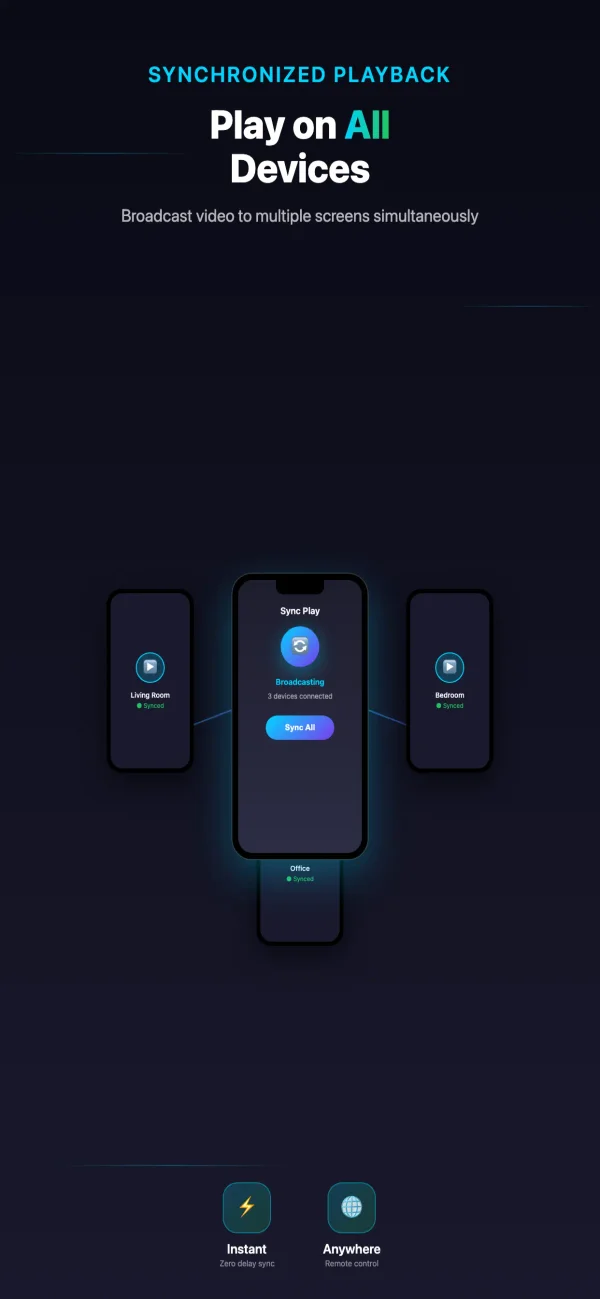
Control multiple devices to play videos synchronously with one tap! Whether it's home theater, business display, or education, Resoview is your perfect choice.
CORE FEATURES
Multi-Screen Sync
• Control multiple iPhone/iPad devices to play the same content
• Automatic progress synchronization
Dual Mode Design
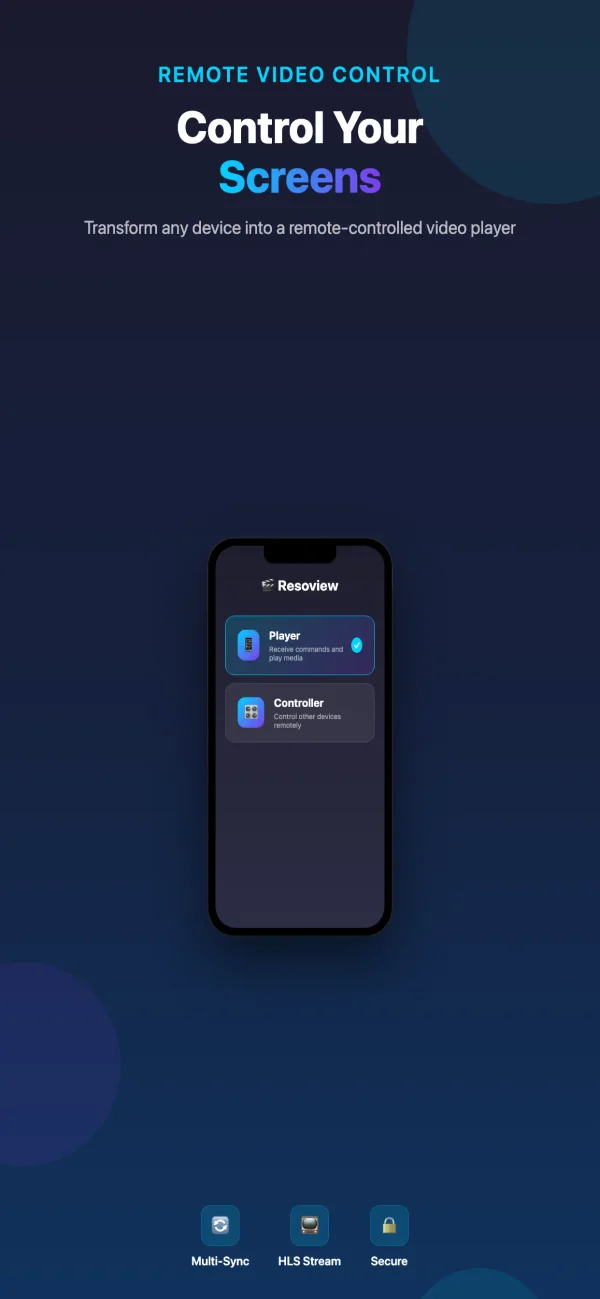
• Controller Mode: Manage and control all playback devices
• Player Mode: Receive commands and play content
• Switch modes anytime on the same device
Remote Control
• Play/Pause control
• Precise progress seeking
• Remote volume adjustment
• Fullscreen mode toggle
Batch Operations
• Select multiple devices simultaneously
• Send play commands with one tap
• Broadcast mode for all devices
Real-time Monitoring
• Device online status display
• Real-time playback progress sync
• Device information at a glance
USE CASES
Home Entertainment
• Multi-room synchronized viewing
• Family gathering multi-screen display
• Kids room and master bedroom sync
Business Display
• Mall multi-screen ad sync
• Exhibition multi-screen content
• Restaurant and hotel entertainment
Education & Training
• Classroom multi-screen teaching
• Training room multi-device demo
• Remote teaching sync playback
Event Live
• Event venue multi-screen sync
• Conference room multi-screen display
• Concert multi-angle sync
PRODUCT FEATURES
Easy to Use
• No complex configuration, auto device discovery
• Intuitive interface, one-tap operation
Powerful Functions
• Support HLS, MP4 and more video formats
• Support local and network video playback
Cross-Device Support
• Universal for iPhone and iPad
• Perfect adaptation for all screen sizes
Secure & Reliable
• User account system
• Independent device management
• Data encryption
HOW TO USE
1. Register and login
2. Select "Player Mode" on playback devices
3. Select "Controller Mode" on control device
4. Choose devices to control
5. Enter video URL and send
6. All devices start playing in sync
MULTI-LANGUAGE SUPPORT
Support 13 languages: English, Chinese (Simplified), Chinese (Traditional), Japanese, Korean, Spanish, French, German, Italian, Portuguese, Russian, Arabic, Hindi
WHY CHOOSE RESOVIEW
vs Traditional Casting:
• Multi-device sync support
• More flexible remote control
• No distance limitation
• Batch operation support
vs Professional Equipment:
• Lower cost
• Simpler deployment
• Easier maintenance
• More flexible functions
What’s new
Version 1.0.1 · Jan 29, 2026
fixed bugs
App privacy
What kwai piu cheng declares on the App Store about how this app handles data.
-
Data not collected
The developer does not collect any data from this app.
Privacy practices may vary, for example with the features you use or your age.
Information
- Seller
- kwai piu cheng
- Category
- Entertainment
- Version
- 1.0.1
- Updated
- Jan 29, 2026
- Released
- Jan 27, 2026
- Size
- 15.6 MB
- Requires
- iOS 15.0 or later
- Age rating
- 4+
- Price
- Free
- Languages
- English, Arabic, French, German, Hindi, Italian, Japanese, Korean, Portuguese, Russian, Simplified Chinese, Spanish + 1 more
- Copyright
- © resoview
You might also like
-
 SyncPlay-再生同期-Entertainment
-
 Kinolog: Movie Diary & TrackerRating predictor & film picks
-
 PeerPlay Sync PlayerWatch videos in perfect sync
-
 Ara Multiple video PlayerWatch Multiple Videos at once
-
 Wordsnug: Word SolitaireSort words, clear the board
-
 WatchBuddy | Watch TogetherWatch videos with friends
-
 Playflix: Movies & TV ShowsCloud video player, anywhere
-
 PP Chess - AI RecognizedRecognition and Play Assistant
-
 Shortie-Watch Dramas & ShowsOriginal dramas and Movies
-
 手持弹幕-生成自动轮播滚动手机弹幕Entertainment