- Age rating4+
- CategoryEntertainment
- DeveloperSUGAR SOUND, K.K.
- Size4.0 MB
Links to the official App Store page
Download.org hosts no file of SyncPlay-再生同期-. The button opens its official App Store page, published by SUGAR SOUND, K.K. Listing last checked on Nov 11, 2026.
Screenshots

About
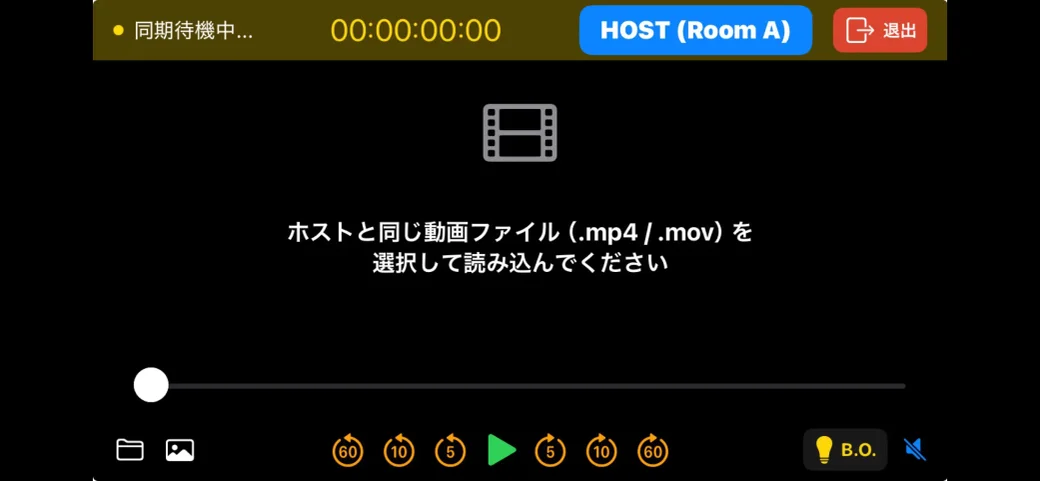
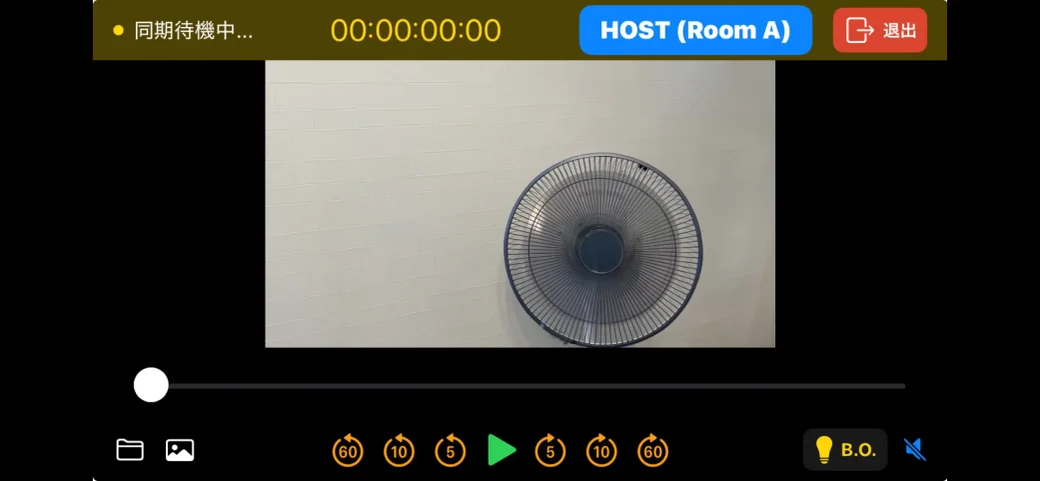
SyncPlay is a professional video synchronization app designed to play videos perfectly in sync across multiple iPads. Built specifically for stage productions, theater, live events, and exhibitions where precise timing is critical.
Unlike standard streaming apps, SyncPlay does not stream video data. Instead, it relies on locally stored video files on each device, transmitting only precise timing signals (Play, Pause, Seek) over the local network. This ensures frame-accurate synchronization with absolutely zero streaming buffering.
■ Key Features
Completely Offline: No internet connection required. Works seamlessly with any local Wi-Fi router.
Auto-Correction (Heartbeat): If network interference causes a slight delay, the heartbeat mechanism automatically snaps the guest video back to the precise host timeline within seconds.
Host & Guest System: Control everything from one "Host" iPad, while all "Guest" iPads follow instantly.
Blackout (B.O.): One-tap blackout button for theatrical transitions.
Audio Safety: Guest devices are forcibly muted to prevent audio echoing in professional sound environments.
■ Pricing Tiers [Free Version]
Access to Room A only.
Connect up to 2 Guests per Host (3 devices total).
[SyncPlay Pro (One-time Purchase)]
Unlock all Rooms (A, B, and C) to prevent interference across multiple adjacent stages.
Connect up to 8 Guests per Host (9 devices total). *Note: Only the "Host" device needs to purchase the Pro version. Guest iPads can join Pro rooms using the free version.
■ Best Practices for Live Events For live performances, we highly recommend enabling "Do Not Disturb" and "Guided Access" in your iPad's iOS settings to prevent unexpected notifications or gestures.
App privacy
What SUGAR SOUND, K.K. declares on the App Store about how this app handles data.
-
Data not collected
The developer does not collect any data from this app.
Privacy practices may vary, for example with the features you use or your age.
Information
- Seller
- SUGAR SOUND, K.K.
- Category
- Entertainment
- Version
- 1.0
- Updated
- Jun 9, 2026
- Released
- Jun 9, 2026
- Size
- 4.0 MB
- Requires
- iOS 16.0 or later
- Age rating
- 4+
- In-app purchases
- Yes
- Copyright
- © 2026 Sugar Sound
You might also like
-
 Local Video SyncPeer-to-peer video sync
-
 ScriptCueMarkMark cues on your script PDF
-
 PeerPlay Sync PlayerWatch videos in perfect sync
-
 看了么-多屏同步播放控制Resoview
-
 SynkplayWatch in sync with friends
-
 LightyEntertainment
-
 カメレオンかくれ|隠し絵さがしゲームEntertainment
-
 TheaterLive4uEntertainment
-
 ViTwo - Watch togetherSync videos with friends
-
 SyncUp: Watch Party TogetherSync videos, talk with friends