- Age rating4+
- CategoryUtilities
- Developer全 周
- LanguagesEnglish+ 1 more
- Size17.3 MB
Links to the official App Store page
Download.org hosts no file of 智休闹钟. The button opens its official App Store page, published by 全 周. Listing last checked on Nov 22, 2026.
Screenshots

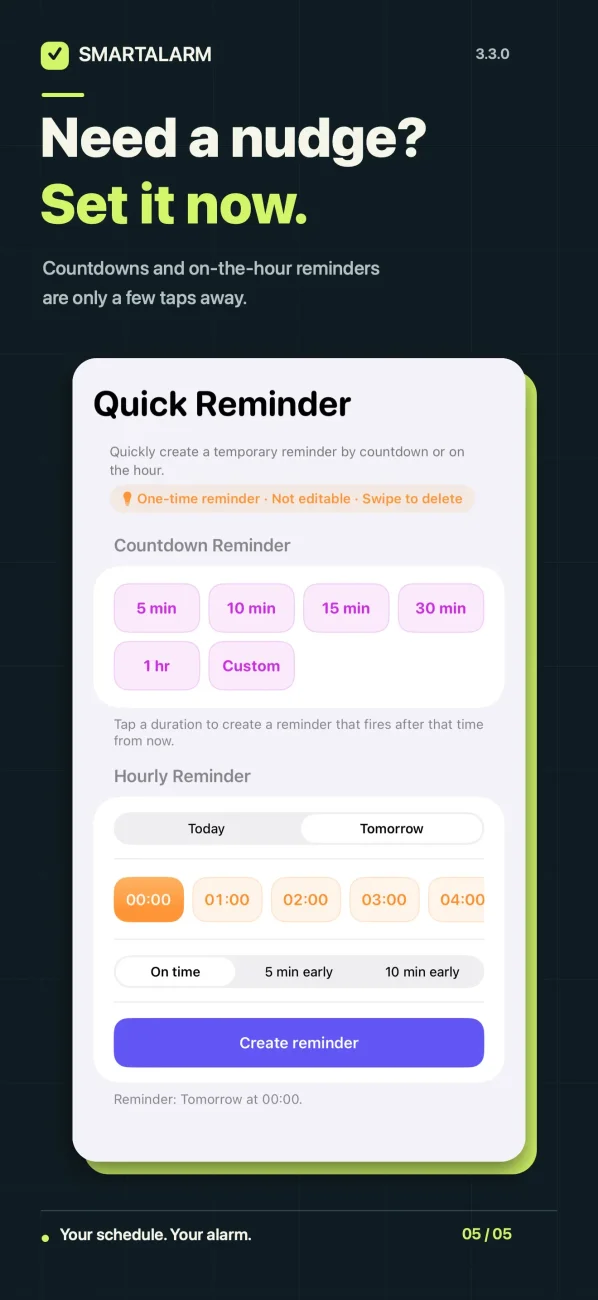

About
Your schedule doesn't always fit a Monday-to-Friday week. SmartAlarm follows China's holidays, makeup workdays, and your own shifts, so your alarm fits the days you actually work and rest.
Make the repeat rule yours
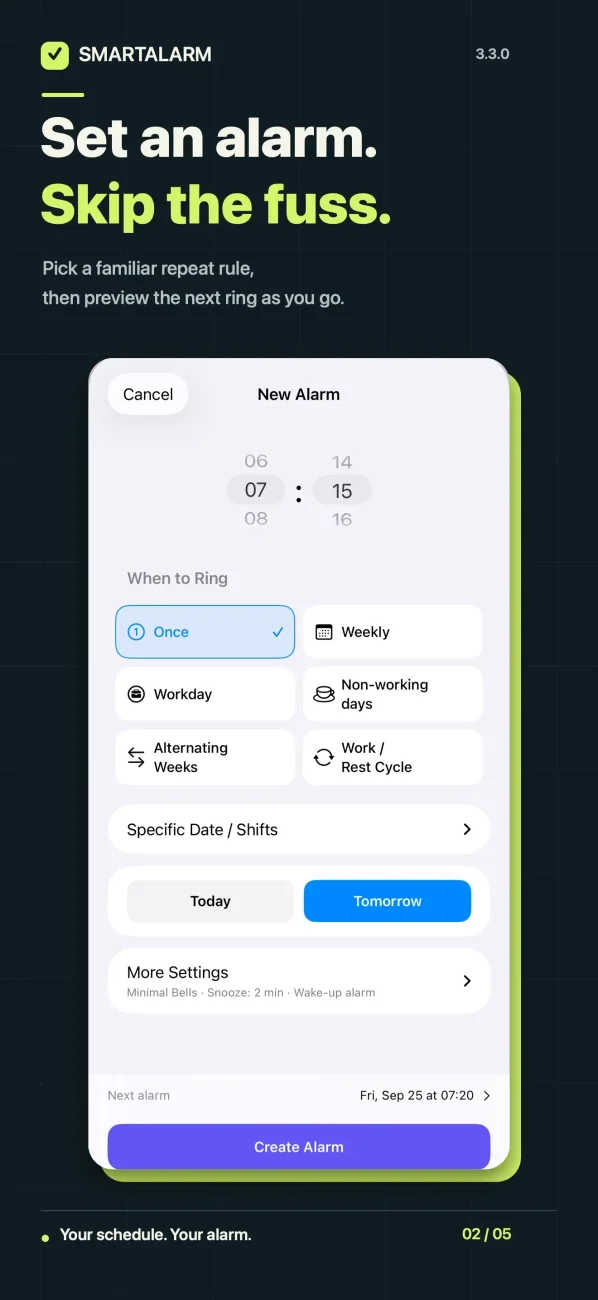
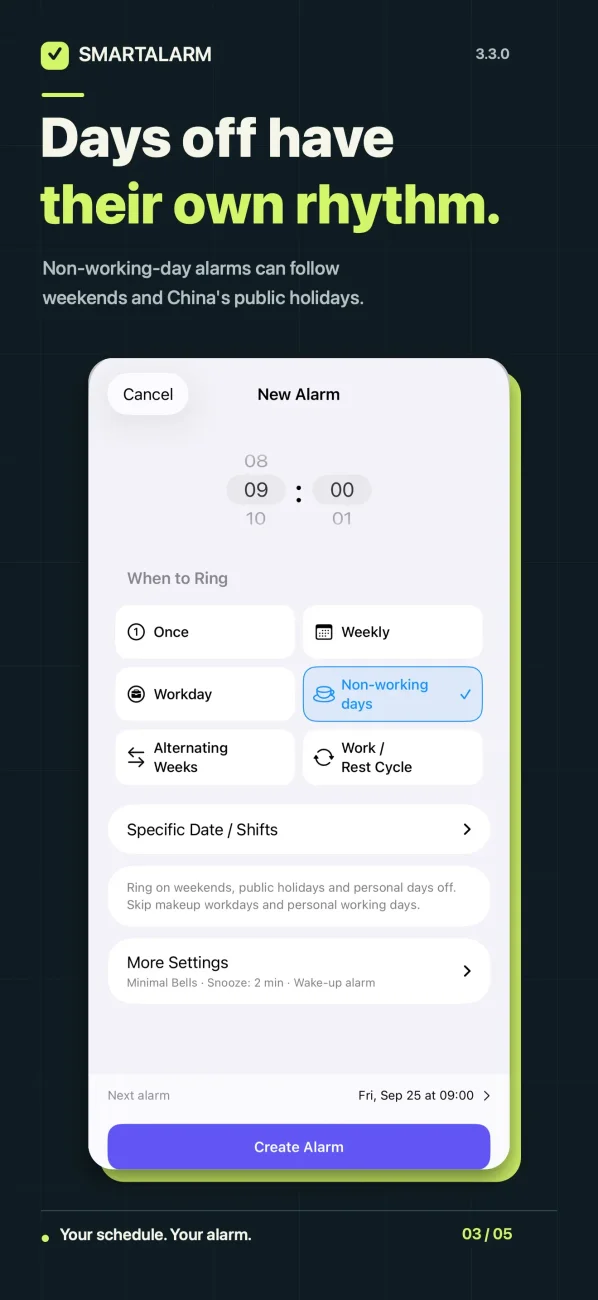
• Working days and non-working days can follow China's holiday and makeup-workday calendar.
• Choose weekly, alternating-week, cycle, or specific-date alarms for your own shifts.
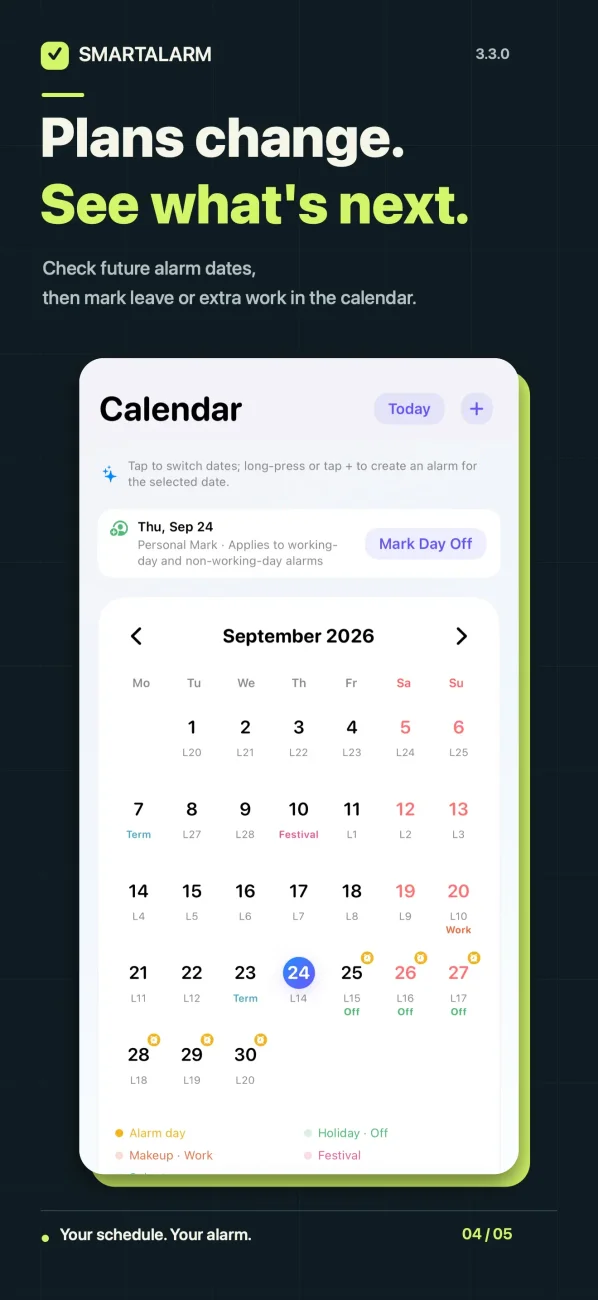
• Mark a personal day off or extra workday in the calendar when plans change.
Get set up in less time
• Pick a common repeat rule at a glance, or copy an alarm and adjust it.
• See the next ring in your alarm list, skip the next occurrence, and review future dates in the calendar.
• Use Quick Reminder for one-off plans and widgets for a quick glance.
• Choose system, 12-hour, or 24-hour time display in the app. English and Simplified Chinese are supported.
For bedtime and beyond
• Mark a wake-up alarm to get a bedtime reminder based on your sleep goal.
• Use Bedside Clock in StandBy. Home and Lock Screen widgets show upcoming alarms; Live Activities show ringing and snooze countdowns.
• Get a heads-up before a makeup workday or the first day of a holiday.
Reliable and private
• Built on Apple's AlarmKit, so alarms ring in Silent mode and Focus.
• China's holiday data comes from Apple's calendar and updates online.
• No account, ads, or tracking. Your alarm data stays on your device.
Requires iOS 26 or later. Some complex repeating schedules need the app to be opened periodically to extend their coverage.
What’s new
Version 3.5.0 · Nov 4, 2026
1. Adapted for iPhone Duo and iPad: supports inner-screen dual-pane split views, full-month calendar layout, and adaptive alarm creation forms.
2. Smoother month-switching swipe gestures in the calendar with refined transitions.
3. Improved bedtime reminder synchronization when permissions or alarm toggles change.
4. Enhanced schedule reliability for complex recurring shifts and repeating alarms.
5. Refined localization details and widget timeline updates.
App privacy
What 全 周 declares on the App Store about how this app handles data.
-
Data not collected
The developer does not collect any data from this app.
Privacy practices may vary, for example with the features you use or your age.
Information
- Seller
- 全 周
- Category
- Utilities
- Version
- 3.5.0
- Updated
- Nov 4, 2026
- Released
- May 27, 2026
- Size
- 17.3 MB
- Requires
- iOS 26.0 or later
- Age rating
- 4+
- Price
- $0.99
- Languages
- English, Simplified Chinese
- Copyright
- © 2026 Zhou Quan. All rights reserved.
You might also like
-
 知休闹钟Utilities
-
 OnTime ClockAlways On Time. Always There
-
 DianYiTong - T9 Speed DialT9 dialer that works offline
-
 人生日历 - 农历万年历日期提醒备忘工具Utilities
-
 FloGravity LauncherQuick Actions & Utilities
-
 有时闹钟-智能节假日闹钟Utilities
-
 比扬云网络连接终端Utilities
-
 CalAlarm Date Alarm Shift WorkShift alarm, any date, silent
-
 Alarm One: Shift Alarm ClockGroups, rotations & widgets
-
 生活闹钟 - 节假日调休排班与整点报时助手Utilities