
- Age rating4+
- CategoryProductivity
- Developer传俊 高
- LanguagesEnglish+ 1 more
- Size1.2 MB
Links to the official App Store page
Download.org hosts no file of SimplyRemind: Tasks & Timers. The button opens its official App Store page, published by 传俊 高. Listing last checked on Nov 23, 2026.
Screenshots
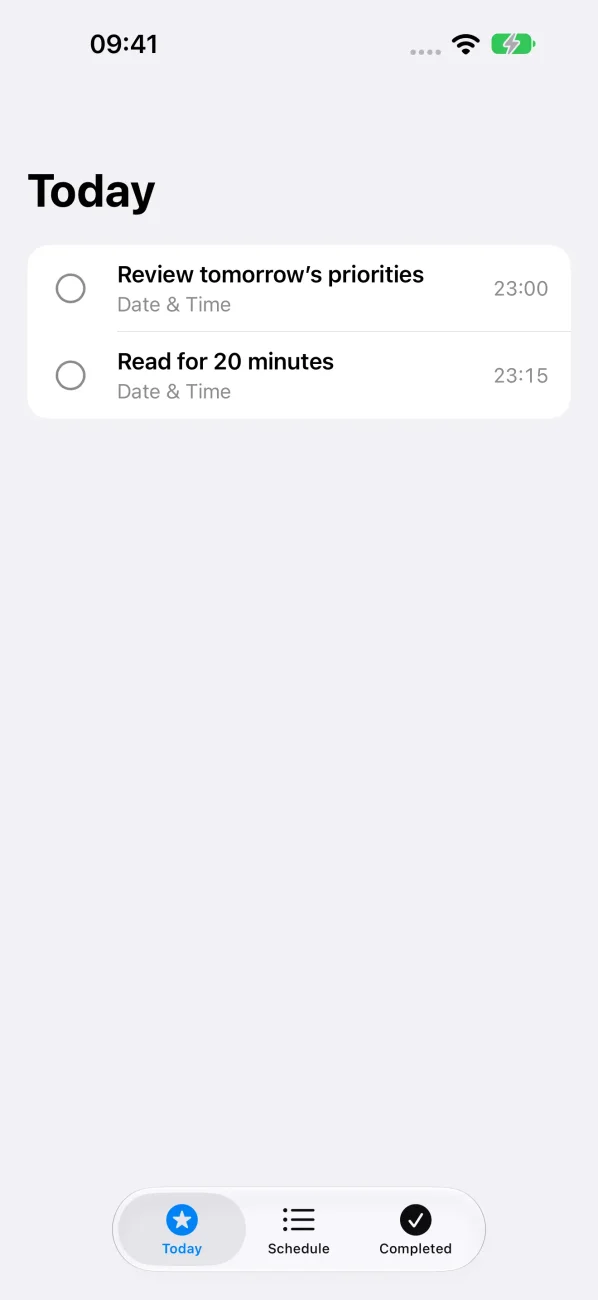

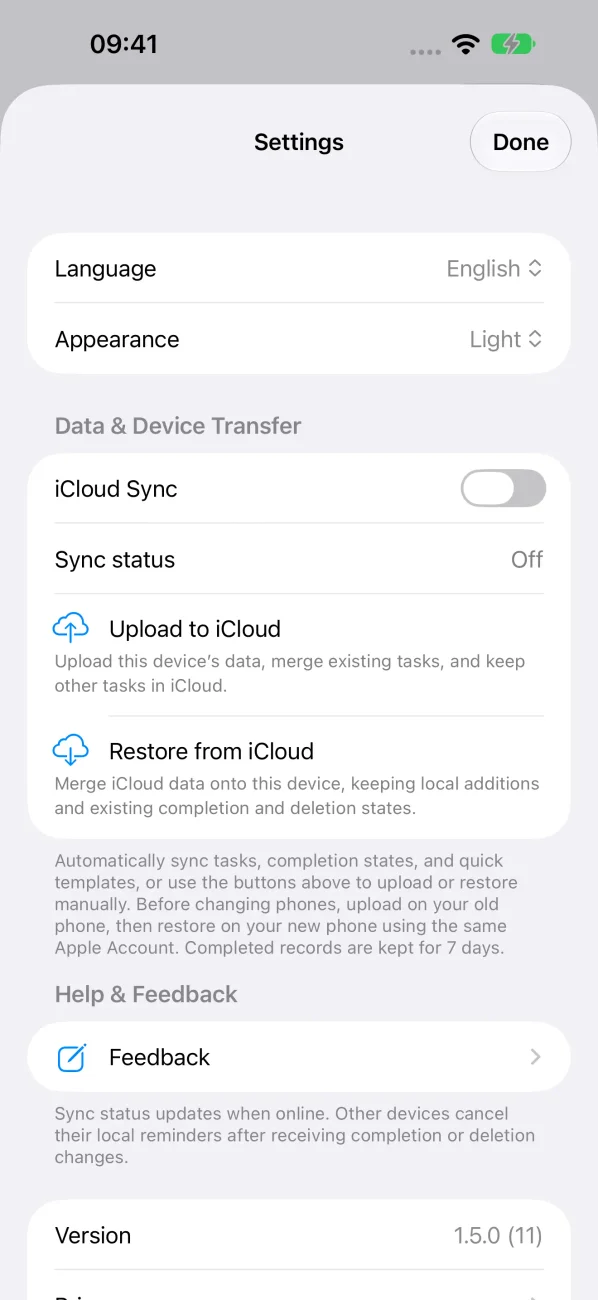
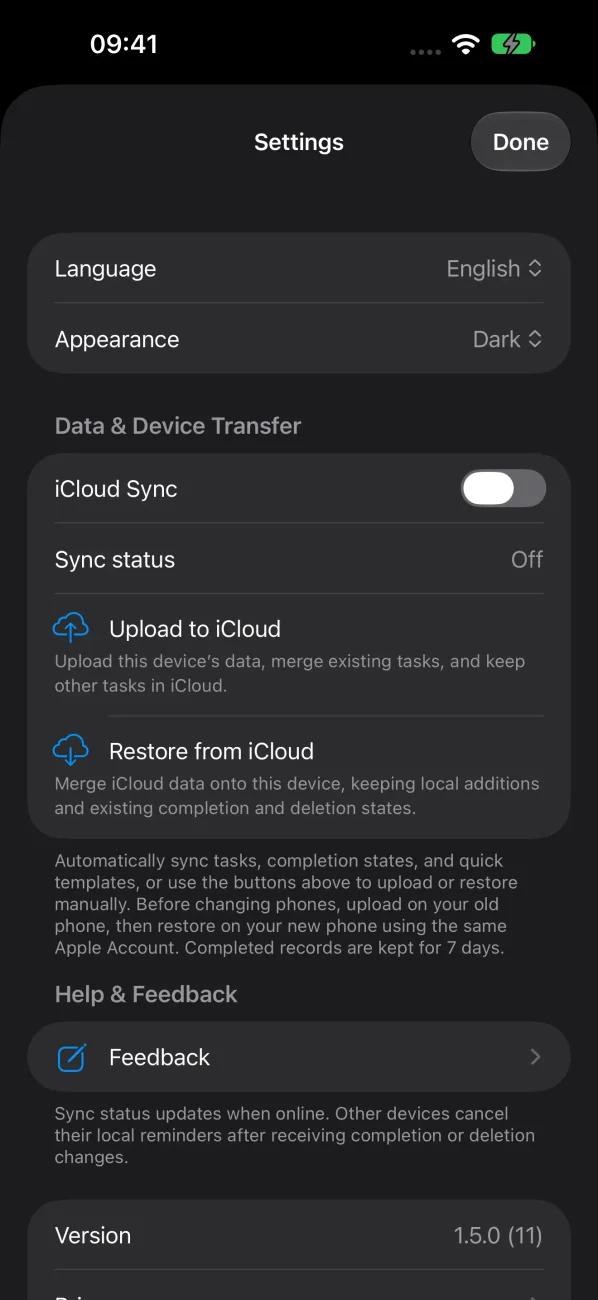
About
SimplyRemind helps you remember what matters with a clear view of today’s tasks and flexible reminders.
TODAY AT A GLANCE
See tasks due today in one place. Overdue items stand out. Tap to complete a task and see it checked off before it smoothly disappears.
REMINDERS THAT FIT YOUR ROUTINE
Choose a specific date and time, start a countdown, or repeat daily, weekly, monthly, quarterly, yearly, or at a custom supported interval. Set advance notices when you need time to prepare.
BIRTHDAYS AND MONTHLY BILLS
Create birthday reminders using the Gregorian and Chinese lunar calendars. Set monthly reminders for credit cards, rent, and other bills. Months without your selected day are skipped.
QUICK TEMPLATES
Save up to three reusable templates to create common reminders with fewer taps.
ICLOUD SYNC AND DEVICE TRANSFERS
Keep data on your device by default, or turn on optional iCloud Sync to sync tasks, completion states, and quick templates across devices using the same Apple Account. Separate Upload to iCloud and Restore from iCloud controls make moving to a new phone easier. Completed records are kept for the last seven days.
ENGLISH AND CHINESE
Switch languages in Settings. English feedback opens Google Forms, while Chinese feedback opens Tencent Survey.
SIMPLE TO START
No app account is required. Reminders use local notifications scheduled separately on each device. Recurring reminders are replenished when you open the app, so open it regularly to keep future reminders scheduled. iCloud Sync requires an iCloud account and an internet connection, and changes may take time to reach other devices.
LIGHT AND DARK APPEARANCE
Choose System, Light, or Dark in Settings. Changes apply immediately across the app and its sheets, and your preference is saved on this device. Appearance options are available in English and Chinese.
What’s new
Version 1.5.0 · Nov 16, 2026
• Choose System, Light, or Dark appearance in Settings.
• Appearance changes apply immediately and your choice is saved for future launches.
• Appearance settings support English and Chinese, with consistent styling across the app and its sheets.
App privacy
What 传俊 高 declares on the App Store about how this app handles data.
-
Data linked to you
May be collected and linked to your identity.
- Location
- User content
- Usage data
- Other data
Privacy practices may vary, for example with the features you use or your age.
Information
- Seller
- 传俊 高
- Category
- Productivity
- Version
- 1.5.0
- Updated
- Nov 16, 2026
- Released
- Oct 30, 2026
- Size
- 1.2 MB
- Requires
- iOS 26.0 or later
- Age rating
- 4+
- Languages
- English, Simplified Chinese
- Copyright
- © 2026 ALFREDGAO
You might also like
-
 Swift Jot - 簡潔高效的語音待辦事項工具支援各類小工具的高效待辦應用
-
 有序待办-待办事项清单、专注任务时钟、笔记、日历日程Productivity
-
 Tracely: Count & TrackHabits, counts & measures
-
 TRACK - Habit CounterZähle was dir wichtig ist
-
 Avanti: To-Do List & HabitsPrivate, Offline, No Account
-
 出车记Productivity
-
 精力快充 - 精力管理 专注提效Productivity
-
 小提醒 - 日程计划健康喝水提醒助手Productivity
-
 时间流-高效记录时间Productivity
-
 ToReach: Goals & Life PlannerGoals, Tasks, Habits & Journal