
CardBox - ID Scanner & Wallet
ID Card Copy, Watermark, Print
Designed for iPhone
In-app purchases
- Age rating4+
- CategoryUtilities
- Developer娣 张
- LanguagesEnglish+ 2 more
- Size6.2 MB
Links to the official App Store page
Download.org hosts no file of CardBox - ID Scanner & Wallet. The button opens its official App Store page, published by 娣 张. Listing last checked on Nov 23, 2026.
Screenshots
About
CardBox · Your documents stay on your phone
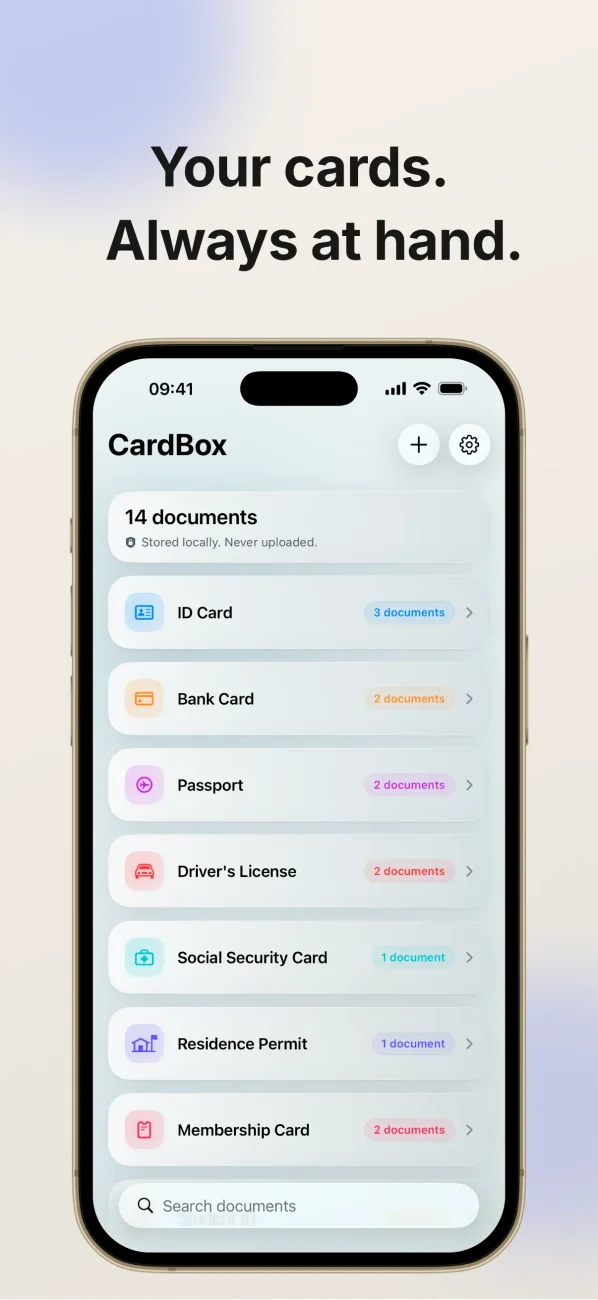
Keep your family's ID cards, bank cards, household registers and passports in one place. Find them when filling out forms, preparing copies or applying for a visa.
Scan and recognize documents, export PDFs or images, and get expiry reminders. Organization and recognition run on your device. No account, automatic uploads or cloud sync.
FEATURES
Scan and recognize
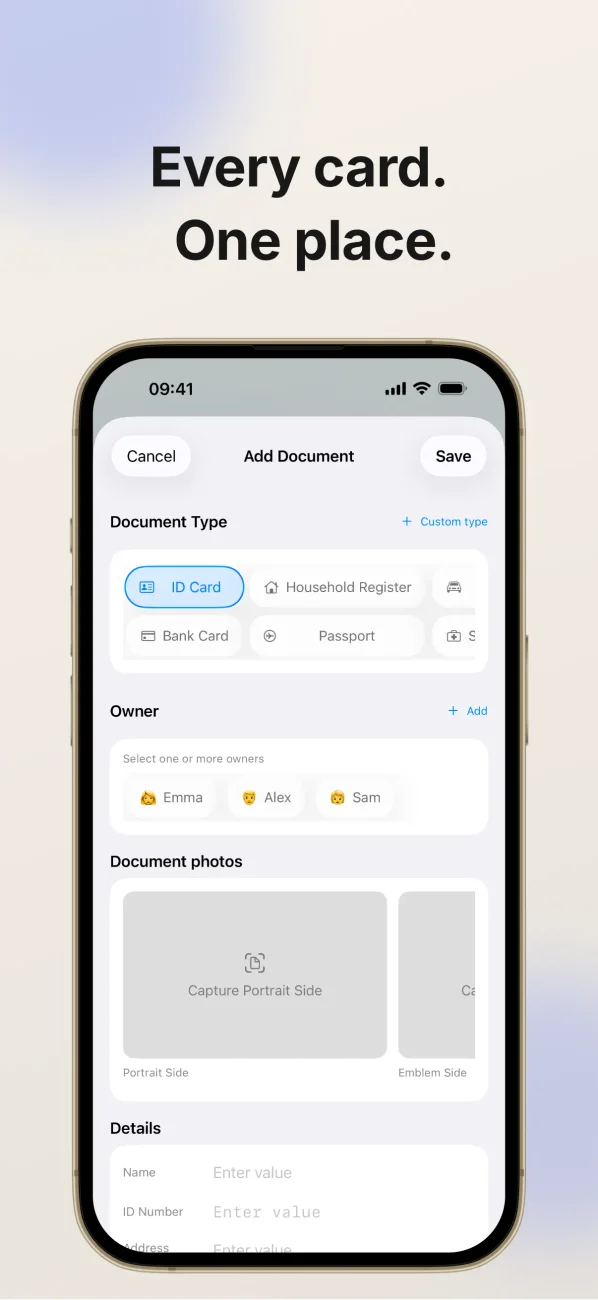
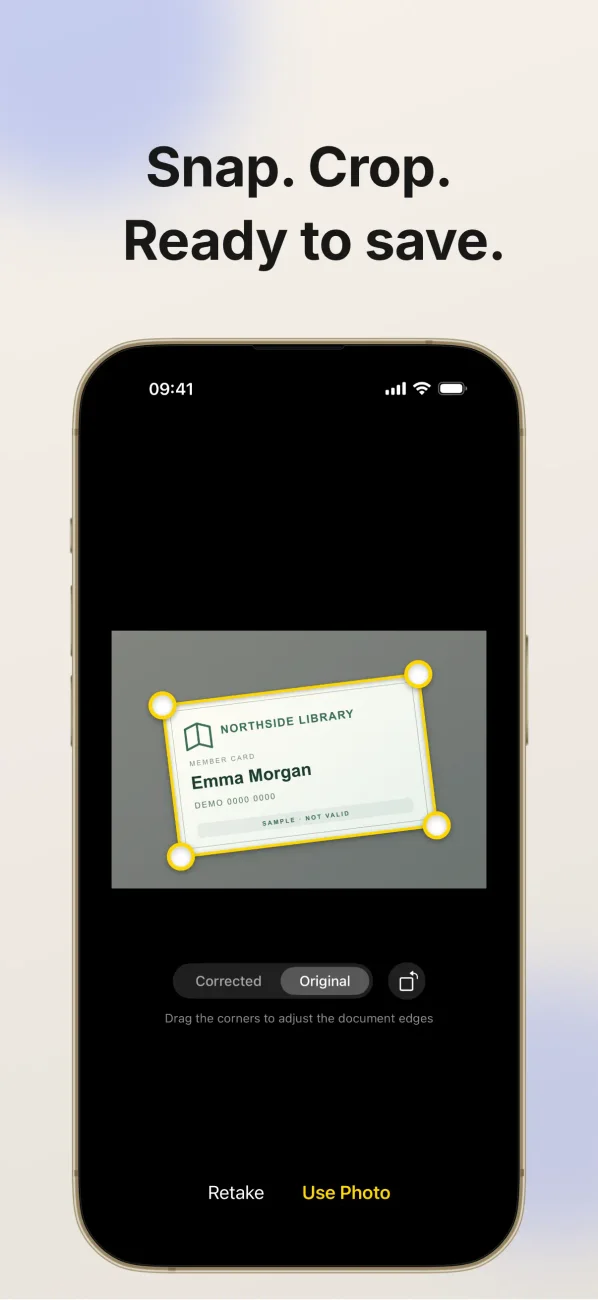
Photograph, crop and straighten documents. Automatically extract names, document or card numbers, and expiry dates from supported ID cards, bank cards and passports.
Prepare copies and print
Arrange document photos, including both sides of an ID card, on A4 and other paper sizes. Save as a PDF or images, share files or use system printing.
Text and date watermarks
Add text or date patterns to the background of exported pages. Adjust the content and opacity without changing your original document photos.
Organize the whole family's documents
Group documents by person or type. Associate shared documents, such as household registers, with multiple people.
Multiple document types
Store ID cards, bank cards, household registers, passports, driver's licenses, social security cards, residence permits, membership cards and more. Photo slots adapt to the type: front, back or multiple pages.
Expiry reminders
See documents expiring soon or already expired. Choose how many days in advance to be reminded and at what time.
Search, copy and view
Search by person, document type or notes. Copy details such as document numbers with one tap. Zoom in or swipe between photos in full screen.
Encrypted backups and restore
Protect exported backups with a password and choose where to save them. Import a backup manually to restore your documents when changing devices.
Appearance and themes
Use light mode, dark mode or your system appearance. Premium unlocks additional home screen color themes.
PRIVACY FIRST
Stored on your device
Document photos and details stay on your device and do not pass through our servers. We cannot access your documents.
System encryption
Document photos use iOS Data Protection for encryption while your device is locked.
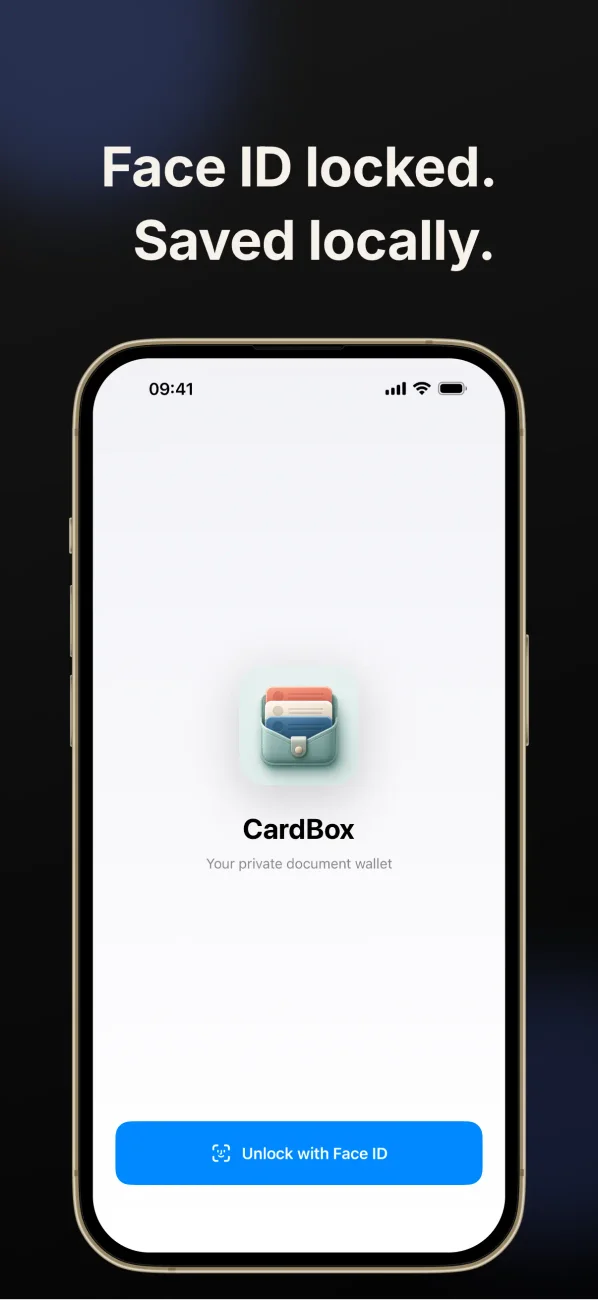
Face ID / Touch ID app lock
Enable app lock to authenticate with your face or fingerprint. CardBox locks automatically when it moves to the background.
Photos excluded from iCloud backups
Photos saved within CardBox are excluded from automatic iCloud backups. Create an encrypted backup to move them.
No account or ad tracking
We collect no personal information and use no advertising or analytics SDKs. Organization and recognition work offline. Apple handles in-app purchases and verification.
WHEN YOU NEED IT
· Prepare ID copies for renting a home, starting a job or submitting expenses.
· Find passport details for travel, studying abroad or visa applications.
· Keep your family's ID cards, household registers and other documents together.
· Organize document photos separately from your photo library and keep them private.
FREE AND PREMIUM
The free version stores up to 3 documents and includes scanning and recognition, app lock, expiry reminders, printing and export, and encrypted backups.
CardBox Premium unlocks:
· Unlimited document storage
· Additional home screen themes
Two purchase options:
· Monthly subscription: renews automatically; cancel in system settings at any time.
· Lifetime unlock: a one-time purchase for permanent access to Premium features.
Subscriptions are charged to your Apple ID and renew automatically unless auto-renewal is turned off at least 24 hours before the current period ends. Manage subscriptions in iPhone Settings > your name > Subscriptions.
CONTACT
Questions or suggestions? Email us:
malistudiolab@outlook.com
Privacy Policy:
https://ujaze9odwg.feishu.cn/wiki/KL5bwUwthiENV0krLkfcE3Cln7g
Terms of Use (EULA):
https://www.apple.com/legal/internet-services/itunes/dev/stdeula/
What’s new
Version 0.6.0 · Nov 9, 2026
Finding your cards is easier—search by name, number, or other card details.
App privacy
What 娣 张 declares on the App Store about how this app handles data.
-
Data not collected
The developer does not collect any data from this app.
Privacy practices may vary, for example with the features you use or your age.
Information
- Seller
- 娣 张
- Category
- Utilities
- Version
- 0.6.0
- Updated
- Nov 9, 2026
- Released
- May 25, 2026
- Size
- 6.2 MB
- Requires
- iOS 17.0 or later
- Age rating
- 4+
- In-app purchases
- Yes
- Languages
- English, Simplified Chinese, Traditional Chinese
- Copyright
- © 2026 Mali Studio
You might also like
-
 Soulpi: Your Game JournalTrack bosses, milestones, loot
-
 直达GoUtilities
-
 Soodar Time · 桌面小组件 · 超大年月日时间Utilities
-
 DocPocket: ID Card WalletOCR Scanner & Watermark Export
-
 CardPouch: Cards & DocumentsLoyalty wallet & ID organizer
-
 ikatuSecure And User-Friendly
-
 Freeport ReportUtilities
-
 Aubade - AI Bird Song IDAudio identifier & life list
-
 CardPal - Credit ManagerProfessional Expense Tracker
-
 BastooUtilities