CardPouch: Cards & Documents
Loyalty wallet & ID organizer
Designed for iPhone
Free · In-app purchases
- Age rating4+
- CategoryUtilities
- Developer连辰 陈
- LanguagesEnglish+ 13 more
- Size14.2 MB
Links to the official App Store page
Download.org hosts no file of CardPouch: Cards & Documents. The button opens its official App Store page, published by 连辰 陈. Listing last checked on Nov 23, 2026.
Screenshots

About
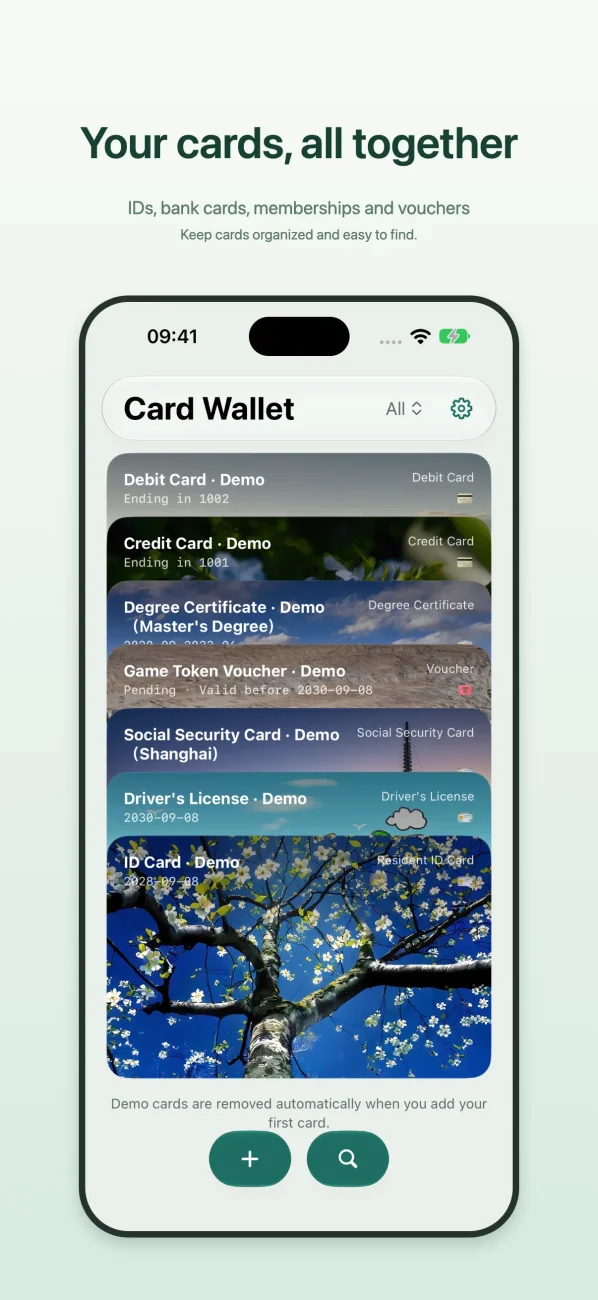
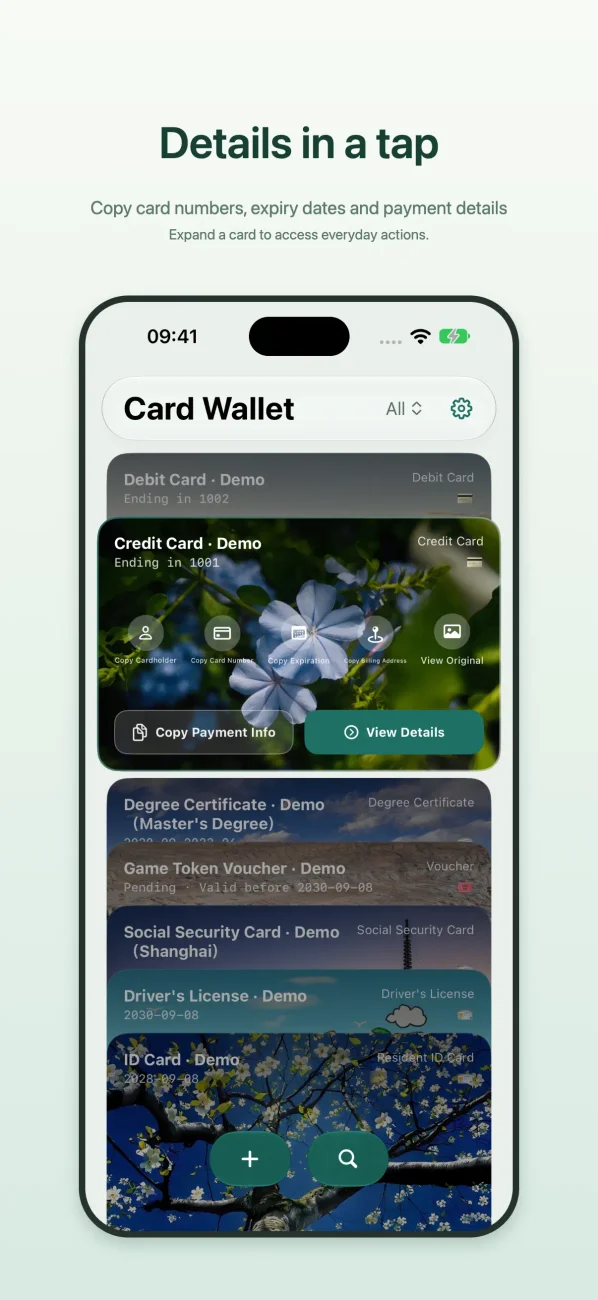
Find a document photo, copy a card number or show a loyalty code without searching through your photo library. CardPouch organizes personal and family cards, documents, coupons and their photos. No sign-up or ads. Everyday organization and viewing work offline.
ORGANIZE BY PERSON AND TYPE
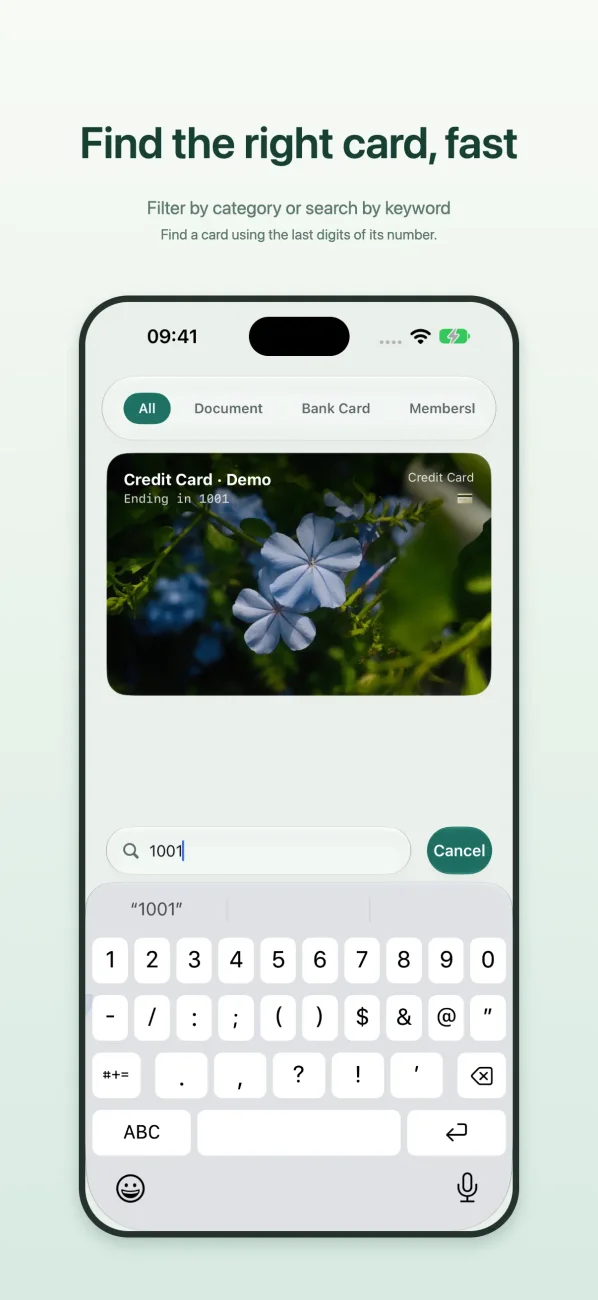
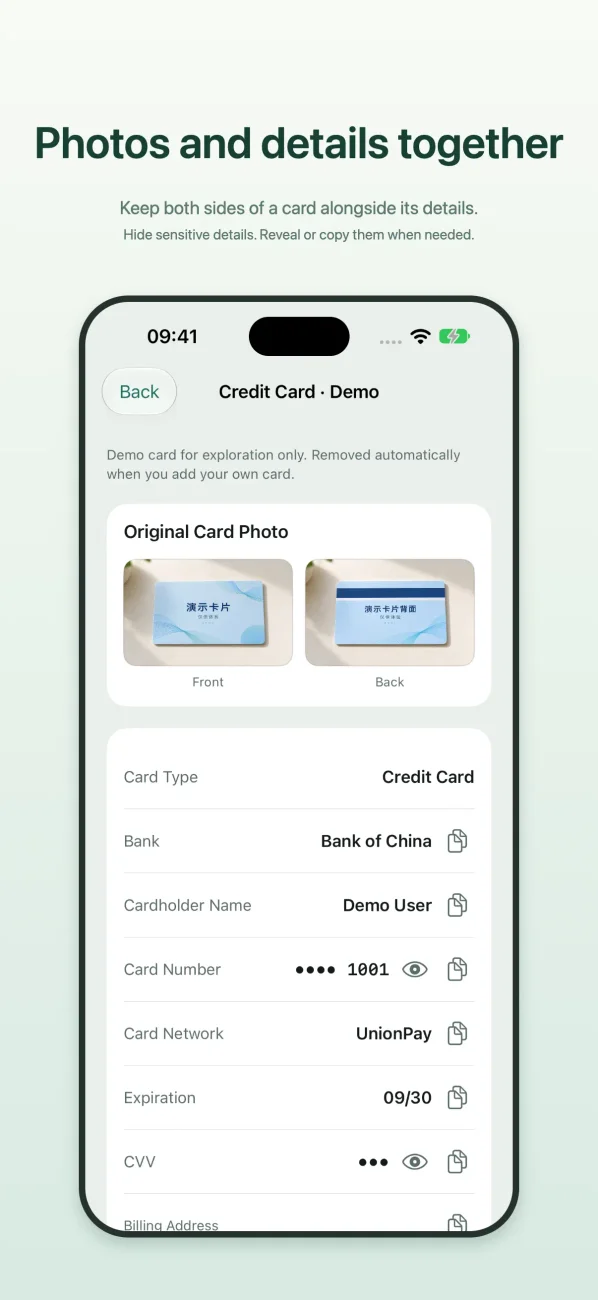
Assign each card to one member, combine member and type filters, search and copy details. Members organize records inside your wallet; they are not shared accounts. Reorder or archive cards and return to your last filters.
SHOW LOYALTY CODES QUICKLY
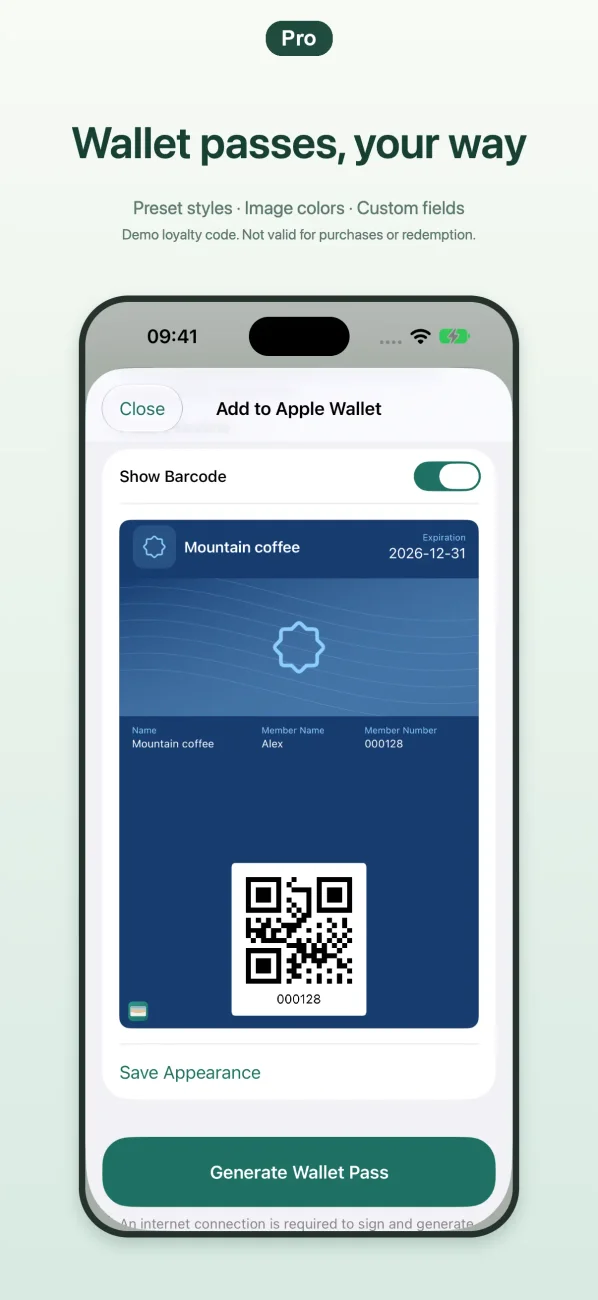
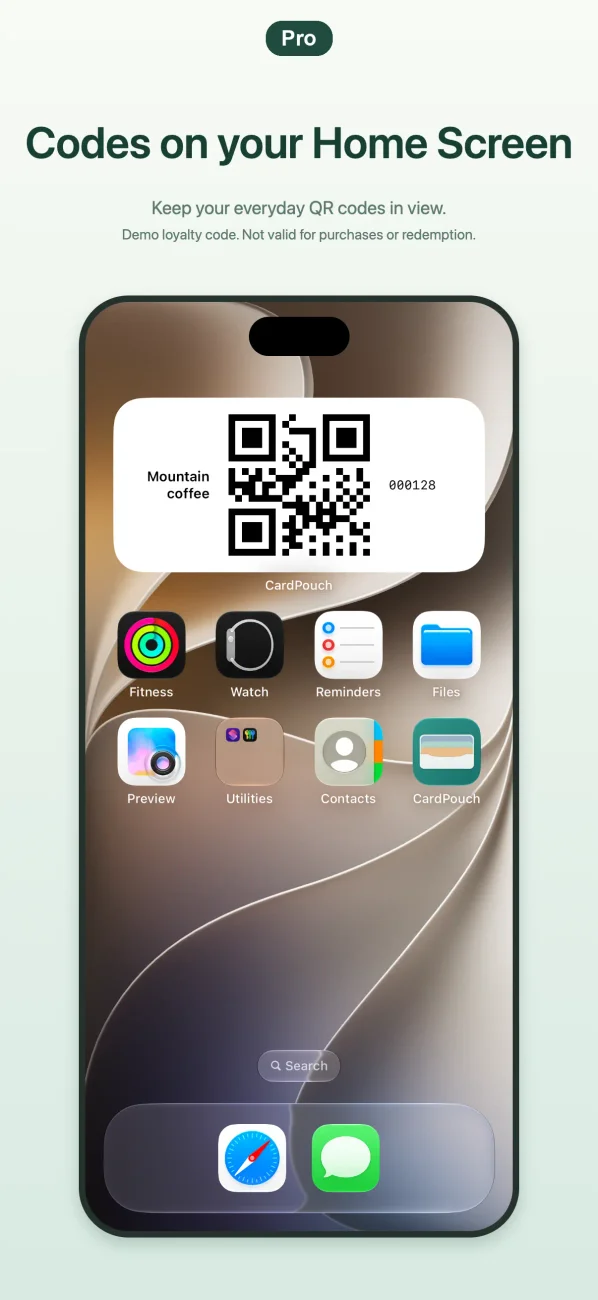
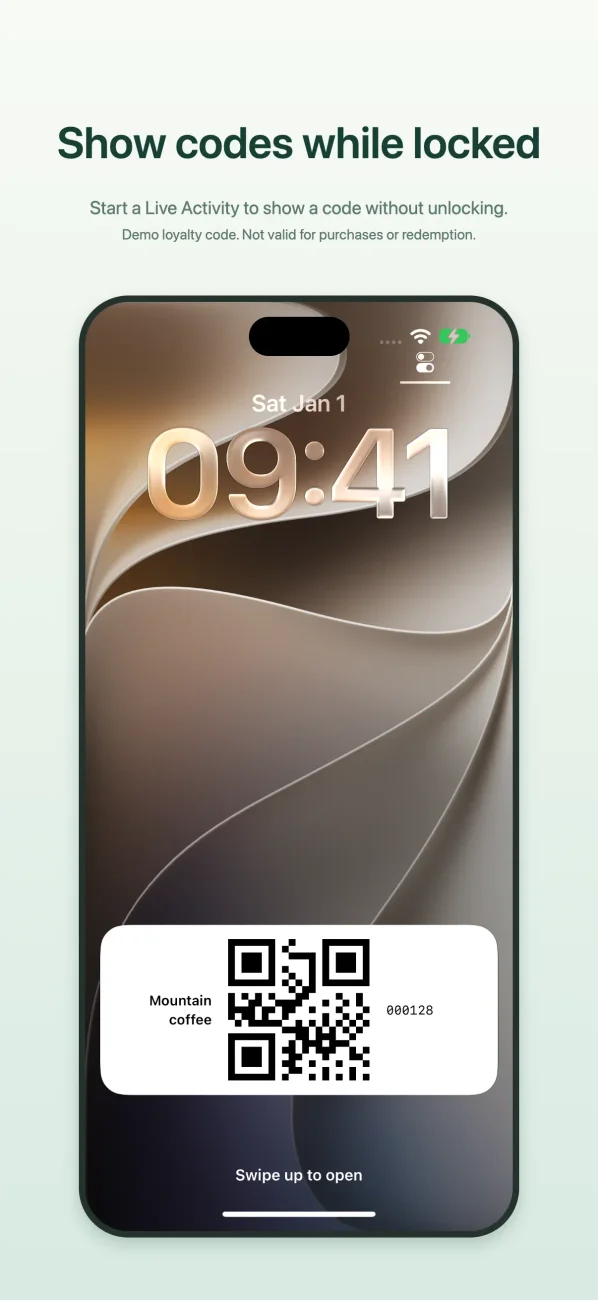
Read codes from photos and show eligible codes on the Lock Screen. Pro adds Home Screen widgets and related entries, plus custom Apple Wallet pass generation. Names and codes may be visible without unlocking. Wallet generation needs internet and confirmation in Apple's interface. Local edits do not update or remove independent Wallet passes. Use Live Activities for eligible codes. Customize pass styles, fields and the text below the code; leave that text blank to hide it.
PREPARE PHOTOS BEFORE SHARING
Import images from Photos or Files. Recognize text on device, then check it against the original. Rotate photos, adjust the displayed area, view the complete original and preview purpose or date watermarks. Export one photo or all photos as separate images. Watermarks label intended use; they cannot prevent copying or redistribution.
REMEMBER IMPORTANT DATES
Set expiry reminders and record credit limits, currency, statement dates and repayment rules. View statement countdowns and set statement and repayment reminders separately. Tap a notification and unlock to locate its card. Notifications require permission. Dates follow your entries, not a bank connection; verify them against your bank's statement. Set a default reminder time for each card type, or choose a different time for an individual card.
LOCAL STORAGE, OPTIONAL SYNC
Data is stored encrypted. Optional iCloud sync transfers cards, members, photos and applied flattened backgrounds between devices on the same Apple Account, with on-device encryption before upload. It requires iCloud Keychain, network access and storage. Editable background libraries and layers are not synced. Deletions sync too; sync is not a historical backup.
TAKE SAVED DESIGNS TO A NEW DEVICE
Local-network migration includes saved background designs and editable layers, preserving their order. The receiving device needs a compatible version; unsaved drafts are excluded. Customize card backgrounds and choose a different app icon in Settings.
FREE FEATURES AND PRO
Keep up to five counted cards for free, with recognition, encrypted storage, member organization, sync, reminders, watermarks, backgrounds and local migration. Archived cards count; demo cards and Recently Deleted do not.
Pro unlocks unlimited cards, Home Screen widgets and Apple Wallet generation through monthly or annual auto-renewing subscriptions or a one-time lifetime purchase. Available plans, prices and offers appear at purchase. Apple handles billing and renewal; cancel in your Apple Account's subscription settings. Existing cards are not deleted when Pro expires.
Requires iOS 17 or later. The interface supports 14 languages. A device passcode is required. CardPouch does not replace physical credentials or provide payments, NFC access-card emulation or official identity verification.
Privacy Policy:https://coderchan.com/en/privacy/cardpouch
Terms of Use:https://coderchan.com/en/terms/cardpouch
Support:coderchan.support@icloud.com
What’s new
Version 1.2.1 · Nov 20, 2026
1.2.1 Update
• Fixed an issue on iOS 17 that could cause the app to freeze when opening certain pages in Settings.
• You can now expand cards directly in search results and clear the search text to keep typing. When adding a card, the form shows what’s missing before you can save. Hints for single-sided documents, card backgrounds, and Home Screen widgets are clearer.
Recap: What’s New in 1.2.0
• Generate a code from a generic card’s number or read one from an image, then open the card to show it. With Pro, you can also create Apple Wallet passes for eligible generic cards.
• Rotate original photos, adjust the displayed area, view the complete original and preview watermarks. Export one photo or all photos as separate images.
• Import card images from Files when adding or editing cards.
• Migrate saved background designs and editable layers, with improved merging, deduplication and ordering. A compatible receiving version is required.
• Improved expiry, statement and repayment notifications. Tap and unlock to locate a card; reminder indicators appear in the list.
• Set a default reminder time for each card type, or choose a different time for an individual card.
• Customize pass styles, fields and the text below the code; leave that text blank to hide it.
• Choose from six new alternate app icons in Settings.
• Added iOS 17 support and improved photo viewing, card expansion, locking on return and Settings layout.
• Added Italian, Brazilian Portuguese, Russian, Indonesian, Vietnamese and Thai, for 14 interface languages.
App privacy
What 连辰 陈 declares on the App Store about how this app handles data.
-
Data not collected
The developer does not collect any data from this app.
Privacy practices may vary, for example with the features you use or your age.
Information
- Seller
- 连辰 陈
- Category
- Utilities
- Version
- 1.2.1
- Updated
- Nov 20, 2026
- Released
- Oct 10, 2026
- Size
- 14.2 MB
- Requires
- iOS 17.0 or later
- Age rating
- 4+
- Price
- Free
- In-app purchases
- Yes
- Languages
- English, French, German, Indonesian, Italian, Japanese, Korean, Portuguese, Russian, Simplified Chinese, Spanish, Thai + 2 more
- Copyright
- © 2026 CoderChan
You might also like
-
 Idle Isle: Relax & Focus TimerStudy with cozy lofi scenery
-
 我不想当班主任-班主任工作台&教师工作台&班级管理Utilities
-
 StepBy: Checklists & WorkflowsStep-by-step tasks & SOPs
-
 Arrebol: Sunset & Golden HourSun & Moon Photo Planner
-
 PinletKeep What Matters in View
-
 Nenrin – Same Day, Every Year365 files, a lifetime of days
-
 游离 - 相册清理Utilities
-
 Noise Level Meter: SpectroiddB & frequency detector
-
 Dayfold - Countdown & WidgetsCount Up & Days Since
-
 Data Widget: remaining dataagainst your own plan date