
- Age rating4+
- CategoryProductivity
- DeveloperSuhang Jiang
- LanguagesEnglish
- Size974.0 KB
Links to the official App Store page
Download.org hosts no file of 拍照查字数. The button opens its official App Store page, published by Suhang Jiang. Listing last checked on Nov 17, 2026.
Screenshots


About
The developer has not provided this text in your language.
手写体和印刷体图片文字识别和字数统计。
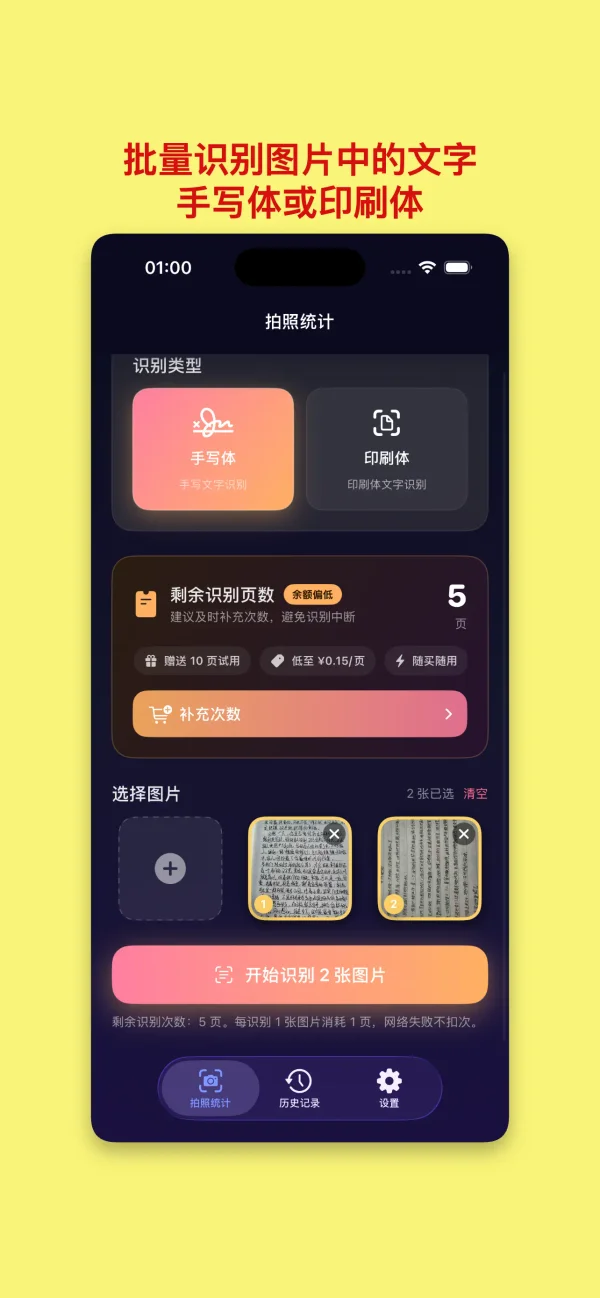
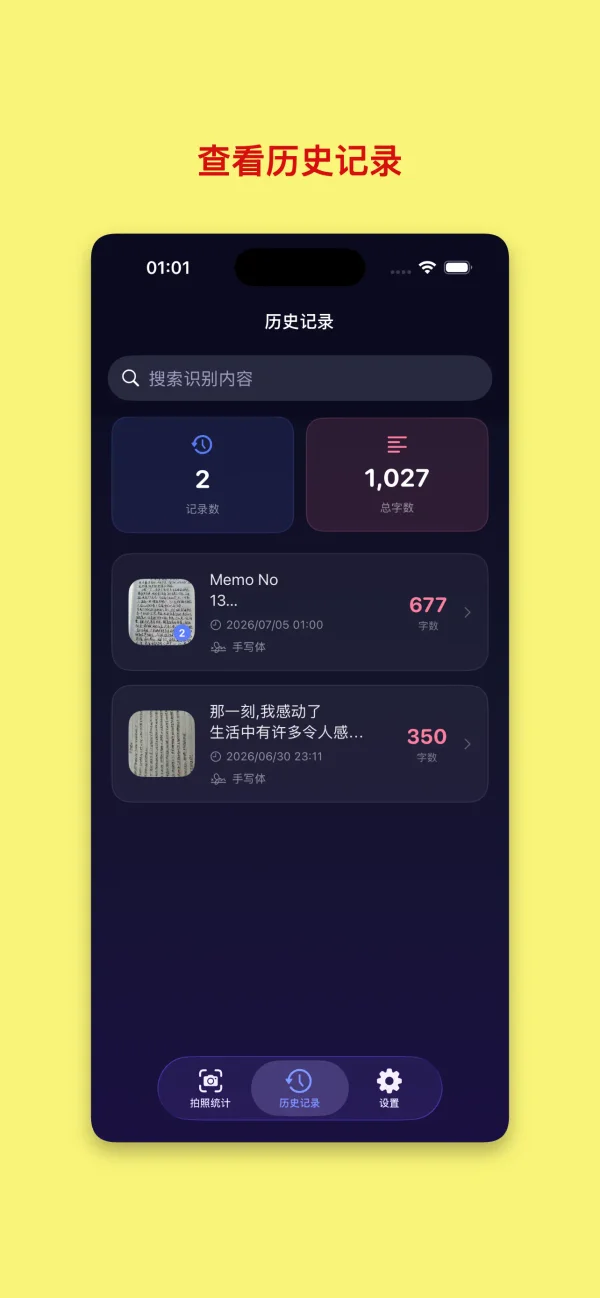
支持批量一次识别扫描 20 张图片,一键提取全部文字内容,自动分开统计汉字、英文单词、数字、标点四类数据,拍照即刻得出精准字数,彻底告别手动录入。
适用多种人群与场景:
学生群体:手写作文、课堂作业、考场文稿快速核对字数,轻松满足写作字数要求
办公人群:打印文档、会议板书、网页截图批量提取文字,统计文稿篇幅
阅读整理:书本段落、打印资料、试卷内容拍照转文字,方便摘抄归档
核心功能亮点:
精确识别手写体
批量多图扫描
单次最多导入 20 张相册图片连续识别,不用单张反复拍摄,批量处理大幅节省时间
双模式文字识别
同时兼容潦草手写字体、清晰印刷文字,作文、书籍、截图、试卷均可精准识别,识别稳定准确
多维度精细统计
智能区分中文汉字、英文单词、阿拉伯数字、标点符号,分项展示数量,数据清晰不混淆
图片一键提取文字
识别完成直接导出可复制文本,无需手动打字,复制粘贴编辑、存档都方便
简单易上手
打开相机直接拍摄,或从相册导入图片,无需复杂设置,新手一键完成扫描计数
不管是写作业核对作文字数,还是整理文档、统计截图文字,都能高效省心,是日常文字计数必备工具。
拍照就能统计图片中的全部字数,手写体和印刷体识别准确,批量识别省时省力。
photo word count, photo word counter, ai word counter, photo to text, picture to text.
Count the number of Chinese characters and English words in photos.
隐私协议:https://paizhaocha.pages.dev/privacy.html
用户协议:https://paizhaocha.pages.dev/terms.html
What’s new
Version 1.1 · Aug 30, 2026
更新了应用图标及截图
App privacy
What Suhang Jiang declares on the App Store about how this app handles data.
-
Data not linked to you
May be collected but is not linked to your identity.
- User content
Privacy practices may vary, for example with the features you use or your age.
Information
- Seller
- Suhang Jiang
- Category
- Productivity
- Version
- 1.1
- Updated
- Aug 30, 2026
- Released
- Jul 8, 2026
- Size
- 974.0 KB
- Requires
- iOS 16.0 or later
- Age rating
- 4+
- Price
- Free
- In-app purchases
- Yes
- Languages
- English
- Copyright
- © 2026 Suhang Jiang
You might also like
-
 字数统计:论文工作文字写作报告统计字数工具Productivity
-
 始末Productivity
-
 Progress 2.0Manage your goal progress.
-
 CandyMind: Pomodoro TimerFocus, Tasks & Time Tracking
-
 UDO List 待办清单、日历、专注番茄、游戏化、目标管理Productivity
-
 敬业签HD - 记事备忘云便签Productivity
-
 FocusFishing - pomodoro timercollect via focus fishing!
-
 HistoAtlas: East Asia & BeyondAtlas of Chinese History
-
 LeavePhone | Less Screen TimeFocus, App Limits, Sleep Lock
-
 乐创 - AI音乐歌曲创作Productivity