
输入法增强 - 拼音词库
让系统输入法认识你的专业词、地域词、生僻词——不再逐字选字
Designed for iPhone, iPod touch
In-app purchases
- Age rating4+
- CategoryUtilities
- Developer大伟 任
- LanguagesTraditional Chinese+ 4 more
- Size14.9 MB
Links to the official App Store page
Download.org hosts no file of 输入法增强 - 拼音词库. The button opens its official App Store page, published by 大伟 任. Listing last checked on Nov 10, 2026.
Screenshots


About
Input Enhancer — put your own words in the keyboard bar
Your keyboard doesn't know the words you actually use: specialized terms, product
names, abbreviations, place names, industry jargon. So you type them piece by piece
and hunt through pages of candidates.
Input Enhancer writes your word list into Contacts as contact names. Apple's keyboard
prioritizes contact names as candidates, so your entries show up right in the candidate
bar — one tap inserts them. No third-party keyboard, no keyboard permission, no typing
data leaving your device.
HOW IT WORKS
Contact name = entry. Apply a dictionary, wait for the system index to update (usually a
few minutes), then start typing and tap the entry in the candidate bar.
BUILT-IN DICTIONARIES
- 6 dictionaries in 3 categories — 20,500+ entries in total
- Free: US Cities
- Paid: Foreign Trade Vocabulary, Financial Accounting, Finance Terms, Insurance
Vocabulary, Computer Terminology
- Browse by category, search, and apply a whole dictionary with one tap
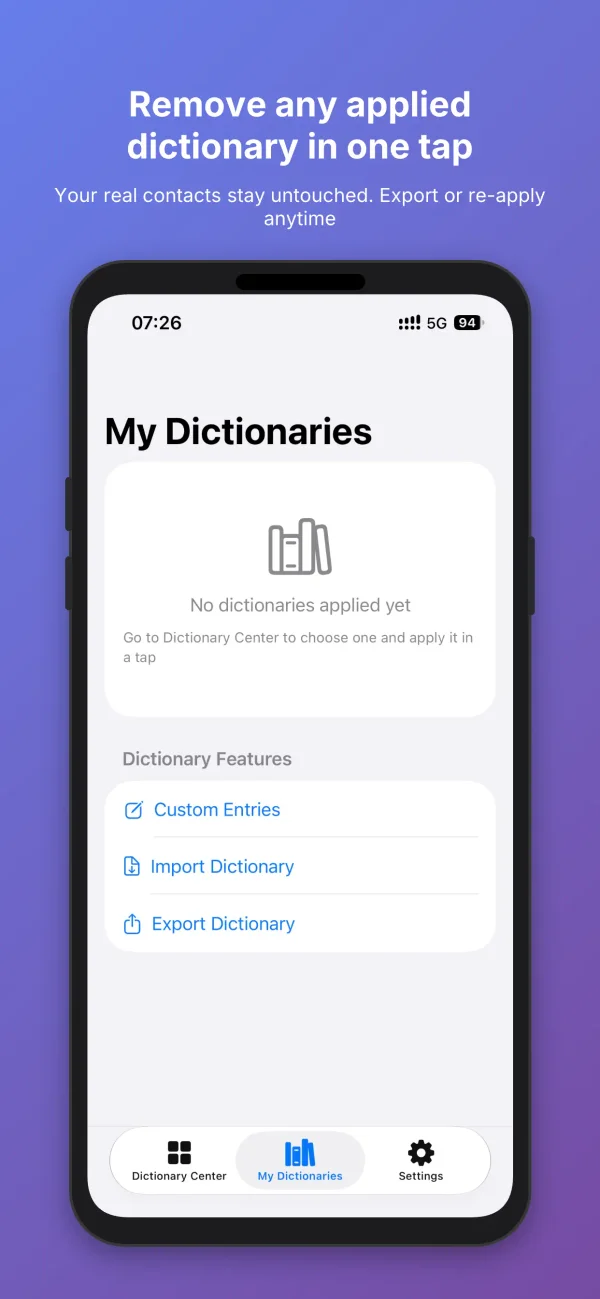
- Applied dictionaries stay in sync and can be re-applied or removed at any time
YOUR OWN WORD LISTS
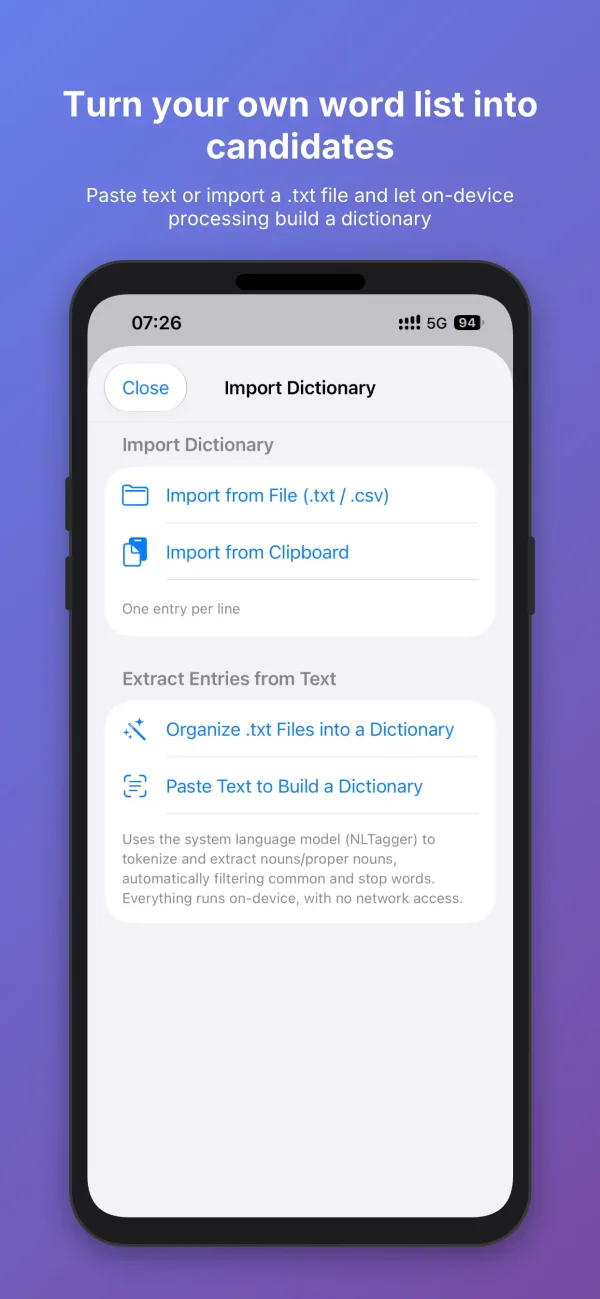
- Import a .txt file or paste text — on-device processing extracts entries and builds a
dictionary automatically
- Add custom entries one by one
- Export applied dictionaries as .txt to back up or share
(Import, custom entries and export are included with the subscription.)
CONTACTS TOOLKIT
- Merge duplicate contacts, or batch add notes, name prefixes, company info and phone prefixes
- Organize your own contacts into a group that stays separate from dictionary groups
- One-tap undo for the last operation, with a safety check before rollback
PRIVACY AND SECURITY
- Everything stays on your device: entries live in Contacts, dictionary files are
encrypted, and nothing is uploaded
- No account, no ads, no tracking, no analytics
- Contacts access is used only to write entry contacts — your Contacts are never uploaded
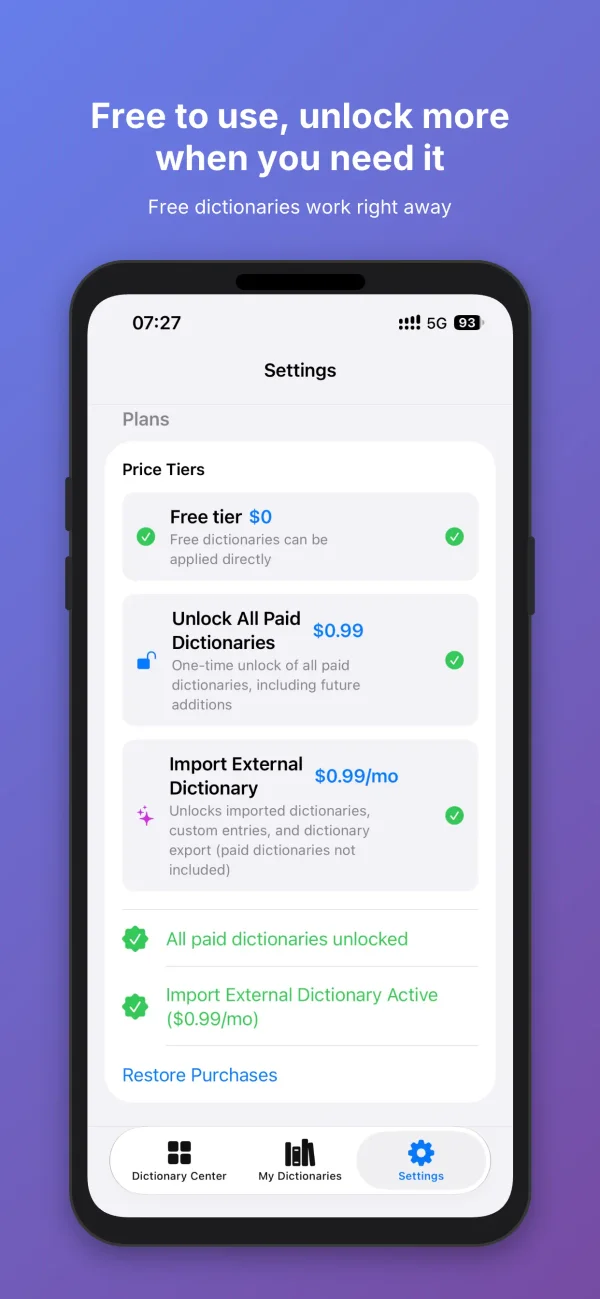
FREE AND PAID
- Free: free dictionaries work immediately, with apply, manage and export
- One-time purchase: unlock all paid dictionaries, including future additions
(price varies by region)
- Subscription: unlock import, custom entries and export (price varies by region;
auto-renewing; manage or cancel anytime in your Apple ID settings)
GETTING STARTED
1. Open Dictionary Center and tap Apply on a dictionary
2. Wait for the system index to take effect (a few minutes), then try typing
3. If candidates don't show up, go to Settings > General > Transfer or Reset iPhone >
Reset > Reset Keyboard Dictionary, then try again
This app works with Apple's built-in keyboard. It does not install or require any
third-party keyboard.
Terms of Use:https://www.apple.com/legal/internet-services/itunes/dev/stdeula/
What’s new
Version 1.1 · Sep 19, 2026
Added multi-language dictionaries; improved the overall experience.
App privacy
What 大伟 任 declares on the App Store about how this app handles data.
-
Data not collected
The developer does not collect any data from this app.
Privacy practices may vary, for example with the features you use or your age.
Information
- Seller
- 大伟 任
- Category
- Utilities
- Version
- 1.1
- Updated
- Sep 19, 2026
- Released
- Sep 8, 2026
- Size
- 14.9 MB
- Requires
- iOS 15.0 or later
- Age rating
- 4+
- In-app purchases
- Yes
- Languages
- Traditional Chinese, Japanese, Simplified Chinese, English, Korean
- Copyright
- © 2026 rendawei
You might also like
-
 GearBoardOffline Chinese Pinyin
-
 RectflyPinyin with typo correction
-
 爱创输入法Utilities
-
 乐言输入法Utilities
-
 SafeInput: Chinese KeyboardOffline Pinyin, phrases & keys
-
 南风有痕Utilities
-
 LangboardLearn English while you type
-
 建采通Utilities
-
 Global Messenger TrackingUtilities
-
 NanoMouse - IME for AI eraAI voice input, polish, transl