零彝字体库
Yi fonts for iPhone & iPad
Designed for iPhone, iPad
Free · In-app purchases
- Age rating4+
- CategoryUtilities
- Developer雪磊 茶
- LanguagesEnglish
- Size8.2 MB
Links to the official App Store page
Download.org hosts no file of 零彝字体库. The button opens its official App Store page, published by 雪磊 茶. Listing last checked on Nov 23, 2026.
Screenshots


About
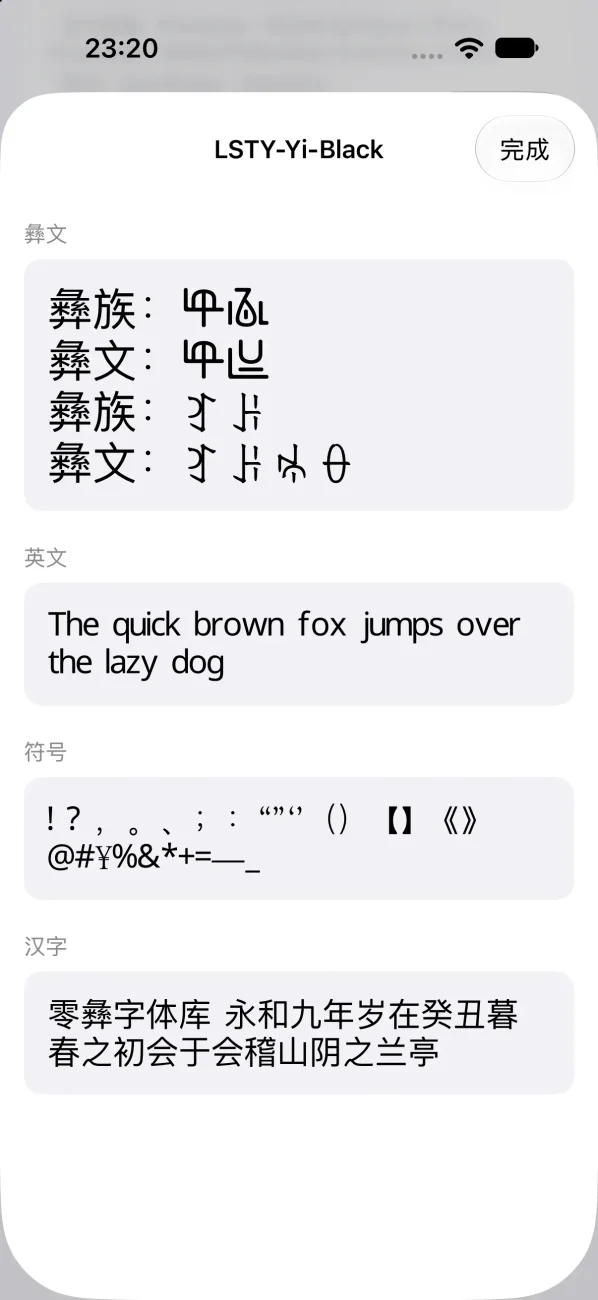
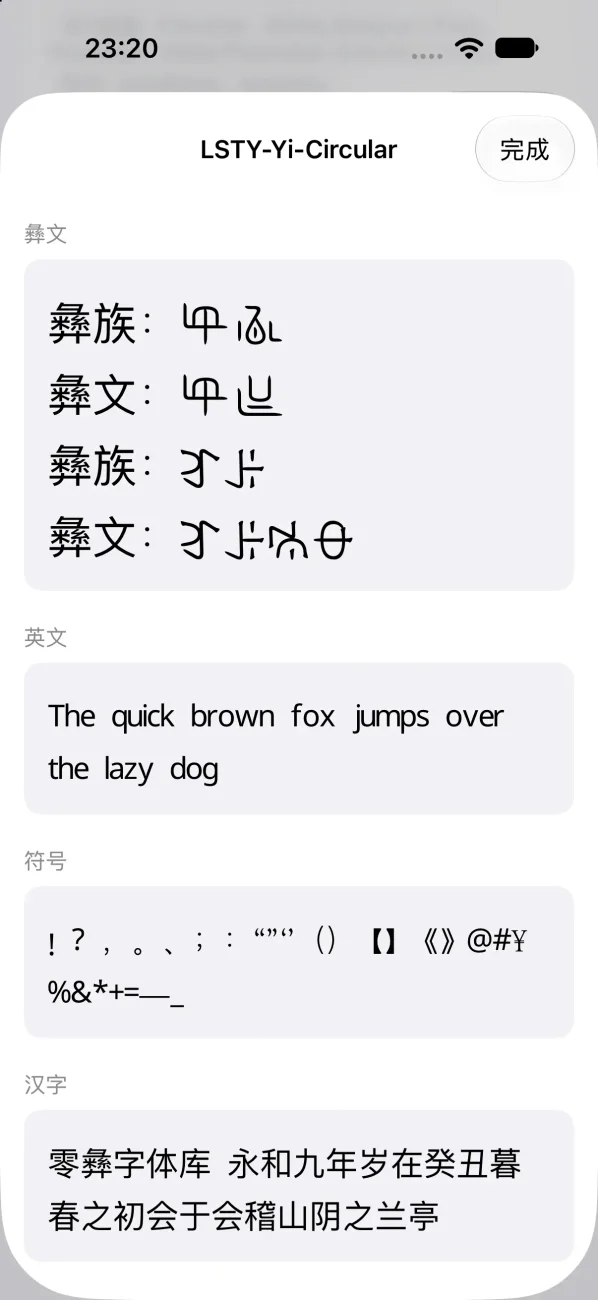
LingYi Font Library — a professional font tool crafted for the Yi script.Yi is one of the world's oldest writing systems still in daily use, yet for a long time iPhone and iPad users have lacked professional Yi fonts they could freely switch and typeset. LingYi Font Library offers four carefully designed Yi fonts that uniformly cover Yi characters, Chinese characters, English letters, and common symbols. Install once and use them freely across any app that supports custom fonts.Four fonts, each with its own style · Hei (Sans-Serif) — bold, heavy strokes; ideal for titles and large display text · FangZheng (Square) — upright, structured forms; ideal for formal documents and print layout · YuanTi (Rounded) — soft, friendly curves; ideal for daily reading and journaling · YuanHei (Rounded Sans) — a balance of strength and softness; works for both titles and body textEach font covers Yi characters, common Chinese characters, English letters, and punctuation, so mixed-script layouts never look inconsistent.Free preview — see before you buy Every font supports free preview before purchase: Yi phrases, English letters, punctuation, and Chinese samples are all shown on one screen, so you can confirm you're satisfied before buying.How to use after installing Once a font is installed to the system, you can select it directly in any of these apps that support "custom fonts / display font switching": · Apple productivity: Pages, Numbers, Keynote · Microsoft Office: Word, Excel, PowerPoint · Design & illustration: Procreate, Affinity Designer, Pixelmator, Adobe Photoshop / Illustrator / Fresco · Notes & journaling: GoodNotes, Notability · Graphic & layout: Canva, Phonto, Over · Any other app that calls the system font pickerOne purchase, yours forever · Single font: ¥8 each; Full Bundle: ¥24 (unlocks all four, better value) · Non-subscription — buy once, use forever · Restore purchases supported: after switching phones or reinstalling the app, tap "Restore Purchases" to recover your fonts · Redeem codes supported: after receiving a promo code from an event, tap "Redeem Code" in the app to unlockImportant notes Due to iOS system limitations, installing these fonts cannot change the system-wide font; they can be selected within apps that support custom fonts. Please use the free preview to confirm the glyphs before purchasing.Yi script belongs to everyone who uses it. May these fonts help Yi writing be seen by more people in the digital world.Contact us Email: 113234306@qq.com Website: https://www.lingyiio.top/
What’s new
Version 1.0.1 · Nov 10, 2026
This update introduces in-app purchases: buy and install any of the four original Yi fonts (Hei, FangZheng, YuanTi, YuanHei) right inside the app. Each font offers free preview before purchase, plus restore purchases and redeem codes. One purchase, yours forever—installed fonts work in Pages, Word, Procreate, and more.
App privacy
What 雪磊 茶 declares on the App Store about how this app handles data.
-
Data not collected
The developer does not collect any data from this app.
Privacy practices may vary, for example with the features you use or your age.
Information
- Seller
- 雪磊 茶
- Category
- Utilities
- Version
- 1.0.1
- Updated
- Nov 10, 2026
- Released
- Nov 9, 2026
- Size
- 8.2 MB
- Requires
- iOS 16.0 or later
- Age rating
- 4+
- Price
- Free
- In-app purchases
- Yes
- Languages
- English
- Copyright
- © 2026 零彝团队
You might also like
-
 万象调音器-专业吉他尤克里里贝斯提琴班卓曼陀林定弦音准校准器Utilities
-
 印章抠图Utilities
-
 ZeroOne KeyboardPinyin · Zhuyin · Shuangpin
-
 LED Banner Marquee For ChatLED Light Scrolling Text
-
 Ledart & Flashing Lights AppMake it Big & White Screen Pro
-
 Love Widgets - CountdownAnniversary Reminders
-
 Tracepad - Mouse & TrackpadKeyboard for Mac, iPad, PC
-
 LED Banner-FlashText LEDShow large text on your screen
-
 Font Installer: Google FontsiFont: Install Fonts for Word
-
 信用中国Utilities