
ZeroOne Keyboard
Pinyin · Zhuyin · Shuangpin
Designed for iPhone, Mac
Free · In-app purchases
- Age rating4+
- CategoryUtilities
- Developer海平 吴
- LanguagesEnglish+ 2 more
- Size61.7 MB
Links to the official App Store page
Download.org hosts no file of ZeroOne Keyboard. The button opens its official App Store page, published by 海平 吴. Listing last checked on Nov 21, 2026.
Screenshots

About
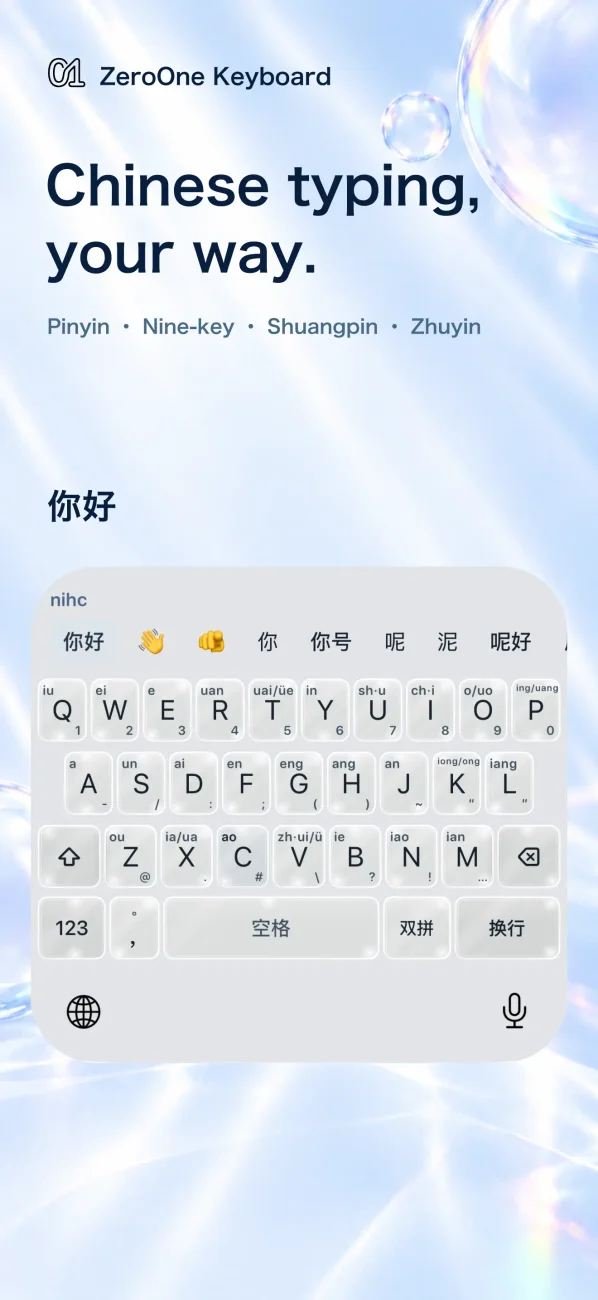
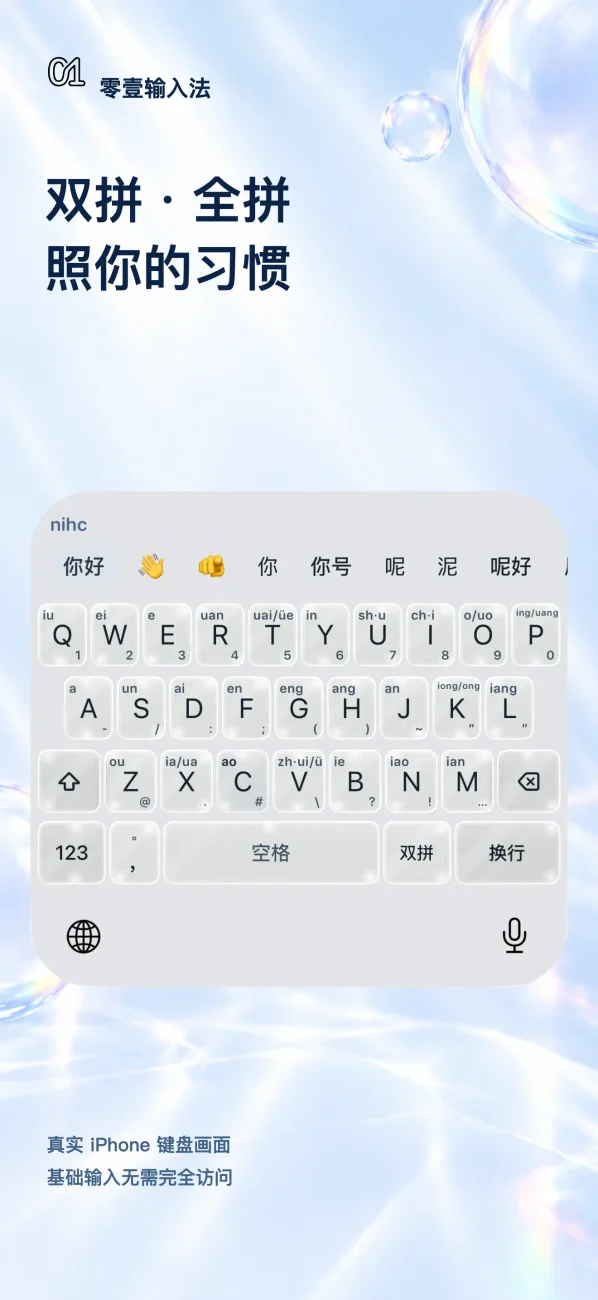
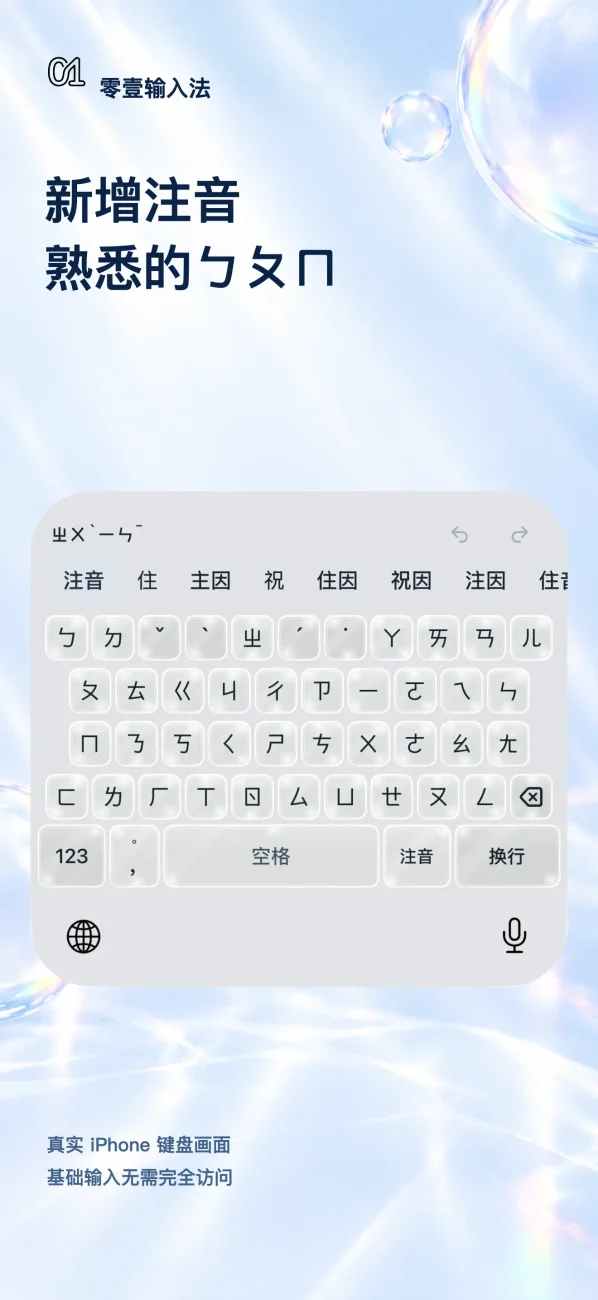
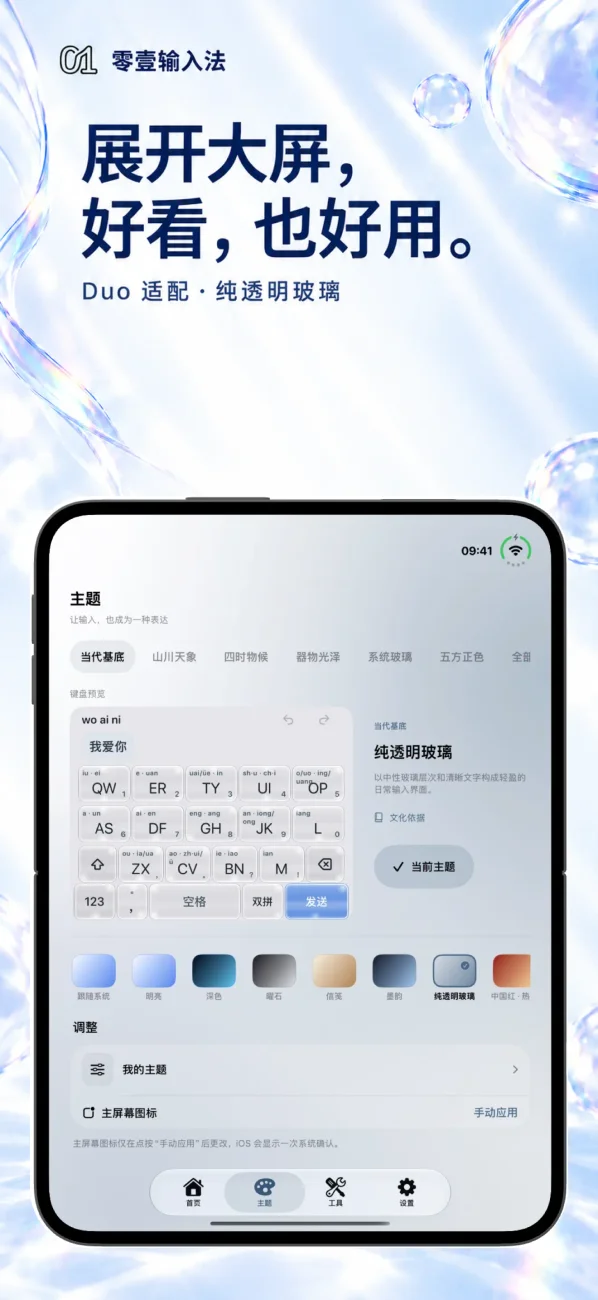
Type Chinese with the input method you know. Choose Shuangpin, Zhuyin or full Pinyin. Use sound hints with ZeroOne Shuangpin, choose Dachen or the Zhuyin Zero-Nine layout, or keep typing with full Pinyin. After installation, add ZeroOne in iPhone keyboard settings and select your input method and Chinese output preference.
Learn ZeroOne Shuangpin with on-key hints, or use a personal Shuangpin scheme.
Zhuyin supports tone-marked and tone-omitted input, Traditional Chinese candidates, phrase composition, candidate selection, undo, and redo. Choose Taiwan Traditional Chinese forms in settings.
Make the keyboard yours
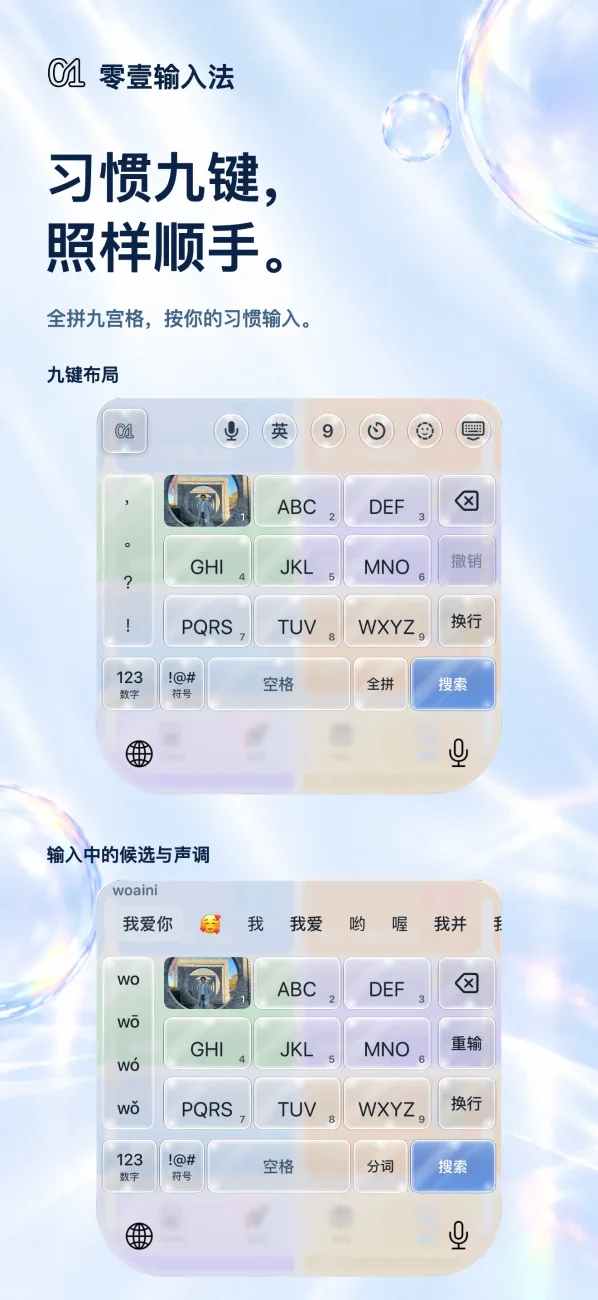
• Shuangpin, full pinyin, and nine-key layouts, personal shuangpin schemes, and auxiliary-code hints.
• Customize the nine-key 1 key: tap for your primary shortcut, hold for a function panel, or enter the digit 1.
• Preview and crop custom key photos. Settings apply immediately.
• Choose from several sound packs, including five original ZeroOne packs, with an option to play only when text is committed.
Tools while you type
Emoji categories, recents, snippets, numbers, symbols, calculations, amounts, unit conversion, dates, solar terms, and color tools.
On-device processing and optional sharing
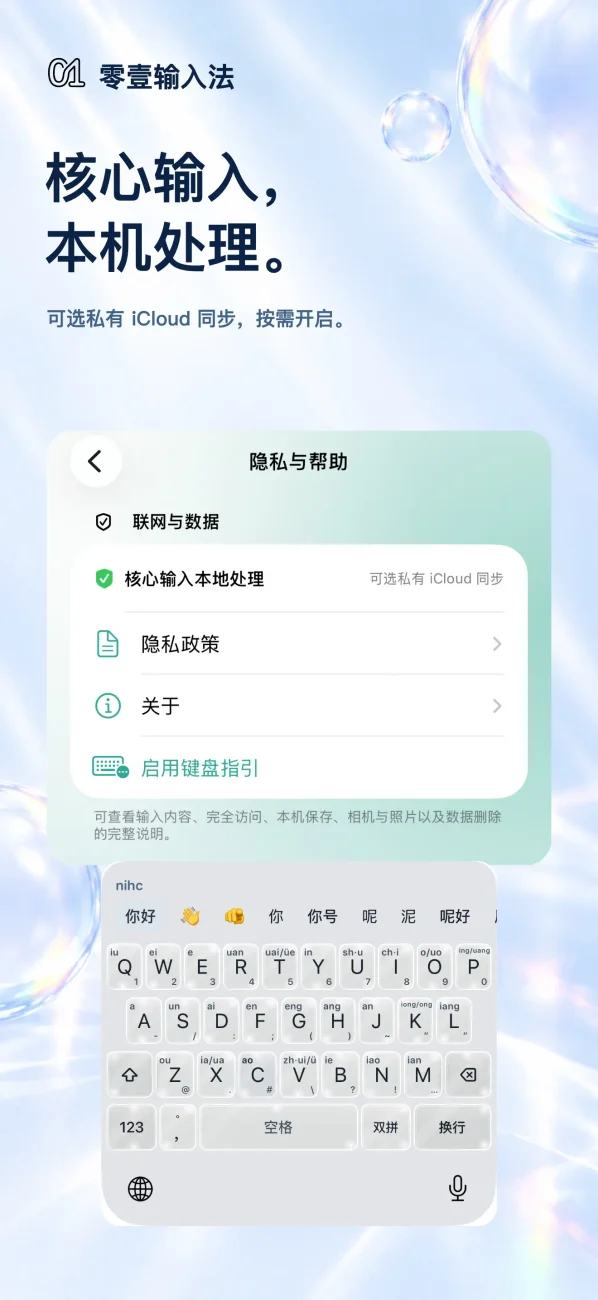
Everyday Chinese typing, candidates, and personal learning are processed on your device. Input content is not collected or uploaded to the developer. There are no ads or third-party tracking analytics.
Basic typing works without Full Access. Enable it when you want to share photos, sound settings, and preferences with the main app.
Cross-device paste is optional. When enabled, it syncs clipboard content through your own private iCloud database.
To start, add ZeroOne in Settings > General > Keyboard > Keyboards > Add New Keyboard, then hold the globe key in a text field to switch.
Terms of Use (Apple standard EULA): https://www.apple.com/legal/internet-services/itunes/dev/stdeula/
What’s new
Version 1.3.9 · Nov 19, 2026
With learning enabled, the keyboard remembers phrases you assemble word by word or character by character on your device.
Long suggestions now have their own row, and single characters align in columns.
When next-word suggestions are visible, the first press of Backspace dismisses them and keeps your text.
Fixed an issue where sliding onto Clear All with next-word suggestions visible only dismissed the suggestions.
App privacy
What 海平 吴 declares on the App Store about how this app handles data.
-
Data not collected
The developer does not collect any data from this app.
Privacy practices may vary, for example with the features you use or your age.
Information
- Seller
- 海平 吴
- Category
- Utilities
- Version
- 1.3.9
- Updated
- Nov 19, 2026
- Released
- May 31, 2026
- Size
- 61.7 MB
- Requires
- iOS 16.0 or later
- Age rating
- 4+
- Price
- Free
- In-app purchases
- Yes
- Languages
- English, Simplified Chinese, Traditional Chinese
- Copyright
- © 2021 Haiping Wu
You might also like
-
 XYZKeyboard-玲珑键盘Utilities
-
 LED Banner - Pocket Sign AppLED scroller, scrolling text
-
 TalkScreen-Phone show heartExpress your heart on phone
-
 Photo Cleaner:AI Smart CleanupDelete Duplicates, Save Space
-
 ClusterSwipe: free up spaceSwipe to delete photos
-
 NanoMouse - IME for AI eraAI voice input, polish, transl
-
 Flicker Insight: PWM TestLED, Screen & Light Meter
-
 PinletKeep What Matters in View
-
 FreshKeep-Save your groceriesFood Expiry Tracker
-
 RecallRoll: Photo CleanerRandom Photo Review & Cleanup