
AppGlance: App Analytics
Live users, installs & events
Designed for iPhone, iPad
In-app purchases
- Age rating4+
- CategoryDeveloper Tools
- DeveloperDylan Lualdi
- LanguagesEnglish
- Size14.1 MB
Links to the official App Store page
Download.org hosts no file of AppGlance: App Analytics. The button opens its official App Store page, published by Dylan Lualdi. Listing last checked on Nov 12, 2026.
Screenshots
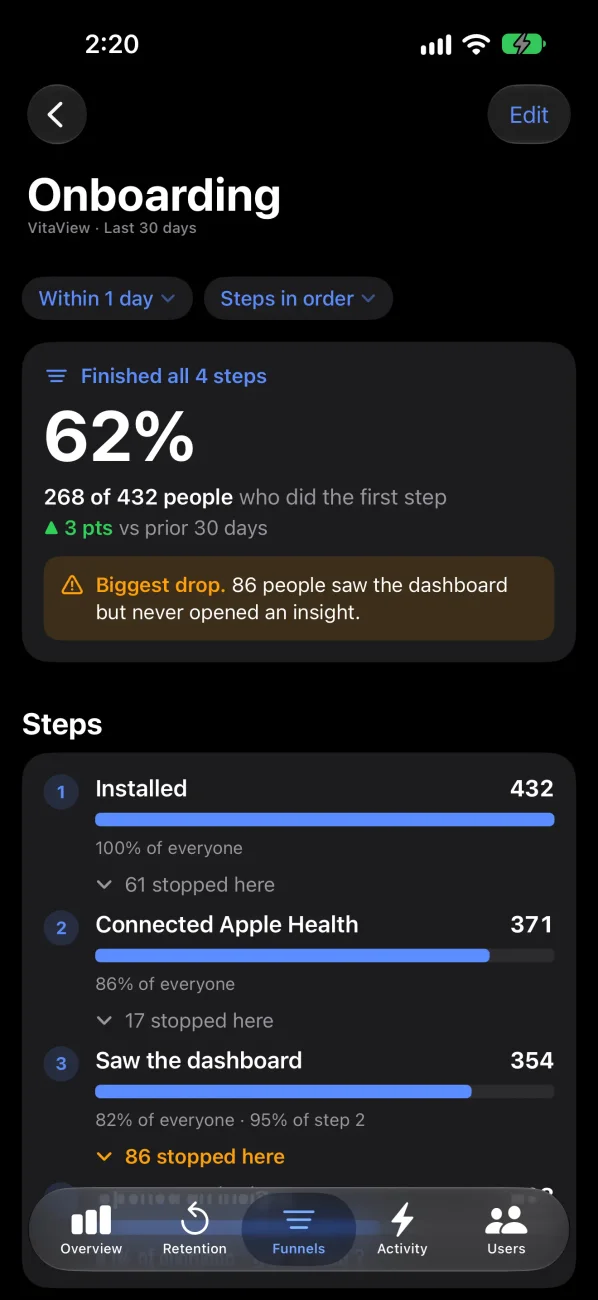
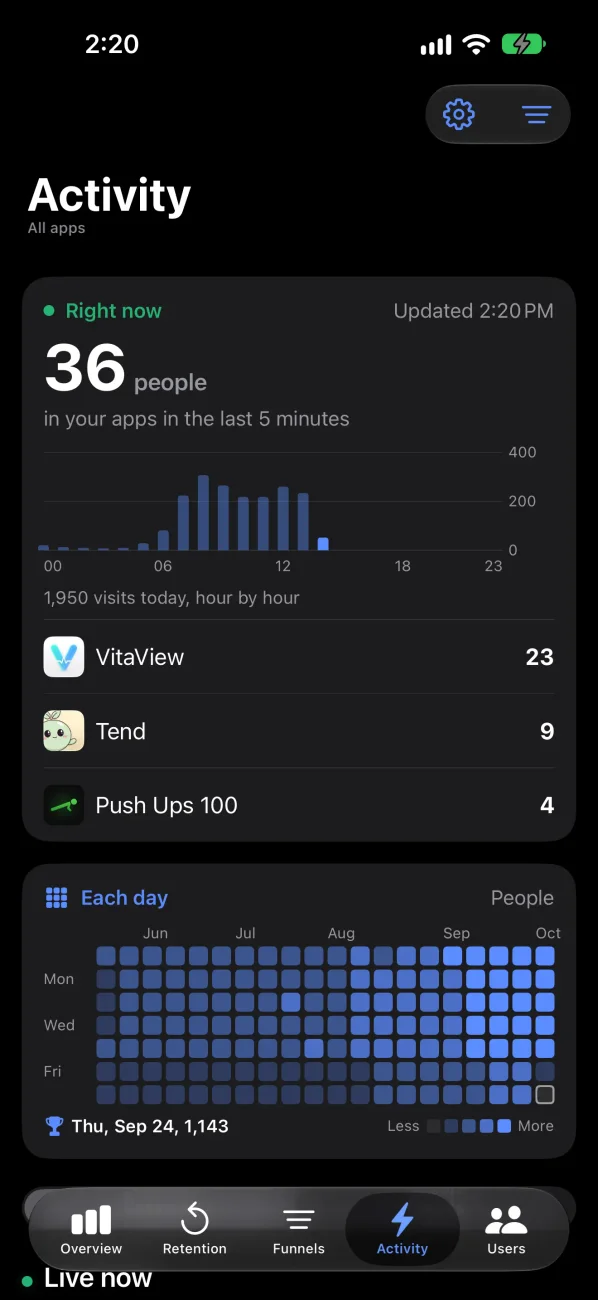
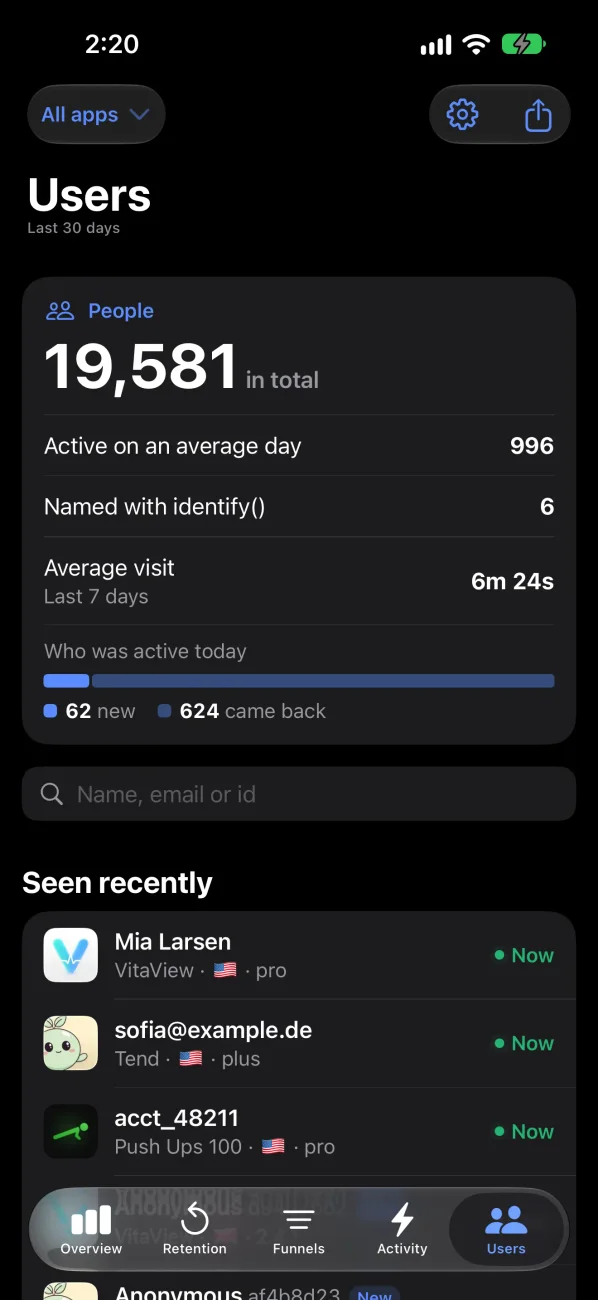
About
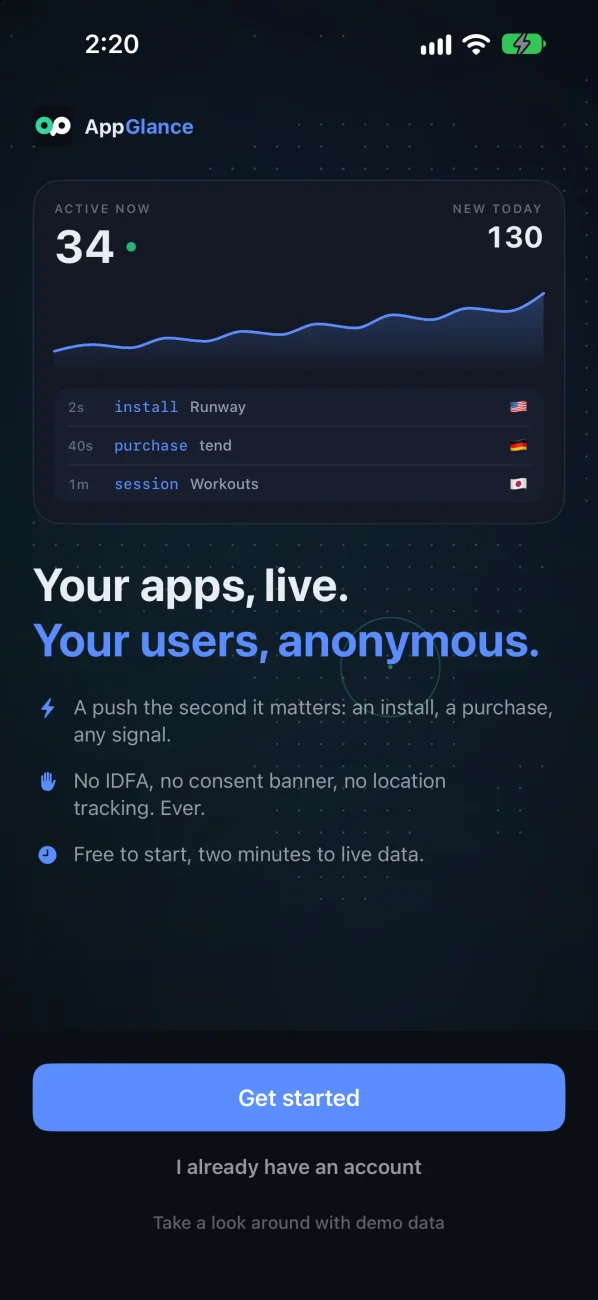
Watch your apps live, from your pocket: installs, sessions and events as they happen, every user's story, and a push the moment someone installs or buys.
AppGlance is privacy-first analytics for the apps you build. Register an app, get a write key, add the SDK with two lines, and the dashboard starts filling the moment the first event lands. No IDFA, no fingerprinting, and nothing that forces a tracking pop-up on your users.
LIVE, NOT LAST WEEK
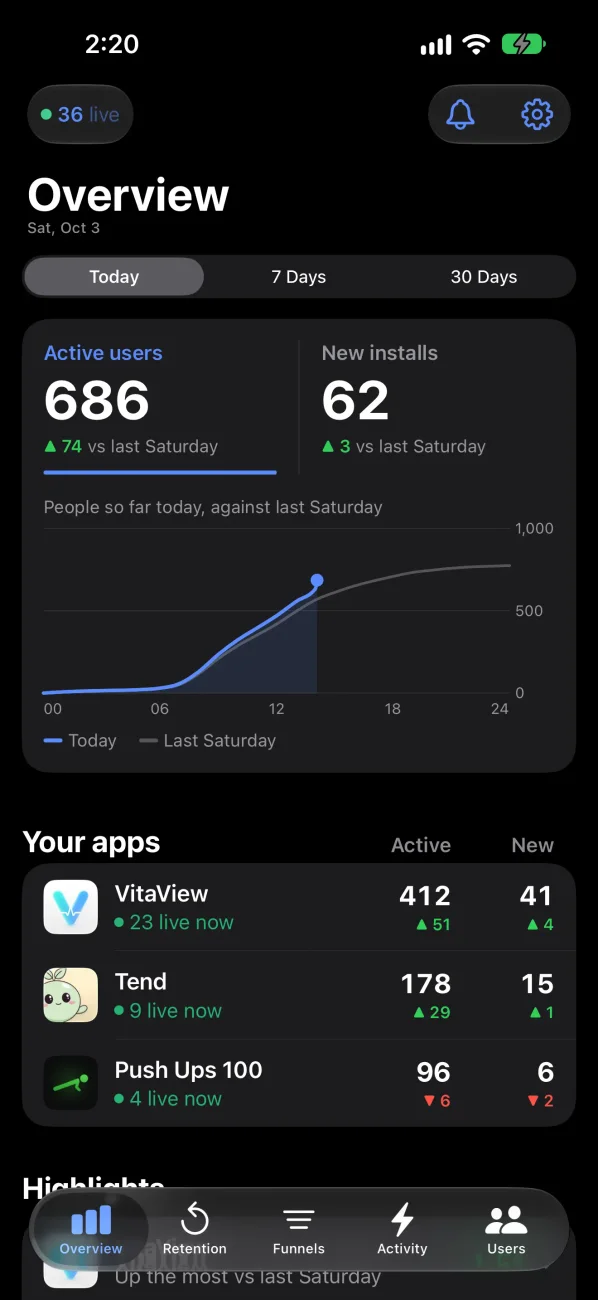
- Active now: how many people are on your apps at this moment
- Today's pulse, hour by hour, across every app
- Every day of the past year as a grid, so your busiest days stand out
- A live feed of visits: who opened which app, how long they stayed, what they did
- New installs and purchases as they happen
EVERY APP IN ONE PLACE
- Up to 20 apps on one account
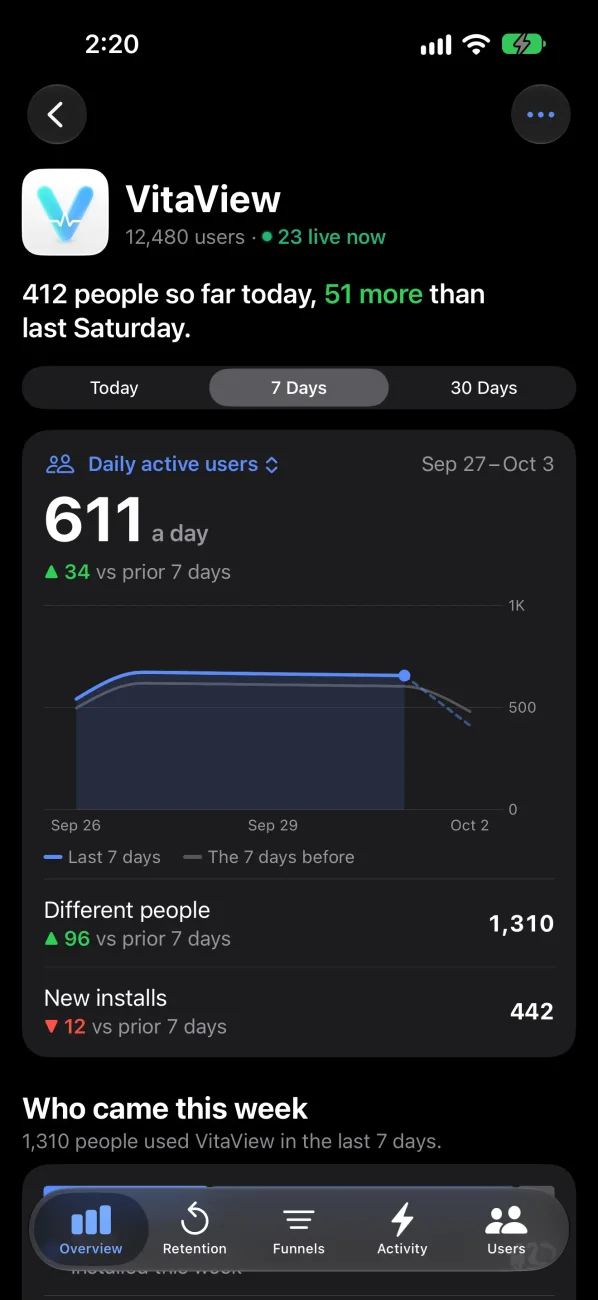
- A per-app breakdown: new users, actives and events for today, 7 days or 30 days, compared with the window before
- App Store, TestFlight and your own debug builds kept apart automatically
WHO, NOT JUST HOW MANY
- Every user as an anonymous install id, or a name if your app chooses to identify them
- A full story per user: their sessions, events, device, version and country
- Search, property filters and CSV export
ANSWERS, NOT JUST CHARTS
- Funnels built from your own events, in seconds
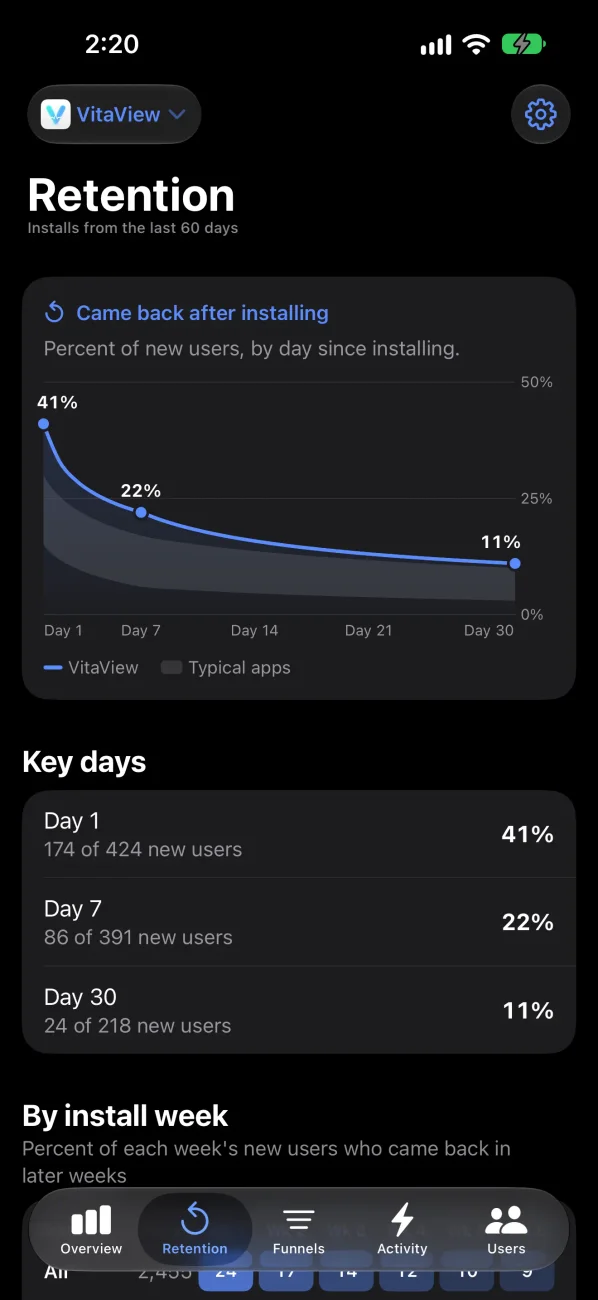
- Day 1, 7 and 30 retention with the full curve
- Countries, versions, session lengths, daily and hourly charts, window-over-window compare
ALERTS ON YOUR PHONE
- Push notifications for the signals you pick: a new install, a purchase, a trial start, or any event you name
- Tap the alert and land on that user's story
ANONYMOUS BY DESIGN
- Random install ids, never advertising identifiers
- Users get names only if your app explicitly provides one
- Presence pings are never billed, and you can erase an app's data at any time
FREE PLAN
Free includes 100,000 events a month, up to 20 apps, every chart, feed, alert and export, and 90 days of event history. Charts and totals never expire. No card needed. Your account and plan are the same on the web at appglance.app.
PAID PLANS (AUTO-RENEWABLE SUBSCRIPTIONS)
A paid plan raises your monthly event quota and your event history, and adds live auto-refresh (on Free you refresh with a pull). Each plan is sold monthly or yearly:
- Indie: 1,000,000 events a month, 6 months of history. $4.99 per month or $49 per year
- Studio: 2,500,000 events a month, 12 months of history. $14.99 per month or $149 per year
- Scale: 7,000,000 events a month, 12 months of history. $39 per month or $399 per year
- Max: 18,000,000 events a month, 12 months of history. $99 per month or $999 per year
Prices are in US dollars; the App Store shows the exact price in your own currency before you buy. Payment is charged to your Apple Account when you confirm the purchase. The subscription renews automatically at the same price unless you cancel at least 24 hours before the end of the current period, and your account is charged for the renewal within 24 hours before that period ends. You can manage or cancel the subscription at any time in your App Store account settings. A plan bought on the web covers the app too, so there is nothing to buy twice.
Made by a one-person indie studio that wanted to keep an eye on its own apps from the sofa. Questions: support@appglance.app
Terms of Use: https://appglance.app/terms
Privacy Policy: https://appglance.app/privacy
Apple's standard EULA also applies: https://www.apple.com/legal/internet-services/itunes/dev/stdeula/
What’s new
Version 1.1.5 · Oct 19, 2026
The Setup screen's install steps now name AppGlance 1.3.0. It lets your app show its own install id on a support screen, so you can find the install someone writes in about, and it reports iPads as iPadOS.
Searching Users now finds the user id you pass to identify from any part of it, in any case.
An identify sent while your app runs in the background no longer counts that install as active for the day.
App privacy
What Dylan Lualdi declares on the App Store about how this app handles data.
-
Data linked to you
May be collected and linked to your identity.
- Purchases
- Contact info
-
Data not linked to you
May be collected but is not linked to your identity.
- Identifiers
- Usage data
Privacy practices may vary, for example with the features you use or your age.
Information
- Seller
- Dylan Lualdi
- Category
- Developer Tools
- Version
- 1.1.5
- Updated
- Oct 19, 2026
- Released
- Aug 28, 2026
- Size
- 14.1 MB
- Requires
- iOS 26.0 or later
- Age rating
- 4+
- In-app purchases
- Yes
- Languages
- English
- Copyright
- © 2026 Ludyem AS
You might also like
-
 ShipHQ: App Revenue DashboardMRR Tracker & App Analytics
-
 Crafter Console: TrendsApp Store Trends Dashboard
-
 App Analytics: AppCatSales & Downloads Dashboard
-
 Kedi for RevenueCatAn open-source RC client
-
 Ad Panel - AdMob DashboardReal-Time AdMob Statistics
-
 SalesCat for RevenueCatSimple RevenueCat Client
-
 BLE SpyScriptable Bluetooth Smart
-
 RCTrack - RevenueCat ReportingBest RevenueCat Client
-
 HaptiqYour Haptic Design Studio
-
 FunnelHound: App Sales & ASOConnect Analytics & Reports