- 対象年齢4+
- カテゴリ開発ツール
- 開発元Dylan Lualdi
- 言語英語
- サイズ14.1 MB
App Storeの公式ページにリンクしています
Download.orgはAppGlance: App Analyticsのファイルを一切ホストしていません。ボタンを押すと、Dylan Lualdiが公開しているApp Storeのアプリページが開きます。ページの最終確認:2026/11/12。
スクリーンショット
概要
開発元はこのテキストをお使いの言語で提供していません。
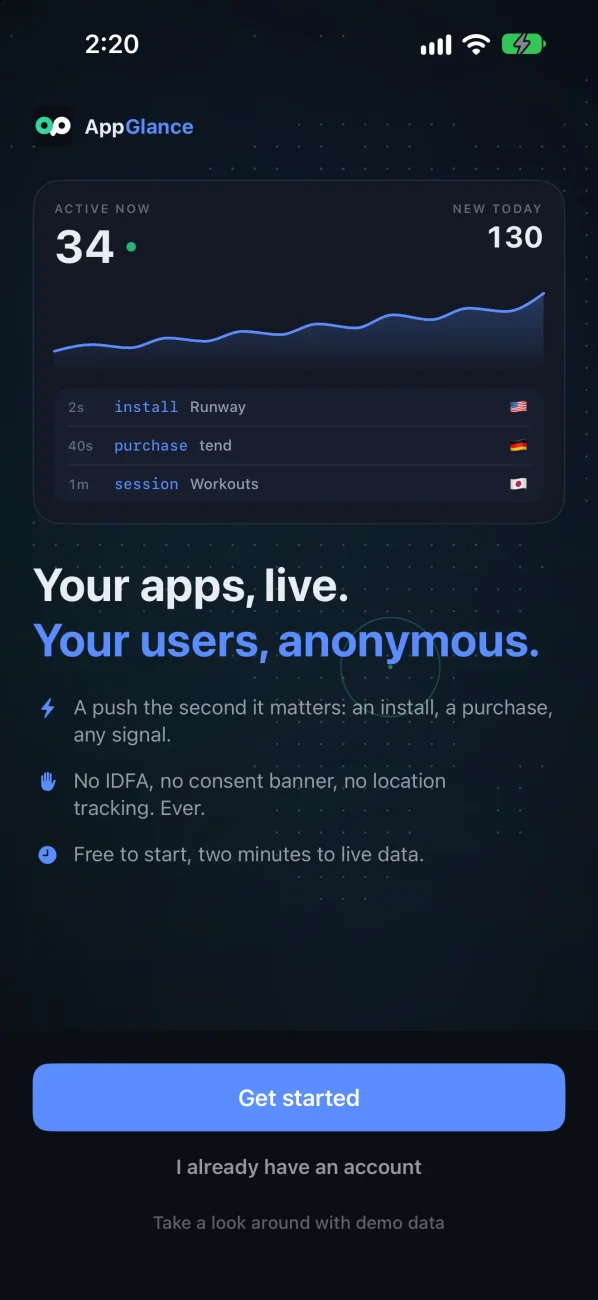
Watch your apps live, from your pocket: installs, sessions and events as they happen, every user's story, and a push the moment someone installs or buys.
AppGlance is privacy-first analytics for the apps you build. Register an app, get a write key, add the SDK with two lines, and the dashboard starts filling the moment the first event lands. No IDFA, no fingerprinting, and nothing that forces a tracking pop-up on your users.
LIVE, NOT LAST WEEK
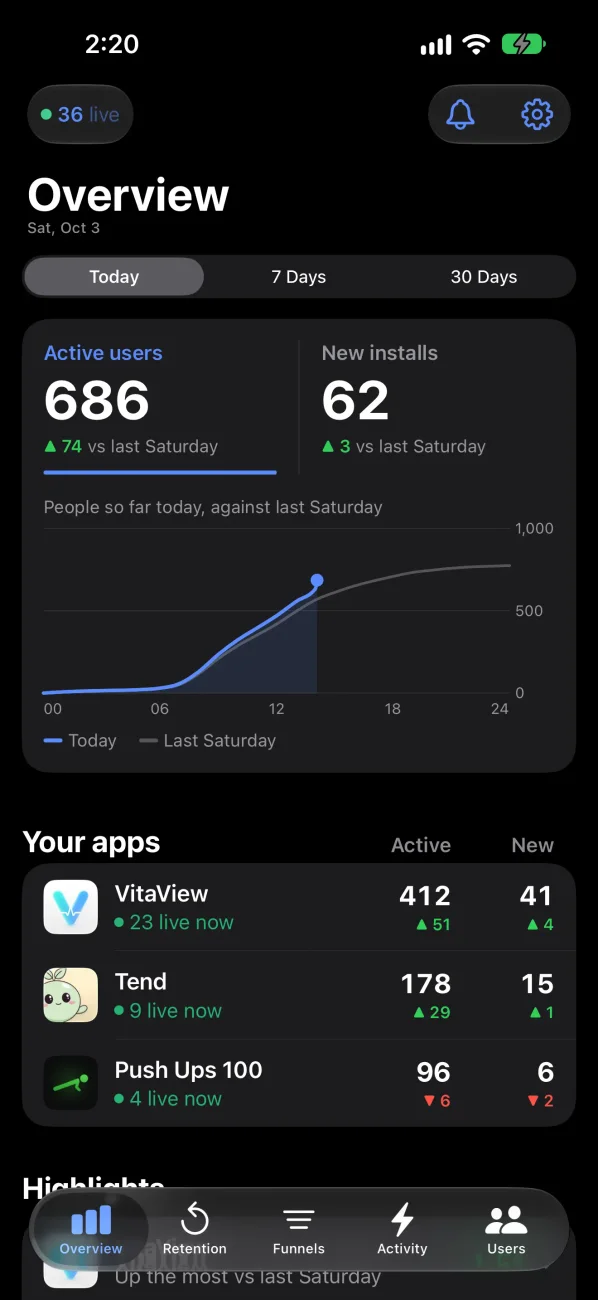
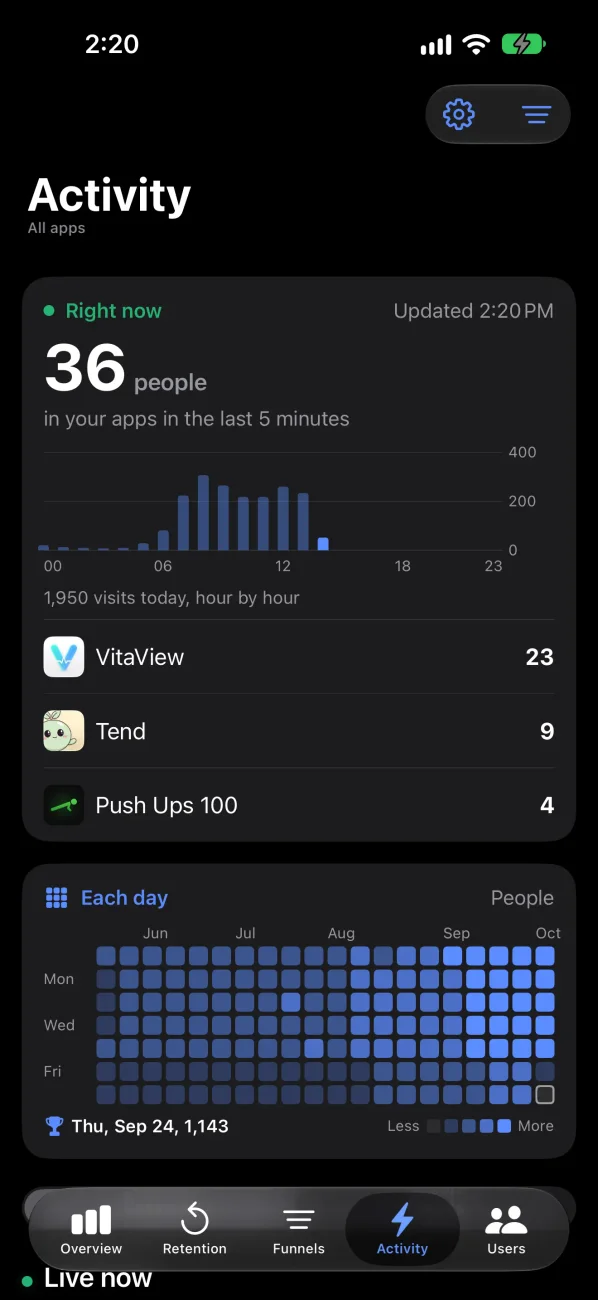
- Active now: how many people are on your apps at this moment
- Today's pulse, hour by hour, across every app
- Every day of the past year as a grid, so your busiest days stand out
- A live feed of visits: who opened which app, how long they stayed, what they did
- New installs and purchases as they happen
EVERY APP IN ONE PLACE
- Up to 20 apps on one account
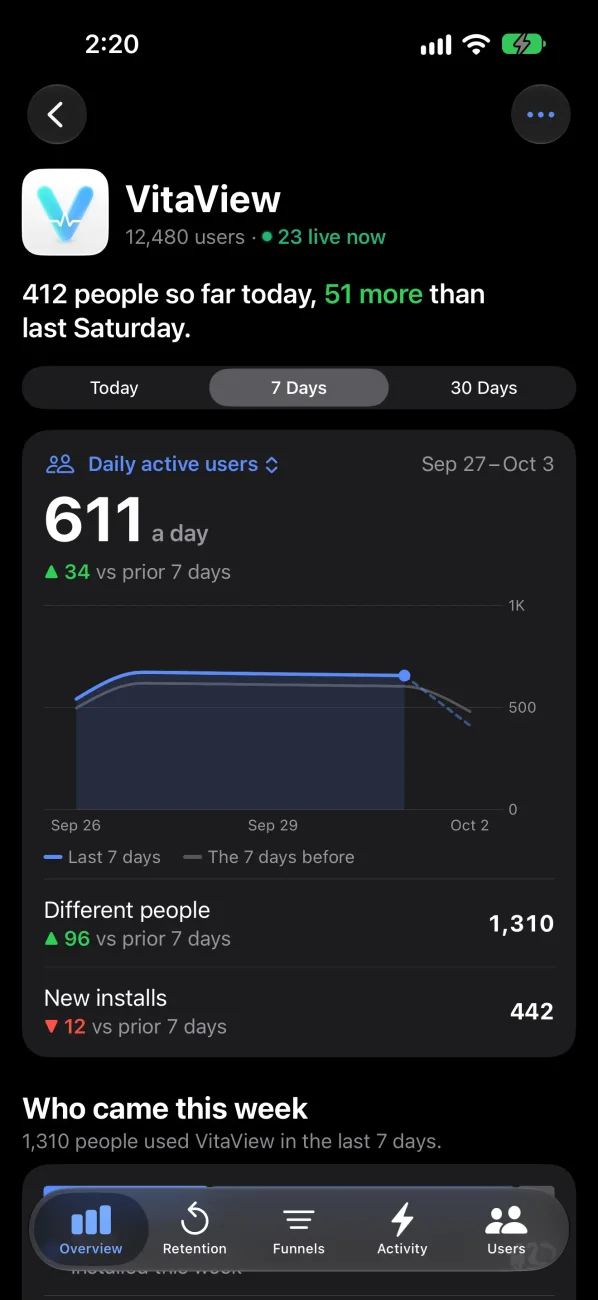
- A per-app breakdown: new users, actives and events for today, 7 days or 30 days, compared with the window before
- App Store, TestFlight and your own debug builds kept apart automatically
WHO, NOT JUST HOW MANY
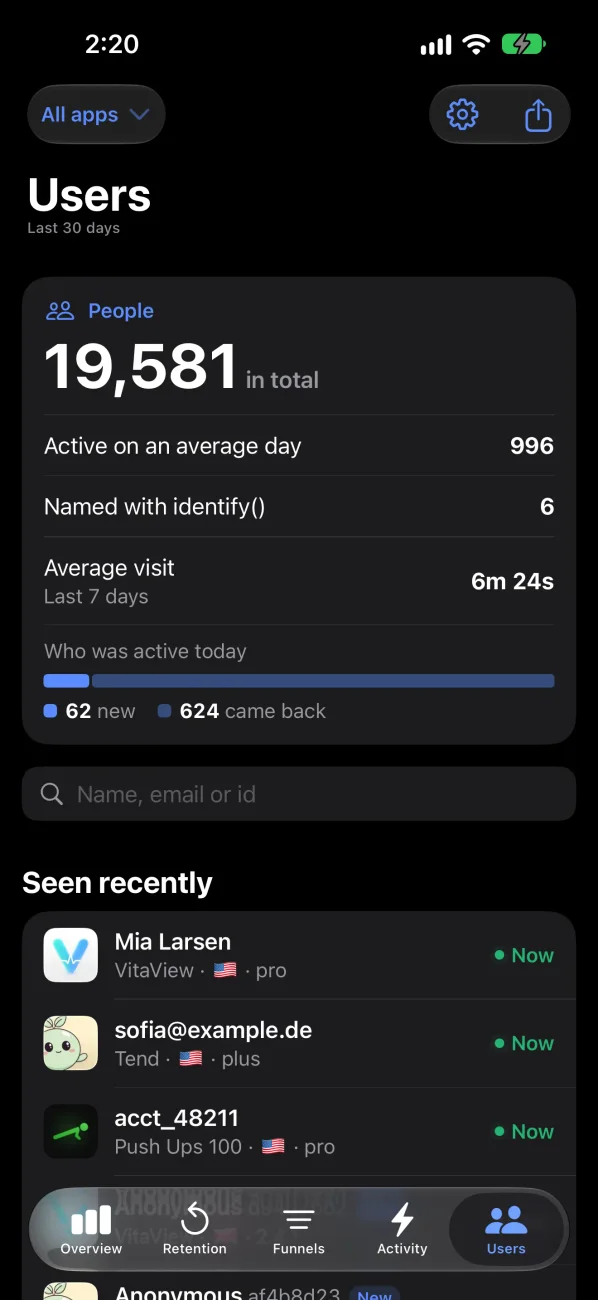
- Every user as an anonymous install id, or a name if your app chooses to identify them
- A full story per user: their sessions, events, device, version and country
- Search, property filters and CSV export
ANSWERS, NOT JUST CHARTS
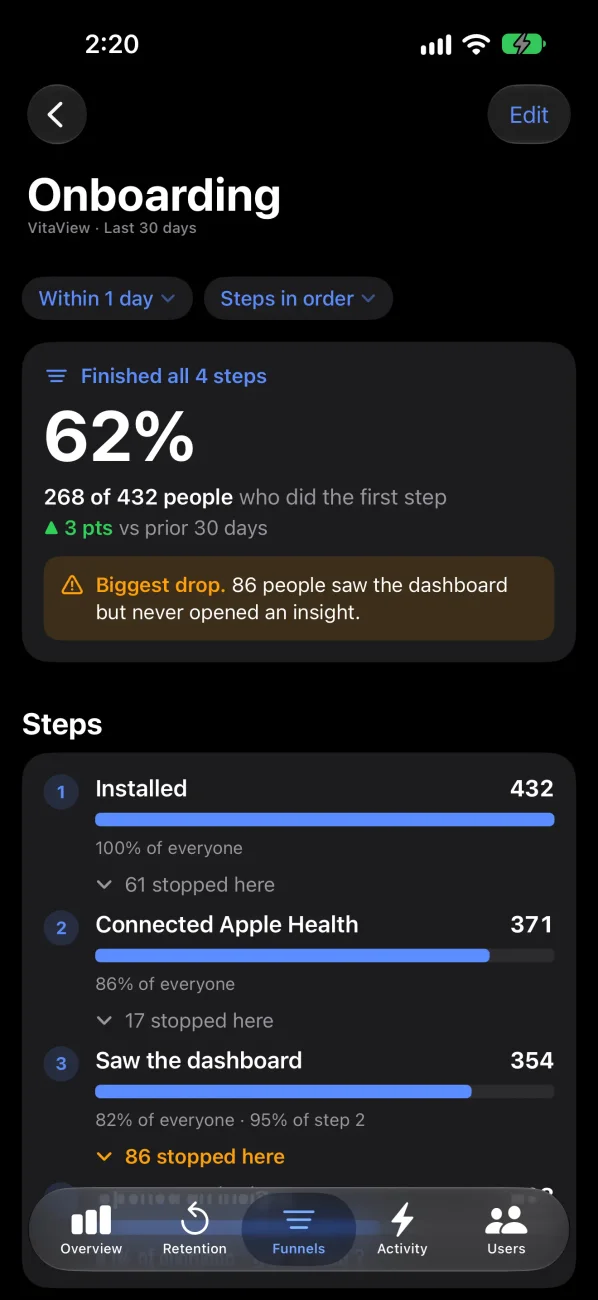
- Funnels built from your own events, in seconds
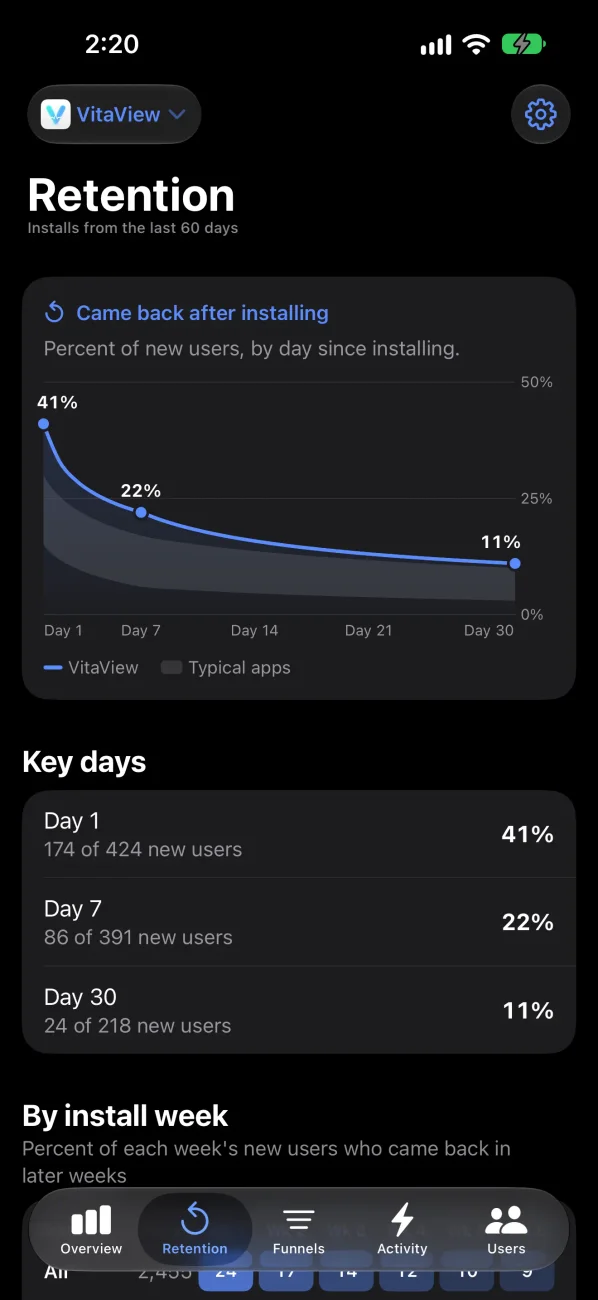
- Day 1, 7 and 30 retention with the full curve
- Countries, versions, session lengths, daily and hourly charts, window-over-window compare
ALERTS ON YOUR PHONE
- Push notifications for the signals you pick: a new install, a purchase, a trial start, or any event you name
- Tap the alert and land on that user's story
ANONYMOUS BY DESIGN
- Random install ids, never advertising identifiers
- Users get names only if your app explicitly provides one
- Presence pings are never billed, and you can erase an app's data at any time
FREE PLAN
Free includes 100,000 events a month, up to 20 apps, every chart, feed, alert and export, and 90 days of event history. Charts and totals never expire. No card needed. Your account and plan are the same on the web at appglance.app.
PAID PLANS (AUTO-RENEWABLE SUBSCRIPTIONS)
A paid plan raises your monthly event quota and your event history, and adds live auto-refresh (on Free you refresh with a pull). Each plan is sold monthly or yearly:
- Indie: 1,000,000 events a month, 6 months of history. $4.99 per month or $49 per year
- Studio: 2,500,000 events a month, 12 months of history. $14.99 per month or $149 per year
- Scale: 7,000,000 events a month, 12 months of history. $39 per month or $399 per year
- Max: 18,000,000 events a month, 12 months of history. $99 per month or $999 per year
Prices are in US dollars; the App Store shows the exact price in your own currency before you buy. Payment is charged to your Apple Account when you confirm the purchase. The subscription renews automatically at the same price unless you cancel at least 24 hours before the end of the current period, and your account is charged for the renewal within 24 hours before that period ends. You can manage or cancel the subscription at any time in your App Store account settings. A plan bought on the web covers the app too, so there is nothing to buy twice.
Made by a one-person indie studio that wanted to keep an eye on its own apps from the sofa. Questions: support@appglance.app
Terms of Use: https://appglance.app/terms
Privacy Policy: https://appglance.app/privacy
Apple's standard EULA also applies: https://www.apple.com/legal/internet-services/itunes/dev/stdeula/
新機能
バージョン 1.1.5 · 2026/10/19
The Setup screen's install steps now name AppGlance 1.3.0. It lets your app show its own install id on a support screen, so you can find the install someone writes in about, and it reports iPads as iPadOS.
Searching Users now finds the user id you pass to identify from any part of it, in any case.
An identify sent while your app runs in the background no longer counts that install as active for the day.
アプリのプライバシー
このアプリのデータの取り扱いについて、Dylan LualdiがApp Storeで申告している内容です。
-
ユーザーに関連付けられたデータ
収集され、ユーザーの識別情報に関連付けられる場合があります。
- 購入
- 連絡先情報
-
ユーザーに関連付けられないデータ
収集される場合がありますが、ユーザーの識別情報には関連付けられません。
- ID
- 使用状況データ
プライバシーの取り扱いは、ご利用の機能やお客様の年齢などに応じて異なる場合があります。
情報
- 販売元
- Dylan Lualdi
- カテゴリ
- 開発ツール
- バージョン
- 1.1.5
- 更新日
- 2026/10/19
- リリース
- 2026/8/28
- サイズ
- 14.1 MB
- 必要条件
- iOS 26.0以降
- 対象年齢
- 4+
- 価格
- 無料
- アプリ内課金
- あり
- 言語
- 英語
- 著作権
- © 2026 Ludyem AS