- Age rating4+
- CategoryUtilities
- Developer伟 张
- LanguagesEnglish
- Size11.9 MB
Links to the official App Store page
Download.org hosts no file of AppLock - FocusLock. The button opens its official App Store page, published by 伟 张. Listing last checked on Nov 16, 2026.
Screenshots

About
AppLock keeps your apps private and your screen time in check — with a single tap.
Whether you're a parent managing your child's device, or someone who wants to stay focused and protect personal apps, AppLock gives you full control with zero complexity.
◆ LOCK ANY APP
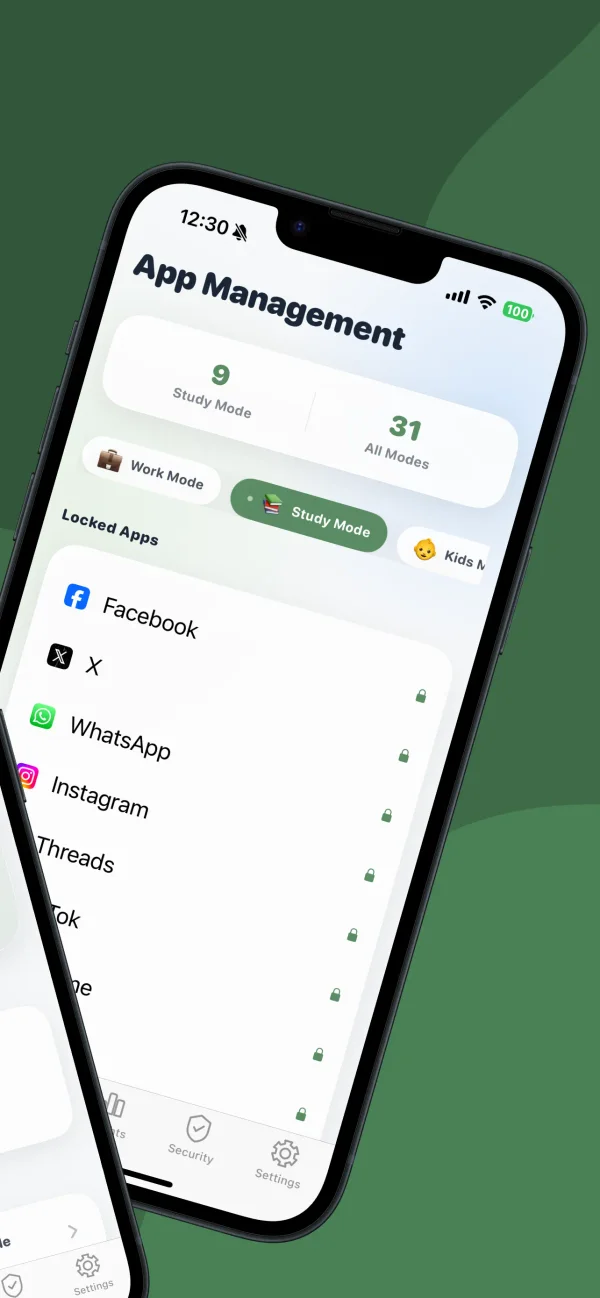
Choose which apps to lock with Screen Time integration. Locked apps display a custom shield — no one gets in without your passcode or Face ID.
◆ SCENE MODES
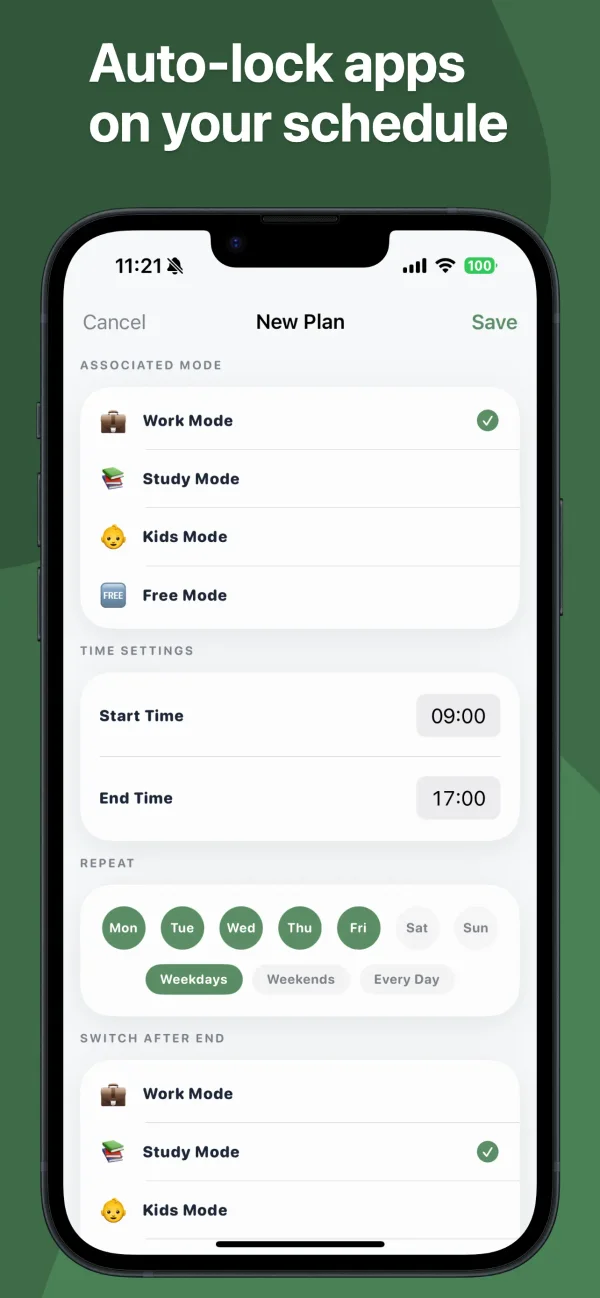
Create custom profiles like "Work", "Study", or "Kids" — each with its own set of locked apps. Switch modes instantly from the dashboard or Widget.
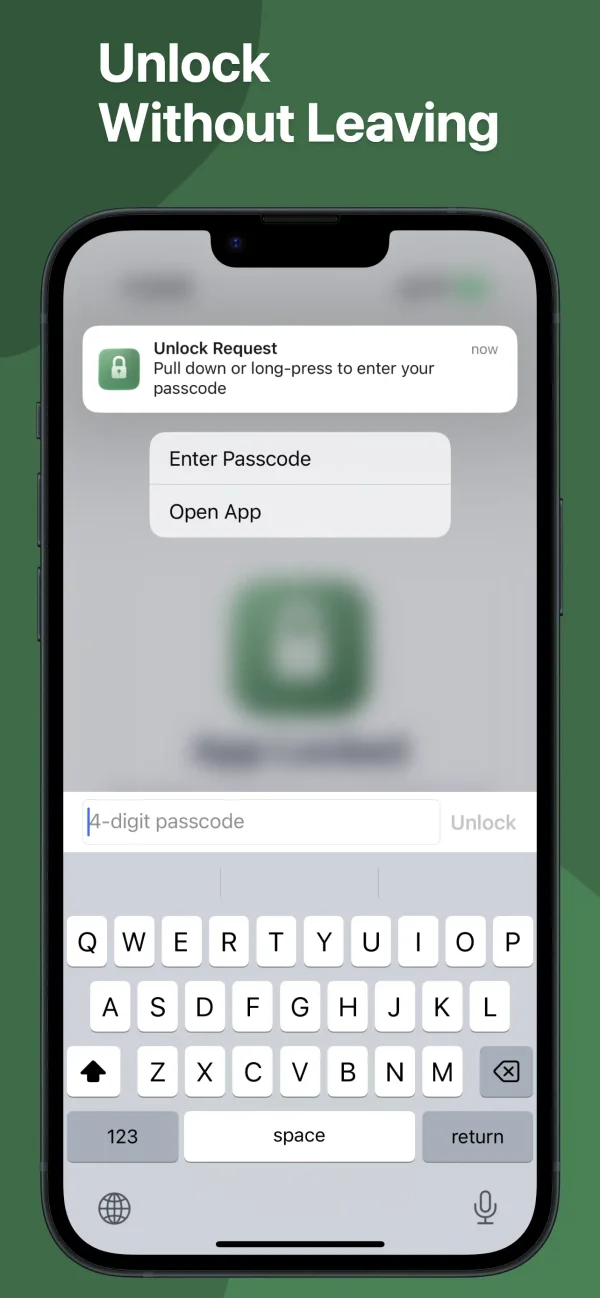
◆ QUICK UNLOCK VIA NOTIFICATION
Unlock apps directly from the notification banner. No need to leave the locked app — just pull down, enter your passcode, and you're in.
◆ UNLOCK INSIGHTS
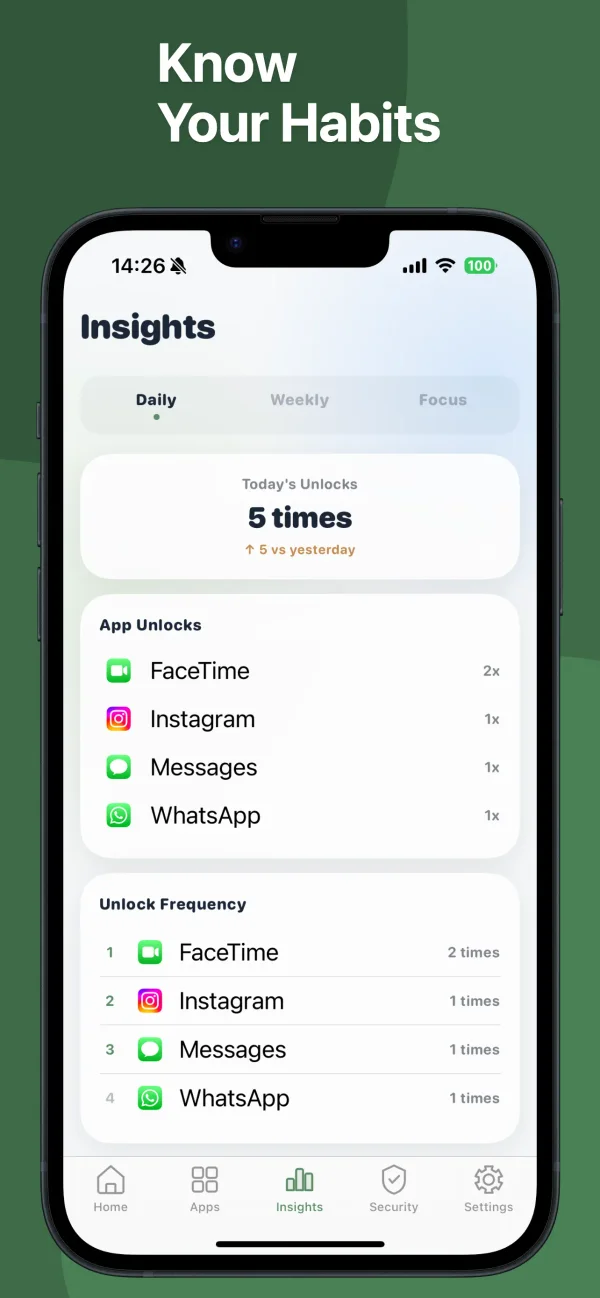
Track your daily and weekly unlock patterns. See which apps you open most,
compare trends over time, and understand your screen habits — all in a clean,
visual dashboard.
◆ SECURITY CENTER
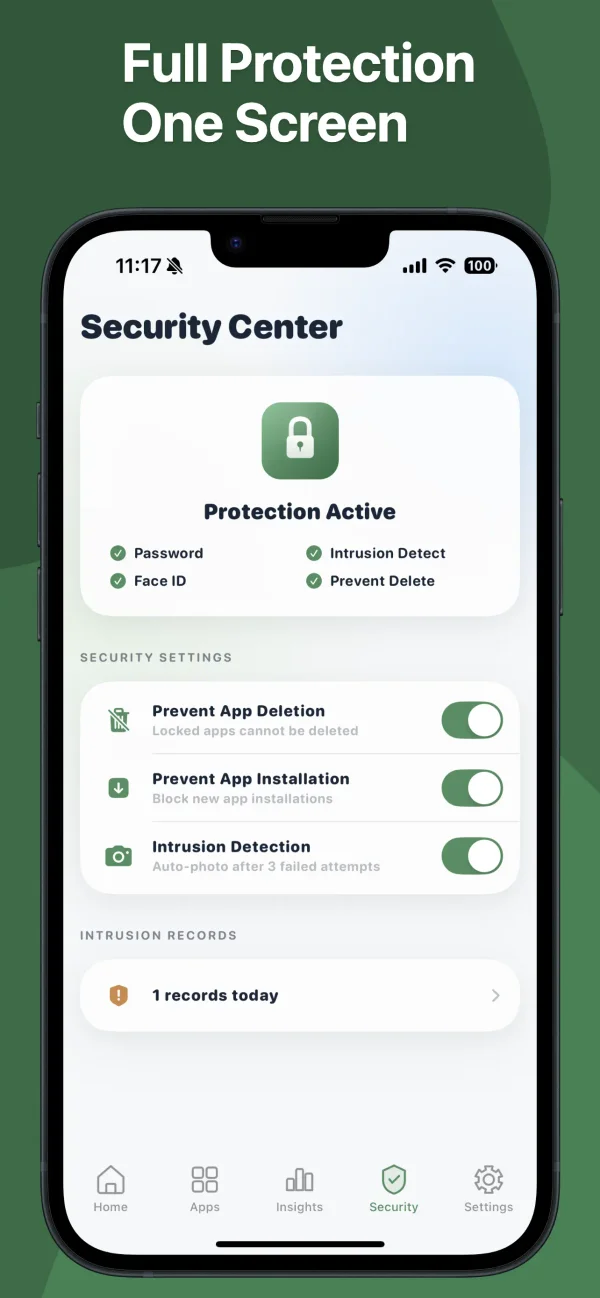
View your protection status at a glance. Prevent locked apps from being
deleted or new apps from being installed — ideal for parental control.
◆ FACE ID & TOUCH ID
Unlock with biometrics for a seamless experience. Supports both Face ID and Touch ID.
◆ SCHEDULED LOCK PLANS
Set time-based schedules to automatically lock and unlock app groups. Perfect for study hours, bedtime, or work focus.
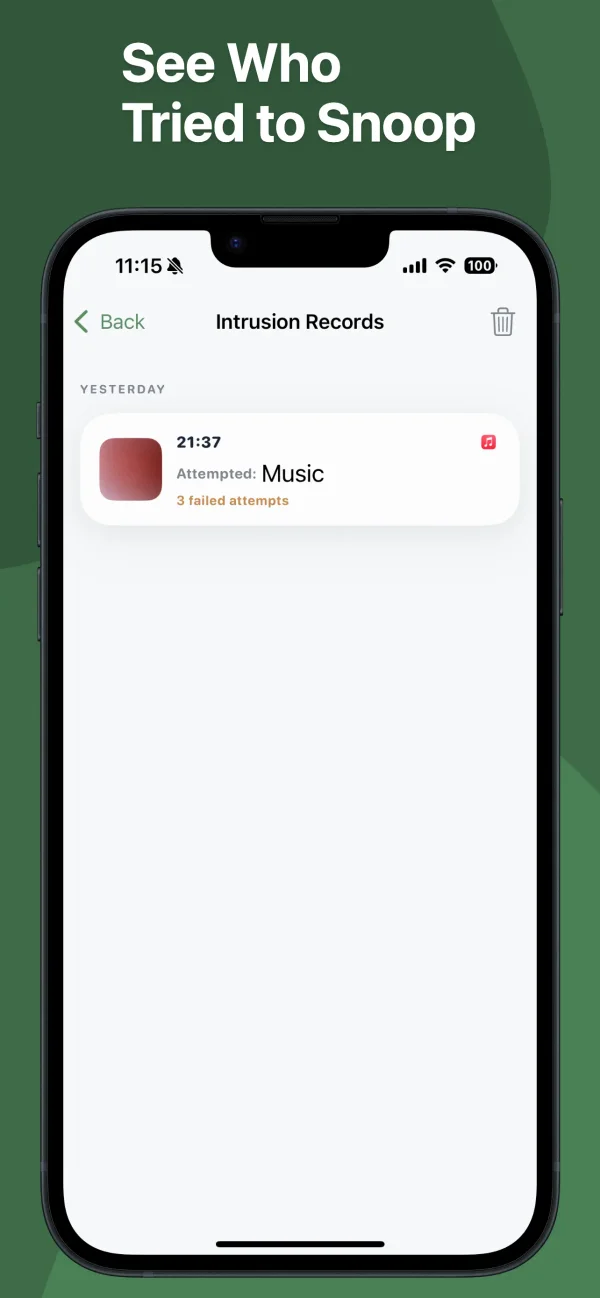
◆ INTRUSION DETECTION
Automatically captures a photo when someone enters the wrong passcode. Review intrusion logs with timestamps and app details.
● 100% Offline — All data stays on your device
● No account required — Works out of the box
● Minimal & clean design — Built with care
AppLock is completely free with all features unlocked. No ads, no hidden paywalls.
What’s new
Version 1.1 · May 31, 2026
fix bug
App privacy
What 伟 张 declares on the App Store about how this app handles data.
-
Data not collected
The developer does not collect any data from this app.
Privacy practices may vary, for example with the features you use or your age.
Information
- Seller
- 伟 张
- Category
- Utilities
- Version
- 1.1
- Updated
- May 31, 2026
- Released
- Apr 25, 2026
- Size
- 11.9 MB
- Requires
- iOS 17.0 or later
- Age rating
- 4+
- Price
- Free
- Languages
- English
- Copyright
- © 2026 WEI Inc.
You might also like
-
 App Lock – Secure AppsSecure Lock for Apps
-
 APP LOCK - Privacy ShieldUtilities
-
 App Locker: Lock Apps SecurelyPrivacy Lock with Face ID &2FA
-
 App Lock : Hide App & Lock AppApp Lock - Lock Apps
-
 AppLocker • Password lock appsLock Apps • Block Apps
-
 Locky: App Lock & LimitApps & Websites Limit, Blocker
-
 Black Box - Lock Restrict AppsKeep Your Secrets - Block Apps
-
 AppLock - FingerprintPrivate Locker for Your Apps
-
 App Lock - Password For AppsSuper Blocker • Limit • Detox
-
 AppLock - Fingerprint LockLock all apps with password