Apportion
Plan your hours and calendar
Designed for iPhone, iPad, Mac
Free · In-app purchases
- Age rating4+
- CategoryProductivity
- DeveloperTaekyu Lee
- LanguagesEnglish+ 10 more
- Size11.4 MB
Links to the official App Store page
Download.org hosts no file of Apportion. The button opens its official App Store page, published by Taekyu Lee. Listing last checked on Nov 7, 2026.
Screenshots


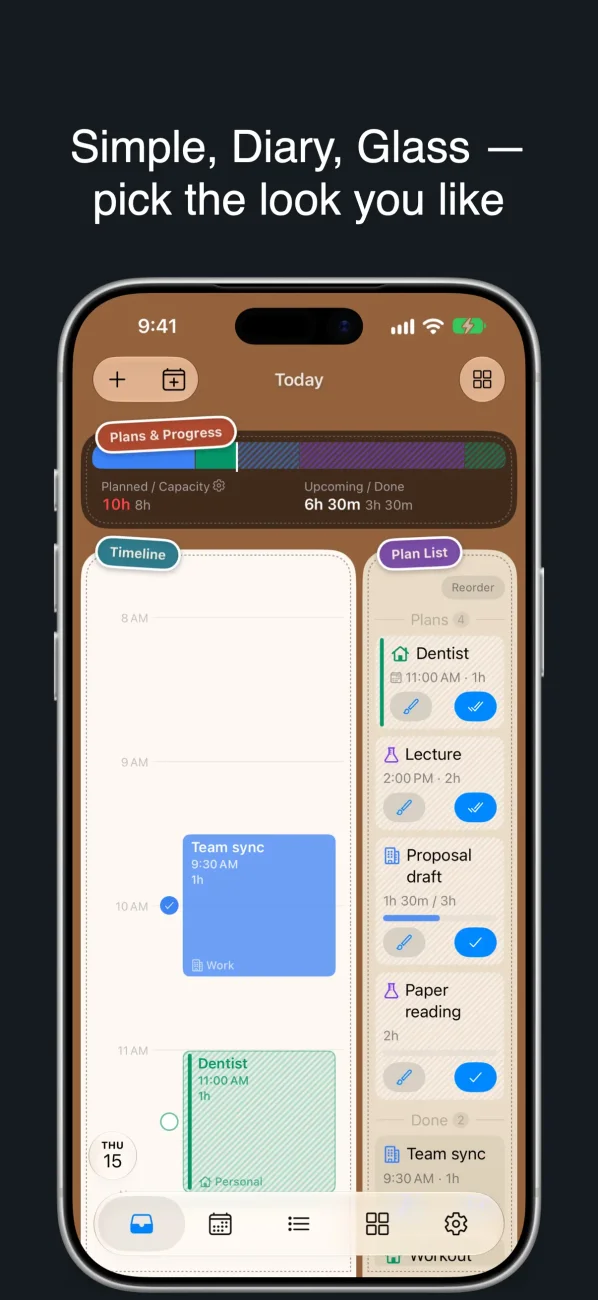

About
Apportion is a personal time-budget planner. It keeps the plans of each part of your life apart — work, study, your own projects — and then adds them together, because the day they share is the one thing that cannot be stretched.
TWO KINDS OF WORK, ONE SCREEN
A meeting sits on the timeline at its hour. "Three hours of writing" sits in the list as an amount you owe the day. Most planners handle one or the other. Apportion holds both, and measures them against the hours you actually have.
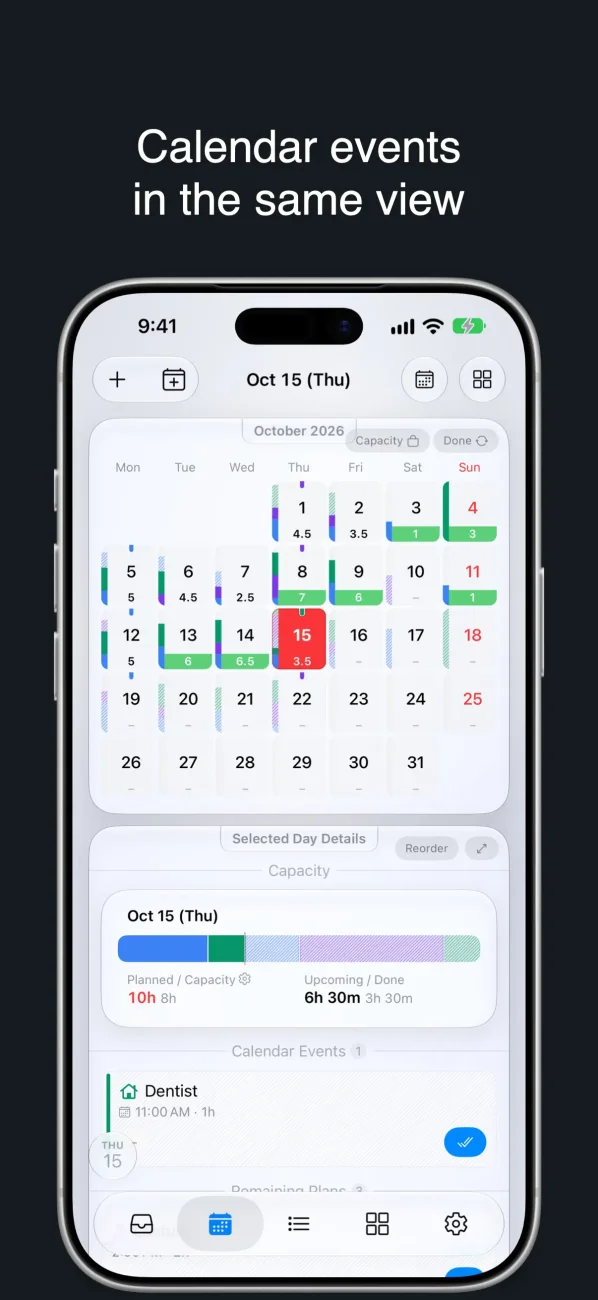
YOUR CALENDAR, ALREADY COUNTED
Bring in the calendars you already use and their events take their share of the day beside your plans. You budget what is left, not what you wish you had. Apportion never edits your calendar on its own — it writes only when you create or change an event yourself.
EACH PROFILE APART, THE TOTAL TOGETHER
Give work, study and personal life their own profiles. Each keeps its own plans and its own progress. The day's load is summed across all of them, so you see which one overflowed before the day does.
DAY, WEEK, MONTH
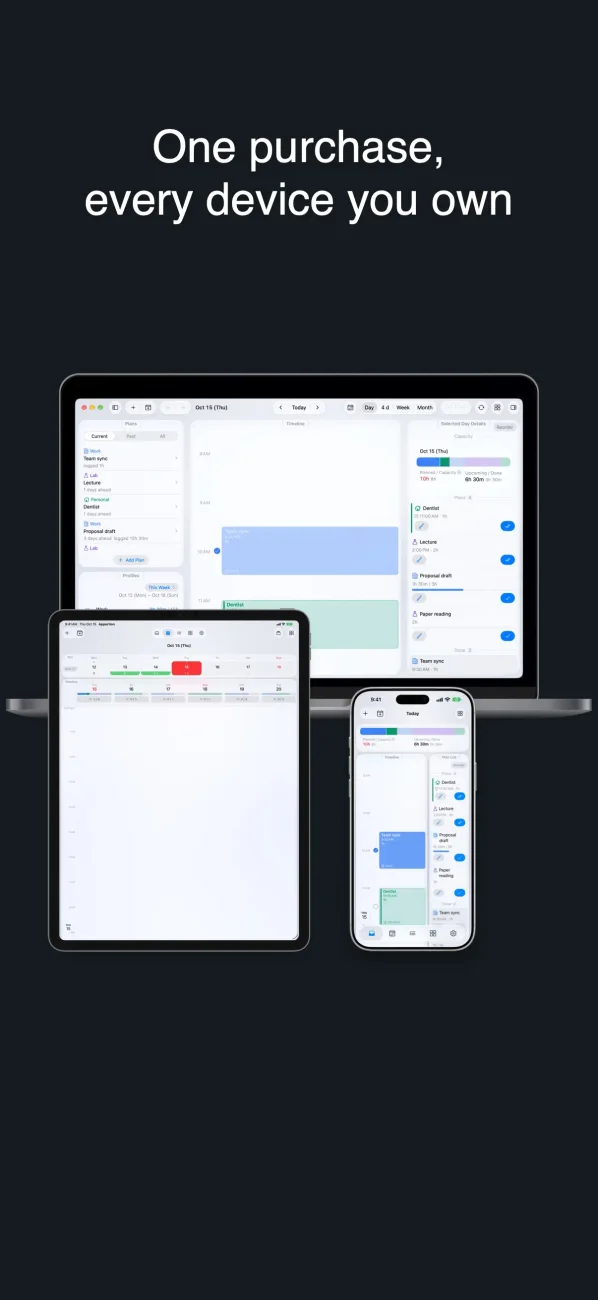
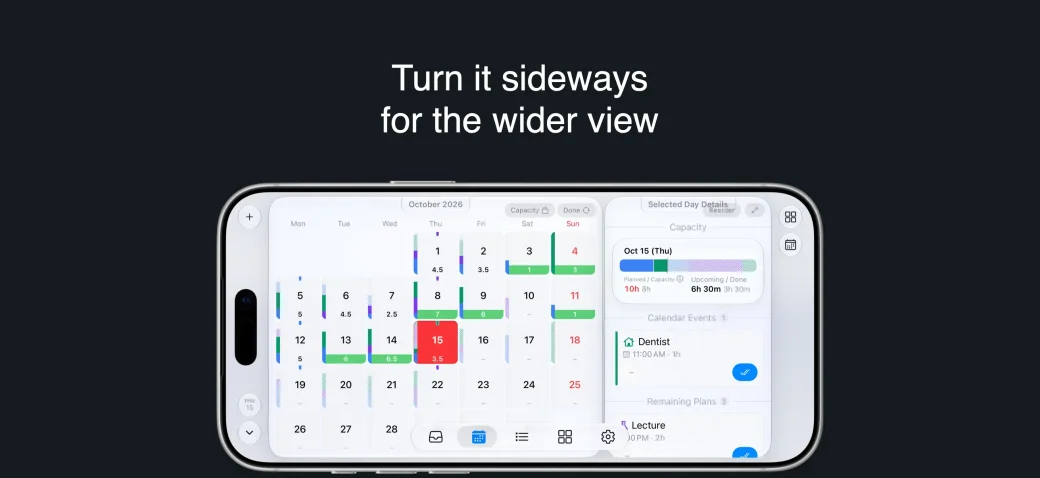
Move between a single day's timeline, a strip of days, and a month where every square carries its load. On the Mac it is one window: plans and profiles on the left, the calendar in the middle, the selected day on the right.
WIDGETS AND SHORTCUTS
Three widgets — day, three days, progress — for the Home and Lock Screen. Shortcuts let you check something off without opening the app.
THREE LOOKS
Simple, Diary and Glass. The same data, with the face you like.
YOUR DATA STAYS YOURS
No account. No sign-up. No server of ours. Everything lives on your device, and sync — if you turn it on — runs through your own iCloud, where we cannot read it. Export everything as JSON whenever you want.
FREE FOR 14 DAYS
Everything is unlocked for two weeks. After that, reading and exporting stay free; creating and editing need the full version — one purchase, no subscription, covering iPhone, iPad and Mac, with Family Sharing.
App privacy
What Taekyu Lee declares on the App Store about how this app handles data.
-
Data not collected
The developer does not collect any data from this app.
Privacy practices may vary, for example with the features you use or your age.
Information
- Seller
- Taekyu Lee
- Category
- Productivity
- Version
- 1.2.1
- Updated
- Oct 20, 2026
- Released
- Oct 19, 2026
- Size
- 11.4 MB
- Requires
- iOS 17.0 or later
- Age rating
- 4+
- Price
- Free
- In-app purchases
- Yes
- Languages
- English, French, German, Italian, Japanese, Korean, Portuguese, Simplified Chinese, Spanish, Traditional Chinese, Vietnamese
- Copyright
- © 2026 CodeCompose
You might also like
-
 Yomify: Habit Tracker CalendarRoutines, goals & streaks
-
 Recal - Calendar ToolsCalendar tools for busy people
-
 FORY - routine, focus, trackerRest & Focus Time Manager
-
 PlanBuddy: Time Logs&RoutinesEasy logging. Faster insights.
-
 TimeBox – Plan,Do,See & HabitTime management with TimeBlock
-
 Todo List - Minimal Focus MemoLight Minimal Metro To-Do List
-
 GetSoundDeep Focus Ai Soundscapes
-
 플랜잇 Plan it - 시간 측정 & 할 일 관리Productivity
-
 Dote Timer - Time ManagementFor your perfect day