
- Age rating4+
- CategoryProductivity
- DeveloperTintometer, Inc
- LanguagesEnglish+ 24 more
- Size83.6 MB
Links to the official App Store page
Download.org hosts no file of AquaLXP. The button opens its official App Store page, published by Tintometer, Inc. Listing last checked on Nov 15, 2026.
Screenshots

About
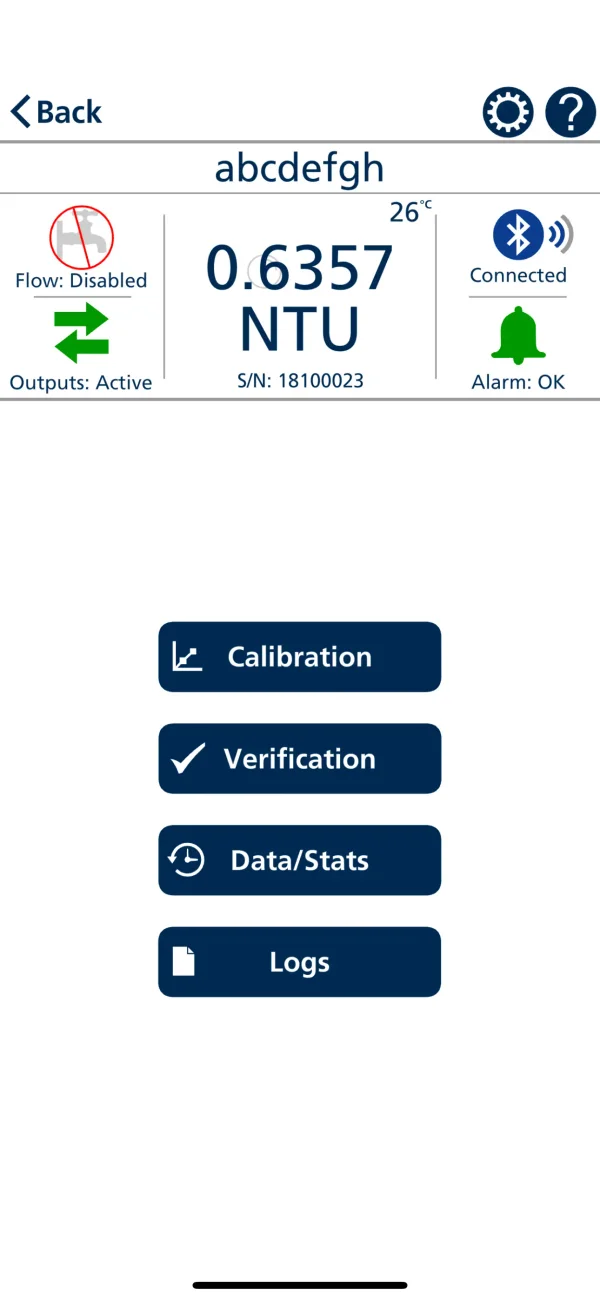
Rethink the need for a controller! The AquaLXP app offers an enhanced user interface to operators using the Lovibond® PTV Process Turbidimeter.
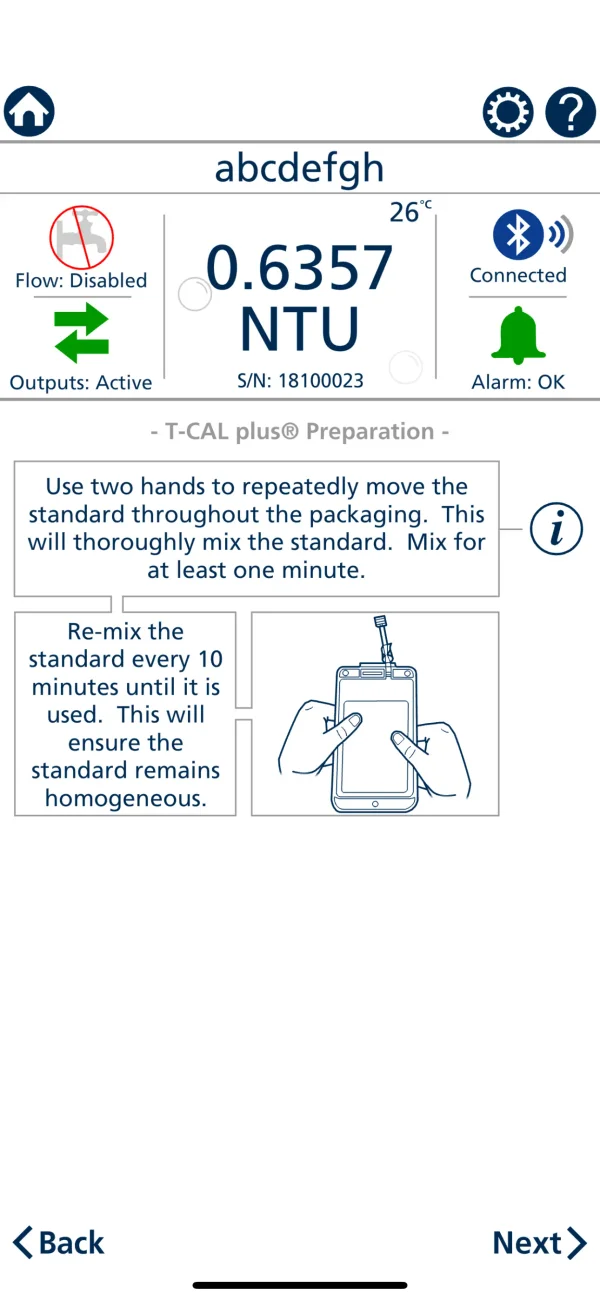
Step-By-Step Instructions - At Your Fingertips
• Standardize Procedures - Step-by-step illustrated instructions are integrated into the app - this ensures everyone has the same set of procedures and that those important details necessary to achieving excellence in measurement are followed.
• Quick and easy access to “pro-tips.” Anywhere in the app that the information graphic appears, be sure to click. These pages contain additional information about the instrument and turbidity measurements.
• Fingertip Access - Leave the manual behind! Always have access to the latest features and updated instructions by using the AquaLXP App.
Complete Instrument History
• Every logged reading, calibration, verification, cleaning or other maintenance performed on a sensor over its lifetime is stored in one place - on the sensor. The AquaLXP™ App allows the user to easily access that information at any time.
• By connecting to a PTV Sensor with a smart device, an operator, supervisor or regulator can easily confirm if scheduled verification/calibration procedures, maintenance or cleanings have been performed as planned.
Calculate, Graph and Send Data
• Easily generate meaningful data - Identify trends faster by viewing or exporting the data for a selected time period as a table or as a graph.
• Was there an unexpected or unintended spike in turbidity? Operators can add notes to any data point so that the “why” can be easily referenced in the future.
• Quickly calculate important values, such as upper and lower control limits, and percent compliance over a selected time frame.
User Security and Data Protection
• Uses Bluetooth® Connectivity to communicate directly with a single sensor. Only users that are within a 30M radius of the PTV Sensor has access to the data via the app.
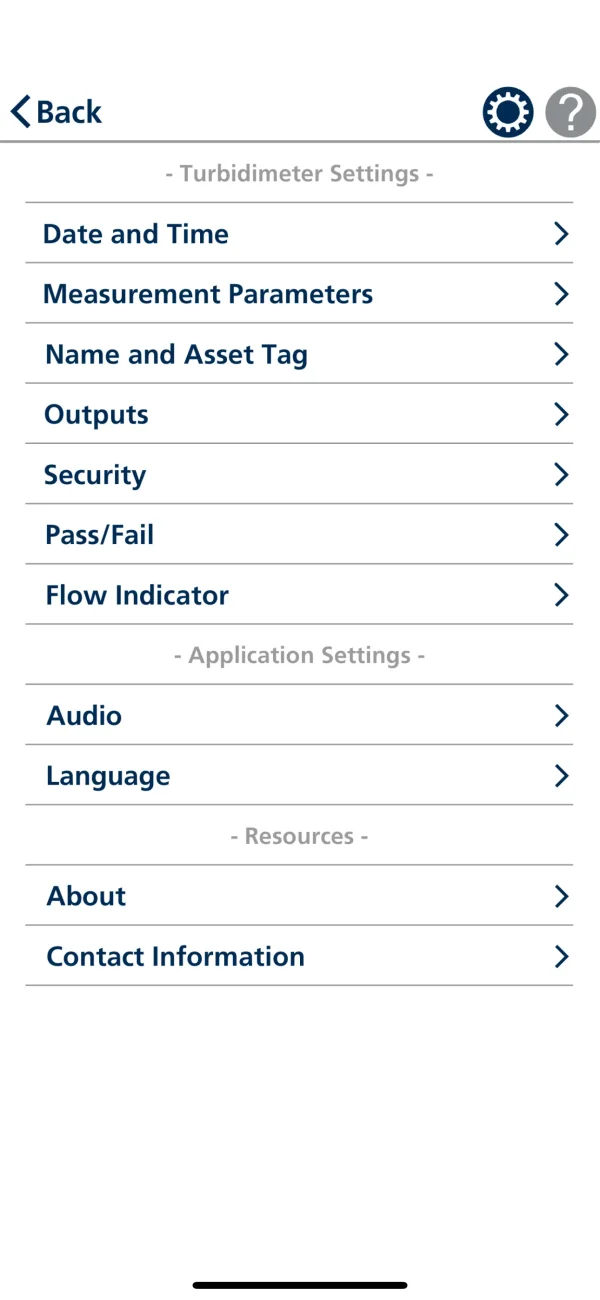
• Set passwords - with two levels of access, users who do not need access to certain features or control settings can be prevented from accidently changing anything
• Establish Criteria and protocols. Supervisors can easily set pass/fail criteria for verifications and calibrations, as well as set alarms and control other key settings such as Bubble Reject and Signal Averaging.
What’s new
Version 1.639.14 · Jul 2, 2025
Bug Fixes
App privacy
What Tintometer, Inc declares on the App Store about how this app handles data.
-
Data not collected
The developer does not collect any data from this app.
Privacy practices may vary, for example with the features you use or your age.
Information
- Seller
- Tintometer, Inc.
- Category
- Productivity
- Version
- 1.639.14
- Updated
- Jul 2, 2025
- Released
- Aug 3, 2017
- Size
- 83.6 MB
- Requires
- iOS 12.0 or later
- Age rating
- 4+
- Price
- Free
- Languages
- English, Czech, Danish, Dutch, Finnish, French, German, Greek, Hebrew, Indonesian, Italian, Japanese + 13 more
- Copyright
- © 2023
You might also like
-
 SmartSights MobileProductivity
-
 PackTrack AppK9 Record Keeping
-
 Axon Device ManagerProductivity
-
 ArcGIS Field MapsProductivity
-
 RealVNC Viewer: Remote DesktopProductivity
-
 Foxit PDF EditorView, Edit, Convert, and Sign
-
 AxonProductivity
-
 ActiveAlertProductivity
-
 TeamViewer Remote ControlProductivity
-
 MaintainX - CMMS & EAMMobile-first CMMS & EAM