
AR Trace Sketch
AR Photo Tracing & Practice
Designed for iPhone, iPad
In-app purchases
- Age rating4+
- CategoryGraphics & Design
- DeveloperMUSTAFA YIGIT
- LanguagesEnglish+ 1 more
- Size42.2 MB
Links to the official App Store page
Download.org hosts no file of AR Trace Sketch. The button opens its official App Store page, published by MUSTAFA YIGIT. Listing last checked on Nov 12, 2026.
Screenshots
About
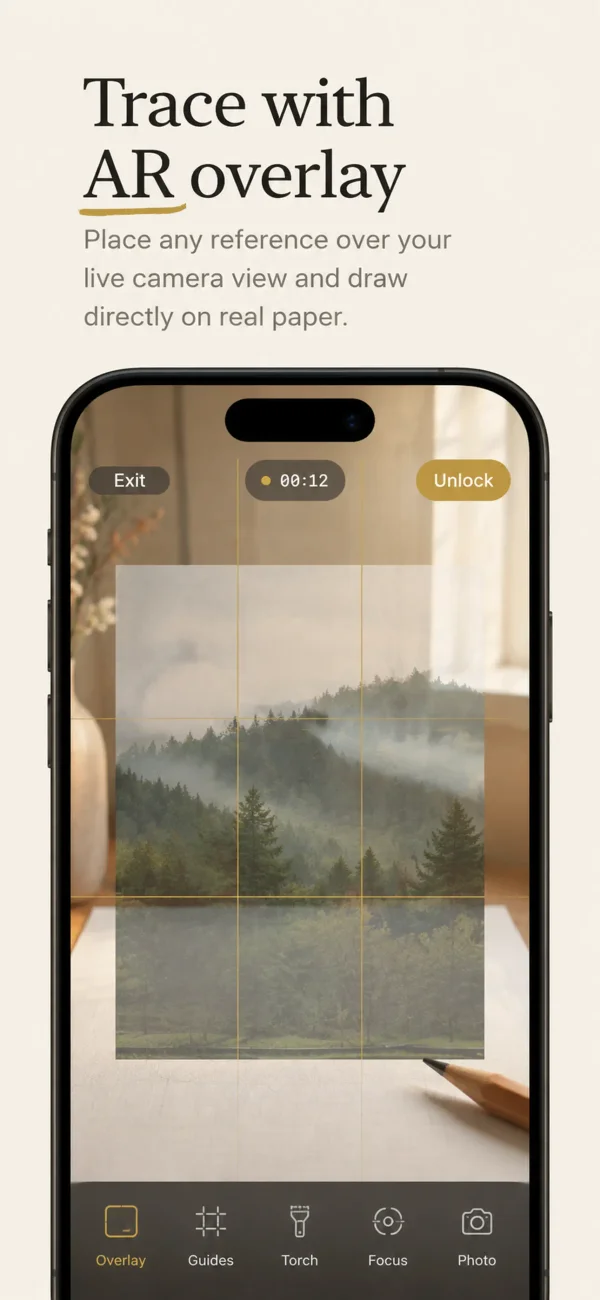
AR Trace Sketch turns your phone into a steady drawing companion. Point your camera at a blank sheet of paper, and any photo or reference image appears aligned right on top of it in augmented reality — so you can trace, practice proportions, and build real pencil-on-paper skills.
HOW IT WORKS
- Pick a reference photo from your library.
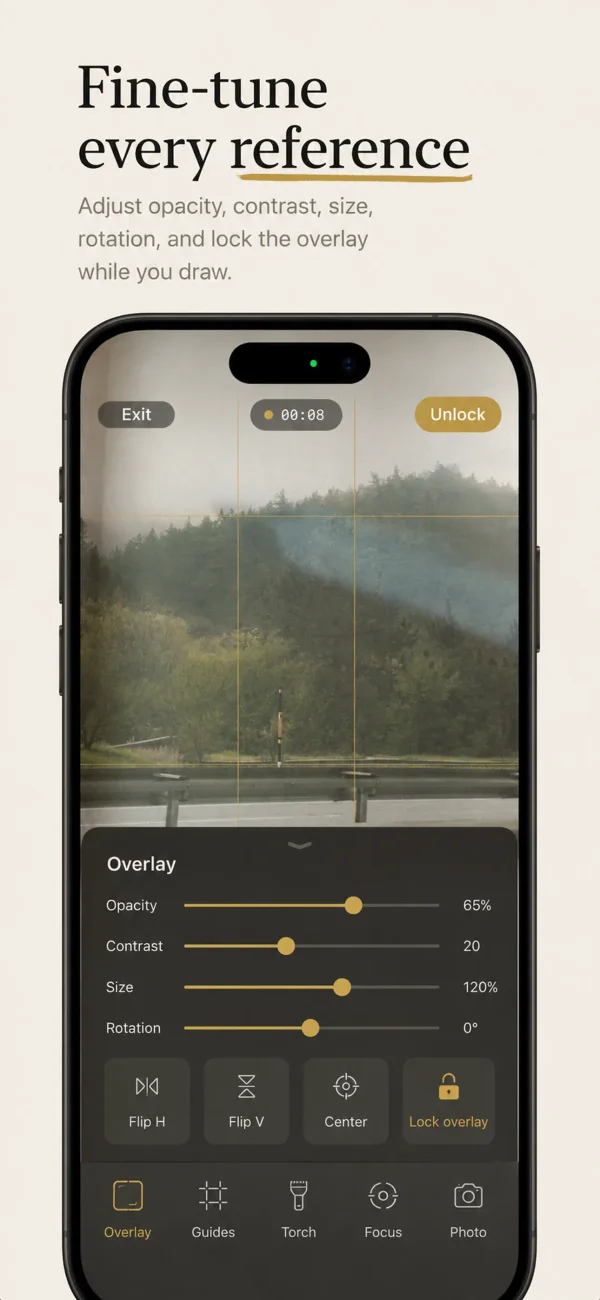
- Prop your phone above your paper and align the reference with pinch, rotate, and lock controls until it fits your page perfectly.
- Draw on the real paper underneath while the live camera overlay guides your lines.
PRACTICE YOUR WAY
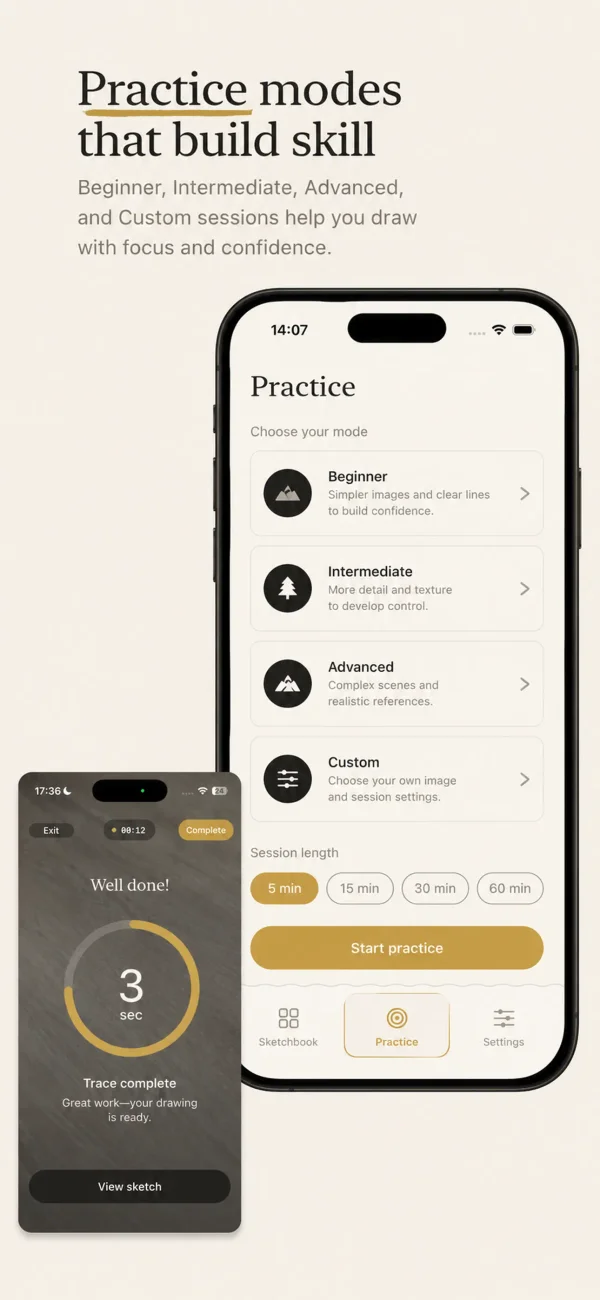
- Beginner, Intermediate, and Advanced modes each set a different overlay opacity and grid so you can wean yourself off the guide as you improve.
- Or set a fully custom practice length and let gentle break reminders keep your sessions comfortable.
DRAWING TOOLS BUILT FOR TRACING
- Lock your reference in place so it never drifts mid-drawing.
- Switch between thirds, fine, or center-axis grids for accurate proportions.
- Adjust overlay opacity and contrast live while you draw.
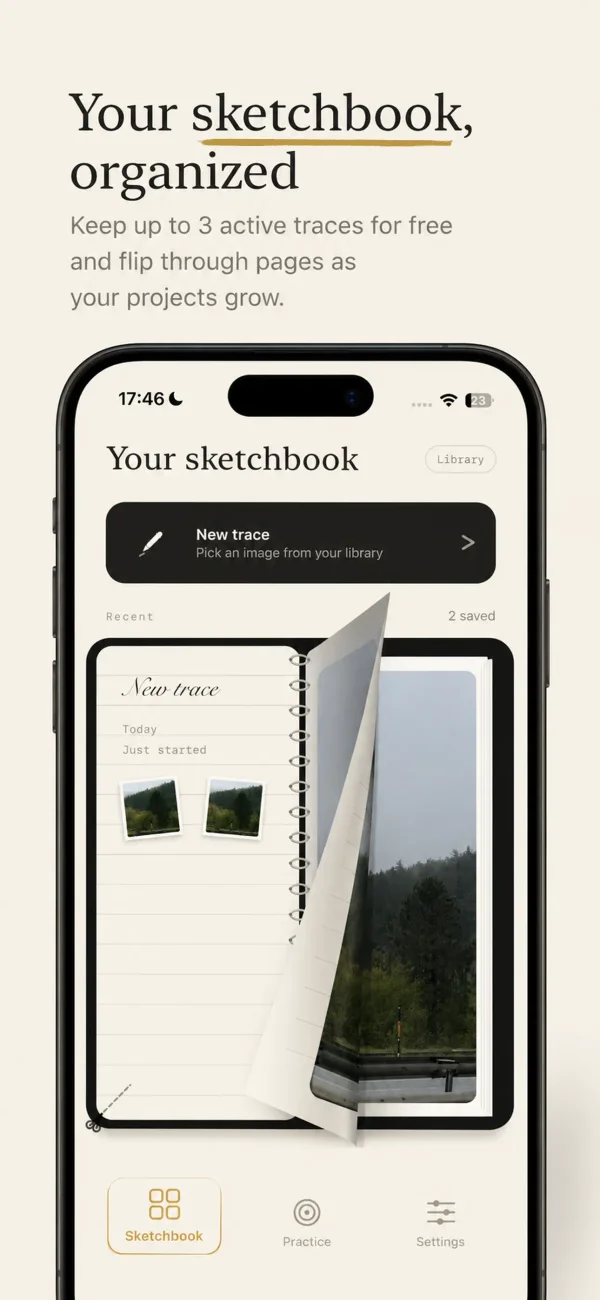
YOUR SKETCHBOOK
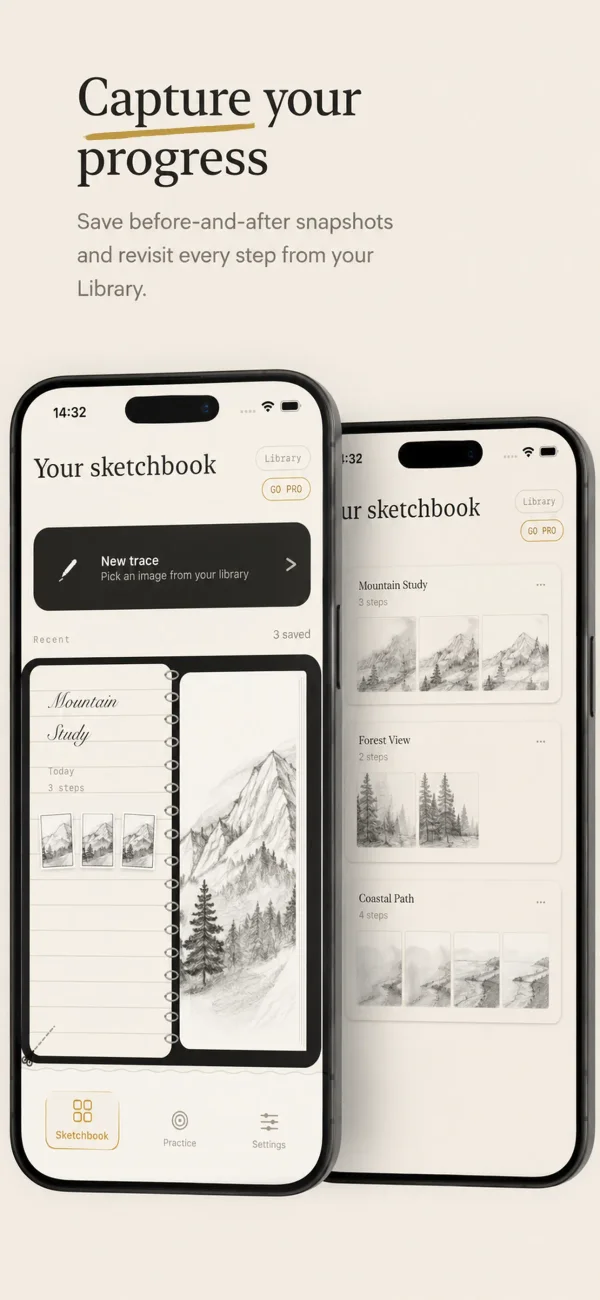
- Every trace is saved as a page in your own digital sketchbook, complete with session time tracking.
- Flip through past projects, rename them, or tear a page to delete it.
- Free accounts can keep up to 3 active projects at a time.
TRACK YOUR PROGRESS (PRO)
- Grayscale and edge/contour guide modes to focus on shapes and values instead of color.
- Capture a before/after photo alongside your reference as you draw — free accounts get one capture to try it, Pro unlocks unlimited captures and a progress gallery.
- Build a progress gallery of your work over time, framed in a custom stamp-style layout.
- Unlock unlimited active projects.
AR Trace Sketch is designed for artists, illustrators, hobbyists, and anyone who wants to practice drawing fundamentals — proportion, structure, and confidence — using their own camera and a pencil.
Privacy Policy: https://syncstore.app/legal/ar-trace-sketch/privacy
Terms of Use: https://syncstore.app/legal/ar-trace-sketch/terms
What’s new
Version 1.0.2 · Oct 29, 2026
Start tracing for free after onboarding. Explore Pro when you need more projects, guides or progress photos.
Improved Turkish translations and clearer subscription prices.
Your drawing session now continues when you return from the Pro screen.
Review requests appear after you have had time to use the app.
App privacy
What MUSTAFA YIGIT declares on the App Store about how this app handles data.
-
Data not linked to you
May be collected but is not linked to your identity.
- Purchases
- User content
- Usage data
- Diagnostics
Privacy practices may vary, for example with the features you use or your age.
Information
- Seller
- MUSTAFA YIGIT
- Category
- Graphics & Design
- Version
- 1.0.2
- Updated
- Oct 29, 2026
- Released
- Sep 19, 2026
- Size
- 42.2 MB
- Requires
- iOS 18.2 or later
- Age rating
- 4+
- In-app purchases
- Yes
- Languages
- English, Turkish
- Copyright
- © 2026 ytapps
You might also like
-
 Tracemate: AR Drawing & SketchTrace photos onto paper
-
 Pixel-APhotos into pixel patterns
-
 AR Trafaret: Drawing & SketchAR Stencil for Drawing
-
 Wandify: AI Photos, ImageHeadshot Generator, Face Swap
-
 Sketch Draw: AR Trace DrawingAI Photo to Line Art & Anime
-
 Grid Maker: Drawing ReferenceAdd grid to image & sketch
-
 Lifetime AR DrawTrace anything with AR
-
 AR Drawing: Tracing How-ToProjector: Sketch Art Anywhere
-
 PaperVision - AR Draw & TraceTrace,Paint & Learn To Outline
-
 sketch.AR - Draw & TracePhoto to Paper Art Guide