- Age rating12+
- CategoryGraphics & Design
- DeveloperMIDLANDSTORY inc.
- LanguagesEnglish
- Size45.3 MB
Links to the official App Store page
Download.org hosts no file of AR Video Trace. The button opens its official App Store page, published by MIDLANDSTORY inc. Listing last checked on Nov 18, 2026.
Screenshots
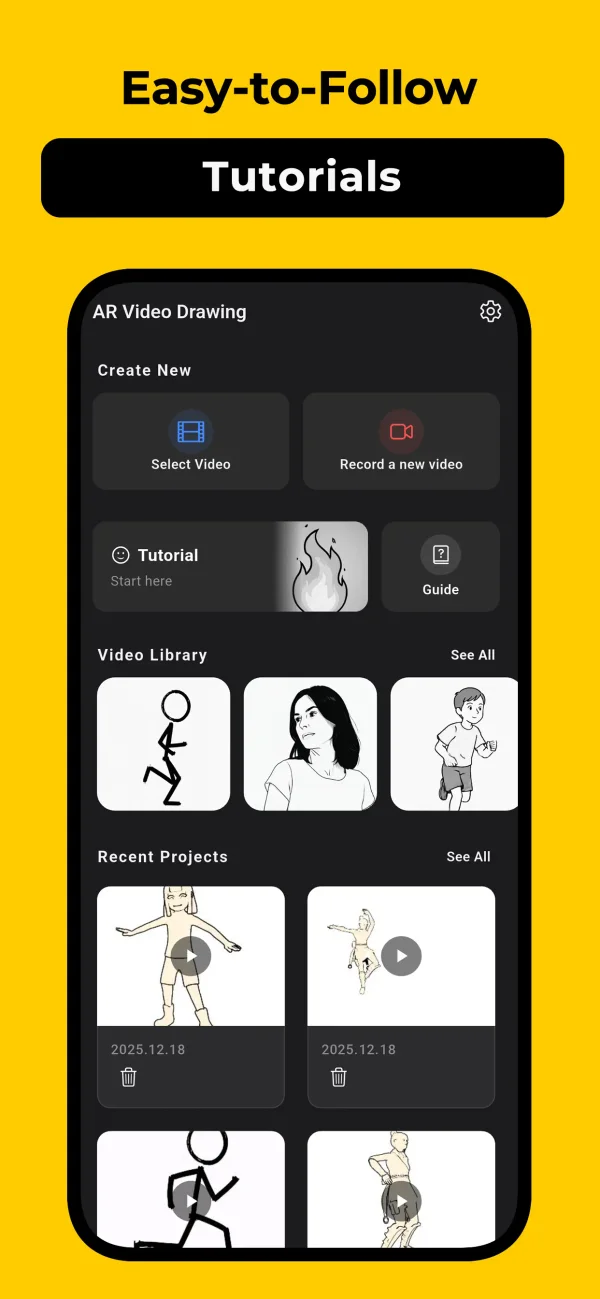
About
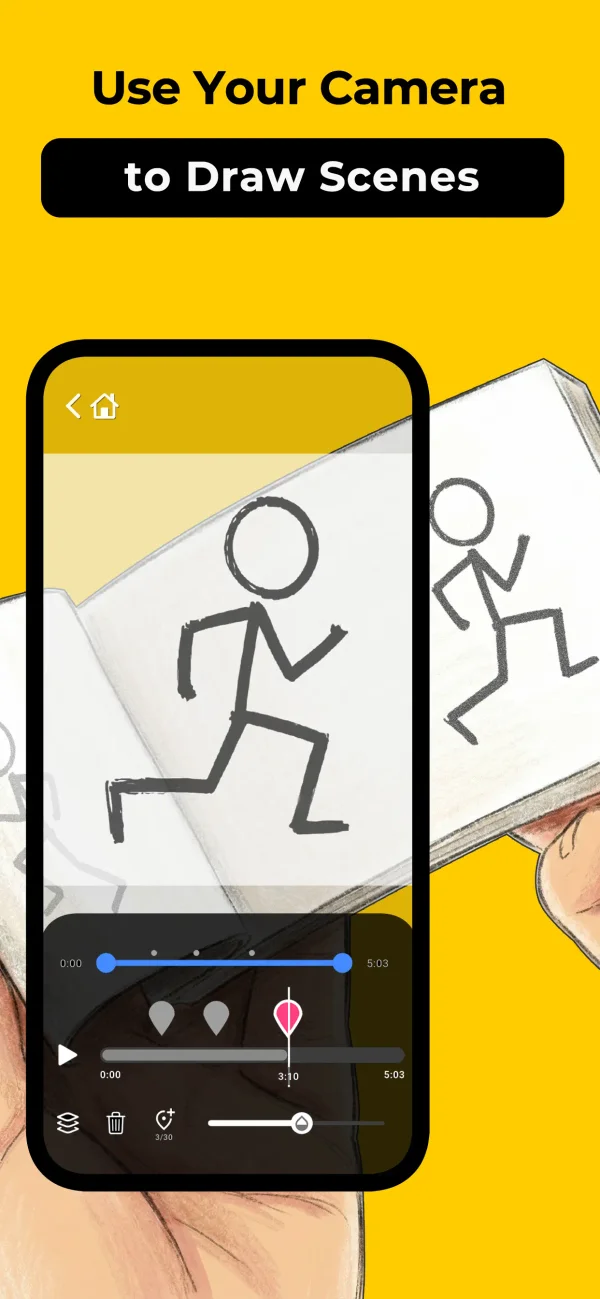
Bring your videos to life on paper! AR Video Trace helps you create flipbooks and hand-drawn animations by tracing video frames directly onto your sketchbook.
Whether you are an aspiring animator, an artist wanting to study motion, or just looking for a fun creative hobby, this app makes drawing frames easy and intuitive.
[ Key Features ]
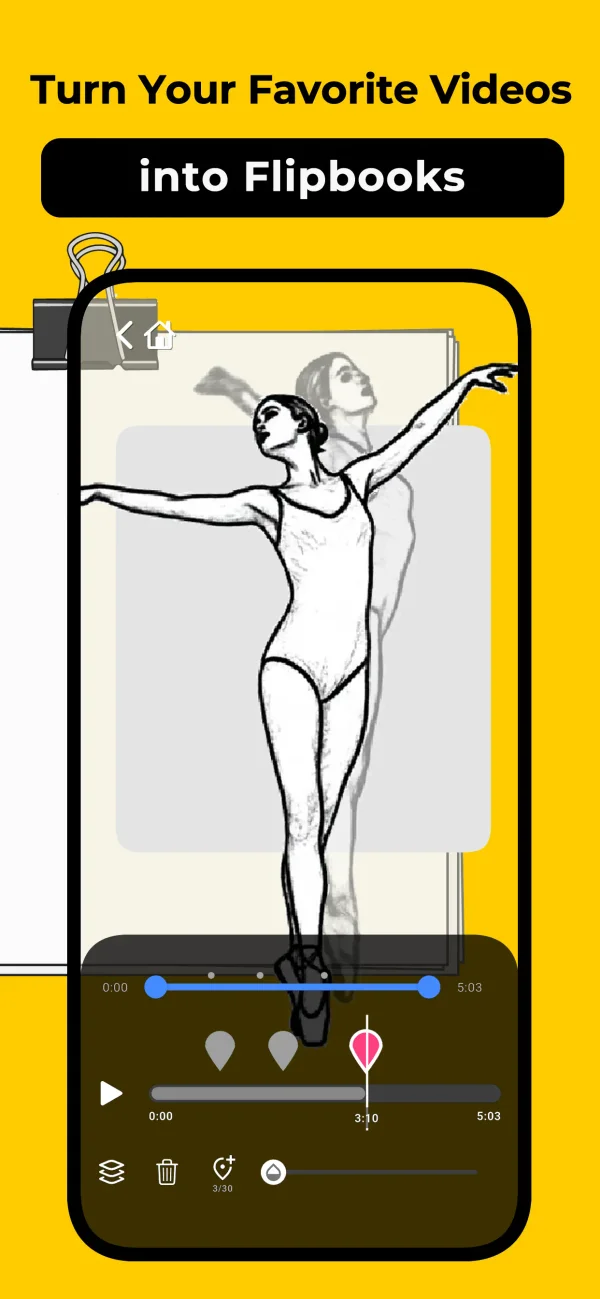
■ Create Flipbooks from Video Unlike standard tracing apps that only work with static images, AR Video Trace specializes in video. Pause specific moments in a video and trace them one by one to create smooth, hand-drawn animations.
■ Master the Art of Movement Understanding how things move is the hardest part of drawing. By tracing real video footage, you will naturally learn how to draw dynamic poses, capture weight, and understand the flow of motion. It’s the perfect practice tool for improving your drawing skills.
■ Smart Anchor System Our unique "Anchor" feature allows you to lock the video at specific frames (seek bar positions).
Add Anchor: Lock the frame you want to draw.
Overlay Mode: Use the "Anchor Multi-Selection Mode" to see previous frames ghostly overlaid on the current one—essential for keeping your animation consistent (Onion Skinning).
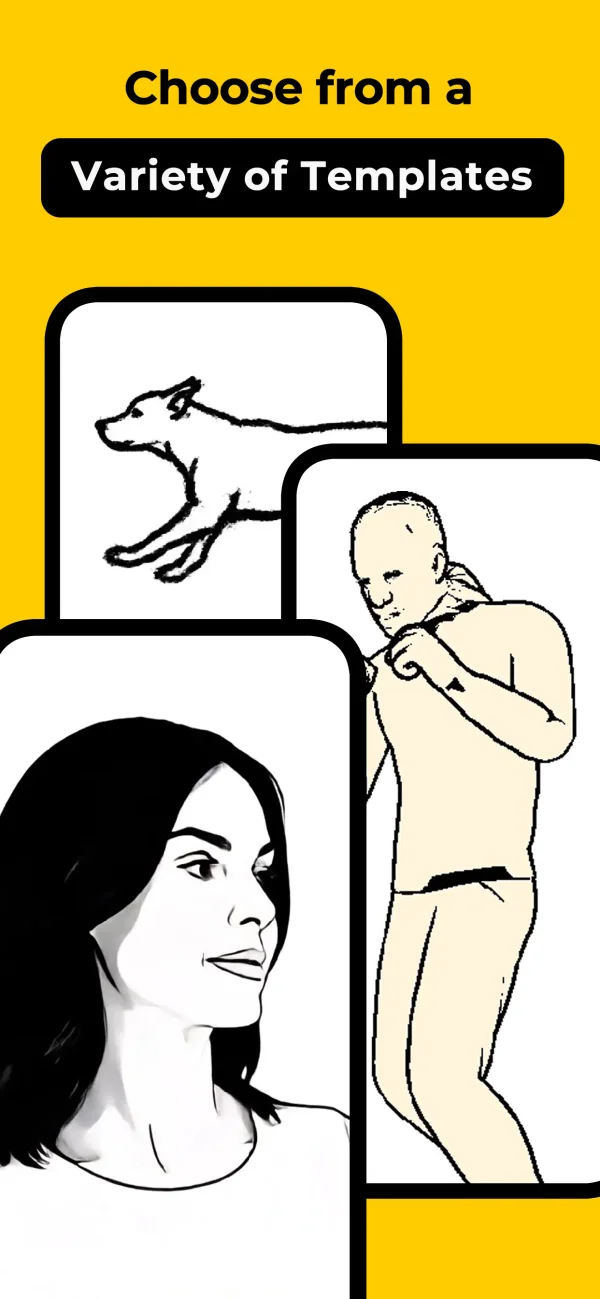
■ Start Creating Immediately No video? No problem. The app comes with pre-installed motion clips specifically selected for practice. You can start tracing and animating right away without needing to record your own footage first.
■ Step-by-Step Guide Beginners are welcome! A built-in tutorial guides you through the process:
Prepare your paper and pen (binder clips recommended!).
Learn how to place anchors.
Trace, flip, and animate!
[ Tools for Precision ]
Zoom & Scale: Pinch to scale the video image to fit your paper size.
Range Control: Focus on a specific loop of the video with the range bar.
Move & Adjust: Easily reposition anchors to align your drawing perfectly.
Download AR Video Trace today and start turning digital moments into hand-drawn magic!
What’s new
Version 1.0.0 · Oct 19, 2026
[Anúncio de Atualização Importante (Versão 1.0.0)]
Obrigado por usar nosso aplicativo!
Reformulamos o aplicativo para proporcionar uma experiência de usuário mais fluida e confortável!
■Principais Conteúdos da Atualização
• Versão Paga e Sem Anúncios: Todos os anúncios foram removidos, transformando o aplicativo em uma versão premium.
■Para Usuários Existentes
Se você já baixou o aplicativo, pode continuar usando-o sem custo adicional e desfrutar de uma experiência confortável e sem anúncios.
Aproveite o novo aplicativo. Agradecemos seu apoio contínuo!
App privacy
What MIDLANDSTORY inc. declares on the App Store about how this app handles data.
-
Data not collected
The developer does not collect any data from this app.
Privacy practices may vary, for example with the features you use or your age.
Information
- Seller
- MITTO LAND STORY K.K.
- Category
- Graphics & Design
- Version
- 1.0.0
- Updated
- Oct 19, 2026
- Released
- Dec 22, 2025
- Size
- 45.3 MB
- Requires
- iOS 16.6 or later
- Age rating
- 12+
- Price
- $7.99
- Languages
- English
- Copyright
- © Midland Story
You might also like
-
 Flip Animation: 2D Draw a ClipFlipAnim Maker Frame Animate
-
 Pencil 2d - Draw & AnimationsFlipbook Animation Maker
-
 VectorMotionDesign & Animate
-
 MotionBook - Draw & AnimateBest Flipbook Animation Maker
-
 Prisma3D - Animation, ModelingPrisma 3D Animation App
-
 FlipaClip: Draw 2D AnimationAnimate Cartoons & Create Art
-
 MediBang Paint – Drawing & ArtGraphics & Design
-
 3D modeling: Design my modelSculpt & sketch digital art
-
 Castle - Make and PlayGraphics & Design
-
 Magic Poser - Art Pose ToolBest 3D pose reference app