
- Age rating17+
- CategoryUtilities
- DeveloperYorjandi Perez Garcia
- LanguagesGerman+ 32 more
- Size40.8 MB
Links to the official App Store page
Download.org hosts no file of Archivador. The button opens its official App Store page, published by Yorjandi Perez Garcia. Listing last checked on Nov 12, 2026.
Screenshots


About
Archivador keeps your passwords, documents, notes, and files organized and encrypted.
• AES-GCM encryption with the key protected in Apple Keychain
• Access via Face ID or Touch ID
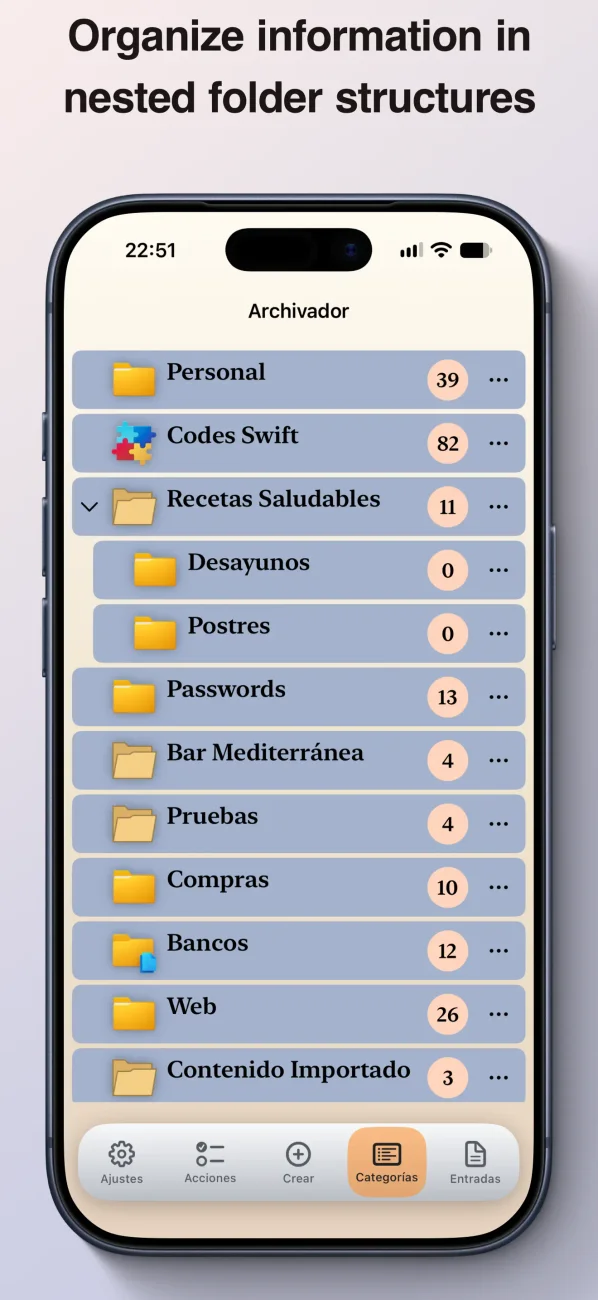
• Unlimited categories and subcategories
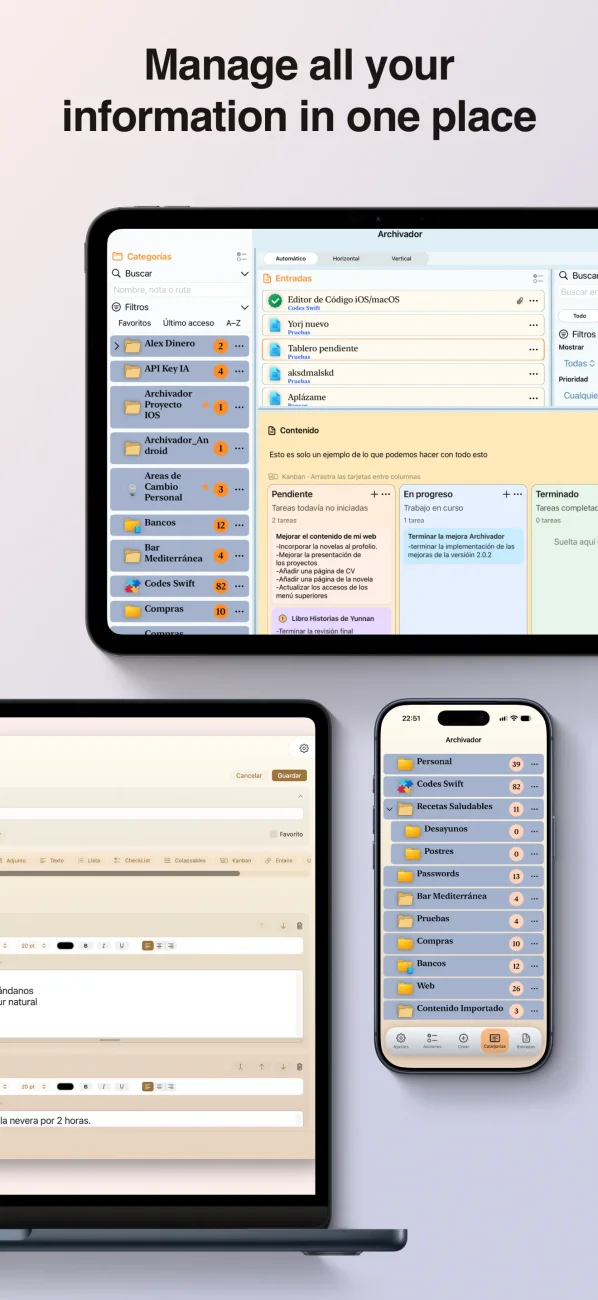
• Entries contain rich text, links, images, code snippets, checklists, Kanban boards, etc.
• PDF, Word, ZIP, and many other file formats
• OCR, QR code tools, reminders, and a password generator
• iCloud sync and offline access
• Instant search
• Available on iPhone, iPad, and Apple Watch
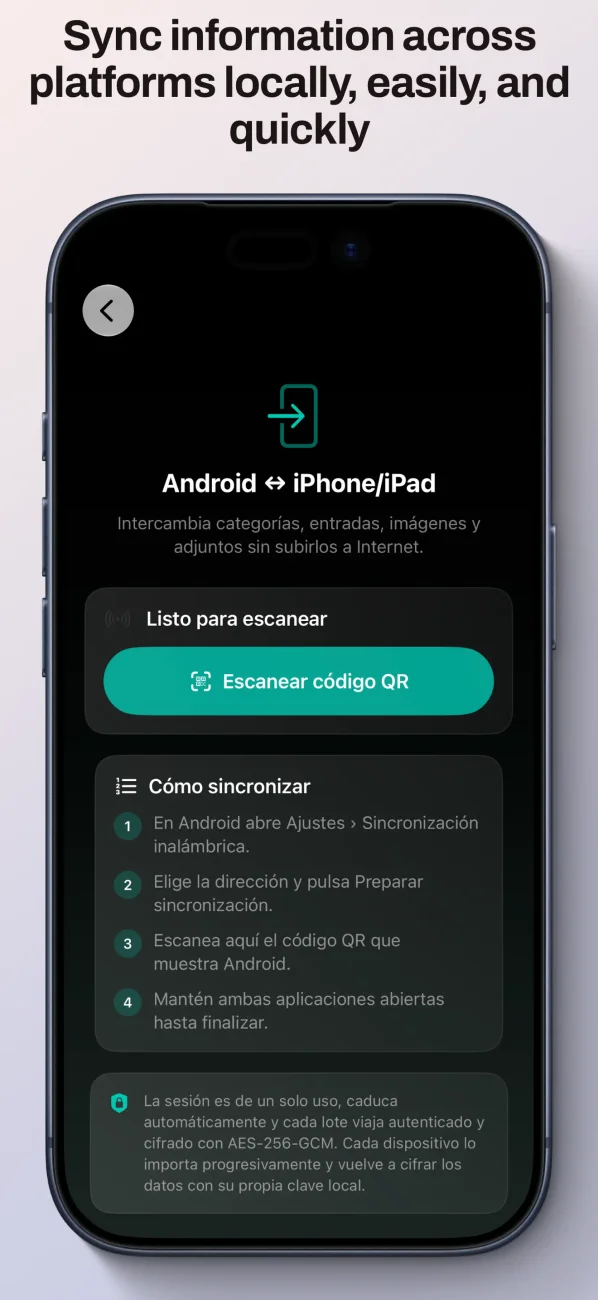
• Secure local data syncing across multiple devices
New users can try Premium free for 14 days. After that, the annual subscription automatically renews at the localized App Store price unless canceled. Those who purchased Archivador before version 2.0 retain lifetime access.
Privacy Policy: https://ypgcode.es/archivadorios-politica-de-privacidad/
Terms of Use (EULA): https://www.apple.com/legal/internet-services/itunes/dev/stdeula/
What’s new
Version 2.0.3 · Nov 8, 2026
Archivador's new version is here!
• Security: the encryption process has been strengthened to address advances in AI and computing power, while AES-256-GCM remains the cryptographic core. The update is quick, simple and automatic—just follow the on-screen instructions.
• Categories now support subcategories in a directory-tree view. Categories and entries can also be sorted by most recent access.
• Information can sync with devices on other platforms.
• Entries can contain many block types: text, lists, checklists, links, embedded images, collapsible headings, Kanban boards and more.
• New blocks: Checklists, Kanban boards and collapsible headings.
• Rich-text formatting with font size, color, alignment and typeface controls.
• Inline editing directly in the details panel.
• Entry reminders with notifications and custom notes.
• Complete visual customization from Settings.
• On macOS, drag and drop entries into categories.
• A new layout designed for iPad screens.
• Import content from other apps using the system Share menu.
• New Control Center shortcuts to create a category or entry.
• The attached ZIP-file editor has been expanded and optimized.
• A redesigned interface makes better use of space and is easier to use.
• Entries now include an option to open their category.
Enjoy the update! New Archivador users can try the app free for 14 days, then decide whether to keep enjoying its practical benefits.
App privacy
What Yorjandi Perez Garcia declares on the App Store about how this app handles data.
-
Data not collected
The developer does not collect any data from this app.
Privacy practices may vary, for example with the features you use or your age.
Information
- Seller
- Yorjandi Perez Garcia
- Category
- Utilities
- Version
- 2.0.3
- Updated
- Nov 8, 2026
- Released
- Jun 2, 2024
- Size
- 40.8 MB
- Requires
- iOS 17.2 or later
- Age rating
- 17+
- In-app purchases
- Yes
- Languages
- German, Arabic, Danish, English, Finnish, French, Greek, Hebrew, Hindi, Indonesian, Italian, Japanese + 21 more
- Copyright
- © YPGcode
You might also like
-
 Roomy: Private Offline Cleaner100% offline. No data uploads.
-
 Kit VaultEmergency Preparedness Tracker
-
 MyFiles: File Manager & UnzipWi-Fi Transfer & Private Space
-
 AreaCalc Pro: Sq Ft CalculatorMeasure Rooms & Estimate Cost
-
 nShiftsDuty & Shift Planner
-
 Private Folder Vault - SafeHide private video,photo,docs
-
 Word Maze – Hidden FolderHidden Vault for your files
-
 Cleaner Solu: Clean Up iPhoneAI Photo & Storage Cleaner
-
 Proposal MonitorUtilities
-
 Private Password Locker AppStore and Manage All Passwords