- Age rating17+
- CategoryProductivity
- DeveloperBlaine Miller
- LanguagesEnglish+ 8 more
- Size95.4 MB
Links to the official App Store page
Download.org hosts no file of Ari Helper. The button opens its official App Store page, published by Blaine Miller. Listing last checked on Nov 17, 2026.
Screenshots


About
Introducing Ari - Your Easy-to-Use AI Assistant!
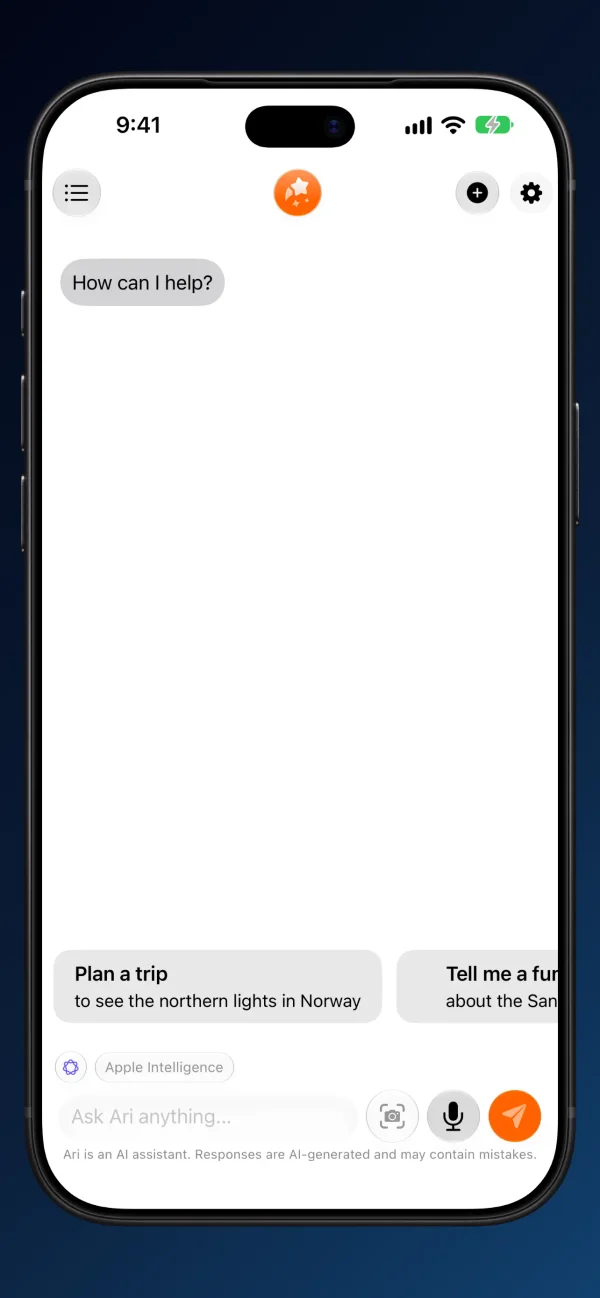
Meet Ari, your personal AI assistant, right on your device! Ari runs its models on the device itself, so it works entirely offline — no internet connection required.
Your privacy is our priority – Ari doesn't collect any of your personal data.
Start Ari anywhere with Siri and App Intents — just say "Ask Ari," speak your question, and hear the answer back.
Power users get a full Shortcuts catalog: Ask Ari with any model (Apple Intelligence, local, or cloud), start chats, generate and edit images, analyze PDFs, speak replies, change settings, queue Code Session tasks on Mac, and dispatch prompts to other devices — all chainable in Shortcuts.
Ari is on your wrist too: the Apple Watch app remote-controls Ari on iPhone. Dictate from the "Ask Ari" complication or Smart Stack, watch answers stream in, hear them spoken, and hand long replies to iPhone. Questions queue when the phone is away; private chats stay off the watch.
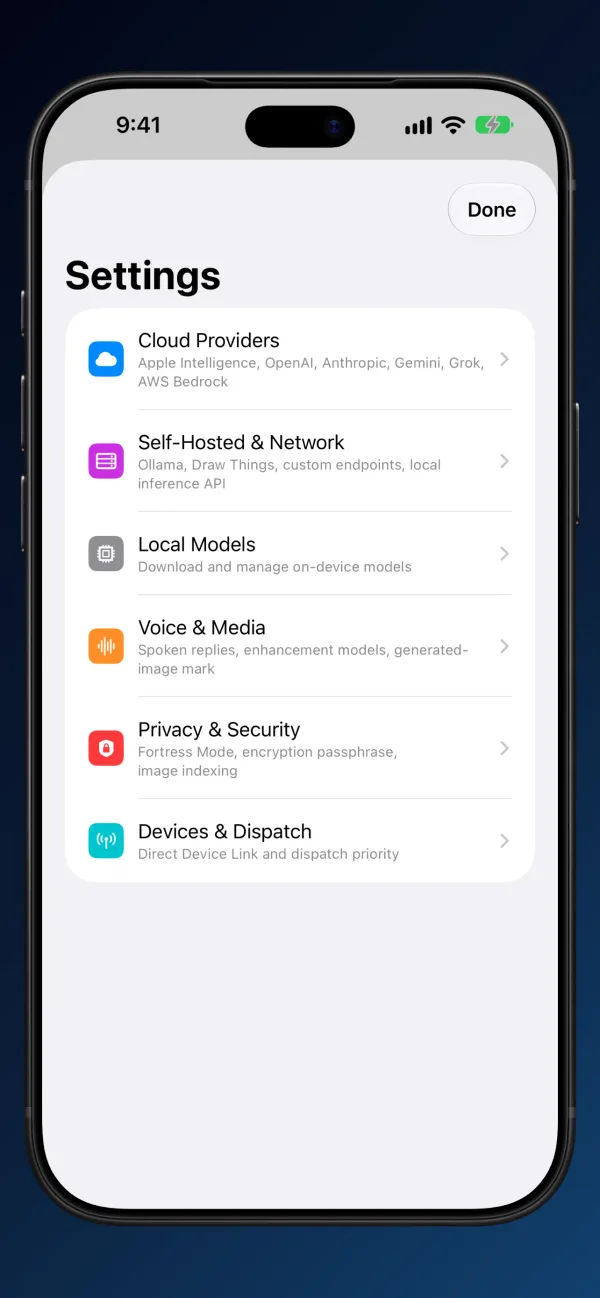
Conversations show up in Spotlight — including by what's in their images. Ari reads text and objects in chat pictures on-device so you can search for "that screenshot with the receipt". Private media is never indexed. With Sensitive Content Warning on, flagged images blur behind "Show Anyway" (verified adults can opt out).
More to love: Text-to-Speech (device voice or Ava); long-press to copy or retry across models; syntax highlighting with one-tap code copy; Previous Chats synced via iCloud.
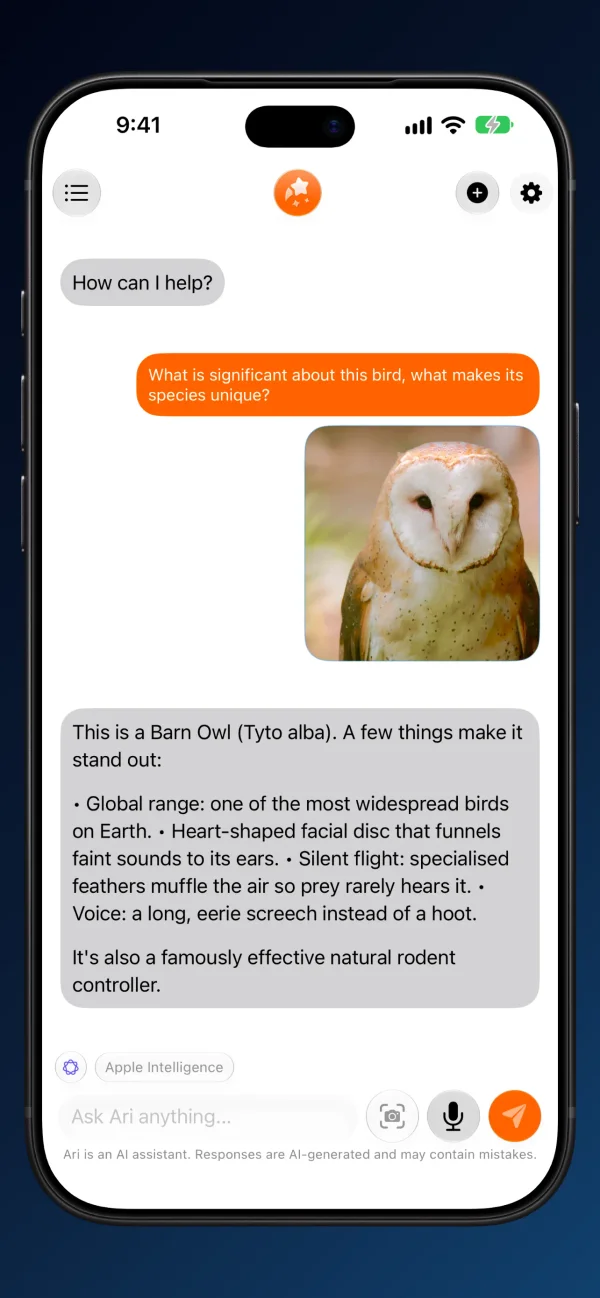
On Apple Intelligence (iOS 26 / macOS 26 and later), Ari uses the on-device foundation model by default — private, no API key, no network. Attach images: on iOS 27 and macOS 27 the model sees them directly; on OS 26 Ari describes them on-device with the Vision framework (text, tables, barcodes, subjects). Prefer full vision models? Pick one from the menu.
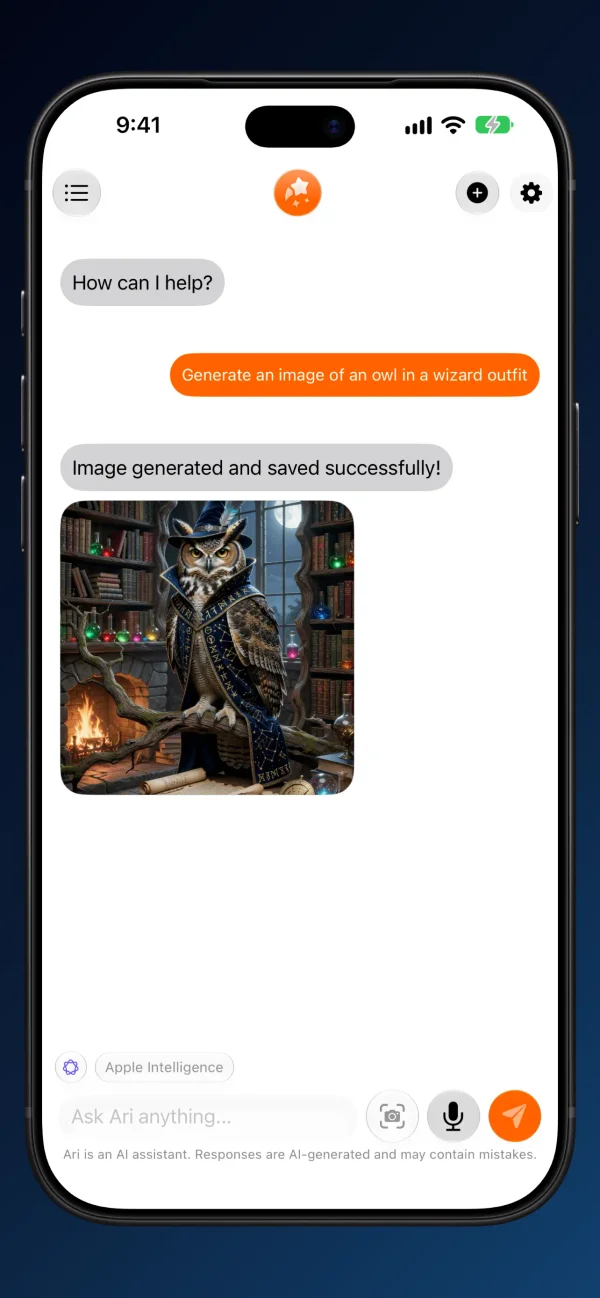
Download on-device models with a tap — Google's Gemma 4 for chat, Stable Diffusion converted for Core ML for pictures — or import a model folder of your own. Self-host with Ollama or any OpenAI-compatible server (LM Studio, vLLM, llama.cpp, LiteLLM), or generate images with Draw Things over gRPC.
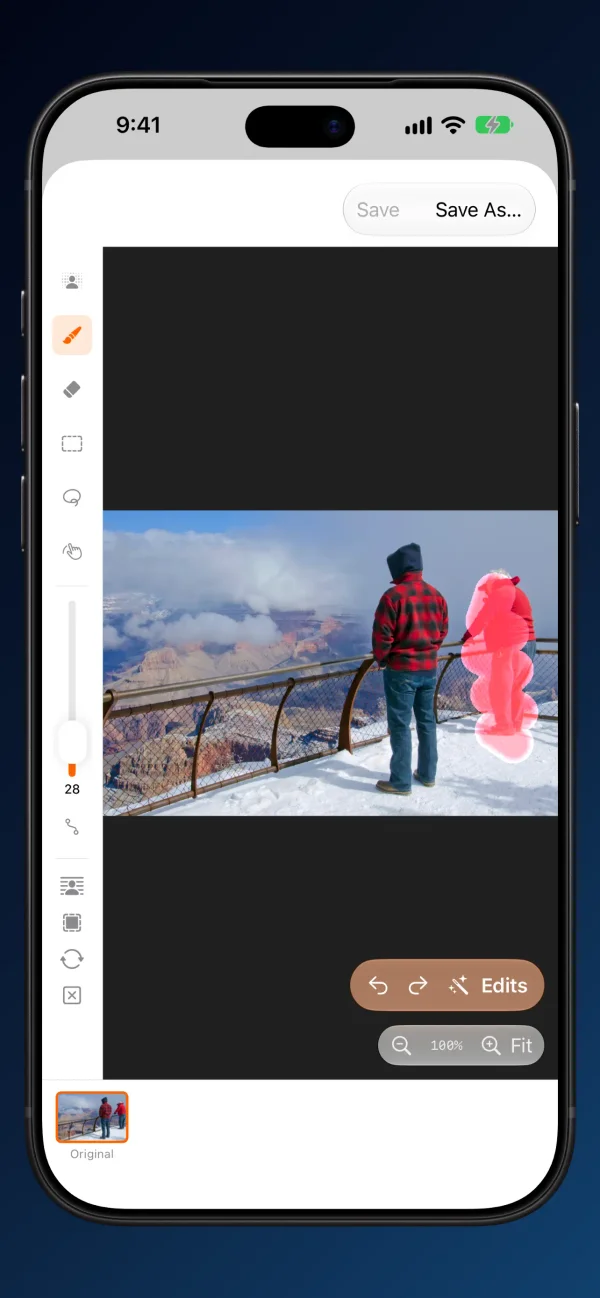
New in Ari 7: Ari makes pictures and films, and repairs the ones you already have. Films is a studio — write a film as a list of shots, render them one at a time, keep the ones that work, and watch the cut come together in a player above the timeline. Pictures get a canvas editor: brush over a crease and heal it, paint a leash or a stranger out of the frame, or treat the whole photograph — repair, denoise, sharpen camera shake, colorize, upscale four times. Every restoration model runs on your device and downloads on first use rather than shipping in the app.
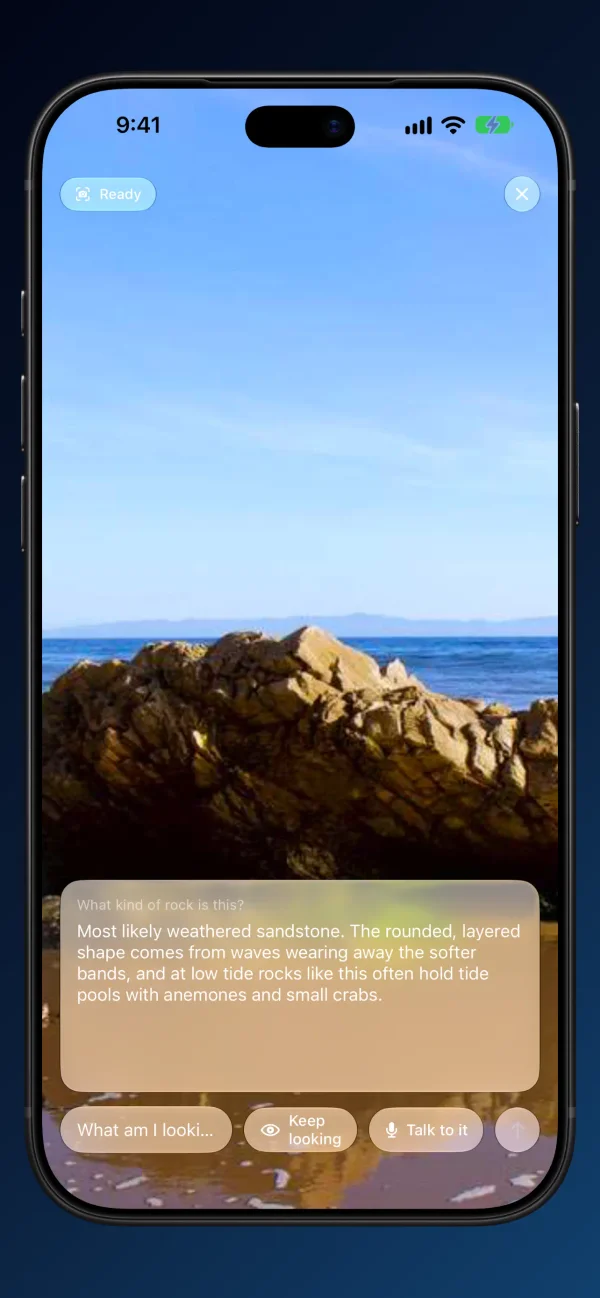
Point the camera at something and ask about it. Look at Something sends the frame to whichever model you have selected — on-device, self-hosted or cloud — captions the answer under the picture and speaks it if you like. Talk to it and it listens, answers, then listens again. It sits beside the microphone, and goes on the Lock Screen, Control Center, the Action Button or Siri.
Cloud providers with your own keys: OpenAI (GPT-6 and GPT-5 families plus GPT Image), xAI Grok (4.7 plus Grok Imagine), Anthropic Claude, Google Gemini (plus Nano Banana and Omni video), and AWS Bedrock. Image-capable models accept photos; import text and source files. Cloud use reminds you each provider's privacy policy applies.
On Mac, open a Code Session on a project folder with Grok for agentic tools — read, edit, search, git, shell, browser, web, and MCP — so Ari's GUI agent matches a terminal coding agent.
Note: For strongest privacy with iCloud sync, enable Advanced Data Protection. Without it, conversations stay limited to your iCloud account but are not fully end-to-end encrypted.
Optionally powered by Gemma 4 (HuggingFace) for offline chat and image understanding.
Download Ari and keep your AI assistant at your fingertips!
What’s new
Version 7.2.1 · Nov 10, 2026
• Pictures no longer fail to save when they finish while your device is locked. An image from OpenAI, Grok, Gemini or on-device generation that arrived during that time was lost with a "You don't have permission to save the file" error. It now saves.
App privacy
What Blaine Miller declares on the App Store about how this app handles data.
-
Data not collected
The developer does not collect any data from this app.
Privacy practices may vary, for example with the features you use or your age.
Information
- Seller
- Blaine Miller
- Category
- Productivity
- Version
- 7.2.1
- Updated
- Nov 10, 2026
- Released
- Mar 26, 2024
- Size
- 95.4 MB
- Requires
- iOS 26.0 or later
- Age rating
- 17+
- Price
- $24.99
- Languages
- English, French, German, Italian, Japanese, Korean, Portuguese, Simplified Chinese, Spanish
- Copyright
- © 2026 Blaine Miller
You might also like
-
 LocalLens: On-Device AIVideos, audio & images to text
-
 eFiles: File Manager ProFTP, SFTP, ZIP, PDF & Cloud
-
 SearchHub - Search quicklyMulti-app search in 2 steps.
-
 Aside: On-Device AI ChatPrivate on-device AI chat
-
 Zone before you PhoneFocus zones for your apps
-
 SessionsAIWhat do you want to do today?
-
 CustomSearch 2Custom search for Safari
-
 AGORA Trust RoomsSecure file sharing platform
-
 TealKit: Private AI AgentsYour personnel AI Assistant
-
 Pocket AI: Offline PDF & VoicePrivate Chat, Notes & Photos