- Age rating4+
- CategoryUtilities
- DeveloperAldo Leka
- LanguagesEnglish+ 46 more
- Size7.5 MB
Links to the official App Store page
Download.org hosts no file of Armrest: TV Remote. The button opens its official App Store page, published by Aldo Leka. Listing last checked on Nov 23, 2026.
Screenshots
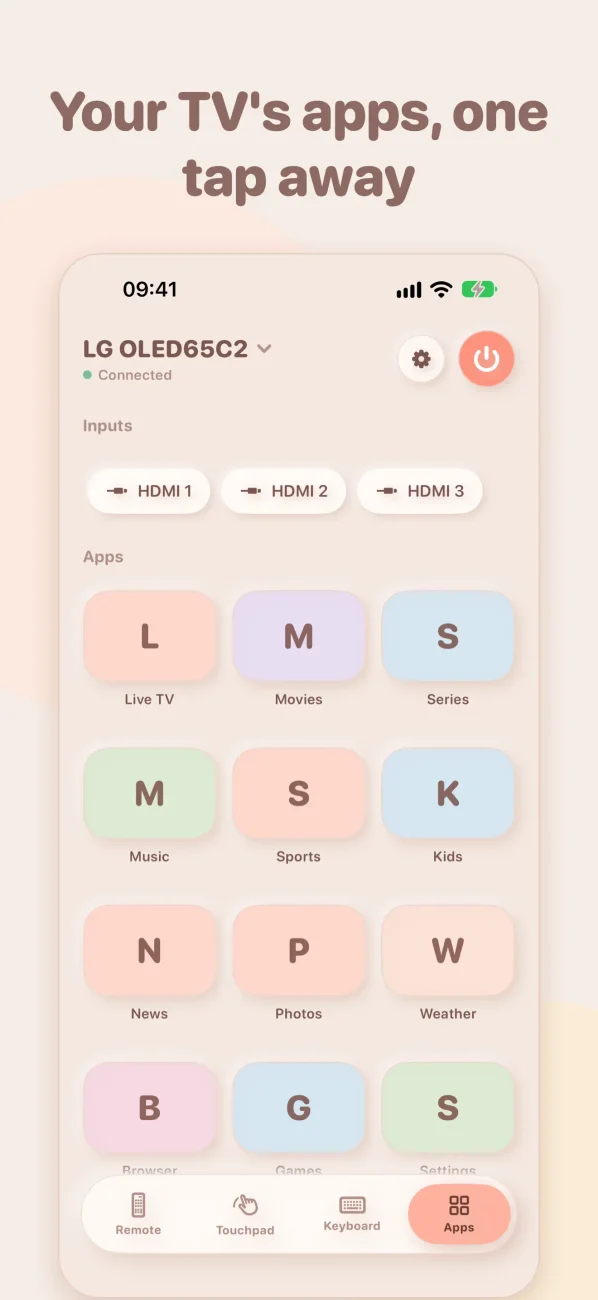
About
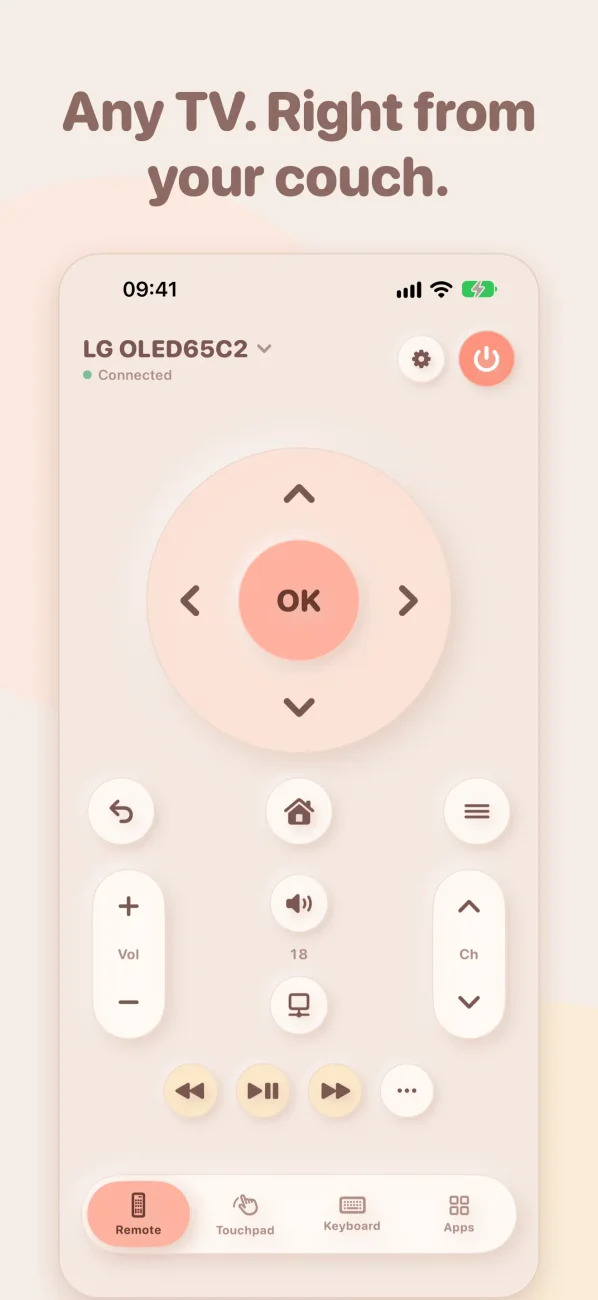
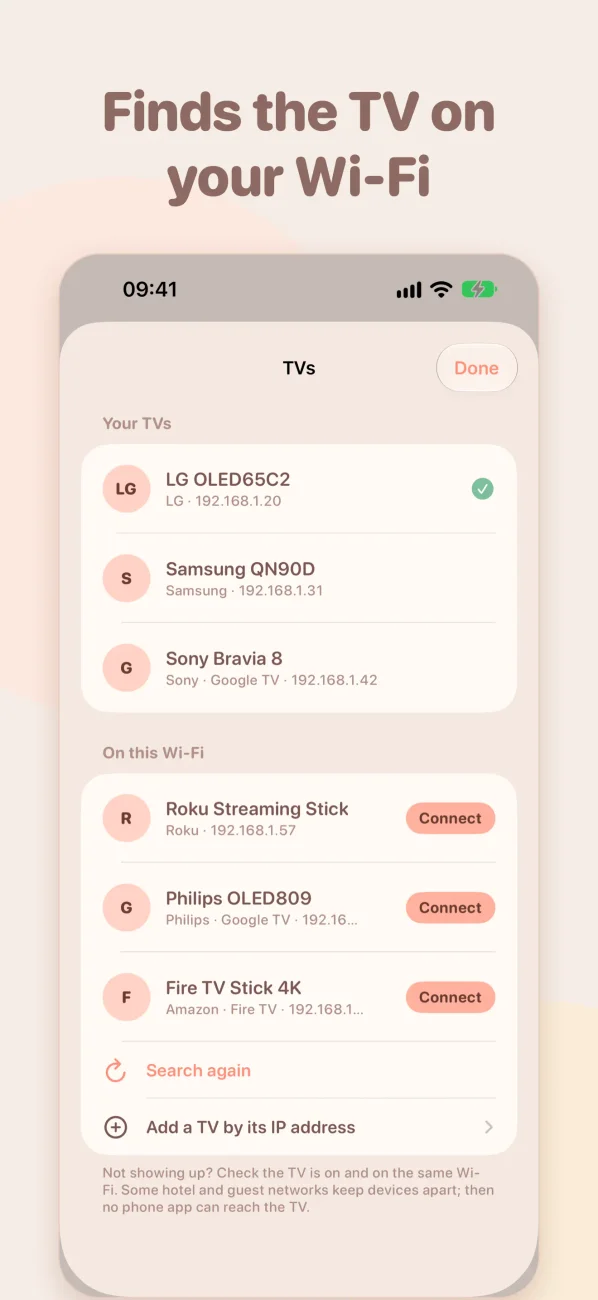
Armrest turns your iPhone and iPad into a remote for the smart TV in front of you, at home or in a holiday rental. It finds the TV on your Wi-Fi by itself and pairs in a tap.
WORKS WITH
LG (webOS), Samsung (2016 and newer), Android TV and Google TV (including Sony, Philips, TCL, Hisense, Xiaomi, Sharp and Chromecast), Roku, Fire TV, Philips, Sony Bravia, Vizio SmartCast and Panasonic Viera TVs made before 2019.
A REMOTE THAT FEELS RIGHT
• A big d-pad with OK, Back, Home and Menu
• Volume, mute, channels and inputs
• Play, pause, rewind and fast forward, plus numbers and color buttons
• A soft tap on every press; arrows and volume repeat while you hold them
TOUCHPAD AND KEYBOARD
• Swipe to move and tap to select, or use a pointer on LG and Samsung TVs
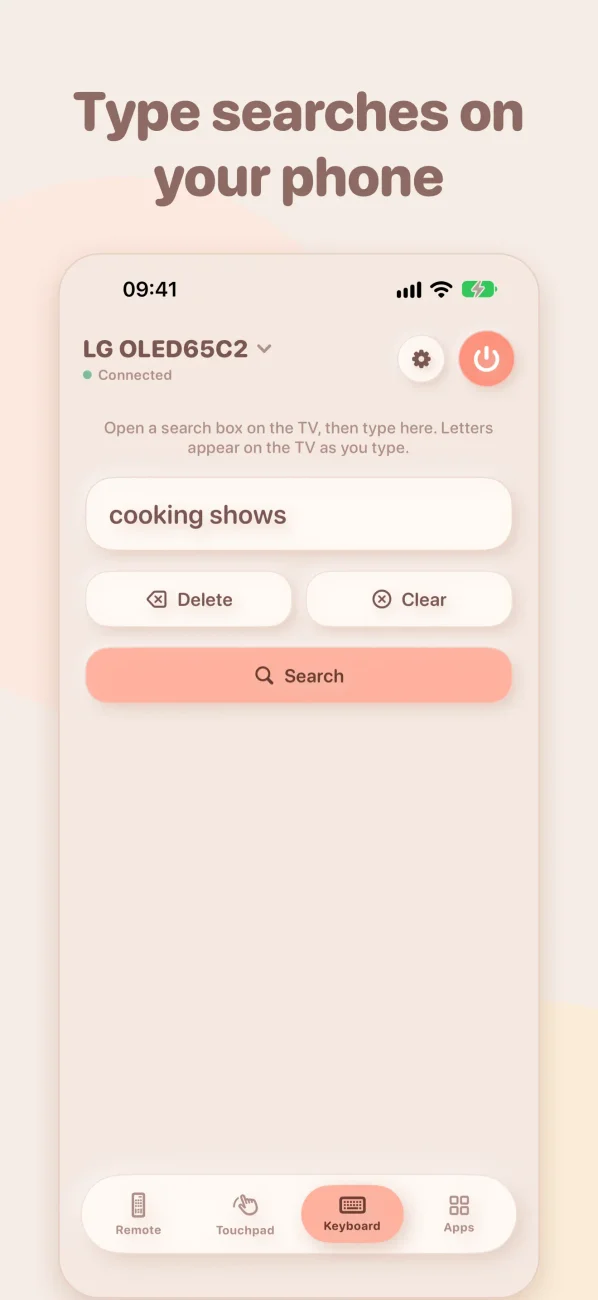
• Type searches on your phone instead of hunting for letters with the arrows
YOUR TV'S APPS
• Open the TV's apps and switch HDMI inputs in one tap, on TVs that allow it
CONTROL CENTER, LOCK SCREEN AND SIRI
• Add TV power, volume, mute and play/pause to Control Center or the Lock Screen
• Ask Siri to turn off or mute the TV
PRIVATE BY DESIGN
No account, no ads, no analytics. Armrest talks only to the TVs on your Wi-Fi; nothing you press or type is sent to us.
GOOD TO KNOW
• Your iPhone or iPad and the TV need to be on the same Wi-Fi network. Some hotel and guest networks keep devices apart.
• Turning a TV on from Armrest depends on the TV's network standby setting.
• Apple TV, Hisense VIDAA and Panasonic TVs from 2019 on aren't supported yet, and TVs without Wi-Fi can't be controlled from an iPhone.
Armrest is an independent app and isn't affiliated with or endorsed by any TV maker. Brand names are trademarks of their owners.
What’s new
Version 1.0.5 · Nov 17, 2026
Typing on LG TVs works again: letters reach the TV's text boxes, in the web browser too.
App privacy
What Aldo Leka declares on the App Store about how this app handles data.
-
Data not collected
The developer does not collect any data from this app.
Privacy practices may vary, for example with the features you use or your age.
Information
- Seller
- Aldo Leka
- Category
- Utilities
- Version
- 1.0.5
- Updated
- Nov 17, 2026
- Released
- Oct 31, 2026
- Size
- 7.5 MB
- Requires
- iOS 18.0 or later
- Age rating
- 4+
- Price
- Free
- Languages
- English, Arabic, Bengali, Bulgarian, Catalan, Croatian, Czech, Danish, Dutch, Finnish, French, German + 35 more
- Copyright
- © 2026 Aldo Leka
You might also like
-
 TLK RemoteTV remote with channel tiles
-
 Zapp Remote: Smart TV ControlOne Remote for All Your TVs
-
 Universal TV Remote – RelayoWi-Fi Smart TV Control App
-
 Sofa: TV Remote & KeyboardRemote, keyboard & show on TV
-
 Remote All: Smart TV RemoteUniversal Smart TV Remote
-
 Control: Universal TV RemoteNo Ads, Purchases, or Tracking
-
 Remote for TV. ControlUniversal Smart Controller
-
 Less TimeUtilities
-
 IPTV Universal Remote WifiCast Control Support most TVs
-
 Remotal: Universal TV RemoteSmart WiFi Control & Keyboard