
Sofa: TV Remote & Keyboard
Remote, keyboard & show on TV
Designed for iPhone, iPad
Free
- Age rating4+
- CategoryUtilities
- DeveloperAll Things AI, Inc
- LanguagesEnglish+ 43 more
- Size11.0 MB
Links to the official App Store page
Download.org hosts no file of Sofa: TV Remote & Keyboard. The button opens its official App Store page, published by All Things AI, Inc. Listing last checked on Nov 28, 2026.
Screenshots

About
The worst part of a smart TV is typing on it. Sofa fixes exactly that — and now it puts your photos and files on the big screen too.
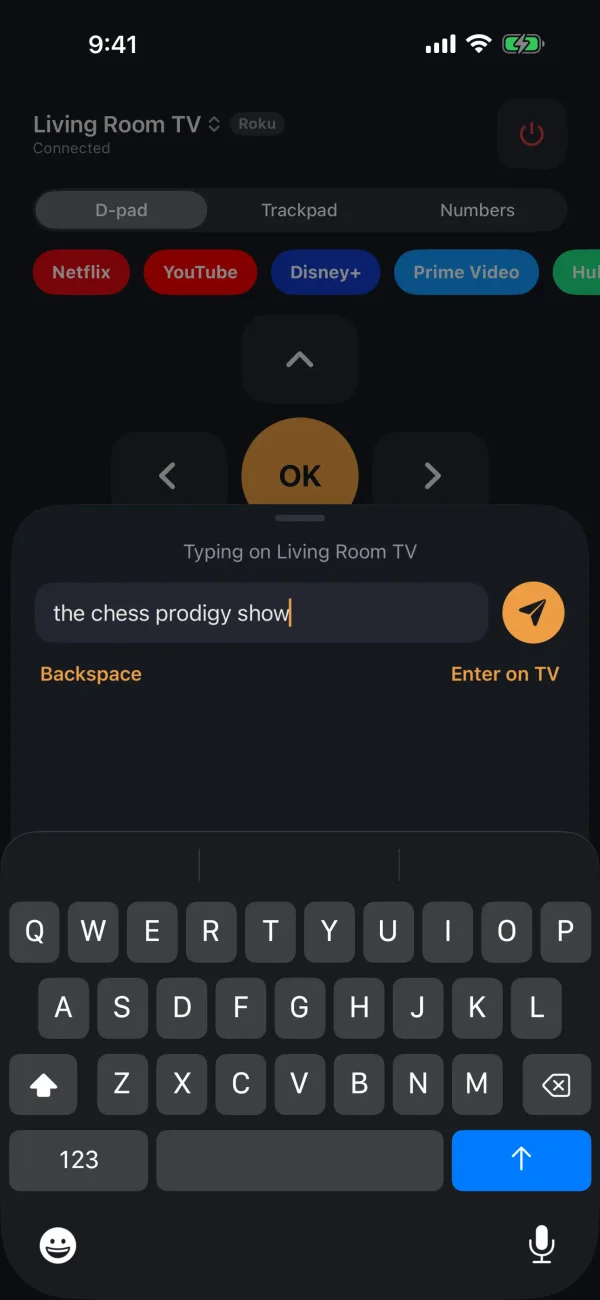
Sofa is a remote built around your phone's keyboard: open the Type sheet, write "that show with the chess prodigy," and it lands straight in the TV's search box. No more spelling passwords one arrow-press at a time.
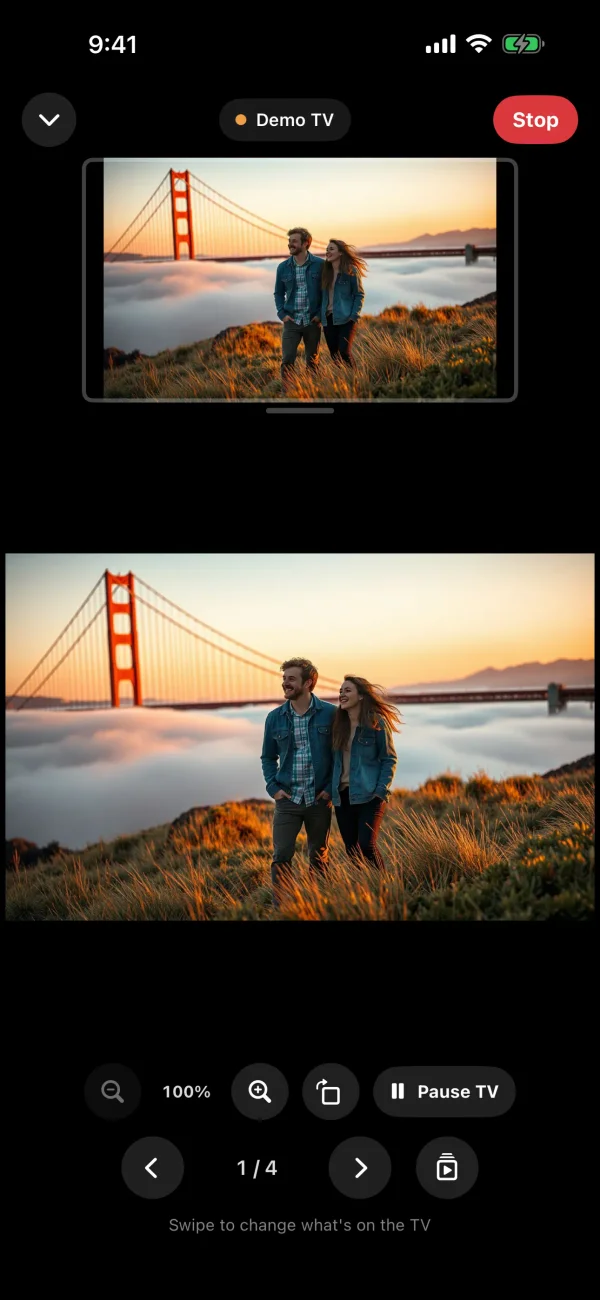
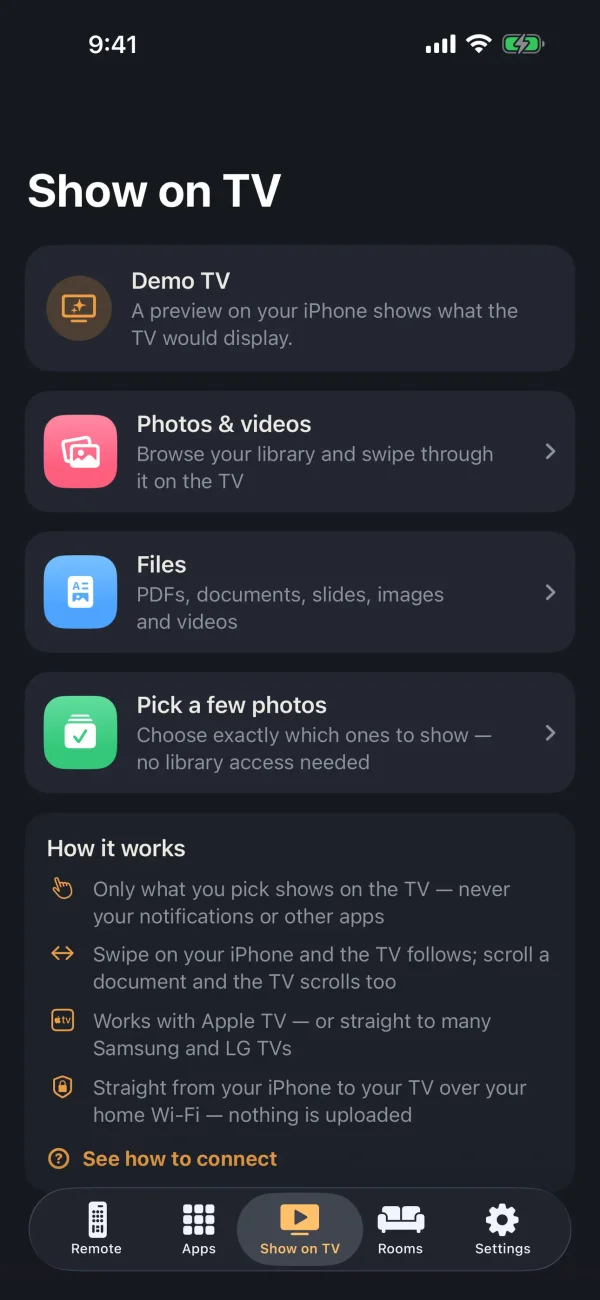
NEW: SHOW ON TV
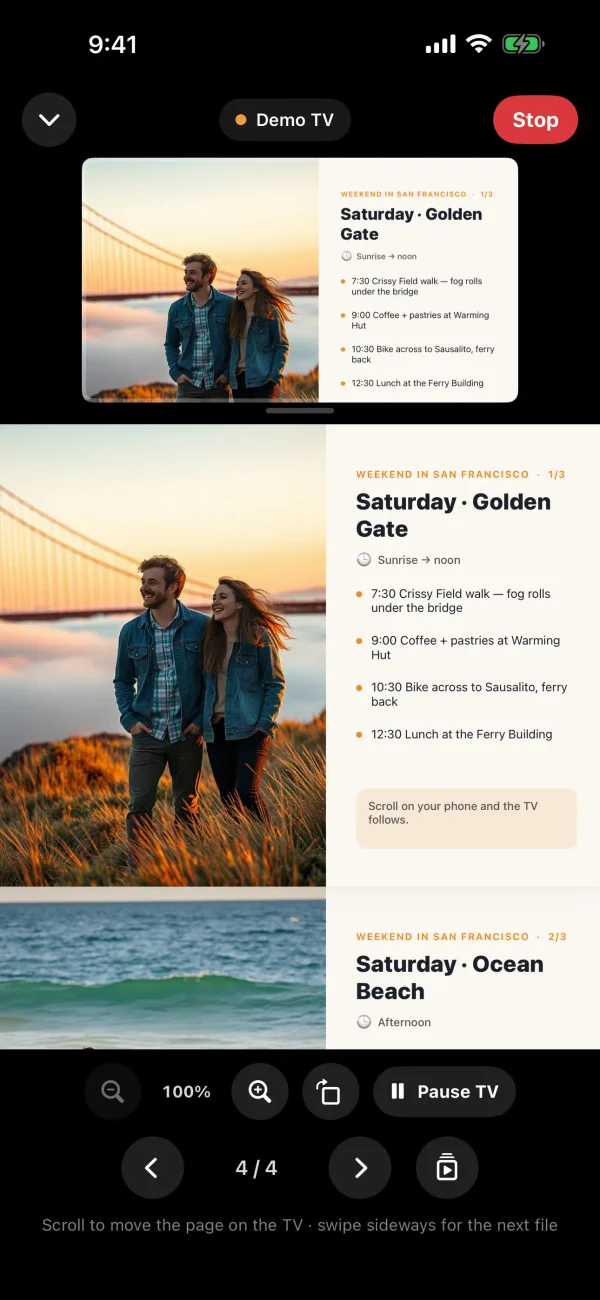
- Put photos, videos, PDFs, documents and slides from your iPhone on the TV, full screen
- Show the same thing on several TVs at once — pick all your TVs or just a few
- Works with Apple TV and AirPlay TVs — and many Samsung and LG sets receive content straight from Sofa, with no Apple TV or Screen Mirroring at all
- Only what you pick appears — never your notifications or other apps
- Swipe through your photos and scroll documents on your phone; the TVs follow
- Zoom in, turn portrait pages sideways to fill the screen, and pause the TV while you look for the next thing
- Slideshow mode, and open any file in Sofa from Files, Mail or the share sheet
WHAT'S IN THE REMOTE
- A real keyboard for every TV text field — searches, emails, passwords
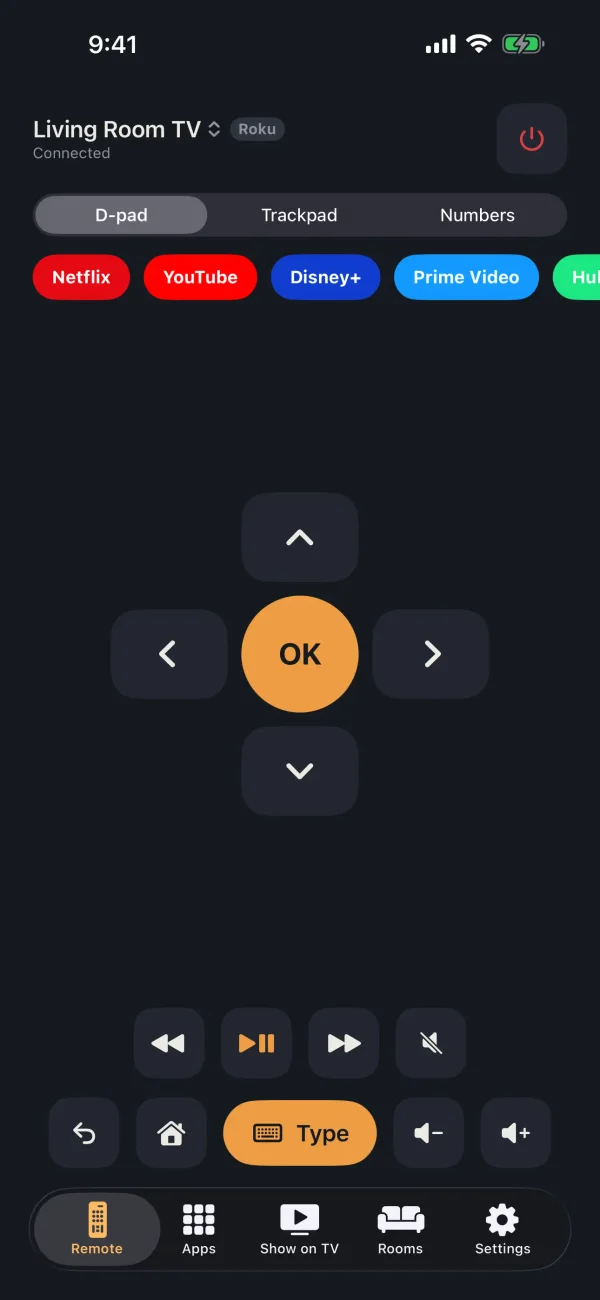
- Three input styles: classic D-pad, swipe trackpad, and a number pad with channel up/down
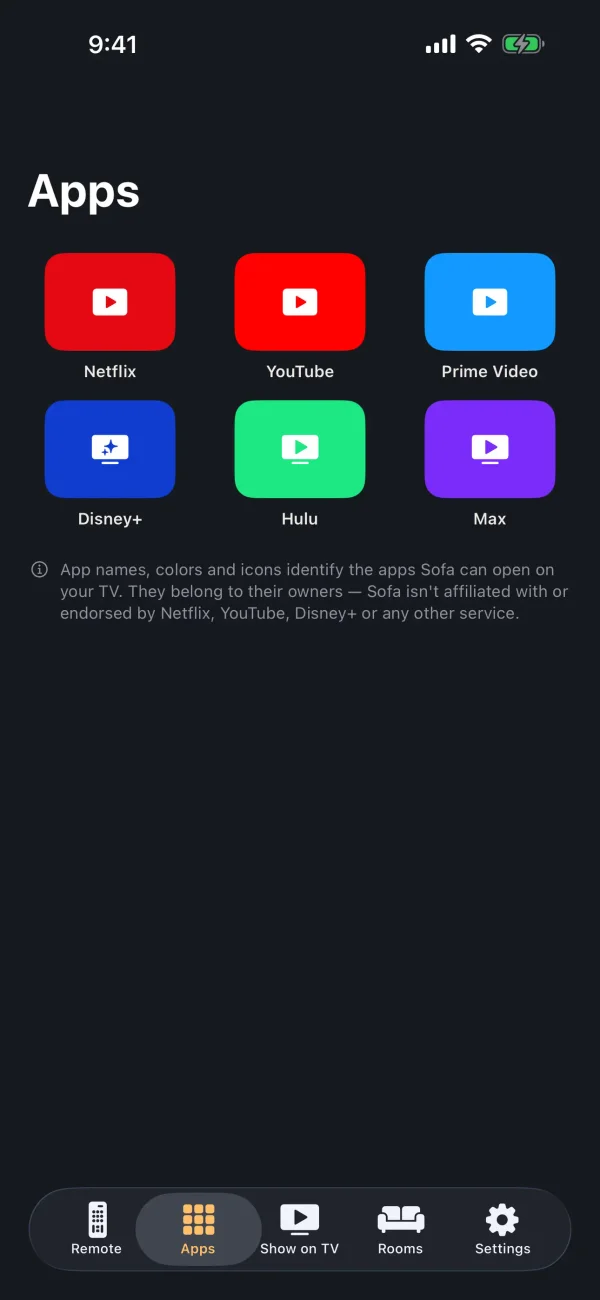
- Launch streaming apps in one tap — Netflix, YouTube, Disney+, Prime Video and more
- On Roku, the full channel grid with real icons
- Volume, mute, power, playback, info and back
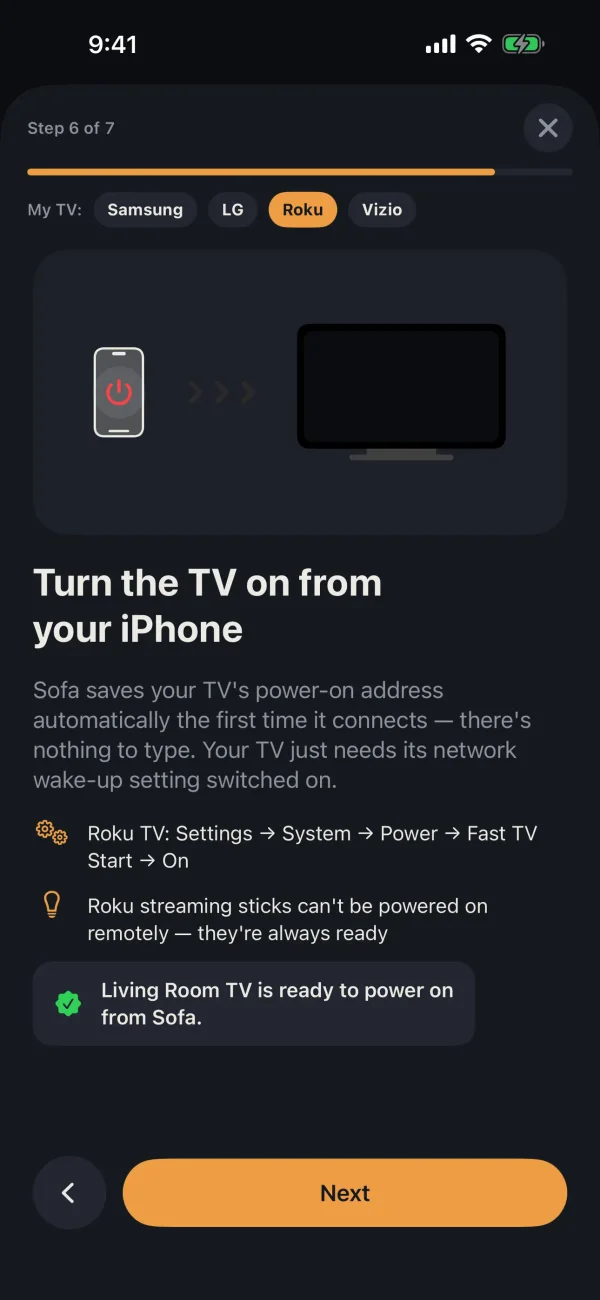
- Power on from your phone: Sofa saves your TV's power-on address by itself the first time it connects — nothing to type
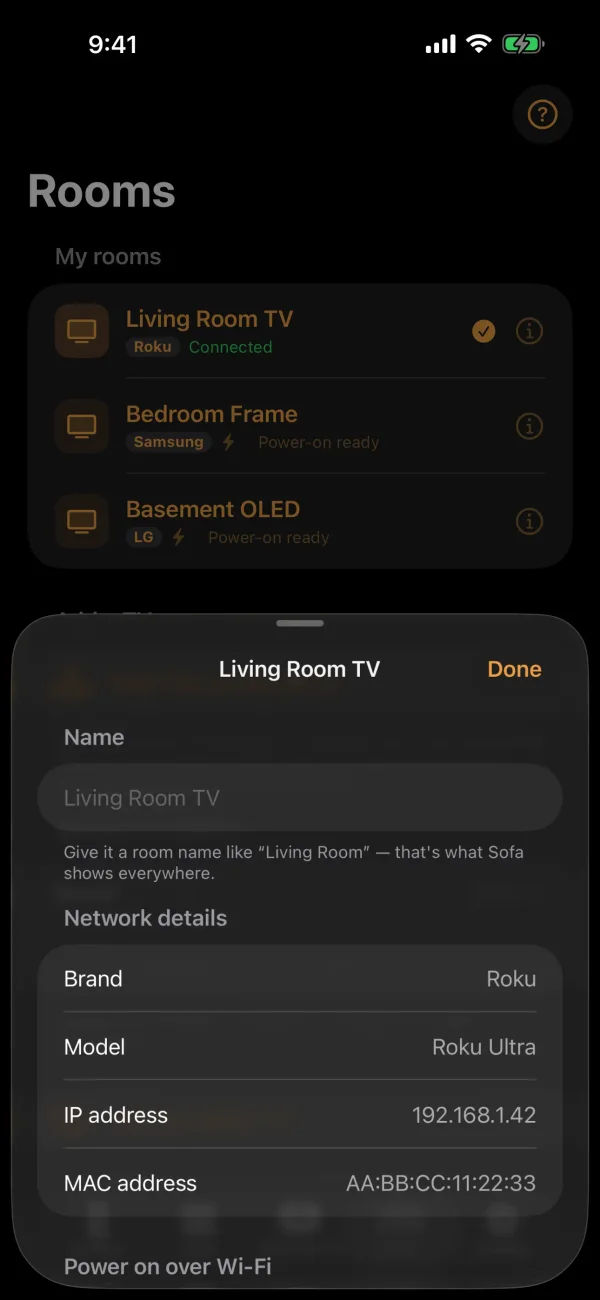
- Rooms: save every TV in the house with a friendly name and switch with a tap
- A connection log in Settings, so you can see exactly what's happening if a TV won't respond
- A built-in Demo TV so you can try every screen before you're home
- Speaks your language: 40+ languages, switch anytime in Settings — no restart
SET UP IN A MINUTE
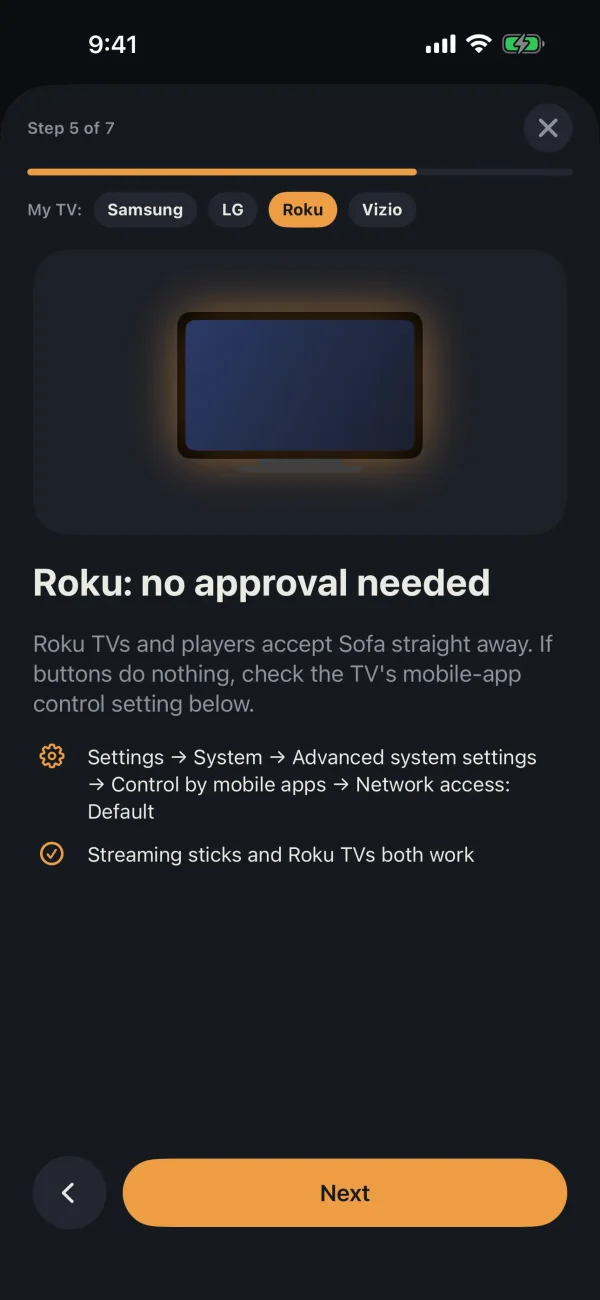
An animated guide walks you through it: same Wi-Fi, allowing Sofa on the TV, and switching on your TV's network wake-up setting — with the exact menu path for Samsung, LG, Roku and Vizio.
NEW: SOFA ON APPLE WATCH
- The basics on your wrist: a big D-pad and OK, back, home, play/pause, mute and power
- Turn the Digital Crown for volume
- Switch between your TVs right from the watch
WORKS WITH ROKU, SAMSUNG, LG & VIZIO
- Roku TVs and streaming players — no pairing needed
- Samsung Smart TVs (2016 and newer, plus 2014–15 models)
- LG webOS TVs
- Vizio SmartCast TVs
Samsung, LG and Vizio ask for a one-time approval on the TV screen the first time Sofa connects — then it just works, and reconnects automatically when the TV comes back on.
FREE, THAT'S IT
No subscription. No ads. No "premium" upsell. The remote apps charging $40 a year for a keyboard are the reason Sofa exists — Sofa is free and complete.
PRIVATE BY DESIGN
Sofa talks directly to your TV on your home network, and your photos and files go straight from your iPhone to your TV — nothing is uploaded, and there's no account. Sofa sends anonymous usage stats (never your TV names, network addresses, what you type or what you show) so we can fix what breaks; turn them off anytime in Settings.
TRADEMARKS
Netflix, YouTube, Disney+, Prime Video, Roku, Samsung, LG, Vizio, Apple TV and other names are trademarks of their owners. Sofa is an independent app — it isn't affiliated with, sponsored by or endorsed by any TV maker or streaming service, and it uses their names and icons only to show which TVs and apps it can control.
Privacy policy: https://allthingsn.com/apps/sofa/privacy/
Terms of Use: https://www.apple.com/legal/internet-services/itunes/dev/stdeula/
What’s new
Version 1.3 · Oct 28, 2026
New in 1.3:
• Optional notifications: an occasional tip for your TV or word of a new Sofa feature. Turn them on in Settings › Notifications, or when Sofa first works with your TV. Nothing is sent unless you allow it.
• Rating Sofa now uses Apple's standard prompt, and only after Sofa has worked for you.
• Fixes and polish.
App privacy
What All Things AI, Inc declares on the App Store about how this app handles data.
-
Data not linked to you
May be collected but is not linked to your identity.
- Identifiers
- Usage data
Privacy practices may vary, for example with the features you use or your age.
Information
- Seller
- All Things AI, Inc
- Category
- Utilities
- Version
- 1.3
- Updated
- Oct 28, 2026
- Released
- Sep 10, 2026
- Size
- 11.0 MB
- Requires
- iOS 17.0 or later
- Age rating
- 4+
- Price
- Free
- Languages
- English, Arabic, Bengali, Catalan, Croatian, Czech, Danish, Dutch, Finnish, French, German, Greek + 32 more
- Copyright
- © 2026 All Things AI, Inc
You might also like
-
 Minimal Islamic Prayer TimesYour Simple Prayer Companion
-
 PetPal — Care & Reminder HubTrack health, meds & routines
-
 UnitMaster - Converter ToolConvert units fast and easily
-
 ReadJourney — Book TrackerTrack Books & Achieve Goals
-
 Loyal: Card WalletLoyalty cards in Apple Wallet
-
 CountFlow: Countdown & CounterScoreboard timer, Converter, +
-
 Puzzle Alarm Clock, Wake Me UpPhoto App Task To Snooze Sleep
-
 Data Widget: remaining dataagainst your own plan date
-
 Extra ActionsPowerful actions for shortcuts
-
 Post Saver: Web ClipperRead Later, Bookmark & Archive