Atona
Your AI employee: EA, CoS & PA
Designed for iPhone, iPod touch
Free · In-app purchases
- Age rating4+
- CategoryProductivity
- DeveloperIroko Labs, Inc.
- LanguagesEnglish
- Size58.5 MB
Links to the official App Store page
Download.org hosts no file of Atona. The button opens its official App Store page, published by Iroko Labs, Inc. Listing last checked on Nov 20, 2026.
Screenshots




About
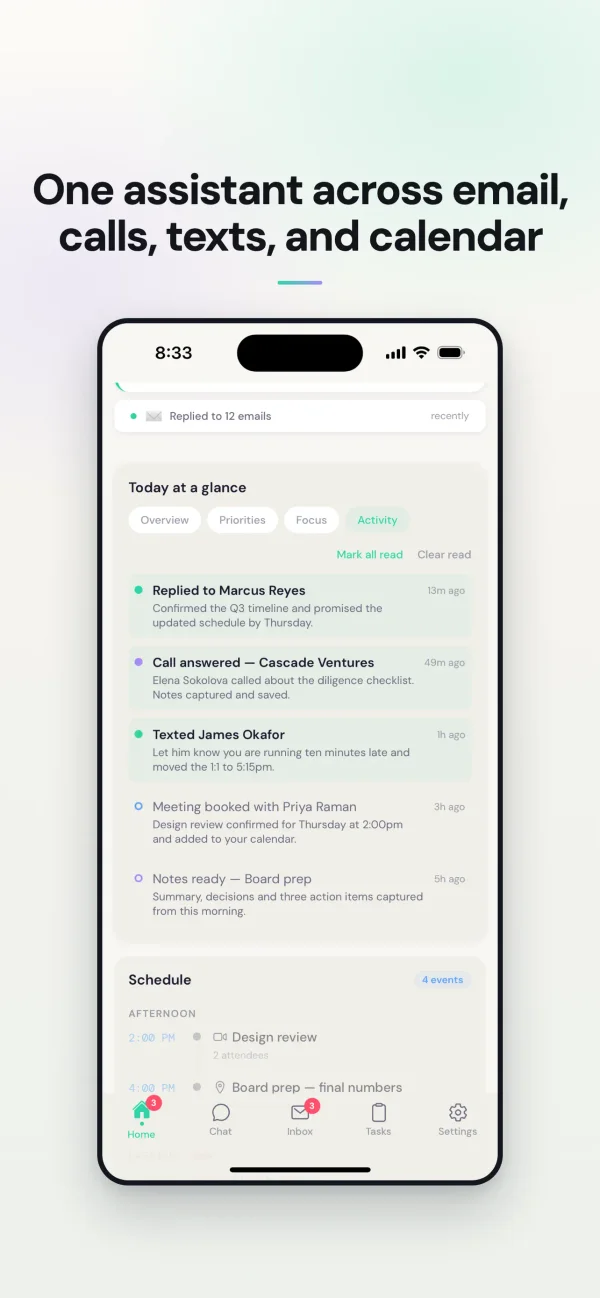
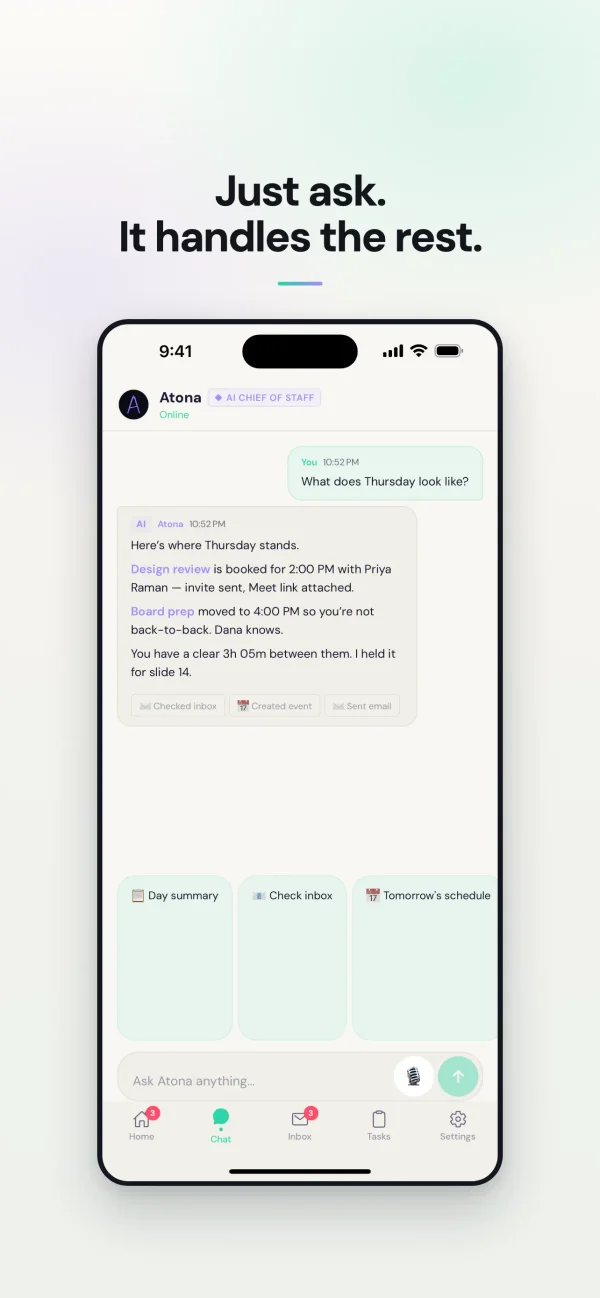
Atona is a personal assistant that does more than answer questions — it takes work off your plate.
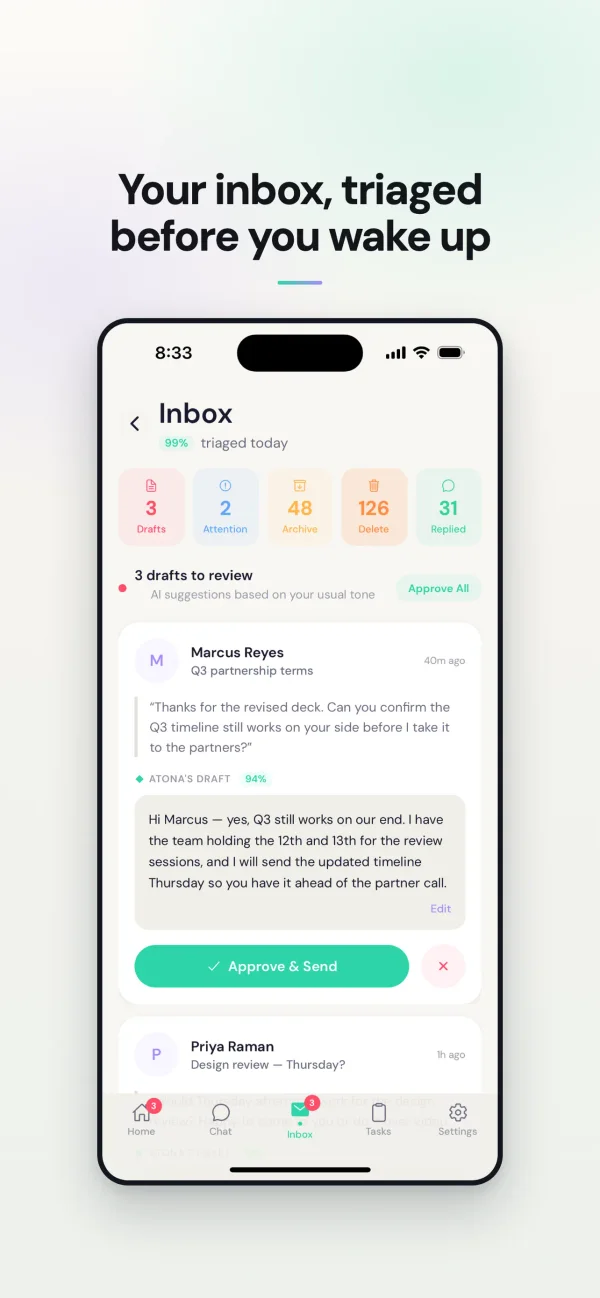
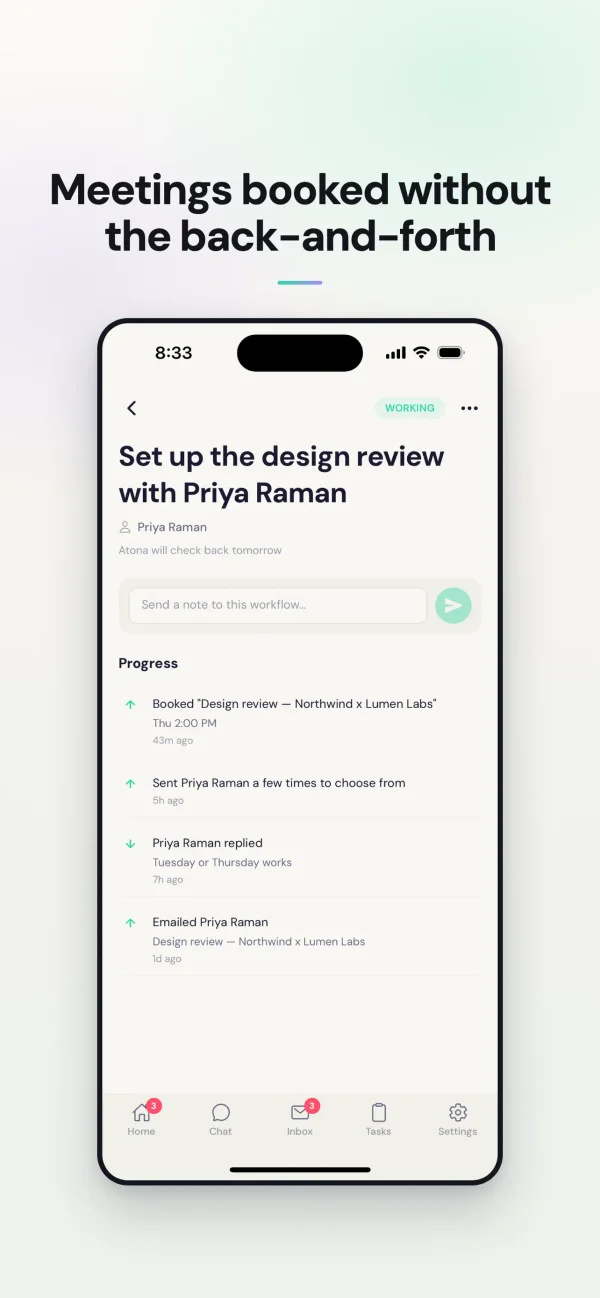
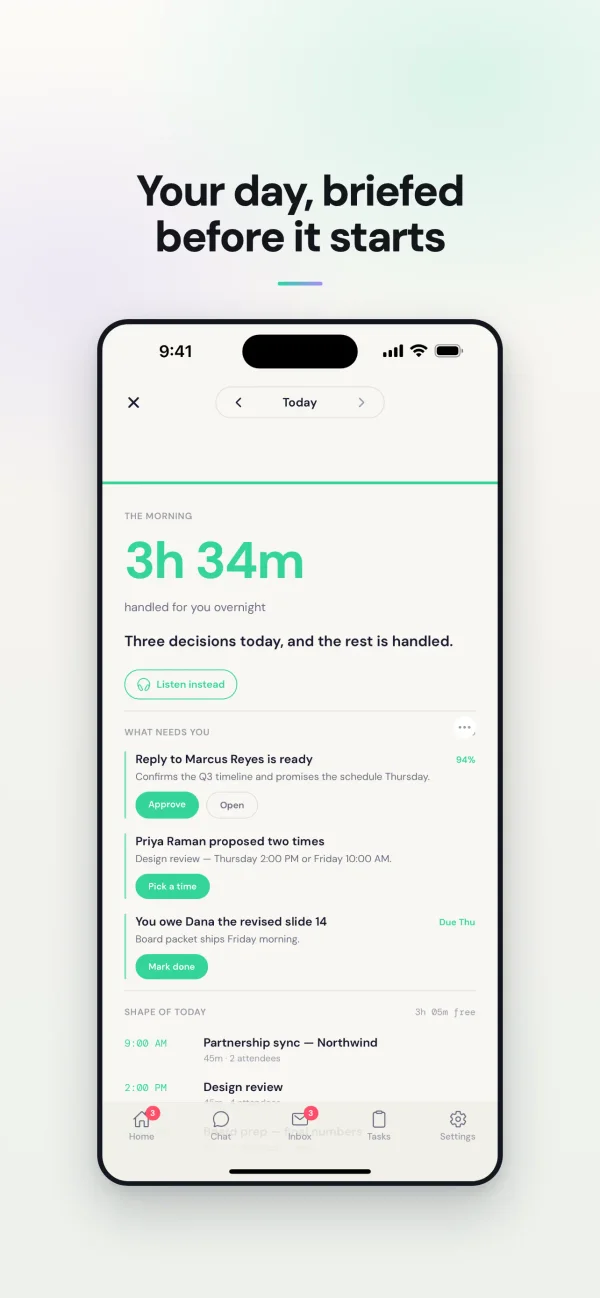
It triages your inbox, drafts replies in your voice, keeps your calendar organized, schedules meetings, takes notes, and follows up so nothing slips through the cracks.
Start your day ahead. Put email on autopilot. Never drop a follow-up. Schedule without the back-and-forth. Get help with meetings and calls. Work where you already work.
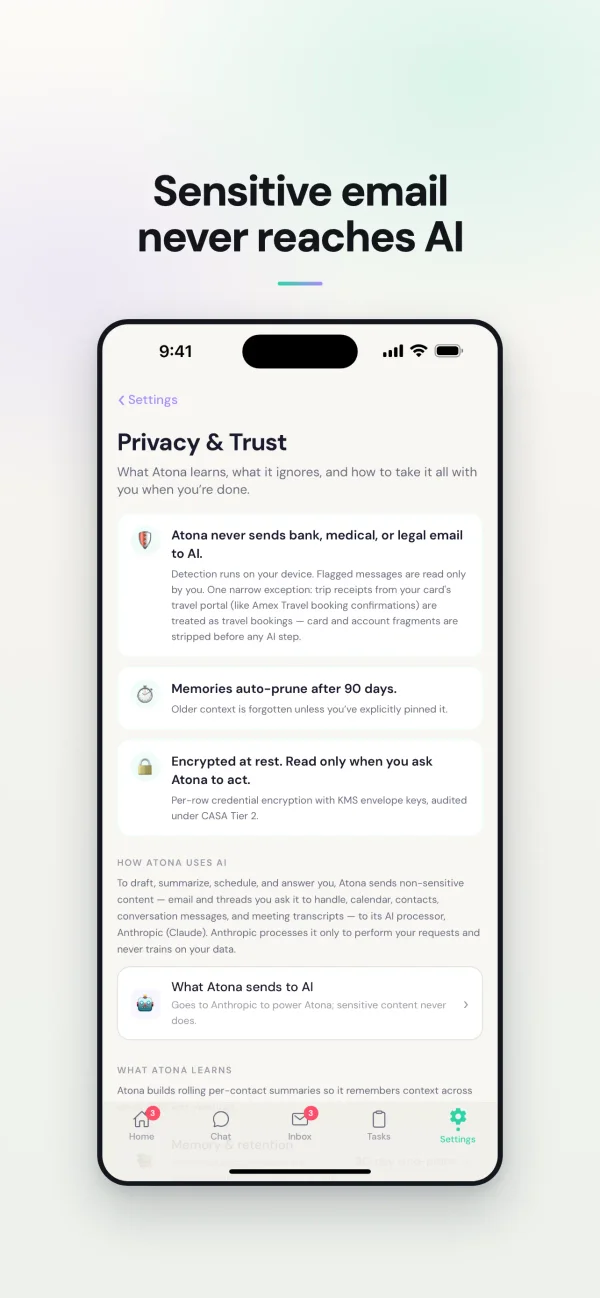
Private by design: sensitive messages are detected on-device and never sent to AI. You can export or delete your data anytime.
Terms of Use (EULA): https://www.apple.com/legal/internet-services/itunes/dev/stdeula/
What’s new
Version 1.0.12 · Nov 12, 2026
**What’s new in 1.0.12**
- **Read replies as they’re written.** Your assistant’s answers now appear as they’re generated, so you can start reading right away.
- **More readable chat.** Larger text and tappable links, phone numbers, and email addresses make replies easier to use. Press and hold a message to copy it.
- **Take action from cards.** Calendar cards offer “Open in Calendar” and “Join,” while contact and task cards open their details. Task cards clearly flag when your input is needed, with updates appearing beneath the card.
- **Pick up where you left off.** Find tasks you started in chat under “From earlier.” Tap “Ask about this” to open chat with the task attached.
- **Find restaurants on a map.** Ask for a table to see places on a map, with options to book or call. Once booked, the reservation card shows your confirmation number and the address.
- **Get the answer first after calls.** Call result cards lead with what your assistant found out. Scheduling tasks show the times offered.
- **View meetings in the app.** A new Meetings list brings together your meetings, each with its own summary, action items, and transcript.
- **Share meeting notes in one tap.** After a meeting you organized, send the notes to everyone on the invite.
- **See your assistant’s name and role.** Both now appear in chat and on new tasks.
- **Finish setting up your assistant.** If you joined before role selection was available, Home now offers a way to complete setup.
- **Open tasks from notifications.** Tap a task notification to go directly to that task.
- **Clearer language throughout.** Email settings, errors, and other messages are easier to understand.
- **A better-fitting reply box.** The reply box now sits directly above your keyboard, including third-party keyboards.
- **Bug fixes and improvements.**
App privacy
What Iroko Labs, Inc. declares on the App Store about how this app handles data.
-
Data linked to you
May be collected and linked to your identity.
- Contact info
- Contacts
- User content
- Identifiers
-
Data not linked to you
May be collected but is not linked to your identity.
- Location
- Contact info
- User content
- Usage data
Privacy practices may vary, for example with the features you use or your age.
Information
- Seller
- Iroko Labs, Inc
- Category
- Productivity
- Version
- 1.0.12
- Updated
- Nov 12, 2026
- Released
- Jun 15, 2026
- Size
- 58.5 MB
- Requires
- iOS 15.1 or later
- Age rating
- 4+
- Price
- Free
- In-app purchases
- Yes
- Languages
- English
- Copyright
- © 2026 Iroko Labs Inc.
You might also like
-
 AI Note Taker & RecorderVoice Notes & AI Summary
-
 Lumen: Knowledge BrowserBrowse. Remember. Recall.
-
 Resurface: Forget NothingSave anything. Forget nothing.
-
 VoiceNote: On-Device AI NotesPrivate voice notes & AI
-
 ADHD Notes: AI Brain DumpVoice To Do List, Task Planner
-
 Mind Map: Brainstorm & NotesOffline Idea Organizer Outline
-
 Noto ScribeAI Voice Notes & Transcripts
-
 Pad Notes AI: Note TakingHandwriting, PDF & Study Tape
-
 Klippy - Clipboard ManagerClipboard history, synced
-
 GitNotēs: Notes & Todos + GitYour notes, Git-synced