
Aurora Remote
High-Performance Remote
Designed for iPhone, iPad
Free · In-app purchases
- Age rating4+
- CategoryUtilities
- Developer宇丰 麦
- LanguagesEnglish+ 1 more
- Size25.9 MB
Links to the official App Store page
Download.org hosts no file of Aurora Remote. The button opens its official App Store page, published by 宇丰 麦. Listing last checked on Nov 22, 2026.
Screenshots

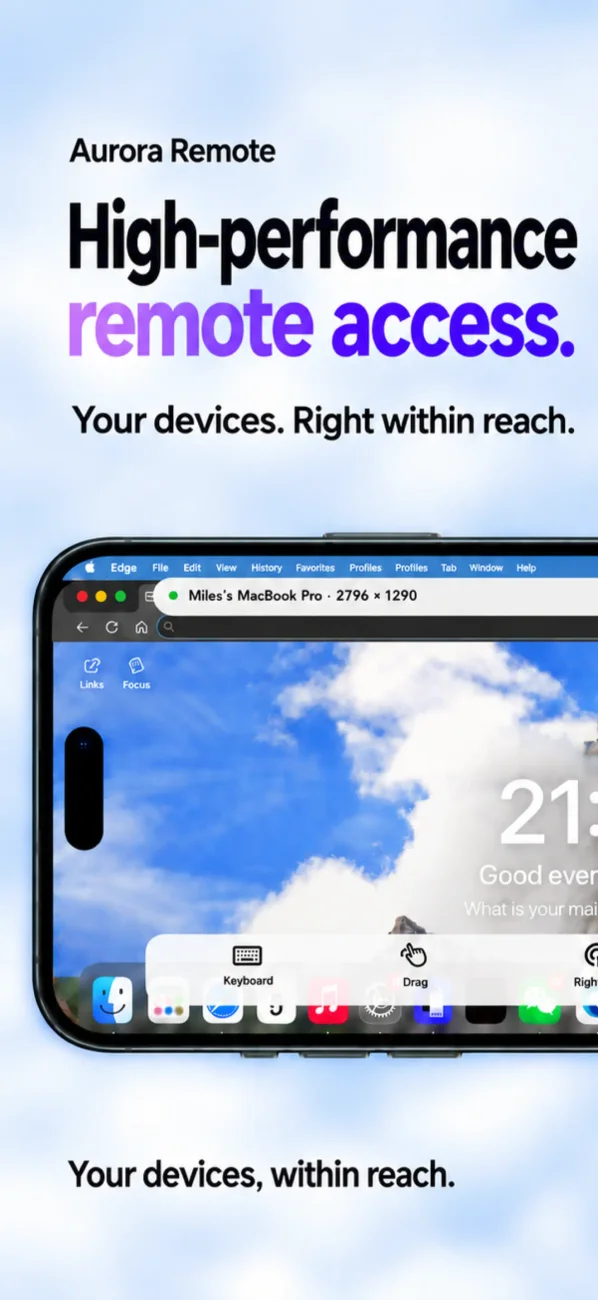

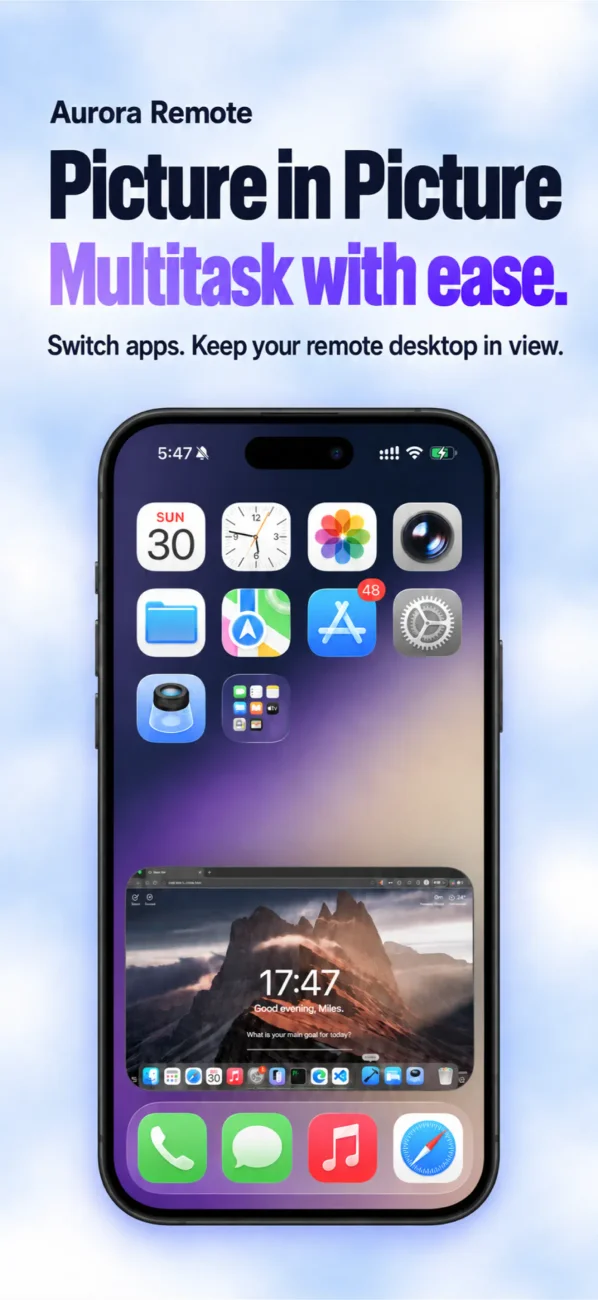

About
Your Mac, Windows PC and Andriod, right on your iPhone or iPad.
Aurora Remote brings your desktop to your phone with intuitive controls, remote audio, and keyboard shortcuts tailored to the way you work. Open desktop apps, make a quick edit, or check on a task—all from your iPhone.
CONNECT TO MAC AND WINDOWS
• Access your Mac through macOS Screen Sharing.
• Connect to Windows through its built-in Remote Desktop service (RDP), with no VNC server installation required.
• Discover Mac and Windows computers on your local network, or add a computer manually using its IP address or hostname.
• Save and favorite multiple computers, with separate connection settings for each device.
• Store saved passwords in the iPhone Keychain.
YOUR SHORTCUTS, WITHIN REACH
• Create, name, edit, and reorder custom keyboard shortcuts.
• Keep separate shortcut collections for Mac and Windows.
• Use Command, Option, Control, and Shift on Mac, or Ctrl, Alt, Shift, and Win on Windows.
• Combine modifiers with letters, numbers, function keys, arrow keys, and more.
• Access your saved shortcuts from a floating shortcut wheel during a remote session.
NATURAL DESKTOP CONTROL
• Switch between mouse and direct-touch modes.
• Click, right-click, drag, and scroll.
• Enter text and use essential keys such as Return, Tab, Escape, and Delete.
• Adjust mouse wheel speed to suit your workflow.
• Receive text copied on your Mac through supported screen-sharing connections.
HIGH-PERFORMANCE MAC ACCESS
On compatible Macs, Pro adds a high-performance viewing experience:
• HEVC video with H.264 fallback for compatibility.
• Hardware-accelerated video decoding on iPhone.
• Frame rates up to 60 FPS.
• Adjustable resolution and frame rate.
• HiDPI options and a desktop layout sized to fit your phone.
• Remote audio from your Mac.
REMOTE AUDIO AND MULTITASKING
• Hear Windows desktop audio through supported RDP sessions.
• Use Pro Picture in Picture to keep watching your remote desktop while using another app.
• Picture in Picture is view-only; return to Aurora Remote to control your computer.
MADE FOR IPHONE
• Portrait and landscape support.
• Dark mode.
• Convenient floating controls for remote input and shortcuts.
PRO OPTIONS
Try Pro features for up to 15 minutes each day. Unlock continued access with a monthly subscription or a one-time purchase. Mac high-performance mode, Mac remote audio, and Picture in Picture are Pro features. Windows RDP and Windows remote audio do not require Pro.
CONNECTION REQUIREMENTS
Mac connections require Screen Sharing to be enabled. High-performance mode requires a compatible Mac, macOS version, and network environment.
Windows connections require Remote Desktop to be enabled on Windows Pro, Enterprise, Education, or Windows Server. Windows Home cannot host built-in Remote Desktop. Sign in with your Windows account password, not your Windows Hello PIN. Windows clipboard transfer and RD Gateway are not currently supported.
Use a trusted local network, VPN, or secure tunnel. Standard VNC password authentication does not encrypt the desktop session; do not expose TCP port 5900 directly to the public internet.
Terms of Use (Apple Standard EULA):
https://www.apple.com/legal/internet-services/itunes/dev/stdeula/
What’s new
Version 1.1.2 · Nov 2, 2026
What's new in 1.1.2:
• Added support for external keyboards and mice for more precise, convenient control.
• You can now remotely control Android devices from your iPhone.
• Added compatibility with iPhone Duo.
App privacy
What 宇丰 麦 declares on the App Store about how this app handles data.
-
Data not collected
The developer does not collect any data from this app.
Privacy practices may vary, for example with the features you use or your age.
Information
- Seller
- 宇丰 麦
- Category
- Utilities
- Version
- 1.1.2
- Updated
- Nov 2, 2026
- Released
- Sep 8, 2026
- Size
- 25.9 MB
- Requires
- iOS 17.0 or later
- Age rating
- 4+
- Price
- Free
- In-app purchases
- Yes
- Languages
- English, Simplified Chinese
- Copyright
- © 2026 Miles Mai
You might also like
-
 MiSTerKVMsRemote screen for MiSTer FPGA
-
 DevTally: Indie Dev RevenueOrder Alerts & Analytics
-
 WhiteSail: Live Internet CheckWiFi & Cellular: Better Spots
-
 Docker MonitorOn-The-Go docker monitoring
-
 PoemPocketPoetry as mindfulness
-
 NovaFlow NAS1 kWh/year private NAS server
-
 Packora- outdoor gear up
-
 喵小秘—计划·待办·打卡·规划·TODO·签到·学习助手Utilities
-
 HDF5 Viewer · File ReaderDataset Inspector & NetCDF4
-
 DisplayerPadUtilities